Carvana: Buy/Sell Used Cars
- 18.55K
- 4.8
- Installs
- 1.00M
- Price
- Free

Screenshots
Analysis by Reviewed
Car shopping on a phone sounds wonderfully convenient, but a screen can’t remove every decision or delay involved in buying a used vehicle. I see Carvana as a useful place to research a car and manage a purchase or sale, especially if I want to avoid the usual back-and-forth at a dealership. The important thing is to treat it as a tool for a major decision, not as a shortcut around checking whether a particular car fits my needs.
Before you start browsing
My first practical step would be to decide what I need the car to do before looking at listings: daily commute, family trips, carrying equipment, or something else. That gives the filters a purpose and helps keep attractive photos from pulling me toward a vehicle that is wrong for my routine. I would also compare the total purchase commitment with my budget, rather than focusing only on a monthly payment.
If the app seems slow or a page does not load as expected, I would start with simple checks: confirm the phone has a working internet connection, close and reopen the app, and make sure it is up to date. Carvana is a free Auto & Vehicles app from Carvana, with an Everyone age rating; the current version is 6.51.0 and it requires iOS 11 or later. Those details help set expectations about access, but they do not make a weak connection or an outdated device disappear.
Where the process can feel less effortless
Browsing is the low-commitment part. Buying or selling brings real-world steps, decisions, and timing into the picture, so I would avoid starting a transaction in a hurry. Before committing to a purchase, I’d review the individual vehicle information carefully and keep my own must-have list nearby. If a detail matters to my decision, I would resolve it before treating the car as a match.
The app’s convenient presentation also has a trade-off: browsing photos and information remotely is not the same as seeing a vehicle in person or having an independent professional assess it. I would use the app to narrow choices, then make time for any inspection or follow-up that matters to me. The seven-day return period is a meaningful part of the offer, but I would read the current terms and make sure I understand the steps and conditions before relying on it.
Latest News
The Virtual Showroom Experience
The first thing you'll notice when you fire up Carvana is its intuitive and visually appealing interface. It's like stepping into a digital showroom, minus the pushy salespeople. You can browse through a vast collection of used cars, all neatly categorized and accompanied by high-quality 360-degree photos. Seriously, it's like the cars are right there in your living room!
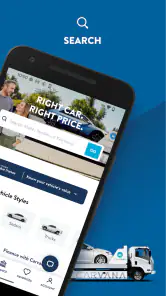
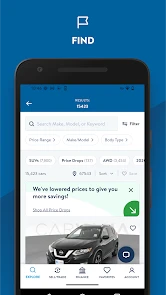
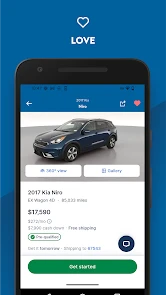
Searching for your dream car is a breeze with the app's smart search filters. Whether you're specific about the make, model, year, or even the color, Carvana's got you covered. And the best part? Each vehicle comes with a detailed report and history, so you know exactly what you're getting into. It's transparency at its finest, my friends.
Buying Made Easy
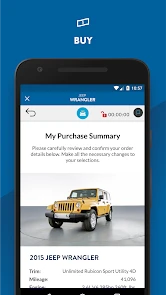
Now, let's talk about the buying process. The app makes it ridiculously simple. Once you've set your sights on a car, you can complete the entire purchase within the app. From financing options to warranty details, everything is laid out in plain English. There's even a nifty feature that lets you calculate your monthly payments based on your budget. How cool is that?
Plus, Carvana offers a seven-day "test-own" period. Yes, you heard me right. You get to drive the car around and really get a feel for it. If it doesn't suit your fancy, you can return it, no questions asked. It's like having your cake and eating it too!
Use it as a shortlist, not a commitment
A practical way to shop is to save a few plausible options mentally or in your own notes, then compare them against the same checklist: space, driving needs, budget, and the information shown for each vehicle. That makes differences easier to spot than switching between listings and relying on memory. For a buyer balancing a busy day, it can turn a quick browse during a break into a useful shortlist without forcing a rushed decision.
Compared with visiting several traditional dealerships, the app puts browsing and parts of the transaction in one digital flow. That can suit someone who values convenience and wants to review choices at home. A local dealer or private seller may be a better fit if I want to inspect several cars in person first, negotiate directly, or handle questions face to face. The right route depends on how much I value remote convenience versus hands-on comparison.
Sell Your Car with Confidence
On the flip side, if you're looking to sell your car, Carvana has your back. The app provides an instant appraisal, and if you like the offer, you can schedule a pick-up or drop-off at one of their vending machines. It's all about convenience and efficiency, folks. No more haggling with strangers or dealing with sketchy buyers. Just a smooth, straightforward transaction.
Planning a sale without surprises
If I were selling, I would gather the details I need about my car before starting, then compare the offer with what matters most to me: speed, convenience, or exploring other ways to sell. A private sale may take more effort but gives me a different route; a trade-in can be simpler when I am replacing the car at a dealership. Carvana’s appraisal can be a helpful starting point, but I would review the proposed terms and arrange my schedule around the next steps rather than assuming the whole process happens instantly.
For either side of a transaction, a stalled screen does not necessarily mean the deal or listing is lost. I would first reopen the relevant page and check whether the action was completed before trying it again, so I do not accidentally repeat a step. If the issue continues, I would note what I was doing and contact Carvana through its available support route. That is a sensible recovery plan for a high-stakes purchase, where guessing is less useful than confirming the status.
Final Thoughts
In a nutshell, Carvana is revolutionizing the way we buy and sell cars. It's a seamless blend of technology and convenience, perfect for those who value their time and want a hassle-free experience. Whether you're a buyer or a seller, this app is designed to make your life easier. So, if you're in the market for a new ride or looking to offload your old one, give Carvana a whirl. You might just find yourself pleasantly surprised.
Remember, folks, the future of car shopping is here, and it's just a tap away!
Who I would recommend it to
The app makes the most sense for someone comfortable doing early research on a phone and willing to read vehicle details before acting. Carvana has a 4.8 average from around 71,000 ratings, with about 19,000 written reviews and over a million installs, which suggests it has reached a large audience, though popularity alone cannot tell me whether a specific car or transaction will suit me. It is free to install, so I can explore without paying for access.
I would be more cautious if I need a car immediately, strongly prefer face-to-face negotiation, or want to compare vehicles by inspecting them side by side before narrowing my choices. The return window can add reassurance, but it does not remove the need to check the car, understand the terms, and plan around the process. For me, the strongest use is as a convenient route to explore and transact, provided I keep my own questions and priorities in charge.
Carvana: Buy/Sell Used Cars Frequently Asked Questions
Is Carvana safe to download and what should I check first?
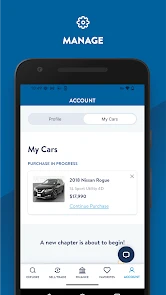
Carvana is an app from Carvana for browsing and managing used-car purchases or sales. Before downloading, check that your device meets the app’s operating-system requirement and that you are comfortable handling parts of a vehicle transaction through an app. It is rated for Everyone, and the app is free to download, so you can explore its features without an upfront app charge.
Can I browse used cars in Carvana before deciding to buy?
Yes. Carvana is designed to let users browse used cars and view information about individual vehicles before moving ahead with a purchase. Taking time to compare listings and review the details can help you decide whether a car suits your needs. The app is intended for people interested in buying or selling used cars, rather than general vehicle news or maintenance advice.
Is the Carvana app free, and which devices can use it?
Carvana is a free Auto & Vehicles app from Carvana for browsing and managing a used-car purchase or sale. It is rated for Everyone and requires iOS 11 or later, so it is worth checking your device’s software before downloading. The app has a 4.8 average from around 71,000 ratings, giving prospective users a quick sense of its reception.
What is Carvana and how does it work?
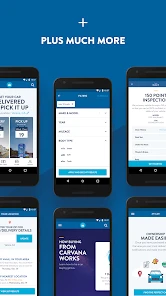
Carvana is an online platform that allows users to buy and sell used cars with ease. The app provides a seamless experience where users can browse through a vast selection of vehicles, view detailed information about each car, and complete the purchase process online. Carvana also offers a unique vending machine pick-up experience or home delivery for added convenience.
How reliable are the cars purchased through Carvana?
Cars bought through Carvana undergo a rigorous 150-point inspection to ensure they meet high-quality standards. Each vehicle comes with a Carfax report, providing a detailed history of the car. Additionally, Carvana offers a 7-day return policy, allowing buyers to test the car and return it if it doesn't meet their expectations.
Pros
- Wide range of used cars available.
- User-friendly interface for easy navigation.
- Financing options directly through the app.
- Detailed car history and photos accessible.
- Convenient at-home delivery service.
Cons
- Limited to specific geographic locations.
- No negotiation on car prices.
- In-person test drives not available.
- Requires internet for full functionality.
- Higher prices compared to some alternatives.

- Category
- Auto & Vehicles
- Version
- 6.51.0











