Bridge: Debit Card Rewards
- 2.46K
- 4.3
- Installs
- 100.00K
- Price
- Free

Screenshots


Analysis by Reviewed
I find Bridge: Debit Card Rewards most useful when I treat it as a small rewards routine rather than a magic shortcut to cheaper shopping. It brings cashback, games, surveys and other earning activities into one shopping app, so the appeal is easy to understand: I can check for an available reward before buying, complete something during a spare minute, and keep the process in one place. The important question is whether that routine fits the way you already shop.
Bridge Money developed the app, which is free to install and aimed at everyone. It has built a noticeable audience, with over 100 thousand installs, an average rating of 4.3, and around 12 thousand ratings. Those figures suggest a service that many people find worthwhile, although they do not remove the need to pay attention to the conditions attached to individual activities. My experience with apps in this category is that the quality comes less from the headline promise and more from how clearly the workflow fits into everyday spending.
How I use Bridge without turning rewards into a chore
The baseline routine: check first, shop second
My preferred starting point is deliberately simple. Before making a planned purchase, I open the shopping section and look for a relevant cashback opportunity. I do not browse endlessly hoping to discover a reward for something I never intended to buy. That distinction matters because rewards can encourage unnecessary spending if I let the app dictate my shopping list.
A practical example is a weekly household order. I already know what I need, so I check Bridge before completing the purchase, compare the available option with the normal route I would use, and then decide whether the extra step is worth it. If the reward requires too much effort or changes the way I normally pay, I skip it. The value is in adding a quick check to an existing purchase, not in building a second full-time shopping habit.
The games and surveys serve a different purpose. I see them as optional ways to use a few spare minutes, not as a dependable replacement for income. They can make the app feel less narrow than a standard cashback tool, but they also make it easier to lose track of time. I prefer to choose one activity, finish it, and leave rather than repeatedly refreshing the app for something better.
This approach also answers an important question: is Bridge useful if you only want cashback? Yes, the cashback side can stand on its own, but the extra sections are part of the app’s character. If you dislike games and surveys, you can ignore them; if you enjoy small tasks, they give you another reason to open the app. I would not install it solely because the store summary mentions several earning routes, though. I would install it only if I was comfortable checking offers and following their individual requirements.
Settings and account habits worth checking
The most valuable “setting” is often a personal one: decide what information and attention you are willing to exchange for rewards. I recommend looking through each activity before starting it, especially surveys. Read the basic requirement, note whether it appears suited to you, and avoid beginning a long questionnaire when you only have a moment. Being screened out after spending time is one of the common frustrations with survey-based rewards, even when the app itself is easy to use.
More From Our News Desk

Clash of Clans Is Won Between the Battles

Android Auto Makes the Case for Quieter Car Software

MobiOffice: Transforming Mobile Productivity with Seamless Integration

EA SPORTS FC™ Mobile Soccer: Redefining Mobile Sports Gaming

How Microsoft OneDrive Became a Mobile Productivity Giant

How Google Translate Breaks Language Barriers Effortlessly
I also keep my shopping process consistent. If I normally compare prices in a retailer’s app, I do that first, then check whether Bridge adds a worthwhile reward. Cashback should be treated as a reduction to the final cost, not as permission to accept a higher price or buy something unnecessary. This prevents a familiar trap: focusing on the reward percentage while overlooking delivery charges, product differences or a better ordinary deal elsewhere.
Another useful habit is to separate “available now” from “worth doing now.” The presence of an activity does not automatically make it valuable for me. A short survey that matches my interests may be reasonable; a longer one that interrupts a busy day is not. The same judgment applies to games. I use them when I want light entertainment with a possible reward attached, but I do not assume that every game-related task will suit my patience or schedule.
Bridge is free to download, but the app includes in-app purchases ranging from two dollars to fifty-two dollars per item. That is a detail I would keep in mind even if my goal is rewards. A free installation does not mean every part of the experience is free of spending decisions. I would avoid purchasing anything simply to chase a reward unless I had already decided that the purchase made sense without the incentive.
Faster patterns for repeat users
Once I understand the basic flow, I use a three-step shortcut: planned purchase, Bridge check, final comparison. Repeating that sequence is faster than opening the app at random throughout the day. It also gives me a clear stopping point. If nothing relevant appears, I continue with my normal shopping method instead of treating the lack of an offer as a problem to solve.
For surveys and games, I use a separate time rule. I start them only when I can give them uninterrupted attention, and I stop when the activity becomes repetitive or unclear. This is more efficient than switching between several tasks. The app’s variety is helpful, but variety can also create decision fatigue. Choosing one route at a time keeps the rewards process from becoming a collection of half-finished attempts.
Experienced use also means keeping expectations modest. I would rather collect smaller benefits consistently from purchases I was already going to make than chase every possible activity. That mindset makes the app easier to judge. If it saves me effort or adds a useful return to ordinary shopping, it earns a place in my routine. If I find myself buying things, answering unsuitable surveys or playing longer than planned, the reward is no longer working in my favor.
There is a subtle trade-off between convenience and comparison. A single app feels simpler than checking several cashback services, retailer promotions and survey platforms separately. However, a specialist alternative may offer a more focused experience for one particular activity. Someone who cares only about comparing cashback rates may prefer a dedicated cashback service. Someone who wants only surveys may prefer a survey-focused app. Bridge is stronger for people who value having several options together and are willing to make their own final comparison.
Where the limits become noticeable
The main limitation is that “more ways to earn” can also mean more ways to spend attention. Cashback requires a purchase, surveys require patience, and games require time. None of those routes should be confused with effortless money. I would be particularly cautious if you are prone to impulse shopping, because the presence of a reward can make an unnecessary purchase feel justified.
The app is also not the right choice for someone who wants a completely passive experience. You need to open it, inspect what is available and decide whether the terms fit your plan. If you want a card or service that quietly gives rewards without any additional checking, a simpler banking or card-rewards option may suit you better. Bridge is more interactive, and that interaction is both its appeal and its cost.
Another limitation is personal relevance. Surveys and games are not equally useful to every user, and a broad selection does not guarantee that the current choices will match your interests. I would not judge the app after one uninteresting session. Instead, I would give it a short trial based on my normal shopping pattern and then ask whether I actually used the available activities. If the answer is no, the app may simply not fit my habits.
It is also worth considering the age rating and device requirements before installing. The app is rated for Everyone and requires Android 7.0 or later. That makes it accessible to many Android users, but anyone with an older phone should check compatibility before planning around it. The current version is 6.0.0, so I would keep the app updated through the normal store process to receive the version intended for my device.
Who gets the most from it?
I think Bridge suits a careful shopper who already makes regular purchases and does not mind spending a minute checking for a reward. It can also suit someone who enjoys short surveys or casual games and likes the idea of keeping those activities beside cashback rather than installing several separate apps. The combination is convenient when you are disciplined about choosing only activities that fit your plans.
It is less suitable for someone who expects guaranteed savings on every purchase, dislikes surveys, or wants rewards without reviewing offers. It is also a poor match for anyone who tends to spend more just because a reward is available. In those cases, a straightforward price-comparison habit or a simple card with automatic rewards may be safer and easier.
For an everyday workflow, I would start with one planned purchase and one optional activity. I would compare the final shopping cost with my usual route, then note whether the reward process felt clear and worthwhile. I would not begin by trying to combine every feature. This small test reveals more than a long browsing session because it shows whether Bridge fits the way I actually shop.
My verdict after using the full mix
Bridge: Debit Card Rewards is a flexible shopping app, but its flexibility works best with boundaries. I like the idea of combining cashback, games and surveys because it gives me choices, especially when I want to check a purchase and use a few spare minutes in the same place. The app feels more useful when I approach it as a tool for planned decisions rather than a constant stream of opportunities.
The strongest habit is simple: shop normally, check Bridge before paying, compare the real total, and treat games or surveys as optional extras. That workflow protects the value of cashback while preventing the app from taking over your time. I would also remember that the free app contains optional in-app purchases, so I would never spend money merely to pursue a reward.
Bridge Money has created something that should appeal to users who want variety without managing several separate reward apps. Its rating of 4.3 from around 12 thousand ratings and its audience of over 100 thousand installs show why the concept has attracted attention, but the right decision still depends on your habits. I recommend trying it if you are a deliberate shopper who enjoys checking options. I would skip it if you want completely automatic rewards or find surveys and game-based activities distracting.
In short, the app is at its best when it becomes a quick checkpoint before purchases, not another place to browse without a plan. Used that way, it can add useful variety to ordinary shopping. Used without limits, it can turn small rewards into extra spending and extra screen time. The real advantage is control: choose the activity, compare the outcome, and stop when the reward is no longer worth the effort.
Bridge: Debit Card Rewards Frequently Asked Questions
What does Bridge: Debit Card Rewards offer besides cashback?
Bridge’s short store description is simply “Bridge,” while its broader summary highlights cashback, games, surveys, and more. That gives the app a wider rewards focus than debit-card shopping alone: you may find different ways to engage with its offers and features. What is available can depend on your account and the app’s current offerings, so browse the available sections and their terms before deciding which features suit you.
Who makes Bridge: Debit Card Rewards, and what should I know about its age rating?
Bridge: Debit Card Rewards is developed by Bridge Money and is listed for Everyone. That age classification can help you decide whether the app is appropriate for your household, but it does not replace checking the app’s permissions, privacy policy, and any terms that apply to its rewards features. If a child will use the app, review how accounts and financial connections work before allowing access.
What is Bridge: Debit Card Rewards, and how does it work?
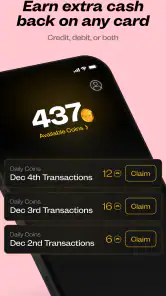
Bridge: Debit Card Rewards is a rewards app designed to help users earn benefits from eligible debit card purchases. After setting up an account and connecting or using a supported card, the app may track qualifying transactions and apply available rewards, offers, or cashback opportunities. The exact earning process can vary by merchant, promotion, location, and account eligibility, so it is important to review the offer terms before making a purchase.
Is Bridge: Debit Card Rewards free to download and use?
The app is free to download, but in-app purchases are available, with listed prices ranging from $2 to $52 per item. Users should check the current pricing and terms shown in the app before making a purchase. Some rewards may involve eligibility requirements, participating merchants, minimum purchase amounts, expiration dates, or other restrictions. Before relying on a particular benefit, review the in-app details carefully to understand whether any fees, limitations, or exclusions apply.
Does Bridge support every debit card and bank?
No rewards app can be assumed to support every bank or debit card, and Bridge may have compatibility requirements that differ by country, financial institution, card network, or account type. During setup, the app should indicate whether your bank or card is supported. If linking a financial account is required, check the permissions and connection information first, and avoid proceeding if your institution is not listed or the available features do not match your needs.
Pros
- Earns rewards automatically when you pay with the linked debit card.
- Simple setup makes it accessible for users new to rewards programs.
- Offers a way to benefit from everyday spending without using credit.
- Reward tracking helps users monitor progress in one place.
- May provide useful savings opportunities for regular card purchases.
Cons
- Rewards may vary by merchant
- location
- or promotional availability.
- A compatible bank account or debit card may be required to use the service.
- Some offers could have minimum spending or redemption conditions.
- Reward processing may not always be immediate after a transaction.
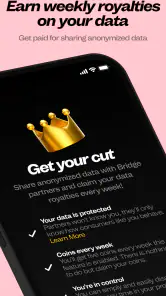
- Users should review privacy and data-sharing settings before connecting accounts.
- Category
- Shopping
- Version
- 6.0.0











