boohooMAN: Shop Men’s Clothing
- 1.13K
- 4.7
- Installs
- 1.00M
- Price
- Free

Screenshots




Analysis by Reviewed
I find shopping for clothes on a phone works best when I already have a rough idea of what I need. With boohooMAN: Shop Men’s Clothing, I can browse men’s styles, narrow the options and compare pieces without turning a quick search into a long trip around town. It’s a shopping app from boohoo.com, and its strongest appeal is straightforward: a broad fashion-focused selection in a format that suits browsing in spare moments. I wouldn’t treat any clothing app as a substitute for trying things on, but this one can make the first stage of choosing much easier.
Quick browsing, with a little patience
The layout feels geared toward moving from inspiration to a product choice without much ceremony. When I’m browsing between tasks, clear categories and search filters matter more than elaborate features. Filtering by size, colour and style can cut down the number of unsuitable results, though I still recommend checking each item’s details rather than assuming that similarly named pieces will fit or feel alike. A fast-moving feed is useful for discovery, but it can also make it tempting to add things before deciding whether they work with clothes I already own.
For a practical workflow, I’d start with the occasion, then search for one item type and use the filters to make a shortlist. If I’m looking for a jacket, for example, I’d compare its colour and cut with jeans or trousers I already wear, rather than judging it as an isolated image. That small pause is especially useful when shopping on a small screen: it turns casual scrolling into a more deliberate decision and helps avoid a cart full of near-duplicates.
Seamless Shopping Experience
First things first, the app is super user-friendly. I mean, I’m talking about a few taps and swipes, and bam! You’re looking at the freshest fits. The interface is clean and intuitive, making it a breeze to navigate through the myriad of options. Whether you’re searching for a graphic tee to rock on the weekends or a sharp suit for that upcoming event, the search function is spot on. Plus, the filters help narrow things down by size, color, and style, which is a lifesaver if you’re as indecisive as I am.
Style at Your Fingertips
The variety is impressive. From streetwear to formal attire, boohooMAN: Shop Men’s Clothing has you covered. I found some killer jackets and some seriously cool jeans that didn’t break the bank. And let’s not forget the accessories section; hats, bags, and shoes galore! It’s like having a personal stylist in the palm of your hand. The app even updates you with the latest drops and exclusive deals, so you’re always in the loop.
That range makes the app most useful when I’m building an outfit around a specific need, such as refreshing everyday basics or finding something sharper for an event. I’d still compare colours and styling across a few options before committing; a product photo can make a coordinated look seem more complete than the pieces will feel in my own wardrobe. If fit is my main concern, I’d be more cautious than when buying a familiar type of casual item, because browsing can help me shortlist but can’t replace trying clothes on.
Deals and Discounts
Now, let’s talk money. Who doesn’t love a good bargain? boohooMAN is generous with its discounts and promo codes. I snagged a sweet 20% off my first order, and there are always sales popping up. It’s perfect for anyone trying to stay fashionable without going broke. Plus, the app offers a student discount, which is a nice touch for those still hitting the books.
More From Our News Desk

Clash of Clans Is Won Between the Battles

Android Auto Makes the Case for Quieter Car Software

MobiOffice: Transforming Mobile Productivity with Seamless Integration

EA SPORTS FC™ Mobile Soccer: Redefining Mobile Sports Gaming

How Microsoft OneDrive Became a Mobile Productivity Giant

How Google Translate Breaks Language Barriers Effortlessly
My advice is to decide what I’m willing to spend before browsing promotions. A discount only helps if the item was already something I wanted, and a low price is no guarantee that a piece will become a wardrobe favourite. I’d also check the final order details carefully before placing it, especially when choosing several styles at once. That habit is more useful than chasing every offer, and it keeps a sale-led browse focused on clothes I can actually see myself wearing.
Choosing between a focused shop and a wider comparison
One choice I’d make before opening a clothing app is whether I’m browsing a particular brand’s style or comparing the market. This one is most useful when I already like boohooMAN’s look and want to see related options together. A broad marketplace is better if my priority is comparing different labels, while a retailer’s own app can make more sense when I want to stay within one particular style direction. The trade-off is convenience versus range beyond that brand: a focused catalogue can feel easier to browse, but it won’t answer every question about what else is available.
For a real-world example, if I need a casual outfit for a weekend plan, I’d use the app to explore a top and trousers as separate searches, then compare their colours and cuts before deciding whether they belong together. I wouldn’t assume that pieces shown in a styled image are automatically the best combination for my wardrobe. Checking each item on its own also helps me avoid buying a whole look when I only need one useful addition.
Customer Service and Support
Customer service can make or break an online shopping experience. Luckily, boohooMAN has a responsive support team. I had a minor hiccup with an order, and their team sorted it out quickly via the in-app chat feature. It’s reassuring to know that help is just a message away.
Everyday reliability and device fit
For ordinary browsing, I’d expect a shopping app like this to feel most responsive when I’m searching a specific category or checking a handful of items, rather than rapidly jumping through a large number of pages. I can’t promise a particular load time or flawless performance on every phone; connection quality and device condition naturally affect shopping apps. If a screen stalls during a busy browse, I’d pause, check whether the connection is steady, then reopen the page before repeating an action such as adding an item. That simple recovery step helps avoid accidentally duplicating a choice.
My practical speed expectation is modest: I want search and product browsing to keep up with a normal, focused session, but I wouldn’t judge the app by a single slow screen when signal is poor. If images take time to appear, I’d avoid tapping repeatedly, since that can make it harder to tell which action registered. I’d wait for the page to settle, check the selection, and then continue. That’s a sensible habit in any mobile shop, especially when browsing several sizes or colours in succession.
Heavy use is where a little discipline helps. If I’m comparing a lot of items, I’d keep a short mental or written shortlist rather than leaving a long trail of nearly identical product pages to revisit. That makes it easier to return to the strongest candidates and less likely that I’ll confuse two similar cuts. I’d also separate browsing from checkout: first decide what I actually want, then review the chosen items and order details in one calmer pass. This isn’t a special trick hidden in the app; it’s a workflow that reduces mistakes when shopping quickly on a phone.
In terms of reliability, I’d treat the app as a convenient way to discover and choose clothing, not as proof that every browsing session will be uninterrupted. A stable connection matters for online product pages, and no app can remove the uncertainty of judging fabric and fit through a screen. If I return after an interruption, I’d verify the item and size before moving ahead instead of assuming the last tap completed exactly as intended. That check is particularly worthwhile when I’m shopping close to a deadline or putting together several pieces.
The app is free, rated Teen, and has a 4.7 average from around 59,000 ratings, with over a million installs. Those figures suggest it has found an audience, but they don’t tell me whether a particular garment will suit my taste or fit. It was released in 2017, and version 10.10.0 is the current version. On a device running Android 9 or later, it meets the stated minimum operating-system requirement. I’d keep the app updated when possible, while remembering that a newer version cannot remove the basic trade-off of shopping for clothes without handling them first.
What to expect from an everyday phone
For a typical shopping session, I’d use it on the phone I already carry rather than treating it as an app that needs a special device setup. The key practical constraint is the same one that affects any image-led shopping: a small display can make subtle differences in colour, shape and detail harder to judge than they are in person. If I’m choosing between close shades or trying to assess how a cut might sit, I’d take time with the item information and avoid making the call from a tiny preview alone.
I also wouldn’t try to decide on an outfit while distracted by several unrelated tasks. A quick browse is good for collecting ideas, but an order deserves a quieter check of the sizes and items I selected. That’s especially true if I’m shopping on a phone with limited screen space, where it’s easy to move quickly and overlook a detail. The app’s convenience is strongest when I use it for discovery first and make the final choice deliberately.
Who will get the most from it?
I’d recommend it to someone who likes boohooMAN’s direction and wants to browse men’s clothing in short sessions, especially when looking for outfit ideas or a particular kind of item. It is less compelling if I want to compare many different retailers side by side, get independent advice on fabric and fit, or inspect a garment in person before deciding. A general shopping marketplace may be better for broad brand comparisons; a physical store is the safer choice when fit is urgent or uncertain. For a weekday scenario, I might use the app on a break to shortlist a few options for an upcoming occasion, then review the details calmly later instead of ordering in a rush.
It’s also a better fit for someone who is comfortable making an initial judgement from photos and product information. If I’m shopping for a familiar kind of item, browsing online can save time and help me compare alternatives without travelling. If the purchase depends on a precise fit, an unfamiliar fabric, or seeing the colour in natural light, I’d be more cautious and consider a shop where I can inspect it first. The app can narrow down possibilities, but it can’t remove those judgement calls.
A useful shortlist, not a substitute for trying things on
One question I’d ask before buying is whether I need certainty or simply a good place to start. For broad inspiration, the app is a useful way to scan men’s styles and collect candidates. For a deadline-sensitive outfit, I’d weigh the convenience of browsing against the risk of choosing something that doesn’t feel right when it arrives. And if my goal is to compare the whole clothing market, I’d use a multi-brand retailer or visit stores rather than expecting one brand’s app to provide that wider perspective.
I’d make the shortlist work harder by deciding what role a new piece should play: replace a worn basic, fill a gap for a specific event, or add a different look to outfits I already wear. Then I’d judge each option against that purpose instead of the excitement of a new arrival or promotion. This is a small but useful safeguard against impulse buying, and it makes the app’s range more manageable. It also gives me a clearer reason to keep or remove an item when I review my choices later.
For anyone wondering whether to install it just to browse, I think that depends on how often boohooMAN’s style is relevant to them. If I expect to return to the brand for outfit ideas or particular items, having a dedicated shopping app can make those short sessions convenient. If I only want a one-off comparison across many labels, a general shopping service is likely a better starting point. The app’s value is not that it replaces every way of shopping; it is that it makes this particular brand easier to explore from a phone.
So, is boohooMAN: Shop Men’s Clothing worth downloading? If you’re into staying on top of fashion trends without the hefty price tag, then absolutely. The app brings style and convenience together in a way that’s hard to beat. Whether you’re a fashionista or just looking to upgrade your wardrobe basics, boohooMAN has something for everyone. So go ahead, give your closet the refresh it deserves. Happy shopping!
boohooMAN: Shop Men’s Clothing Frequently Asked Questions
What age group is boohooMAN: Shop Men’s Clothing intended for?
boohooMAN is a shopping app for men’s clothing, and its content rating is Teen. That makes it appropriate for teen users as well as adults interested in browsing the latest season’s styles. As with any shopping app, younger users should consider whether they have permission to make purchases before completing an order.
Who developed boohooMAN, and what is the app’s main purpose?
boohooMAN is developed by boohoo.com and is focused on shopping for men’s clothing. Its main purpose is to let users discover the latest season’s need-right-now styles and browse items through a mobile app. If you are looking for a dedicated men’s fashion shopping experience rather than a general-purpose shopping app, its focus is clear from the outset.
Is boohooMAN: Shop Men’s Clothing free to download?
Yes, boohooMAN is a free shopping app from boohoo.com, so you can install it and browse without paying for the download. Keep in mind that clothing purchases are separate from installing the app, and any order total depends on what you choose to buy. Its focus is men’s clothing, with the latest season’s styles presented for browsing and shopping.
What is boohooMAN: Shop Men’s Clothing?
boohooMAN: Shop Men’s Clothing is a mobile application designed for fashion-forward men who want to stay updated with the latest trends in men's attire. The app provides users with access to a wide range of clothing, including casual wear, formal outfits, and accessories. It also offers exclusive app-only discounts, making it a convenient choice for budget-conscious shoppers.
How user-friendly is the boohooMAN app interface?
The boohooMAN app boasts a sleek and intuitive interface that is easy to navigate. Users can effortlessly browse through categories, add items to their wishlist or shopping bag, and proceed to checkout with minimal hassle. The app ensures a smooth shopping experience by providing detailed product descriptions, size guides, and high-quality images.
Pros
- Wide variety of trendy men's fashion.
- Easy-to-navigate user interface.
- Regular discounts and promotions.
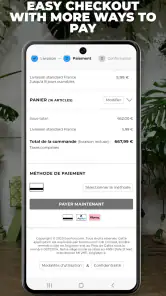
- Fast and reliable checkout process.
- Secure payment options.
Cons
- Limited customer support options.
- Occasional app performance issues.
- Inconsistent sizing information.
- Shipping delays during peak times.
- No in-app order tracking available.

- Category
- Shopping
- Version
- 10.10.0 - 25110602











