Boat Trader
- 2.82K
- 4.7
- Installs
- 500.00K
- Price
- Free

Screenshots

Analysis by Reviewed
I’ve found Boat Trader most useful when a boat search is a shared household decision rather than a quick impulse buy. One person can browse listings during a quiet moment, then show a few promising options to a partner or friend later. That makes it easier to compare what matters in real life—where the boat is, how it is described, and whether its size and intended use fit the people who will actually be aboard.
Make a shortlist before the conversation
For a practical routine, I’d begin with a broad search and narrow it by location and boat type before sharing candidates. Save the strongest possibilities outside the app in a simple note, along with the questions you want to ask the seller. That small step turns casual browsing into a more focused discussion and helps prevent a household from repeatedly revisiting listings without agreeing on priorities.
The app is a free Auto & Vehicles marketplace from Boats Group LLC, and its 4.7 average across around 19,000 ratings suggests that many users find it worthwhile. I would still treat ratings as a starting point, not a substitute for inspecting a specific boat. The app can help you discover and contact sellers, but the decision itself calls for careful questions, a viewing, and appropriate checks before money changes hands.
Keep shared devices and accounts clear
If more than one person uses the same phone or tablet, I’d agree on who is managing the search and who will contact sellers. A browsing session can create expectations quickly, so it helps to separate “interesting to look at” from “ready to pursue.” I wouldn’t assume that a shared device automatically means shared preferences, saved searches, or messages; each person should confirm what they can see and manage in their own session.
This is especially useful when one household member knows boats well and another is learning. The experienced person can help interpret listing details, while the newer buyer can focus on everyday needs such as storage, transport, and how often the boat would realistically be used. Boat Trader supports discovery, but it does not replace a conversation about budget limits, maintenance responsibilities, or who will handle the next step.
Latest News
Discovering the Ocean of Options
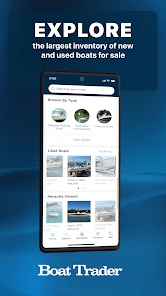
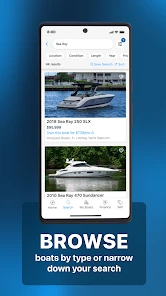
When I first heard about Boat Trader, I was intrigued. An app that lets you browse through thousands of boats? Sign me up! From the moment you launch the app, you’re greeted with a sleek and intuitive interface. It’s like an online marketplace for boats, where you can search, compare, and even connect with sellers directly. You can filter your search by type, price range, and location, making it super easy to find exactly what you’re looking for. It’s like window shopping, but for boats!
Features That Keep You Anchored
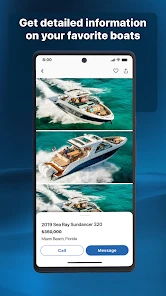
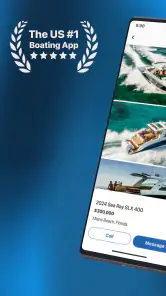
One of the standout features of the app is its detailed listings. Each boat has a plethora of information, including high-quality images, specifications, and seller contact details. It’s like having a personalized boat show right in your pocket. Plus, the app isn’t just about buying; it’s also a fantastic resource if you’re looking to sell. Listing your boat is straightforward, and reaching potential buyers has never been easier.
Another cool feature is the push notifications. I set mine up to alert me whenever a new listing fitting my criteria pops up. Trust me, it’s a game-changer for someone always on the lookout for a good deal. And if you’re like me, always curious about what’s out there, the app’s newsletter keeps you updated with the latest trends and tips in the boating industry.
Use the alerts as a filter, not a decision
Notifications are most helpful when your search is specific enough to be manageable. If your criteria are too loose, a stream of new listings can become noise; if they are too narrow, you may overlook a boat worth considering. I’d use alerts to spot candidates, then compare each listing against a short, household-approved checklist rather than treating a notification as a reason to act immediately.
A realistic example: I might check new listings over breakfast, flag one that appears to suit a planned weekend use, and send the details to the other decision-maker before arranging contact. That leaves time to check whether the description answers basic questions and whether the location is practical. It also avoids the awkwardness of contacting a seller before everyone involved agrees that the listing is worth pursuing.
Where the marketplace helps—and where it stops
Compared with general classified listings, Boat Trader is centered on boats, so its browsing experience is more relevant to someone already searching in this niche. That focus can save time versus scanning broad marketplaces where boats sit beside unrelated goods. A local broker or in-person boat show may still be better if you want guided advice, to inspect several options face to face, or to rely on someone else to organize the process. I see the app as a discovery and comparison tool, not a replacement for those steps.
For sellers, the app can put a listing in front of people actively looking for boats, but a clear description and useful photos still matter. Before posting, I’d gather accurate specifications and make sure the images show the boat honestly; incomplete details can lead to avoidable back-and-forth. A buyer should likewise treat seller contact information as an invitation to ask questions, not proof that a listing has been independently checked.
Age, trust, and realistic expectations
The app is rated for Everyone, but I’d still keep purchase conversations and seller contact under an adult’s responsibility when children are involved. Browsing together can be a fun way to talk about boating, yet a listing is a commercial offer, not a promise that a boat is suitable or in the condition a family expects. The app’s audience and rating do not remove the need for adults to guide decisions and verify details directly.
Boat Trader has more than 500,000 installs, is currently version 1.25.44, and supports devices running Android 7.0 or later. It was released on August 14, 2018, and has around 2,800 written reviews. Those figures provide context for an established app, but I’d still judge it by whether its listings match your location and needs. If you only want broad boating news, a specialist publication may suit you better; if you want to find boats to buy or sell, the marketplace is the more direct fit.
Setting Sail with Ease
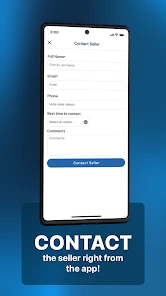
Using Boat Trader feels like having a knowledgeable friend guide you through the world of boating. The app’s user-friendly design means you don’t have to be tech-savvy to navigate through it. Everything is laid out clearly, from searching for boats to contacting sellers. It’s all about making the boating experience accessible to everyone.
Now, I know what you’re thinking: what about the technical stuff? Don’t worry, the app is compatible with both Android and iOS, and it runs smoothly on most devices. I’ve used it on both my phone and tablet without any issues, and the performance has been consistently reliable.
Before installing, I’d ask one simple question: do you want to browse actual boat listings, or are you mainly looking for general advice? The app is best for the first job. It is free to download, so it can be a low-commitment way to explore the market, but browsing alone won’t settle questions about suitability, condition, or ownership costs. I’d use it to build a shortlist, then make the important decisions with the people who will share the boat and the responsibilities.
Final Thoughts
So, is Boat Trader worth downloading? Absolutely! Whether you’re a boat enthusiast or someone just starting out, this app offers a treasure trove of features that cater to all your boating needs. It’s not just an app; it’s a community of like-minded individuals passionate about the sea. So why not give it a try? You might just find your dream boat waiting for you.
Turn listing details into useful questions
A listing is most valuable when I read it actively rather than scrolling through photos and moving on. I’d note which details are specific and which remain broad, then ask the seller about the gaps before planning a long trip to see the boat. For example, if the description emphasizes appearance but says little about the boat’s recent use or equipment, I’d make those topics part of the first conversation. This approach helps separate a promising lead from a listing that simply looks appealing on a small screen.
Photos can help me compare layout and visible condition, but they cannot show how a boat feels underway or settle every question about its history. I would use them to prepare for an inspection, not to replace one. If a seller’s answers and the listing do not line up, I’d pause and clarify rather than letting a household shortlist create pressure to move quickly.
Choose a search area that reflects real travel
Location filters are useful, but the closest listing is not automatically the easiest choice. I’d think about the time and effort required to reach a viewing, whether the boat would need to be moved, and who in the household can make that trip. A candidate farther away may deserve attention if it is a notably better fit, while a nearby option may lose its appeal once transport and practical arrangements are considered.
This is one reason I prefer to set a realistic search area before alerts begin. It keeps the results connected to what we could actually inspect and follow up on, rather than turning browsing into a collection of attractive but impractical possibilities. When the household has different ideas about distance, I’d agree on a sensible range first and widen it deliberately only if the initial search is too limited.
Buying and selling call for different routines
For a buyer, the main job is to compare candidates and prepare questions; for a seller, the work starts with presenting one particular boat accurately. I would not approach those tasks in the same way. A buyer benefits from keeping a consistent checklist across several listings, while a seller should make sure the description and pictures answer the questions a serious shopper is likely to ask.
If I were selling, I’d review my own listing as if I were a cautious buyer: can someone understand what is being offered, identify what they still need to ask, and decide whether a conversation is worthwhile? Clear details can make contact more productive, but they do not guarantee a sale. The app provides a place to reach interested shoppers; the seller remains responsible for honest presentation and for handling inquiries thoughtfully.
Who will get the most from it?
I’d recommend the app to someone who has a genuine buying or selling project and wants a boat-focused place to begin. It is also useful for a household that is still defining what it wants: browsing can reveal differences in types and locations that are hard to picture in the abstract. That exploration works best when it leads to better questions and a more realistic shortlist, not when every interesting result is treated as a contender.
On the other hand, I would skip it if I only wanted general boating lessons, trip planning, or a place to casually discuss the hobby. A marketplace is built around listings and seller contact, so it is not the right substitute for instruction, local advice, or professional help with an inspection. If I were uncomfortable evaluating offers and arranging viewings, I’d involve someone experienced rather than relying on an app to make the decision feel safer than it is.
A calm next step after browsing
Once a household has agreed that a listing is worth pursuing, I’d move in stages: check the description again, write down unanswered questions, contact the seller, and arrange a viewing only if the replies make sense. That sequence is more useful than sending a quick message simply because a listing has appeared in an alert. It also gives each decision-maker a chance to review the same information before the search becomes a commitment.
For families, I’d keep children involved in the fun parts—talking about where a boat might be used or what everyone hopes to do—while adults handle negotiations, personal information, and purchase decisions. That is a practical boundary rather than a feature claim. The Everyone age rating makes the app suitable for a broad audience, but it does not turn a commercial marketplace into a child-led shopping activity.
A household verdict
My view is that Boat Trader is most useful as a shared research tool with clear roles: one person can gather candidates, another can help test them against the household’s needs, and the person ready to proceed can manage seller contact. That division keeps browsing collaborative without blurring responsibility. It also makes the app’s best contribution easier to see: it can bring relevant options into one place, while the people involved still have to decide what is worth pursuing.
I would start with the free app if I were actively looking to buy or sell, especially if I wanted a boat-specific alternative to broad classified browsing. I would keep expectations measured, verify details directly, and use an in-person inspection or knowledgeable help before making a serious commitment. For a household that values a deliberate search over a snap decision, that is a sensible role for the app; for someone seeking expert guidance or boating information instead of listings, another resource will be a better fit.
Boat Trader Frequently Asked Questions
Is Boat Trader free to download, and what is its age rating?
Boat Trader is free to download and is rated Everyone, making it suitable for a broad range of users. The app is focused on browsing and buying or selling boats, so its value will depend on whether you are looking for a boat or considering listing one. Downloading it does not, by itself, tell you what costs may apply to a particular sale.
Who develops Boat Trader, and what is the app for?
Boat Trader is an Auto & Vehicles app from Boats Group LLC, built around the goal of buying and selling boats. Its store summary is “Buy and sell your boat,” making it relevant to people browsing for a boat as well as owners considering a sale. The app is free to download, and its content rating is Everyone.
What devices can run the Boat Trader app?
Boat Trader is available for Android devices running Android 7.0 or later. Before downloading, check that your device meets this minimum requirement and has enough available storage for the installation. The app is listed as version 1.25.44, so checking the app store on your device is a practical way to see the version offered for your platform.
What features does the Boat Trader app offer?
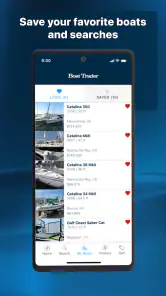
The Boat Trader app provides a comprehensive platform for buying and selling new and used boats. It features advanced search filters, allowing users to narrow down results by type, make, model, price, and location. Additionally, it offers a map view for nearby listings, a loan calculator, and options to save favorite listings for easy access.
Is the Boat Trader app user-friendly for beginners?
Yes, the Boat Trader app is designed with a user-friendly interface, making it accessible for beginners. The intuitive layout ensures that users can easily navigate through listings, apply filters, and access additional resources like the loan calculator and saved favorites. The app’s design prioritizes clarity and ease of use.
Pros
- Wide variety of boats listed
- User-friendly interface
- Detailed boat specifications
- Direct contact with sellers
- Advanced search filters
Cons
- Limited free features
- Occasional app crashes
- High data usage
- Ads in free version
- Limited customer support

- Category
- Auto & Vehicles
- Version
- 1.25.44











