Blidz - Shop Deals, Save Money
- 35.04K
- 4.3
- Installs
- 1.00M
- Price
- Free

Screenshots


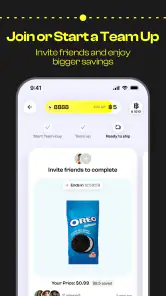
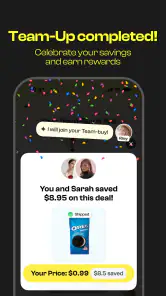

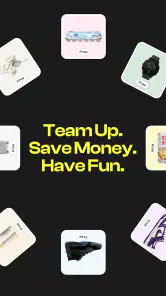
Analysis by Reviewed
I approached Blidz as a shopping app for people who enjoy hunting for deals but do not mind a more playful, social-style buying experience. It is free to install, and its focus is less about behaving like a plain product catalog and more about combining shopping, savings opportunities, rewards, and promotions in one place. That combination can be entertaining when I am browsing casually, but it also means I need to pay closer attention than I would on a straightforward retailer app.
My overall impression is mixed in a useful way: Blidz can make bargain hunting feel more engaging, especially when I am open to discovering products rather than searching for one exact item. At the same time, the app asks for patience during setup, browsing, and checkout. A shopper who wants a predictable search, a familiar retailer, and a quick purchase may prefer a conventional marketplace. Someone who likes comparing offers and exploring changing promotions may find more to enjoy here.
Getting past the points where shopping usually stalls
The first challenge is understanding what kind of shopping tool Blidz is. I would not treat it as a replacement for every retailer or as the best place to buy something urgently. Its appeal comes from browsing deals and participating in a more interactive savings environment. That makes the experience feel different from opening a standard store app, typing a product name, and immediately choosing between nearly identical listings.
When I first use an app with this structure, I try not to judge it by the first few screens alone. Promotional areas can compete for attention, and the most visible offer is not automatically the best overall value. I look at the item details, the final amount, the delivery information shown during checkout, and any conditions attached to a reward or promotion. This habit matters because a low displayed price can be less attractive once the complete order details are visible.
Another common sticking point is deciding whether an offer is genuinely useful or simply interesting. Blidz is better suited to flexible shopping than to a strict list. If I need a particular replacement part by tomorrow, I would begin with a specialist retailer or a familiar marketplace. If I am willing to browse household items, accessories, gifts, or small everyday purchases, the discovery-first approach makes more sense.
The app is mature-rated at 17+, so it is not something I would casually hand to a younger teenager without checking the account and purchase arrangements first. That rating is also a reminder to use ordinary shopping safeguards: keep payment decisions deliberate, review the order before confirming it, and avoid treating rewards as free money that must be spent immediately.
What I check before I trust an offer
I read the product title carefully instead of relying only on the image. I also compare the listed specifications with what I actually need. A deal can be attractive for the wrong size, capacity, color, compatibility, or quantity. This is especially important when browsing quickly through promotional content, where the presentation encourages impulse decisions.
More From Our News Desk

Clash of Clans Is Won Between the Battles

Android Auto Makes the Case for Quieter Car Software

MobiOffice: Transforming Mobile Productivity with Seamless Integration

EA SPORTS FC™ Mobile Soccer: Redefining Mobile Sports Gaming

How Microsoft OneDrive Became a Mobile Productivity Giant

How Google Translate Breaks Language Barriers Effortlessly
I also separate the product price from the value of a promotion. A reward may be useful later, but it should not persuade me to buy something I would not otherwise want. My practical rule is simple: I ask whether I would still consider the item at its visible purchase price without the excitement of the promotion. If the answer is no, I leave it in the cart or close the page.
Blidz is developed by Blidz and has built a substantial audience, with more than a million installs and an average rating of 4.3 from roughly 188 thousand ratings. Those figures suggest that the concept works for many shoppers, but they do not remove the need for personal checking. Shopping satisfaction depends heavily on the product chosen, the order details, and how well the app fits a person’s buying habits.
Setup checks that prevent avoidable frustration
Before browsing seriously, I make sure the app is installed on a supported device. The listed minimum is Android 7.0, and the current version is 6.8.52. If the app behaves oddly immediately after installation, I first check whether the operating system is compatible and whether the app has finished updating. A basic restart after an update is also worthwhile, particularly if screens load incompletely or buttons do not respond as expected.
I prefer to install it from the official app store rather than from an unfamiliar package. That reduces the chance of using an altered copy and makes future updates easier to manage. I also keep enough free storage available for normal app updates. When a shopping app appears stuck during installation, the problem may be the device’s storage or connection rather than the shopping service itself.
Once the app opens, I give the account setup my full attention. I use an email address or sign-in method that I can reliably access, and I avoid creating several accounts just because the first login attempt feels slow. Repeated account creation can make it harder to remember which account contains an order, reward, or saved detail. A small note of the sign-in method is useful if I switch between a phone and tablet.
Connection quality matters more than many people expect. Promotional images, product pages, account screens, and checkout steps may not all load at the same speed. If the screen looks empty, I wait briefly and try a stable Wi-Fi or mobile connection before repeatedly tapping. Rapidly pressing a purchase or confirmation control is a poor recovery method because it can create uncertainty about whether an action registered.
I also check the device’s date and time settings if authentication or loading behaves strangely. Incorrect system time can interfere with secure sign-in and session handling in many apps. This is a general troubleshooting step, but it is particularly sensible before assuming that a shopping account or promotion is broken.
How I prepare for a cleaner first order
I begin with a small, non-urgent purchase rather than making Blidz responsible for an expensive or time-sensitive order. That lets me understand the browsing flow, review the cart, and see how the checkout information is presented without creating a stressful situation. I keep the first order simple, with one clear item and no need to combine several decisions at once.
Before confirming payment, I pause on every visible line of the order summary. I check the item, quantity, total, delivery details, and any promotional adjustment shown there. I do not assume that a reward, discount, or promotional message applies automatically just because it appeared while browsing. The final review screen is the point where I decide whether the purchase still makes sense.
In-app purchases are listed at between $12.99 and $39.99 per item. I treat that range as a reason to keep purchase controls intentional, especially on a shared device. If another family member uses the phone, I make sure they cannot accidentally confirm a purchase while exploring promotions. I also avoid adding payment information simply to make browsing feel faster; convenience is useful only when I remain in control of the transaction.
The app itself is free, but free installation does not mean every shopping action is cost-free. The distinction between downloading the app, buying products, and making an in-app purchase should remain clear in my mind. I review each charge at the moment it appears instead of relying on the word “free” from the initial download screen.
Recovering a stalled browse, cart, or checkout
When a product page stops loading, I use a calm sequence rather than immediately uninstalling the app. I first wait a moment, then move back one screen and reopen the item. If that fails, I close and relaunch the app. I check the connection next, switching between Wi-Fi and mobile data only when I know both are available and permitted on the device. This simple sequence often distinguishes a temporary page-loading problem from an account issue.
If the cart looks different after relaunching, I do not assume that the previous tap failed or succeeded. I inspect the cart and order history carefully before trying again. Duplicate orders are more troublesome than a delayed screen, so I avoid pressing the final confirmation button repeatedly. When a payment screen appears frozen, I check the payment account or bank app separately before resubmitting, because the first attempt may have reached the payment provider even if Blidz did not update immediately.
A useful recovery habit is to record the item name and the time of the attempted action without saving sensitive payment details. That gives me something concrete to compare if the cart changes or if I need to explain the problem to support. Screenshots can help document a visible error, but I remove or crop personal information before sharing them anywhere.
If the issue affects only one product page, I continue testing with another listing. If every page, account screen, and cart action fails, I stop treating it as an individual product problem and look at the connection, app update, device storage, or service availability. This distinction prevents me from wasting time repeatedly reopening one broken screen.
When rewards and promotions create confusion
Promotions are one of the reasons to try Blidz, but they are also where I slow down. I read the wording shown beside the offer and check whether the benefit affects the current order or a later purchase. I do not count an expected reward in my budget until it is clearly reflected in the relevant screen. If an offer disappears, I avoid assuming that it will return simply because it was visible earlier.
I also take screenshots of the offer details before making a complicated purchase, provided the screen does not expose private information. This is not a guarantee that an offer will be honored, but it gives me a record of what I saw and helps me avoid misremembering the conditions. The practical trade-off is that this adds a few seconds to shopping, yet it is worthwhile when a promotion strongly influences my decision.
Another advanced but simple tactic is to compare the same type of item across several listings instead of accepting the first deal tile. I look for differences in quantity, specifications, and total cost. A promotion can make one listing appear compelling while another offers a more suitable product without requiring me to chase a reward. This is where Blidz works best as a discovery and comparison tool rather than as a one-tap purchasing shortcut.
When the app is not the real cause
Not every failed checkout or missing screen points to a fault in Blidz. An outdated operating system, aggressive battery saving, limited storage, unstable DNS, or a weak connection can interrupt ordinary app behavior. I check those basics before clearing data or removing the app. Clearing data can sign me out and may remove local settings, so I use it only after confirming that I know how to sign in again.
Payment problems deserve separate attention. If a card is declined, I check the bank’s notification, available funds, billing details, and any security prompt before blaming the shopping app. A bank may block an unfamiliar transaction for protection, or a payment method may require verification. I never send a full card number, password, or one-time security code to someone claiming to provide technical help.
Delivery expectations can also be mistaken for app performance. A product page, payment confirmation, and delivery progress are different parts of the shopping journey. I save the order confirmation and review the information attached to that order rather than judging the entire service from a delayed notification. If the app opens normally but one order needs attention, the right response is to use the order-specific support route rather than repeatedly reinstalling the app.
Privacy and account safety are part of troubleshooting too. I use a unique password where applicable, keep the device locked, and sign out of shared devices when I finish. I do not install unrelated “helper” applications suggested by random pop-ups. A genuine shopping problem should not require me to surrender account credentials or disable normal device security.
Blidz is not the best choice for shoppers who dislike promotional browsing, want a large established retailer’s familiar returns process, or need highly predictable product availability. A specialist store is usually better for technical equipment, replacement parts, or items where exact compatibility matters more than discovering a bargain. A standard price-comparison tool may also suit someone who wants a neutral view of prices without a social or rewards-oriented layer.
My practical verdict after using it as a deal-hunting app
I see Blidz as a worthwhile secondary shopping app rather than the only shopping app I would keep. Its strongest use is relaxed browsing: I can explore offers, compare possibilities, and look for savings when I have flexibility. The experience is more engaging than a plain catalog, and the combination of promotions and rewards gives bargain-focused shoppers a reason to return.
The trade-off is attention. I need to verify what I am buying, understand how an offer applies, and resist the temptation to treat every highlighted deal as urgent. The app rewards a careful workflow: browse first, compare the complete order, confirm the promotion, and only then pay. That approach makes it much less likely that the playful presentation will push me into an unnecessary purchase.
For everyday use, I would open it while planning small purchases for the home or looking for an inexpensive gift, not while trying to solve an emergency shopping need. I would also begin with a modest order, keep records of important promotional details, and check the final total before confirming. Those steps address the main friction without turning shopping into a technical project.
Blidz is free to download, and its popularity is reflected in around 35 thousand written reviews alongside its broad rating base. The developer’s long presence in the app space, dating back to October 14, 2015, also gives the product a sense of continuity. Still, longevity and popularity cannot replace personal judgment about value, payment safety, and whether the shopping style suits me.
My recommendation is therefore conditional but positive: try it if you enjoy deal discovery and are comfortable checking the details behind promotions. Skip it if you want a quiet, direct retail transaction with minimal browsing decisions. The best results come from treating Blidz as a careful bargain-hunting companion, not as a shortcut around ordinary shopping judgment.
Blidz - Shop Deals, Save Money Frequently Asked Questions
Can I browse Blidz before creating an account?
Blidz is a shopping app for exploring deals and promotions, and its experience is built around discovering products and moving through a purchase process. You may be asked to create or access an account to use shopping features or place an order. Before registering, consider whether you are comfortable sharing the information requested, and review the app’s current sign-up steps and permissions.
What kinds of deals and products can I find on Blidz?
Blidz focuses on social shopping, savings deals, rewards, and promotions. Its product selection can include a range of everyday and lifestyle items, with offers changing over time. If you find something interesting, open its listing and check the description, options, seller details, and final checkout amount rather than relying only on a promotional headline.
Is Blidz free to download, and are there in-app purchases?
Blidz is free to download, so you can install the shopping app without paying an upfront download price. It also offers in-app purchases, with listed items ranging from $12.99 to $39.99 each. Those purchases are separate from buying products through the shopping experience, so check the amount and purpose of any charge shown before confirming it.
What is Blidz - Shop Deals, Save Money?
Blidz is a shopping app focused on discounted products, limited-time offers, and deal-based purchasing. After browsing its categories, users can discover items ranging from household goods and electronics to lifestyle products. The app is designed for bargain hunters who enjoy comparing prices and finding promotions, although product availability, delivery options, and final costs can vary depending on the item and the user’s location.
How does shopping on Blidz work?
Using Blidz is generally straightforward: create or access an account, browse available deals, open a product listing, review the description and seller information, and proceed through checkout if the offer suits you. Some deals may be time-sensitive or available in limited quantities, so it is worth checking shipping fees, estimated delivery times, return conditions, and the total amount before confirming an order.
Pros
- Flash deals can offer significant discounts on everyday products.
- Gamified shopping features make browsing more engaging.
- Product categories help users discover a wide range of items.
- Order tracking keeps delivery updates easy to follow.
- Frequent promotions and coupons can increase overall savings.
Cons
- Some deals may have limited stock or short availability windows.
- Shipping times can vary depending on the seller and destination.
- Product quality may differ between independent marketplace sellers.
- Prices and discounts should be compared with other shopping apps.
- Customer support response times may vary during busy promotional periods.

- Category
- Shopping
- Version
- 6.8.52











