BimmerCode for BMW and MINI
- 955.00
- 4.5
- Installs
- 500.00K
- Price
- Free

Screenshots
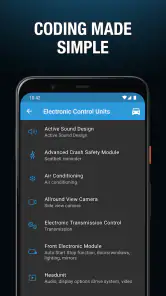
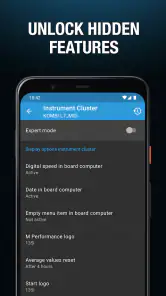
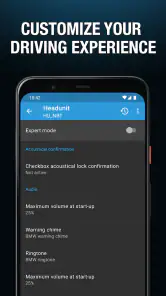
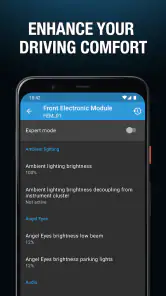
Analysis by Reviewed
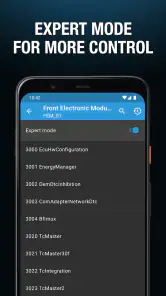
Ever wanted to unlock the full potential of your BMW or MINI? Well, let me introduce you to the BimmerCode app, your new best friend for car coding. This gem of an app lets you dive into the nitty-gritty of your vehicle's settings, opening up a whole new world of customization and personalization. Whether you're a seasoned car enthusiast or just someone who loves tinkering with tech, BimmerCode makes it all possible with a swipe and a tap.
Getting Started with BimmerCode
First things first, let's talk about getting this app up and running. Installation is a breeze, available on both Android and iOS. Once you've got it, you'll need a compatible OBD adapter to connect your smartphone to your car. Don't worry, the app gives you a list of recommended adapters so you can't go wrong. The user interface is sleek and intuitive, making it easy to navigate even if you're not a tech wizard.
Features that Make BimmerCode Stand Out
What sets this app apart is the sheer number of features it offers. With BimmerCode, you can customize your car's lights, mirrors, and even the dashboard display. Imagine tweaking the interior lighting to match your mood or adjusting the mirror settings for those tight parking spots. It's like having a magic wand for your car!
Another cool feature is the ability to activate hidden functions that are usually only available in higher-end models. Fancy having your side mirrors fold automatically when you lock the car? You got it. Want to disable the annoying start-stop system? No problem. The app is continuously updated to support new models and add more features, so it keeps getting better.
The Community and Support
One of the best things about the BimmerCode app is the community behind it. There's a vibrant online forum where users share tips, tricks, and even coding cheat sheets. It's a lifesaver if you're ever stuck or just want to explore new coding possibilities. Plus, the customer support team is responsive and ready to help you out with any hiccups along the way.
So, if you're looking to elevate your driving experience, give BimmerCode a spin. It's not just an app; it's a gateway to making your BMW or MINI truly yours. Just imagine the possibilities! Whether you're in it for the convenience or the thrill of customization, this app is a game-changer. Happy coding!
Pros
- Easy to use interface for all skill levels.
- Supports a wide range of BMW and MINI models.
- Provides coding options for various features.
- Regular updates with new functionalities.
- User-friendly customer support.
Cons
- Requires compatible OBD adapter.
- May void vehicle warranty if misused.
- Limited free features available.
- Potential risk of incorrect coding.
- Some features need a stable internet connection.

- Category
- Auto & Vehicles
- Version
- 4.29.0-12906











