

Awesome Golf Simulator
- 73.00
- 4.0
- Installs
- 50.00K
- Price
- Free

Screenshots
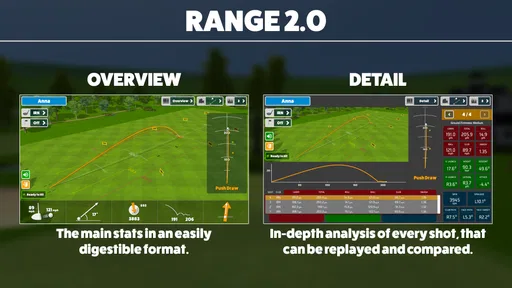
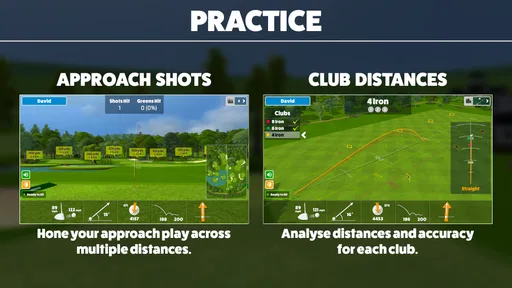
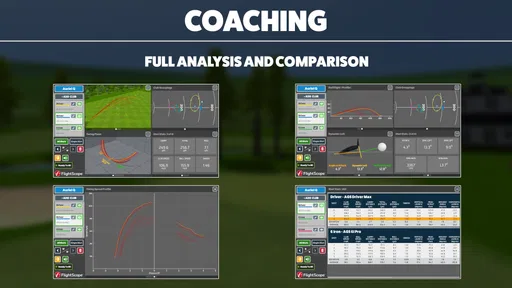
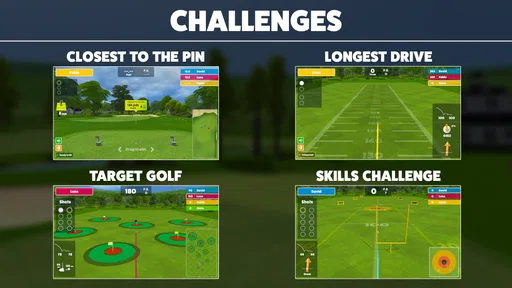
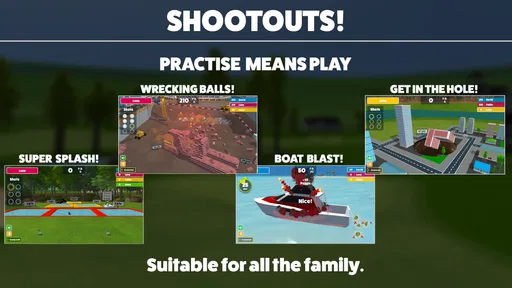
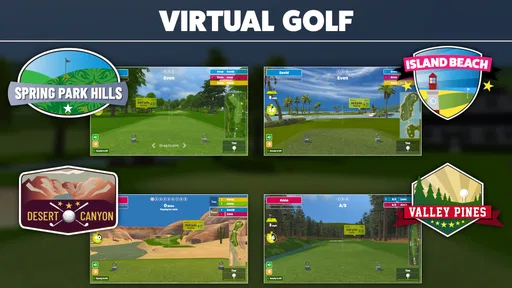
Analysis by Reviewed
Golf apps often promise to turn a phone into a useful training companion, but the real test is whether I can use one without interrupting my practice. Awesome Golf Simulator, developed by Great Detail, takes a focused approach: it is a sports app built around tracking golf swings and shots, with the broader aim of making practice feel more like a simulator session. I found the idea appealing because it sits between casual range practice and a dedicated launch-monitor setup.
The app is free to install and suitable for Everyone, which makes it easy to try before deciding whether it belongs in your regular golf routine. It has reached over 50 thousand installs and holds a 4.0 average from more than 200 ratings, so there is enough user interest to suggest that the concept connects with golfers. Still, I would not treat those figures as proof that it replaces specialist equipment. Its value depends heavily on how you practice, what device you use, and how much detail you expect from a mobile simulator.
How the app feels during an ordinary practice session
My first impression is that Awesome Golf Simulator is most useful when I approach it as a practice aid rather than a complete substitute for a professional launch monitor. The central appeal is the attempt to follow both the motion of a swing and the result of a shot. That combination can make a short session more purposeful: instead of simply hitting balls, I have a reason to compare attempts and look for patterns.
That focus also keeps the app easier to understand than a large golf platform packed with unrelated tools. I can imagine opening it before a range session, checking that the phone is ready, and then using the same setup for a series of swings. The benefit is not necessarily instant entertainment. It is the possibility of creating a repeatable routine where I pay attention to what changes from one swing to the next.
The short store description calls it an awesome golf simulator, but I think the more useful way to view it is as a compact feedback tool. A dedicated simulator can offer a deeper environment and more specialized hardware. A phone app has the advantage of convenience. If I already have my phone with me, the barrier to trying a few tracked swings is much lower than arranging a full indoor setup.
Speed matters here because golf practice has a natural rhythm. I do not want to spend most of a session waiting between shots or navigating complicated screens. In my experience, the app makes the most sense when I keep the session organized: prepare the device first, use consistent positioning, and avoid changing the setup after every swing. That is not a glamorous tip, but it makes the experience feel considerably more responsive.
What I would do before hitting the first shot
I would begin with a small calibration routine rather than immediately trying to hit a full basket. The phone should be placed in the same position for the whole exercise, and I would check that the camera or tracking view is not obstructed. Consistency is especially important with a swing-tracking app because moving the device between shots can make comparisons less meaningful.
More From Our News Desk

 Gmail
GmailGmail in a Busy Inbox: Who Benefits Most?
From first account to crowded workday, Gmail earns its place through dependable search and flexible sorting—but its best fit depends on how much inbox maintenance you can tolerate.

 Prime Video
Switching to Prime Video: What Changes in Your Viewing Routine
Prime Video can make a compelling second home for streaming, but switching means learning a different catalog, rental layer, and route from browsing to playback.

 Universal TV Remote Control
Universal TV Remote Control Works Best as a Reliable Backup
A phone remote earns its place through quick setup and reliable habits. Here is how to get more from Universal TV Remote Control—and where its limits show.

 Weather - By Xiaomi
Weather by Xiaomi Review: Clear at a Glance, Less Clear Up Close
Xiaomi’s weather app makes everyday forecasts quick to scan, but its calm surface can leave useful details and recovery paths harder to find than they should be.

 X
XX Under Pressure: Can It Recover When Posting Goes Wrong?
A resilience-focused review of X, examining setup, mistaken posts, interruptions, weak connections, and the gaps that matter when recovery needs to be dependable.

 Clash of Clans
Clash of Clans Is Won Between the Battles
Its raids are quick; its community is a long-term project of coordination, teaching, rivalry, and shared responsibility—with all the friction that entails.
Latest News



I would also start with controlled swings. A few smooth practice movements can reveal whether the app is recognizing the motion properly before I commit to harder shots. This is one of the less obvious advantages of using a mobile tool: I can use it for a quiet technical check, not only for maximum-distance attempts.
For a golfer working on tempo, this approach is more useful than chasing a single impressive result. I would record a small group of swings with the same club and intention, then look for recurring behavior. The app cannot make a poor setup disappear, but it can encourage me to stop judging every shot in isolation.
Where the experience can become demanding
The heavier moments are likely to come during longer sessions, when the phone is continuously involved in observing swings and processing shot information. I would not assume that every device will feel identical. A newer phone may handle the session more comfortably than an older model that technically meets the operating-system requirement.
There is also a practical kind of resource demand: attention. If I keep checking the screen after every swing, I can lose the feel of the practice session. I prefer using the app in short blocks, such as a warm-up block, a club-comparison block, and a final test block. This keeps the tracking useful without turning the range visit into a constant phone-management exercise.
Longer use may also expose ordinary mobile-app friction. Battery level, screen visibility, heat, and the phone’s mounting position all matter. I would arrive with the device charged and avoid placing it where a stray club, bag, or shadow could interfere with the view. These are simple precautions, but they are more important here than they would be in a standard scorecard app.
A realistic everyday scenario would be a golfer visiting the range after work with only a limited amount of time. Instead of trying to analyze every club, I would choose one iron and one repeatable target, use the app for a focused set of swings, and then finish with a few normal shots. That workflow makes the tool manageable. It also prevents the common mistake of collecting lots of readings without learning anything from them.
Stability and recovery when a session goes wrong
Reliability is not only about whether an app opens. For this kind of tool, reliability means that I can keep a consistent setup, understand when tracking has started, and recover without losing the rhythm of practice if something interrupts the session. I would be cautious about treating a single missed reading as a major failure, because phone-based tracking can be affected by movement, lighting, distance, or an obstructed view.
My preferred recovery method would be simple: pause, check the phone position, confirm that the swing area is visible, and repeat one controlled motion. If the result returns to normal, I would continue rather than rebuilding the entire session. If it keeps happening, I would stop relying on the readings for that practice block and finish the session using ordinary visual feedback. That fallback matters because no mobile app should make a golfer abandon useful practice altogether.
The current version is 3.10.3, which indicates that the app has continued through multiple updates since its release on March 9, 2022. I see that as encouraging for basic maintenance, but it does not guarantee identical behavior on every phone. I would still test the setup before an important practice session instead of assuming that everything will work perfectly at the range.
Recovery is also relevant when switching between short practice bursts. Rather than leaving the app active while walking around the course or range, I would use it when I am ready to hit and close or pause it during breaks. That approach should reduce unnecessary strain on the phone and keep the session more deliberate.
Device limits that should shape expectations
The app supports Android 8.0 and later. That gives it a broad compatibility window, but operating-system support is only the starting point. The quality of the experience will still depend on the phone’s camera, processing capability, available storage, battery condition, and physical placement. A phone that is fine for messaging may not be the best choice for continuous swing observation.
I would be particularly careful with older hardware. If the device already struggles with demanding apps, becomes hot quickly, or has a worn battery, I would use shorter sessions and keep a backup plan. A newer phone is not automatically required, but a stable device is much more valuable than squeezing the app onto a phone that cannot comfortably handle extended tracking.
Outdoor use introduces another constraint: visibility. A bright range can make a screen difficult to read, while a poor angle can make the phone harder to monitor safely. I would set up the display before taking my stance and avoid repeatedly reaching toward the device during a practice sequence. The best arrangement is one that lets me hit several shots without touching the phone.
Storage and connectivity can also affect how confidently I plan a session, although I would not build my routine around assumptions about features that are not essential to the core tracking experience. My advice is to test the app in the exact environment where I intend to use it. A living-room trial can confirm that the interface is understandable, but only a range-style setup tells me whether the phone position and surroundings work for my swing.
There is another device-related trade-off: a phone is portable, but portability means the user is responsible for setup. A dedicated simulator may offer a more controlled environment, while this app asks me to create that consistency myself. Golfers who enjoy adjusting their practice setup will probably accept that trade-off. Golfers who want a fully automatic experience may find it frustrating.
Who gets the most value from it
I think Awesome Golf Simulator suits golfers who want more structure during practice without immediately investing in specialized equipment. It can be a sensible choice for someone learning to pay attention to swing consistency, a casual player who enjoys experimenting with shot tracking, or a golfer who wants a quick tool for short sessions.
It is also a reasonable option for people who prefer gradual improvement. I would use it to compare a small number of repeatable swings, not to declare that one reading defines my entire game. The app is most valuable when it supports a question: did this change in setup produce a more consistent result, or was that one good shot just luck?
The free entry point makes that experiment easier. However, the app includes in-app purchases ranging from around ten dollars to around 350 dollars per item. That is a very wide range, so I would inspect each purchase carefully before spending anything. I would first establish that the basic workflow fits my practice habits, then decide whether any optional upgrade genuinely adds value for the way I play.
I would skip it if my priority is tournament-grade measurement, a complete indoor golf environment, or highly specialized analysis that normally depends on dedicated sensors. I would also look elsewhere if I dislike setting up a phone near the hitting area. In those cases, a purpose-built golf system or a conventional lesson with a professional may be a better investment, even if it costs more or is less convenient.
How it compares with familiar golf alternatives
Compared with a basic scorecard app, this is aimed at a different part of the game. A scorecard tool helps me remember what happened during a round. Awesome Golf Simulator is more relevant before or between rounds, when I am trying to understand my swing and shots. It therefore works best alongside, not necessarily instead of, a scoring app.
Compared with a dedicated launch monitor, the phone-based approach is more accessible and easier to carry. The compromise is that I have to be more careful about placement and interpretation. A launch monitor is designed around measurement as its primary purpose, while this app offers a more approachable way to bring tracking into ordinary practice.
Compared with watching instructional videos, the app encourages active testing. Videos can explain a movement, but they cannot replace the process of trying a change and observing what happens in my own swing. I would use the app after learning one simple adjustment, then test it over several shots rather than attempting to rebuild my entire technique at once.
That comparison also highlights the app’s limits. It is not a coach who can see every physical cause behind a poor shot. If I am dealing with a persistent slice, pain, or a major swing flaw, I would not rely on tracked results alone. A qualified instructor can notice body movement and context that a phone-based tool may not explain.
Small workflows that make the tracking more useful
My first practical tip is to change only one variable at a time. If I alter stance, club, swing speed, and target together, the readings become difficult to interpret. I would keep the club and target fixed, test one adjustment, and then compare a small group of swings. This turns the app from a novelty into a simple experiment.
My second tip is to separate warm-up swings from evaluation swings. Early shots often feel different because I am still loosening up. I would use the beginning of the session to find a comfortable rhythm, then start paying close attention once the swing feels repeatable. That prevents an awkward first attempt from shaping my opinion of the whole session.
My third tip is to use the app as a decision aid, not as a judge. If a result looks unusual, I would repeat the shot before changing my technique. A single reading can be affected by setup or contact, while a pattern across several swings is more useful. This mindset protects me from overcorrecting based on one disappointing attempt.
My fourth tip is to create a repeatable phone position and mark it mentally, or with a safe physical reference away from the hitting path. Rebuilding the same angle each time makes comparisons more meaningful. The app cannot compensate for a different viewpoint on every shot, so setup discipline is one of the biggest improvements a user can make without buying anything.
Finally, I would end each session with a few natural swings. After analyzing technique, it is easy to become stiff and overly conscious. Finishing normally helps me judge whether the practice change feels usable rather than merely producing an interesting screen result.
My performance verdict after weighing convenience and limits
The strongest part of Awesome Golf Simulator is its balance between portability and purposeful practice. I can see why it has attracted a growing group of golfers: it offers a free way to explore swing and shot tracking, and it does so within a familiar mobile format. The 4.0 average from over 200 ratings suggests a generally positive reception, though I would still judge it against my own device and expectations.
In terms of perceived speed, I would expect the best experience from a prepared setup and shorter, focused sessions. Heavy use can make the phone itself part of the challenge, especially on older hardware or in demanding outdoor conditions. Stability is helped by consistent positioning, while recovery is straightforward when I treat a missed reading as a cue to check the setup rather than as a reason to keep forcing the session.
The app’s age rating of Everyone makes it approachable for a broad audience, but approachable does not mean universally suitable. Beginners may appreciate the structure, while experienced golfers should see it as an additional reference rather than a replacement for specialist measurement. The optional purchase range also deserves careful attention; free installation is useful, but I would not commit to expensive items until the basic experience has earned a place in my routine.
Overall, I would recommend Awesome Golf Simulator to a golfer who wants to make casual practice more deliberate and is willing to manage the phone setup. I would recommend skipping it in favor of dedicated equipment or professional coaching when precision, diagnosis, or a fully controlled simulator environment matters most. For everyone in between, it is a worthwhile experiment: start with a charged compatible phone, use one club and one clear goal, and judge the app by whether it helps you practice better—not by whether it makes every swing look perfect.
Awesome Golf Simulator Frequently Asked Questions
What is Awesome Golf Simulator?
Awesome Golf Simulator is a golf game designed to recreate the feel of playing on a virtual course. It typically combines realistic course environments, swing controls, shot planning, and score tracking in a mobile-friendly format. It may appeal to casual players who want a quick round as well as golf fans interested in practicing club selection, power, accuracy, and course strategy.
Is Awesome Golf Simulator free to download and play?
The app may be available to download without an upfront purchase, but the exact pricing model can depend on the platform and region. Before installing, check the Google Play Store or Apple App Store listing for information about advertisements, in-app purchases, subscriptions, or premium features. Some courses, equipment, game modes, or extra content may require payment after downloading.
Does Awesome Golf Simulator require an internet connection?
An internet connection may be needed for downloading the game, receiving updates, loading online content, synchronizing progress, or using multiplayer and leaderboard features. Whether full offline play is supported can vary by device version and game mode. If you plan to play while traveling, check the current store description and test the game before relying on it without mobile data or Wi-Fi.
Is Awesome Golf Simulator suitable for beginners?
Awesome Golf Simulator can be suitable for beginners if they are willing to spend a little time learning its swing and aiming controls. Golf games often reward careful timing rather than simply tapping as quickly as possible. New players should start with tutorial or practice options, use forgiving clubs when available, and gradually learn how wind, terrain, power, and shot accuracy affect the final result.
What devices are compatible with Awesome Golf Simulator?
Compatibility depends on the version released for Android or iOS and the requirements listed on the official store page. A newer device with sufficient storage, updated software, and reliable graphics performance should provide the smoothest experience. Older phones or tablets may run the game with reduced performance, longer loading times, or limited visual quality, so review the listed requirements before downloading.
Pros
- Realistic golf physics make practice sessions feel authentic.
- Useful club and shot data helps players analyze their technique.
- Supports focused practice without needing a physical golf course.
- Clean interface makes core simulator controls easy to find.
- Suitable for golfers of different skill levels.
Cons
- Accurate tracking may require compatible sensors or extra equipment.
- Performance can vary depending on your phone or tablet.
- Some advanced features may be locked behind paid access.
- Virtual courses may feel limited compared with full desktop simulators.
- Outdoor use can be difficult in bright sunlight.





