Avatar Maker - Avatar Creator
- 24.00
- 3.4
- Installs
- 10.00K
- Price
- Free

Screenshots
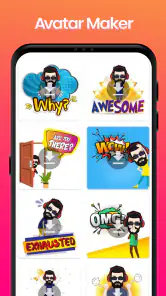
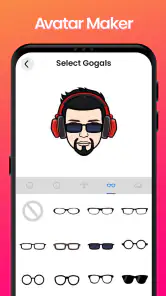
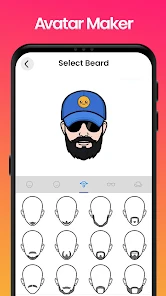
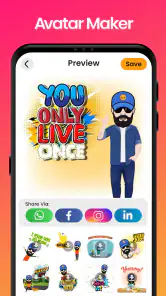
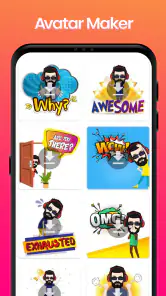
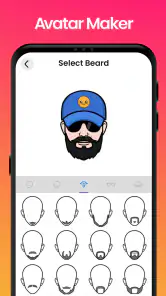
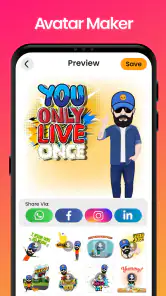
Analysis by Reviewed
I find avatar makers most useful when they help me settle on a recognizable look without turning a quick creative task into a long project. Avatar Maker - Avatar Creator is a free comics app from Crazy Apps Zone, and its appeal is straightforward: shape a digital character by choosing visual details such as facial features, hair, clothing, accessories, and a background. That makes it a handy option for a profile image, a playful character concept, or simply a bit of low-pressure experimenting.
Readability and navigation: keeping the creative process manageable
When I’m choosing an avatar app, I want to understand what I can change without having to learn a complicated editor first. This one presents its purpose clearly: you build a character by working through appearance choices. The experience is aimed at casual creation rather than professional illustration, which is a useful distinction if you only need a personal image and do not want to start with a blank canvas.
The range of visible choices can make it easier to turn a loose idea into a finished design. I would approach the editor with a simple plan: decide on one or two defining traits, such as a distinctive hairstyle and a strong clothing color, before browsing every option. That keeps the process focused and makes it easier to compare versions. If you change everything at once, it can be hard to tell which choice actually improved the character.
The app has a 3.4 average from around 122 ratings, so I would treat it as a modest, mixed-reception tool rather than assume every user will find the experience ideal. That does not tell me exactly why people rated it as they did, but it is a reason to keep expectations practical: try it for a simple avatar-making task, then decide whether its style and workflow suit you.
Motor and sensory considerations: a visual task with practical trade-offs
Building a character is mainly a visual activity, and that can be enjoyable when you want to explore appearance choices at your own pace. The ability to adjust details such as hair, eyes, skin, and clothing gives the process several points of focus. At the same time, anyone who finds small on-screen controls difficult may want to take their time, use a comfortable device setup, and avoid trying to finish a detailed design in a rushed moment.
I would also keep the sensory side of the task in mind. Looking through a broad set of visual options can be absorbing, but repeated browsing may feel tiring if you are sensitive to busy screens or have difficulty comparing many similar choices. A useful approach is to make a short mental checklist—face, hair, outfit, then background—and pause between stages. This is not a special feature; it is simply a way to make a choice-heavy creative session easier to manage.
Situational access: where a quick avatar can be useful
For a realistic everyday use, imagine needing a new profile picture before joining a hobby group or refreshing a chat account. You may not want to post a personal photo, and you may not have the time or interest to draw a character yourself. An avatar maker gives you a middle ground: make a character that feels personal without turning the task into a full design project. The different background choices can also help a character feel more finished when a plain cutout would look incomplete.
More From Our News Desk

Weather by Xiaomi Review: Clear at a Glance, Less Clear Up Close

X Under Pressure: Can It Recover When Posting Goes Wrong?

Clash of Clans Is Won Between the Battles

Android Auto Makes the Case for Quieter Car Software

MobiOffice: Transforming Mobile Productivity with Seamless Integration

EA SPORTS FC™ Mobile Soccer: Redefining Mobile Sports Gaming
This is best suited to casual, personal uses where a stylized image is enough. It may work for a playful online identity, a character you want to share with friends, or a visual prompt for a story idea. I would not choose it as a substitute for a portrait commission, a carefully branded business identity, or artwork that needs precise control over every line and proportion. For those jobs, a dedicated drawing app or a designer offers more room to refine the result.
Remaining barriers: what to consider before you commit
A customization menu can offer plenty of variety and still leave you with a particular visual style. If you have a very specific image in mind, you may find that selecting from preset parts does not give you the exact shape, pose, or expression you imagined. That is the basic trade-off of this kind of creator: it lowers the effort needed to produce a character, but it does not provide the same freedom as drawing one from scratch.
It is also worth separating “easy to start” from “right for every purpose.” A casual avatar is not automatically suitable for every platform, audience, or professional setting. Before relying on a creation for a profile or project, I would check that the finished image is legible at the size where it will appear and that its look fits the context. A detailed design may lose some of its personality when reduced to a small icon, so a few clear features can matter more than a crowded combination of accessories and colors.
Inclusive verdict: a low-pressure option, with a clear audience
Avatar Maker - Avatar Creator is most appealing to people who want a straightforward visual character-making activity and are comfortable working through appearance choices. Its Everyone content rating makes it broadly approachable in age terms, while the free price removes a purchase decision from the initial tryout. It has over 10,000 installs, and its current version is 1.0.8; it was released on August 5, 2021, and supports Android 8.0 or later.
I would recommend trying it if you want a casual avatar and enjoy making small visual decisions. I would skip it if you need advanced illustration controls, a guaranteed fit for a particular accessibility need, or a highly exact likeness. The most useful test is simple: make one character for a real purpose, such as a social profile, and see whether the choices let you express the idea you had in mind without frustration.
Unleashing Your Creativity
The first thing you notice when you open the app is the sheer variety of customization options available. From adjusting facial features to choosing the perfect outfit, the app offers a plethora of choices to make your avatar truly unique. You can mix and match different styles, and the best part? It's super user-friendly! Even if you're not a tech whiz, you'll find yourself navigating through the app with ease.
Features Galore
What I love about this app is how it caters to everyone. Want a classic look? Check. Going for something more whimsical? They've got you covered too. The app includes a wide range of hairstyles, eye shapes, and even accessories. Plus, the ability to change backgrounds adds a nice touch, allowing you to place your avatar in various settings.
Another feature worth mentioning is the color palette. The app provides a vast array of colors to choose from, ensuring your avatar's hair, skin, and clothing match your vision perfectly. It's these little details that make your creation pop.
Performance and Usability
When it comes to performance, this avatar creator does not disappoint. The app runs smoothly without any noticeable lags or glitches, which is crucial when you're trying to perfect every little detail of your avatar. The interface is intuitive, with everything laid out clearly, so you won't find yourself lost in menus or options.
One of the standout aspects is how lightweight the app is. It doesn't hog your phone's resources, meaning you can run it alongside other apps without any issues. This makes it perfect for quick avatar creation sessions whenever inspiration strikes.
Final Thoughts
All in all, it is a delightful app that brings out the artist in everyone. Whether for fun or for creating an online persona, it provides all the tools you need to craft an avatar that truly represents you. Its ease of use and wide array of customization options make it a must-have for anyone looking to explore the world of digital avatars.
So, if you're in the mood to get creative and design something truly unique, give this app a whirl. Who knows? You might just create the next big online sensation!
Avatar Maker - Avatar Creator Frequently Asked Questions
What age group is Avatar Maker - Avatar Creator suitable for?
Avatar Maker - Avatar Creator has an Everyone content rating, so it is intended for a broad audience. Its focus is on making a custom avatar, which can appeal to children, teens, and adults alike. As with any creative app, parents may still want to explore it with younger users and check that its features suit their family’s preferences.
Who develops Avatar Maker - Avatar Creator, and what kind of app is it?
Avatar Maker - Avatar Creator is a comics-category app developed by Crazy Apps Zone. Its short description is simply “Avatar Maker,” and its central purpose is to let users create a custom avatar. If you are looking for a creative tool rather than a full game or social network, that straightforward focus may help you decide whether it fits what you want.
What features does Avatar Maker - Avatar Creator offer?
Avatar Maker - Avatar Creator provides a wide range of customization options for creating unique avatars. Users can choose from various hairstyles, facial features, outfits, and accessories. The app also allows for detailed adjustments, ensuring each avatar is a true reflection of the user's creativity. Additionally, it supports exporting avatars to different platforms for profile pictures or gaming.
Is Avatar Maker - Avatar Creator free to use?
Yes, Avatar Maker - Avatar Creator is free to download and use with basic features. However, it offers in-app purchases for premium items and advanced customization options. These purchases are optional, allowing users to enhance their avatar creation experience without any mandatory costs.
Can I use Avatar Maker - Avatar Creator without an internet connection?
Avatar Maker - Avatar Creator can be used offline, allowing users to create and edit avatars without needing an internet connection. However, certain features like downloading additional assets or sharing directly to social media may require connectivity. Offline use is ideal for uninterrupted creativity on the go.
Pros
- Highly customizable avatars
- Intuitive user interface
- Wide variety of accessories
- Regular updates with new features
- No in-app purchases
Cons
- Limited skin tone options
- Occasional app crashes
- Ads can be intrusive
- Lacks a tutorial for beginners
- Not available offline
- Category
- Comics
- Version
- 1.0.8