Autolink
- 522.00
- 3.2
- Installs
- 1.00M
- Price
- Free

Screenshots
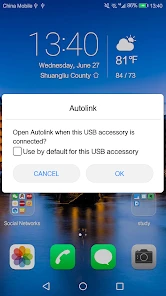
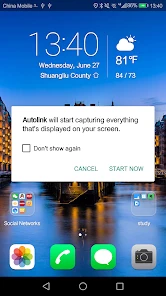
Analysis by Reviewed
I would judge Autolink less by a list of possible car features and more by one practical question: does it make the phone-and-vehicle connection you already want easier to use? That is the right starting point for this app. It is a free Auto & Vehicles app from 凌阳成芯科技(成都)有限公司, and its value depends heavily on whether it works with your particular vehicle and phone. I would test that fit before building a daily routine around it.
Free to try, but the connection is the real cost
There is no purchase price to weigh up: Autolink is free to install. That makes a cautious trial reasonable, but “free” does not mean it will be useful in every car, nor does it tell me how well a particular setup will behave. I would treat the time spent pairing, checking the connection and learning the controls as the more important investment.
The app has reached over a million installs, with an average rating of 3.2 from around fourteen thousand ratings. That broad mix of experiences is a reminder to set expectations carefully: popularity does not establish that it will suit your vehicle. I would approach it as a compatibility-dependent tool, not a guaranteed upgrade.
Start with the connection, not the feature list
Before changing settings or building a routine around a car-phone connection, I would test the pairing while parked. Confirm that the vehicle and phone can connect, then check whether the connection returns after you switch the car off and start it again. That small trial gives a more useful answer than a quick first launch: a setup that reconnects reliably is more valuable than one that only works once. If connection steps differ between vehicles, I would follow the instructions for the specific car rather than assume every installation behaves alike.
For an ordinary commute, the practical question is whether Autolink fits into a routine you already have. A driver might try it before leaving home, see whether the phone and vehicle connect as expected, and decide whether it is worth keeping in that workflow. I would make any adjustments while stopped, not while driving. The app should support a trip, not become another screen competing for attention on the road.
Latest News
Making a phone-and-car link useful
Right off the bat, the Autolink app impressed me with its ease of use. Setting it up was as simple as pie. All I needed to do was download the app, follow a few straightforward instructions, and voila! My car was connected. The interface is so user-friendly that even someone not tech-savvy could navigate it without breaking a sweat.
Features That Stand Out
The app boasts a plethora of features, but a few truly stand out. First, the real-time diagnostics are a lifesaver. Imagine driving and suddenly a warning light comes on, but you have no idea what it means. With Autolink, you can just whip out your phone and get detailed information about what's going on under the hood. It’s like having a mechanic in your pocket! Additionally, the app’s ability to sync with your calendar and suggest optimal travel times is a feature I never knew I needed until now.
When a dashboard warning appears, I’d treat any app-based explanation as a starting point for understanding the issue, not as a repair decision by itself. A warning can deserve prompt attention, and a phone cannot replace a qualified inspection. That is an important trade-off for anyone hoping to use a connected app as a substitute for a mechanic: convenience may help you decide what to ask next, but it should not be the final word on vehicle safety.
Driving Experience Enhanced
Another aspect worth mentioning is how Autolink enhances the overall driving experience. The app provides seamless integration with music and navigation apps. I love how I can control everything from music to maps without having to fumble with my phone. It’s all about making the drive as smooth and enjoyable as possible, and this app delivers on that front.
Compared with using separate navigation and music apps directly, a vehicle-phone link is most appealing when it reduces the need to handle the phone. Still, I would compare the actual experience in my own car: if its built-in controls already handle maps and audio comfortably, Autolink may add little. If the connection is unreliable or requires repeated fiddling, ordinary standalone apps—or the car’s native interface—are the more sensible choice. Avoid setting up or troubleshooting any of this while moving.
I should also mention the fuel-saving tips. Who doesn’t want to save some bucks on gas? The app analyzes your driving habits and suggests ways to improve efficiency. It’s a subtle nudge towards greener driving habits, which I find incredibly valuable in today’s world.
Those suggestions are best treated as prompts to reflect on habits, not promises of a particular saving. I would look for advice I can apply consistently, such as making a smoother driving routine, and judge its usefulness over time rather than expecting an instant change. This kind of feedback is most worthwhile for someone who wants to pay attention to efficiency; drivers who only want directions or audio may not find it compelling.
Small checks that make the trial more useful
I would start by deciding what I want the connection to do, rather than trying to judge everything at once. If my priority is audio or navigation, I would test those first and see whether the vehicle’s controls make them simpler to use. If I care about vehicle feedback, I would separately check whether the information is understandable and useful enough to inform a follow-up question for a mechanic. That focused approach helps distinguish a genuinely helpful function from a feature that sounds appealing but does not fit my habits.
A useful everyday test is a familiar short drive, not a complicated journey. Before setting off, I would check that the phone is connected and that the controls I expect to use are available; after parking, I would note whether the setup worked without extra taps or attention. Repeating that check on a later start can reveal whether reconnecting is dependable. It also avoids making a first attempt during a time-sensitive trip, when even a minor setup snag can be distracting.
If more than one person drives the car, I would keep the first test simple and use the intended driver’s phone. A connection that works for one person does not prove that another phone will behave the same way. This is a practical reason not to treat “it paired once” as a complete verdict. For a shared vehicle, each driver should establish their own safe, parked setup before relying on it on the road.
Who is likely to get value
The strongest fit is a driver whose vehicle can connect with the app and who wants phone and car functions to work together in one routine. It may also suit someone curious about vehicle information or interested in practical driving feedback, provided they keep those tools in perspective. If you share a car, test the setup on the phone you actually intend to use; a successful connection on one device does not establish that every other device will behave the same way.
I would skip it if your car does not support the connection you need, if you are satisfied with its existing interface, or if you want a standalone navigation app with no vehicle setup involved. Autolink is not automatically a better choice just because it combines a phone with a car. The right comparison is whether it makes your particular drive easier than the built-in system and the separate apps you already use.
Where another approach may be better
For someone who only needs directions, a regular navigation app may be the more direct option: it avoids making the car connection the first hurdle. Likewise, if the vehicle already handles audio and maps in a way that feels comfortable, adding another layer may not improve the trip. Autolink makes most sense when the vehicle-phone relationship itself is useful to you, rather than when you simply want a single-purpose tool.
There is also a difference between convenience and certainty. A connected app can make information easier to access, but I would not rely on it as the sole authority for a warning or a maintenance decision. If something seems urgent, confusing or safety-related, I would stop using the phone as a diagnostic shortcut and seek appropriate professional help. That boundary keeps the convenience in perspective.
Who should give it a pass
I would be less inclined to recommend it to someone who dislikes troubleshooting, expects every feature to work automatically, or needs a dependable connection without first testing their particular setup. The app’s age rating is Everyone, and it is currently version 2.0.58 for Android 5.0 and newer, but those broad compatibility details do not answer the more personal question of whether a specific car-phone combination will be smooth in daily use.
The 522 written reviews offer another reason to read expectations modestly rather than treating any single impression as universal. A short trial can answer the most important question for you: does it connect and help with the functions you actually want? If not, uninstalling it and returning to the car’s existing controls or separate phone apps is a perfectly sensible outcome.
Final Thoughts
In conclusion, Autolink is more than just a connectivity app; it’s a companion for your car. From diagnostics to driving tips, it covers all bases and then some. It has made my drives not only more efficient but also more enjoyable. Whether you’re a tech enthusiast or just someone looking to make your driving experience a bit smoother, this app has got something for you. Give it a try, and you might just find it becoming an indispensable part of your daily routine.
My recommendation is a conditional one: because there is no purchase price, it is reasonable to try if you have a clear use for linking your phone and vehicle. Keep the first test parked, judge it by repeatable usefulness rather than its feature promise, and do not let it distract you behind the wheel. If the connection fits your car and genuinely improves a routine you already have, it can earn a place in your setup; if it does not, the usual built-in controls and standalone apps are better choices.
Autolink Frequently Asked Questions
What is Autolink’s main purpose?
Autolink is an Auto & Vehicles app intended to combine a vehicle with a mobile phone. Its short description is simply “Autolink,” so the key reason to consider it is its vehicle-and-phone connection purpose. Before downloading, think about whether you want an app centered on that kind of connection and whether it fits the way you use your phone and vehicle.
Who makes Autolink?
Autolink is developed by 凌阳成芯科技(成都)有限公司. Knowing the developer can help you distinguish this app from other products with similar names when you look for it in an app store. It is listed as an app for the Auto & Vehicles category, with an Everyone content rating, so it is presented for a general audience.
What does Autolink’s age rating mean for users?
Autolink is rated Everyone, which means its content is classified as suitable for a general audience. That rating can be helpful when deciding whether the app is appropriate for a shared device or for family members. It describes the app’s content rating; the app’s practical usefulness still depends on whether its vehicle-and-phone connection purpose matches your needs.
Is Autolink free to download, and what devices can run it?
Autolink is a free Auto & Vehicles app for Android, with a minimum operating system requirement of Android 5.0. It is intended to connect a mobile phone with a vehicle, so consider whether your phone and car are suitable for that purpose before installing it. The app is rated for Everyone, making its content appropriate for a general audience.
Who develops Autolink, and how established is the app?
Autolink is developed by 凌阳成芯科技(成都)有限公司. It has been available since April 5, 2017, and its current version is 2.0.58. The app has more than one million installs, with an average rating of 3.2 from around 14,000 ratings. Those figures offer a sense of its reach, while individual experiences can vary depending on the phone and vehicle.
Pros
- User-friendly interface for quick navigation.
- Seamless integration with other platforms.
- Real-time updates enhance user experience.
- Highly customizable settings.
- Efficient customer support team.
Cons
- Occasional bugs can affect performance.
- Limited offline functionality.
- Subscription model may be costly.
- Requires frequent updates.
- Compatibility issues on older devices.

- Category
- Auto & Vehicles
- Version
- 2.0.58











