

Altitude+
- 396.00
- 3.5
- Installs
- 10.00K
- Price
- Free

Screenshots
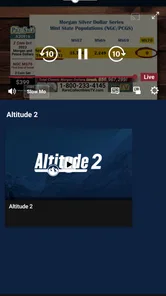

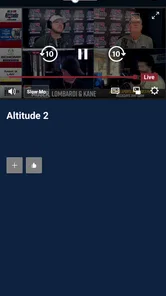
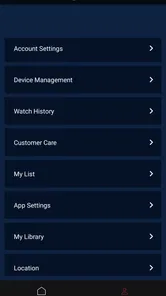

Analysis by Reviewed
I approached Altitude+ as a sports streaming app rather than simply another place to watch video. Its purpose is closely tied to Altitude Sports, and that gives it a more focused identity than a broad entertainment service. In everyday use, that focus can be useful when I want sports content without sorting through unrelated films and shows, but it also means the app makes the most sense for a particular audience.
The app is developed by Altitude Sports & Entertainment, LLC and is available as a free download in the Sports category. It carries an Everyone age rating, which makes the basic app suitable for a wide range of users. There are in-app purchases ranging from $19.95 to $199.99 per item, so “free” should be understood as the cost of installing it, not necessarily the cost of accessing every part of the service.
What interested me most was how the experience works for people watching in different situations. A sports app can be technically simple and still become frustrating if text is difficult to follow, controls are awkward, or the viewing experience assumes perfect hearing, steady hands, and a quiet room. Altitude+ is worth considering through that practical lens, especially because sports viewing often happens while multitasking, travelling, or sharing a room with other people.
How clearly the app presents sports content
The first impression is shaped by the app’s narrow purpose. Instead of asking me to browse a huge general catalogue, it points toward the streaming home associated with Altitude Sports. That focus can make the decision process quicker for someone who already knows what they want to watch. I do not need to treat it like a general-purpose television replacement, and that is one of its clearest strengths.
At the same time, a focused sports service needs to communicate its value quickly. A new user will want to understand what is available, what requires payment, and whether the service fits their viewing habits before committing time to setup. I would recommend reading the purchase details carefully rather than assuming the free installation includes unrestricted viewing. The price range attached to in-app items is substantial enough that this is an important part of deciding whether the app belongs on your device.
For readability, I found that the most comfortable approach is to treat the app as a viewing tool rather than a place to linger. Sports schedules and programme information are usually easier to understand when I know the team, competition, or event I am looking for. If I were helping a family member use it, I would first show them the route from opening the app to selecting a stream, then leave the less familiar areas for later.
This is also where the app’s average rating of 3.5, based on around 800 ratings, gives useful context. It suggests a mixed experience rather than universal approval. I would not read that figure as a verdict on the sports content itself. For me, it is a reminder that streaming apps can work very differently depending on the device, connection, expectations, and the user’s tolerance for navigating a service that may be more specialised than a mainstream platform.
More From Our News Desk

 Gmail
GmailGmail in a Busy Inbox: Who Benefits Most?
From first account to crowded workday, Gmail earns its place through dependable search and flexible sorting—but its best fit depends on how much inbox maintenance you can tolerate.

 Prime Video
Switching to Prime Video: What Changes in Your Viewing Routine
Prime Video can make a compelling second home for streaming, but switching means learning a different catalog, rental layer, and route from browsing to playback.

 Universal TV Remote Control
Universal TV Remote Control Works Best as a Reliable Backup
A phone remote earns its place through quick setup and reliable habits. Here is how to get more from Universal TV Remote Control—and where its limits show.

 Weather - By Xiaomi
Weather by Xiaomi Review: Clear at a Glance, Less Clear Up Close
Xiaomi’s weather app makes everyday forecasts quick to scan, but its calm surface can leave useful details and recovery paths harder to find than they should be.

 X
XX Under Pressure: Can It Recover When Posting Goes Wrong?
A resilience-focused review of X, examining setup, mistaken posts, interruptions, weak connections, and the gaps that matter when recovery needs to be dependable.

 Clash of Clans
Clash of Clans Is Won Between the Battles
Its raids are quick; its community is a long-term project of coordination, teaching, rivalry, and shared responsibility—with all the friction that entails.
Latest News



Navigation that suits a known viewing goal
Altitude+ is most approachable when I open it with a clear intention: watch a particular sports offering, check what is available, or return to the service connected with Altitude Sports. That is a better fit than opening it with the vague expectation that the app will recommend something for a long evening of entertainment.
This distinction matters for users who find dense menus tiring. A smaller, purpose-driven routine can reduce the number of choices I have to process. I can decide in advance what I am trying to find and avoid exploring every screen. On the other hand, someone who depends on highly polished discovery tools may prefer a larger streaming platform whose entire design is built around personalised browsing.
I also think the app benefits from using the phone as a starting point, not necessarily as the ideal screen for every session. A smaller display can make text, programme details, and playback controls feel cramped, particularly for users with low vision or anyone watching from a distance. When I want to follow a match closely, a larger screen is more comfortable because I can keep the action visible while still checking controls or information.
One practical tip is to test the complete viewing path before an important event. I would install the app, sign in if needed, inspect the available purchase option, and start a normal stream well before the planned viewing time. That workflow is more useful than waiting until a live sports moment begins, when even a small navigation issue becomes much more stressful.
Visual comfort and information density
Sports viewing combines moving images with changing information. Scores, names, timing, and playback controls may all compete for attention. For users with visual processing difficulties, the challenge is not only whether text is visible; it is whether the screen remains understandable while the action is moving quickly.
I would use the device’s own display settings to make the surrounding interface more comfortable, but I would not assume that every part of the video will respond to those settings in the same way. Increasing system text size can help with menus, while the streamed picture and any information embedded in the broadcast may remain unchanged. That is an important distinction for anyone who needs larger text consistently.
People who are sensitive to rapid movement may also want to choose calmer viewing habits. A live sports stream naturally contains fast action, camera changes, and changing brightness, so the app cannot turn every broadcast into a low-stimulation experience. In that situation, the most helpful adjustment may be the viewing environment: a stable screen position, comfortable room lighting, and the option to pause or step away when needed.
Using Altitude+ with different abilities and daily routines
I find it useful to judge Altitude+ not just by whether I can start a stream, but by how well the viewing routine fits the person using it. A practical check is to try the same path they will use on an ordinary day: open the app, locate the intended sports content, and operate playback from their usual seat and device position. That reveals whether the controls, screen size, and pace feel manageable before the occasion matters.
Motor considerations and control timing
Streaming control is usually simple in theory, but small buttons and time-sensitive actions can be difficult for people with limited dexterity, tremors, or reduced reach. On a phone, I may need to tap once to reveal controls and then tap again to select an option. That is manageable when I am sitting comfortably, but less convenient when the device is mounted, held in one hand, or resting at an awkward angle.
For that reason, I would set up the viewing position before starting the stream. A stand or stable surface can reduce the need to grip the phone continuously. It also makes it easier to pause without accidentally moving the device. This is a modest change, but it turns the app from something I constantly handle into something I can operate occasionally.
Users who rely on alternative input methods should consider the entire device experience, not just the app label. The practical question is whether their phone or tablet’s existing control tools can reliably open the app, move through its screens, select content, and operate playback. Because those needs vary widely, I would test the exact routine with a non-urgent programme before paying for access.
Another useful habit is to avoid starting a stream while rushing out the door. If I am trying to operate the app while carrying bags, travelling, or sharing attention with another task, the controls become harder to use and mistakes become more likely. A few minutes of preparation can make the experience much less demanding.
Hearing, captions, and shared spaces
Audio is central to sports coverage, but not every viewer can or wants to listen at normal volume. Some people are deaf or hard of hearing, while others watch in a shared home where loud commentary would disturb someone else. I would check the playback screen and the device’s audio options during an ordinary session rather than assuming that every broadcast offers the same support.
This is one of the areas where expectations need to remain realistic. A streaming app can provide access to sports video, but the accessibility of the individual broadcast may depend on how that content was produced. If captions, readable commentary, or clear visual information are essential to your enjoyment, I would verify those details on the specific content you plan to watch before choosing a paid option.
For shared spaces, headphones can solve some problems, but they are not suitable for everyone. A person who needs to hear household sounds, communicate with another person, or use hearing equipment may prefer a speaker at a carefully chosen volume. In my experience, the best setup is the one that preserves awareness of the room while keeping commentary understandable.
There is also a social consideration. If several people are watching together, one viewer may need a larger display while another may need lower sound or more frequent pauses. Altitude+ can be part of that arrangement, but it does not remove the need to agree on a comfortable setup. It works better when the group decides in advance who will control playback and where the screen will sit.
Situational access beyond the living room
Sports streaming is often used away from a traditional television. I can imagine opening Altitude+ during a break at work, while staying somewhere without a television, or when a family member is using the main screen. These situations make the phone convenient, but they also expose the limits of mobile viewing: glare, small text, background noise, unstable positioning, and limited attention.
For a short check-in, the phone is practical. For a full event, I would rather use the largest comfortable screen available and keep the device connected to power. That is not a criticism unique to this app; it is a trade-off of mobile streaming. The important point is to match the app to the session. A quick update and a long, detail-heavy viewing session have different requirements.
Connection quality is another everyday factor. I would not wait until I am already in a crowded public place to discover whether the stream behaves well there. Testing the service in the location where I plan to watch gives me a more honest answer than testing only at home. If the event matters, I would also keep a backup plan, such as another legitimate way to follow the result, because relying on one screen and one connection can create unnecessary pressure.
This app may also suit viewers who want a dedicated sports destination rather than a general entertainment subscription. Its identity is clear, and that can be valuable when a household has a specific interest in Altitude Sports content. However, it is less compelling for someone who wants one service covering many sports, films, series, and broad live television options. In that case, a larger platform or a traditional television package may offer better overall value, even if it is less focused.
Where the experience may still create barriers
The biggest barrier is not the download itself but the difference between installing a free app and paying for access to selected content. The in-app purchase range of $19.95 to $199.99 per item means the financial decision deserves attention. I would not hand the app to a child or a less confident user without first explaining which actions can lead to a purchase and who should approve them.
That price range also changes who should skip the service. If you only watch occasional sports events, paying for a dedicated package may not make sense. If you regularly follow content connected with Altitude Sports, the focused design may be easier to justify. The right choice depends less on the download cost and more on how often the service will actually be used.
Another barrier is expectation. The short store description presents Altitude+ as the streaming home of Altitude Sports, but that phrase does not tell me how every viewing situation will feel. A user who expects a broad, recommendation-heavy entertainment catalogue may find the app too specialised. A user who already knows why they want Altitude Sports content is likely to understand its purpose more quickly.
The app was released on October 17, 2024, so I would approach it as a relatively new service rather than assuming it has the maturity of long-established streaming products. That does not make it a poor choice, but it does make testing more important. I would check the current app behaviour on my own device, confirm the purchase path, and make sure the viewing experience suits the person who will actually use it.
Its reach is still modest compared with the biggest streaming services, with over 10 thousand installs. I see that as a sign that this is a targeted product, not a universal sports destination. The number of written reviews, around 400, also indicates that prospective users have some feedback to consult, but not the enormous volume found around the most established entertainment apps. I would combine those impressions with a short personal test instead of relying on popularity alone.
Who I would recommend it to
I would recommend Altitude+ to someone who specifically wants the streaming service associated with Altitude Sports and is comfortable checking paid access before settling into regular use. It is a sensible candidate for a fan who values a focused sports environment and does not need one app to provide every kind of entertainment.
I would also suggest it to households willing to prepare the viewing setup around the user. A larger screen, a stable stand, suitable audio, and a clear purchase routine can make a meaningful difference for people with visual, motor, hearing, or attention-related needs. None of those adjustments requires assuming that every viewer interacts with the app in the same way.
I would be more cautious for someone who depends on specific accessibility support in every programme, has a very limited budget, or wants effortless access to a wide range of channels. In those cases, another service may be a better fit. The same applies to casual viewers who only want an occasional score update; a full streaming subscription can be more than they need.
My inclusive verdict
After looking at Altitude+ through the realities of readability, control, sound, screen size, and payment decisions, I see a focused sports app with a clear audience rather than a universal replacement for television. Its strongest quality is its direct connection to Altitude Sports. Its main weaknesses are the need to investigate paid access carefully and the possibility that a specialised service will not satisfy people seeking broad entertainment or guaranteed support across every broadcast.
The app is free to install, rated for Everyone, and has earned a 3.5 average from around 800 ratings. Those details make it reasonable to try, but they do not remove the need for a personal test. I would install it, explore the navigation, check the viewing controls, examine the exact purchase option, and try a normal stream in the place where I expect to watch.
My final recommendation is conditional but positive: Altitude+ is worth trying when its specific sports focus matches your routine and your accessibility needs can be met by the app, device, and chosen broadcast together. I would not choose it simply because it is free to download. I would choose it because I know which content I want, understand the payment step, and have arranged a comfortable way to watch it.
Altitude+ Frequently Asked Questions
Who develops Altitude+, and what kind of app is it?
Altitude+ is a sports app developed by Altitude Sports & Entertainment, LLC. Its store summary describes it as the new streaming home of Altitude Sports, so it is intended for people looking to access Altitude Sports content through an app. It is free to download, and the app is rated for Everyone. Before installing, consider whether its sports-streaming focus matches what you want from a mobile app.
What is Altitude+ and what does the app do?
Altitude+ is an outdoor utility app designed to provide elevation information using your device’s location and available sensors. After granting the necessary permissions, it can help you check your current altitude while hiking, traveling, climbing, or exploring unfamiliar terrain. The app is most useful for quick reference, although readings may vary depending on GPS accuracy, signal quality, weather, and the device’s hardware.
Does Altitude+ require an internet connection to work?
Altitude+ may be able to display altitude using GPS and device sensors without a constant internet connection, which is convenient when you are outdoors or traveling in areas with limited coverage. However, some location-related functions, map information, calibration services, or additional data may depend on an internet connection. For the most reliable experience, open and prepare the app before entering an area with weak or unavailable mobile service.
How accurate are the altitude readings in Altitude+?
The accuracy of Altitude+ depends on the positioning technology and sensors available on your phone. GPS-based elevation can sometimes be less precise than horizontal location, while atmospheric pressure, buildings, mountains, weather conditions, and poor satellite visibility may affect the result. Treat the displayed figure as an estimate rather than professional surveying equipment, particularly when safety or technical navigation depends on exact elevation.
What permissions does Altitude+ request, and are they necessary?
Altitude+ generally needs access to your location to calculate or display your elevation. Depending on the version and platform, it may also request permission to use location services while the app is active or in the background. You can review these permissions in your Android or iOS settings and deny access if you are uncomfortable, but limiting location access can prevent the app from providing accurate or complete altitude information.
Pros
- Provides accurate elevation readings using GPS and barometric data.
- Clean interface makes altitude information easy to read outdoors.
- Supports multiple measurement units for international users.
- Useful for hiking
- climbing
- skiing
- and other outdoor activities.
- Can help record elevation changes during trips and activities.
Cons
- Accuracy may drop indoors
- in valleys
- or where GPS signals are weak.
- Barometer-based readings can vary with weather and air-pressure changes.
- Some features may require a premium purchase or subscription.
- Continuous GPS use can noticeably reduce battery life.
- Requires location permissions
- which may concern privacy-conscious users.





