Academy Sports + Outdoors
- 3.13K
- 4.7
- Installs
- 1.00M
- Price
- Free

Screenshots
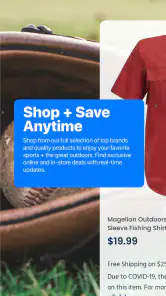
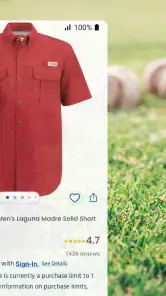
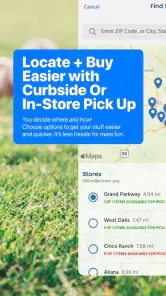
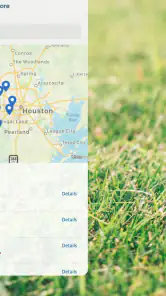
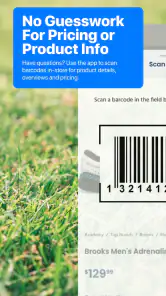
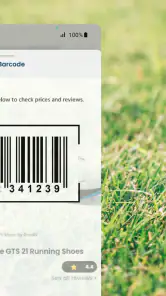
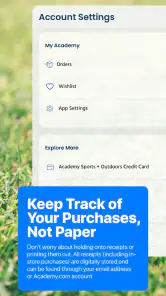
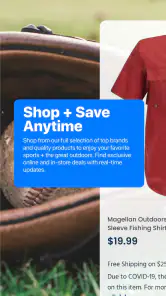
Analysis by Reviewed
I find a sports-shopping app most useful when it helps me answer a practical question quickly: can I look for the right gear, check for savings, and work out whether a nearby store is worth visiting? Academy Sports + Outdoors brings those errands together. Its usefulness depends on having a decent connection at the moments you need current shopping information, so I’d treat it as a handy planning tool rather than assume every part of the experience works without internet access.
When a connection makes the difference
Browsing and comparing gear is more valuable when product and offer information can load as you shop. I’d use the app before heading out to narrow down what I want, then check again when I’m ready to make a decision. A sale that looks appealing only helps if the details are current, and a nearby-store search is most useful when it can return relevant locations. That makes connectivity part of the shopping workflow, not just a background convenience.
For a realistic example, imagine getting ready for a weekend camping trip and realizing you still need a small piece of equipment. At home, I’d browse and check available savings; before leaving, I’d use the store finder to decide whether a local visit makes sense. That two-step routine can save a wasted trip. I would still verify the exact item and its suitability before relying on it for a trip, especially if the purchase is time-sensitive.
Better suited to some shopping habits
The app is a natural fit if you already shop for sports, fitness, hunting, fishing, or outdoor equipment and want one place to explore those needs. It can also help someone who prefers to research on a phone before browsing in person. By contrast, if you mainly want a broad marketplace with products from many unrelated retailers, a general shopping app may suit you better. Academy Sports & Outdoors is focused on its own sports-and-outdoors shopping experience, so its value depends on whether that focus matches what you buy.
That focus suggests a useful way to browse: start with the activity you’re preparing for, then compare options within that context instead of scrolling without a plan. For example, someone putting together a fishing outing can use the relevant category to keep the search centered on that purpose. I’d also check offers before settling on an item, rather than treating a discount as a reason to buy something that doesn’t fit the outing or budget.
Using it on the move, and when things stall
On a phone, the store locator is especially practical when you’re already out and need to decide where to go next. Location information is only helpful if it reflects where you want to shop, though, so I’d enter or confirm the intended area rather than assume the nearest result is convenient. Store hours and directions can help with planning, but I’d avoid making a long drive based only on a quick glance at a screen.
If pages or results are slow to appear, I’d first check the connection and try again before repeating a search or restarting a purchase. That simple pause can prevent duplicate effort when the network is briefly unreliable. I’d also wait until the important details have loaded before treating an offer, order update, or store result as settled. This is a sensible precaution for any connected shopping app, particularly when you’re making plans around a store visit.
More From Our News Desk

Clash of Clans Is Won Between the Battles

Android Auto Makes the Case for Quieter Car Software

MobiOffice: Transforming Mobile Productivity with Seamless Integration

EA SPORTS FC™ Mobile Soccer: Redefining Mobile Sports Gaming

How Microsoft OneDrive Became a Mobile Productivity Giant

How Google Translate Breaks Language Barriers Effortlessly
Keeping mobile use intentional
Shopping on a phone can make it easy to keep browsing, so I’d open the app with a particular need in mind: compare gear, look for an offer, or plan a store visit. That keeps the experience focused and makes it easier to judge whether a deal is genuinely useful. If you are trying to limit mobile data, browsing over a trusted Wi-Fi connection is a straightforward choice; I wouldn’t assume product images or other shopping content will be available without a connection.
The app is free, rated for Everyone, and developed by Academy Sports & Outdoors. It has a 4.7 average from around 43,000 ratings, and more than a million installs. Those figures suggest it has broad appeal, but they don’t replace checking whether its retailer-specific focus suits you. The current version is 5.9.0, and it requires Android 10 or later, details worth checking before installing on an older device.
Your Personal Sports Concierge
Ever wandered into a store and felt like a kid in a candy shop? That's exactly what the Academy Sports + Outdoors app feels like in the palm of your hand. Whether you’re a seasoned athlete or just someone who loves the thrill of the outdoors, this app is your gateway to a world of sports and adventure.
Shopping Made Easy
One of the standout features is the seamless shopping experience. You can effortlessly add items to your cart, and the checkout process is as easy as pie. What’s more, the app offers exclusive deals and discounts that are often too good to pass up. You can also keep track of your orders, ensuring you’re always in the loop about when your gear will arrive.
For me, the practical advantage of combining browsing and checkout is that I can build a considered basket before committing. If I’m shopping for a particular activity, I can compare choices first and then decide whether the full set of items makes sense together. I wouldn’t treat a cart as a packing checklist, though: it is still worth checking sizes, quantities, and whether each item suits the conditions I expect.
That distinction matters for equipment purchases. A low price can make an item tempting, but the wrong fit or an unsuitable specification can turn a bargain into clutter. I’d use the app to explore and narrow the field, then take time with product details and compare the options against the actual need. For a purchase where feel, fit, or handling is decisive, seeing the product in person may be the better final step.
Stay Updated with the Latest Trends
Not only does the app offer a wide range of products, but it also keeps you updated with the latest trends in sports and outdoor gear. From the newest fishing rods to the trendiest workout apparel, you’ll find everything you need to stay ahead of the game. The app’s notifications are like your personal assistant, making sure you’re always in the know.
I’d be selective about how I use notifications. They can be useful if I’m actively watching for a relevant offer or planning a purchase, but they are less valuable when I have no particular gear in mind. A simple habit helps: decide what I’m shopping for before opening a promotion, and judge the offer against that need. This keeps a savings prompt from becoming a reason to spend on something unrelated.
Compared with a general marketplace, the retailer-focused approach is both the main strength and the main limitation. It keeps the experience centered on sports and outdoor shopping rather than asking me to sort through unrelated departments and sellers. On the other hand, if I want to compare prices across many retailers or find a product outside Academy’s range, I’d use a broader shopping service as well. I see this app as a focused place to research Academy’s selection, not a replacement for every shopping tool.
Location, Location, Location
The app isn’t just for online shopping; it’s also your guide to the nearest Academy Sports + Outdoors store. With the integrated store locator, you can easily find the closest location, check store hours, and even get directions. It’s perfect for when you need to grab something on the go or just want to browse in person.
A useful mobile routine is to search for the intended store while you still have time to change plans. If I’m already out, I’d compare the location with where I’m headed rather than choosing the first result automatically. This is particularly helpful when an errand has to fit between work, school pickup, or another appointment: the closest store on a map is not always the most convenient stop for the whole route.
The locator is also a bridge between online research and an in-person decision. I can use the phone to identify a place to visit, then inspect a product directly if its size, texture, or construction is hard to judge on a screen. That hybrid approach is where a retailer’s app can be more useful than a pure marketplace: the digital browse helps organize the trip, while a physical visit can settle questions that product images cannot.
What to do when a search or page falters
Connectivity deserves a little planning, especially if I’m using the app while traveling or standing outside a store. If a result does not appear, I’d pause and confirm the connection before tapping repeatedly. For a purchase, I’d check whether the cart or order state has actually changed before trying again. That avoids creating confusion through duplicate actions when a screen is simply taking longer to refresh.
If a store visit depends on an offer or a particular product, I’d check the relevant information close to departure and leave enough time to reassess if it does not load. I would not rely on a previously viewed screen as proof that a detail is still current. The app is most dependable as a connected planning aid: it can help me decide what to look for and where to go, while time-sensitive choices still deserve a fresh check.
A considered choice for the right shopper
I’d recommend trying the app if Academy is already one of your regular places to shop, or if you are preparing for an activity and want a retailer-specific way to browse sports and outdoor gear. It is also a sensible option for someone who likes to check offers before visiting a store, or who wants to combine online ordering with local store planning. The free price makes it easy to try without making the app itself a purchase decision.
I’d skip it if your shopping is mostly outside sports and outdoors, or if your priority is comparing inventory and prices across a wide mix of retailers in one place. It may also be less useful if you usually shop in person and do not want to browse on a phone. In those cases, a general marketplace or a direct store visit could be a better fit than adding another retailer-specific app to your routine.
One question many shoppers have is whether they can make the whole decision from the app. I would use it to research, check savings, and plan a store visit, but I’d still inspect important product details and confirm time-sensitive information before making a trip or purchase. Another practical question is whether it suits an older Android phone: the listed requirement is Android 10 or later, so checking the device’s operating system first can prevent a frustrating install attempt.
It is also worth thinking about mobile data. Browsing on trusted Wi-Fi is the straightforward choice if I want to keep data use down, particularly when looking through image-heavy shopping pages. And if connectivity drops midway through a task, I’d wait for the screen to settle, reconnect, and confirm the current state before repeating a checkout action. Those small habits make the app easier to use without assuming that it will behave the same way in every network condition.
To wrap it all up, the Academy Sports + Outdoors app is a must-have for anyone passionate about sports and the great outdoors. It’s like having a superstore in your pocket, giving you access to a world of adventure wherever you are. So, if you haven’t already, give it a whirl and dive into the endless possibilities it offers. Happy exploring!
Academy Sports + Outdoors Frequently Asked Questions
Can I browse Academy Sports + Outdoors without creating an account?
The app is designed to let shoppers explore sports and outdoor gear, savings offers, and nearby stores from a mobile device. You can download it and look through the shopping experience before deciding what you want to buy. If you choose to place an order or use account-related tools, you may be prompted to provide the details needed for that activity.
Can the Academy Sports + Outdoors app help me find a nearby store?
Yes. Finding nearby stores is one of the app’s useful features, alongside browsing sports and outdoor gear and looking for savings offers. This can be handy when you want to explore shopping options close to you instead of relying only on online browsing. The app is available as a free download, so you can install it and check its store-finding tools without paying for the app itself.
Is the Academy Sports + Outdoors app free to download?
Yes. The Academy Sports + Outdoors app is free to download, so you can install it and browse without paying for the app itself. It is a shopping app for sports and outdoor gear, with tools for finding savings offers and nearby stores. Any costs associated with products you choose to buy are separate from downloading the app.
Who is the Academy Sports + Outdoors app for?
The app is aimed at people shopping for sports and outdoor gear, whether they are browsing for a particular item or looking for offers and a nearby store. Its content rating is Everyone, making it suitable for a general audience. You can use it to explore shopping options on a mobile device rather than relying only on a computer or visiting a store.
What platforms is the Academy Sports + Outdoors app available on?
The Academy Sports + Outdoors app is available for download on both Android and iOS platforms. Users can easily access the app through the Google Play Store for Android devices and the Apple App Store for iOS devices. The app provides a seamless shopping experience across different mobile platforms.
Pros
- Wide range of sports equipment.
- User-friendly interface.
- Frequent sales and discounts.
- Comprehensive product details.
- Easy product search.
Cons
- Limited international shipping.
- App occasionally crashes.
- Some items out of stock.
- Longer delivery times.
- Limited customer support.

- Category
- Shopping
- Version
- 5.9.0











