World of Peppa Pig: Kids Games
- 2.38K
- 3.3
- Installs
- 10.00M
- Price
- Free
Screenshots
Analysis by Reviewed
Peppa Pig can make a screen-time choice easy for a child to recognize, but familiarity alone does not make a game worthwhile. In my view, World of Peppa Pig: Kids Games is most appealing as a short, parent-guided play option for preschoolers who already enjoy the characters. Its mix of playful activities and early-learning themes gives children more to do than simply watch, though I would treat it as a handy diversion rather than a complete learning plan.
Diving Into Peppa’s World
The moment you open the app, you’re greeted with a vibrant and welcoming interface, splashed with the familiar faces of Peppa, George, Daddy Pig, and the entire gang. It’s like stepping into the animated series itself! The app is designed to be intuitive, ensuring that even the youngest of users can navigate through its features with ease. This makes it a fantastic choice for preschoolers who are just beginning to explore digital play.
That immediate familiarity is useful in an everyday setting: if a child needs a few minutes of quiet while a meal is being prepared or a trip is underway, recognizable characters can make it easier to settle into an activity without a long explanation. I’d still sit nearby the first time, both to see which choices hold their attention and to help them move on when they are ready. A young child may understand the characters before understanding every screen or instruction.
Activities That Suit Different Moods
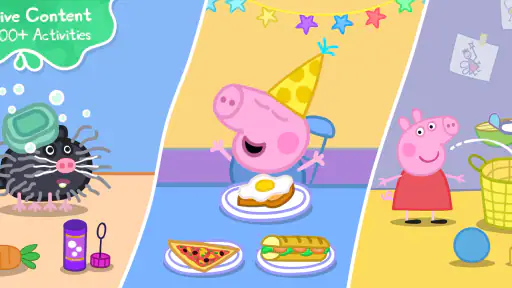
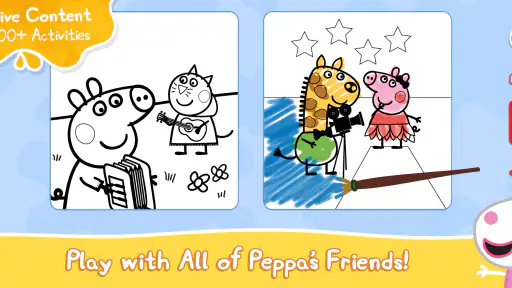
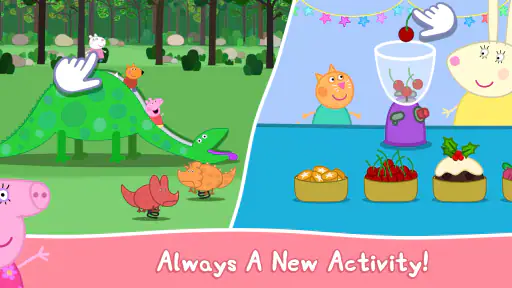
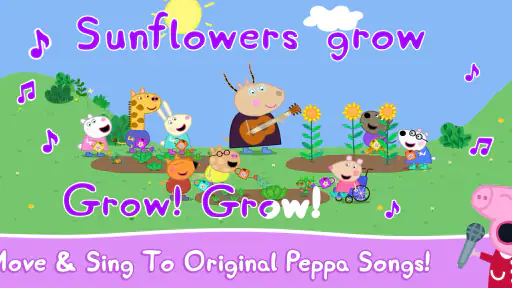
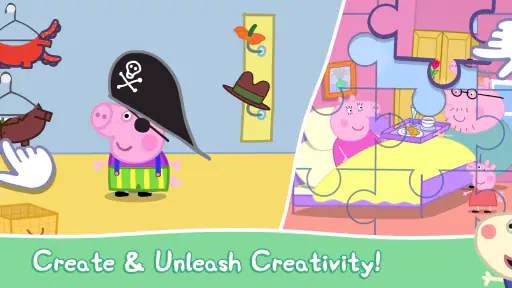
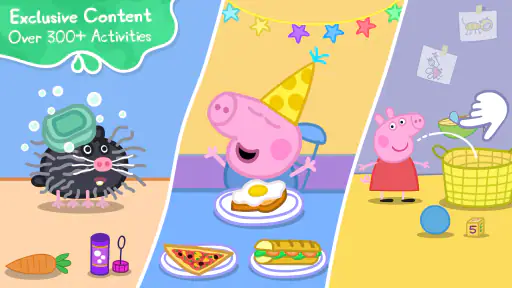
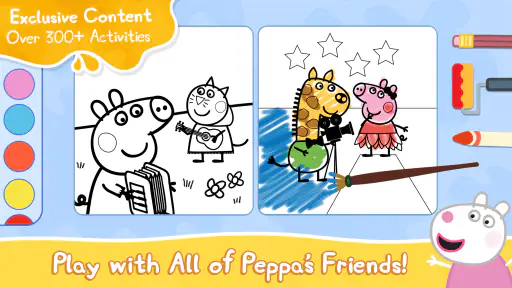
World of Peppa Pig: Kids Games offers a diverse array of activities that are both entertaining and educational. From painting and drawing to interactive puzzles and memory games, the app provides endless possibilities for creative expression. Kids can join Peppa and her friends on various adventures, helping them solve problems and complete tasks. The games are designed to enhance cognitive skills and promote creativity, all while keeping the fun quotient high.
For a parent, that variety suggests a practical way to match play to a child’s mood rather than insisting on one kind of task. Drawing can suit a child who wants to make choices freely; puzzles and memory games ask for more focus. I’d use the change of activity as a gentle transition: offer a puzzle after a burst of energetic play, or let the child draw when they seem ready to wind down. This is more helpful than expecting every activity to suit every child equally.
One of the standout features is the collection of mini-games that let kids jump in muddy puddles, much like their favorite piggy! There’s also a delightful storytime section where children can enjoy listening to stories narrated by the characters themselves. This not only makes storytime more engaging but also improves listening skills and comprehension.
The story option also gives families a different way to use the app from a typical game session. A child can listen together with an adult, pause to talk about what is happening, and then choose a hands-on activity afterward. That shared routine is more likely to turn screen time into conversation than leaving a child alone with a device. If your main goal is independent practice in reading, though, listening to a narrated story is not the same as having a child read words for themselves.
More From Our News Desk

Weather by Xiaomi Review: Clear at a Glance, Less Clear Up Close

X Under Pressure: Can It Recover When Posting Goes Wrong?

Clash of Clans Is Won Between the Battles

Android Auto Makes the Case for Quieter Car Software

MobiOffice: Transforming Mobile Productivity with Seamless Integration

EA SPORTS FC™ Mobile Soccer: Redefining Mobile Sports Gaming
Learning Through Play, With Realistic Expectations
Amidst all the fun, the educational aspect of the app is not lost. The activities are crafted to aid in early childhood development, focusing on basic math skills, language acquisition, and problem-solving abilities. The app subtly incorporates these learning elements into each game, making education a seamless part of the play experience. It’s a sneaky way to get kids learning without them even realizing it!
I would keep expectations measured: a game can introduce a child to ideas and give them a playful chance to try, but it cannot replace a parent, teacher, or a broader mix of play. A useful approach is to ask the child what they noticed after a round, or invite them to count, describe, or explain something away from the screen. That small follow-up makes the activity more interactive without turning play into a lesson.
Using It Together and Setting Boundaries
As a parent, one of the biggest concerns with kids' apps is safety and content appropriateness. Luckily, the developers of this app have taken those concerns seriously. The app features robust parental controls, allowing you to manage screen time and customize the experience to suit your child’s needs. Plus, there are no third-party ads, which is a huge relief! It’s reassuring to know that your kids are playing in a safe and ad-free environment.
I would still check the available settings with your child before handing over the device, especially if you want to set clear limits around when play begins and ends. An age rating of Everyone makes the game broadly suitable for family use, but it does not mean every child will find each activity engaging or need the same level of supervision. The game is free to download, while optional in-app purchases range from $3.99 to $29.99 per item, so I’d review purchase settings before letting a young child explore on their own.
How It Compares With Other Preschool Apps
Compared with a general preschool game that uses unfamiliar characters, this one has an obvious advantage for children who already know Peppa: its cast and setting can make the first step into play feel comfortable. Compared with simply watching an episode, the activities invite children to make choices and take part. The trade-off is that the appeal depends heavily on the child’s interest in this particular world; a child who prefers open-ended building, more structured lessons, or a different show may be better served by another kind of app.
The game is published by Find Your Fun and has an average rating of 3.3 from around 24,000 ratings, alongside about 2,400 written reviews. It has been installed over 10 million times, which shows broad reach, but popularity is not a guarantee that its style will suit your household. It is an educational game, currently at version 8.0.0, and supports devices running Android 5.1 or later. Those details make it easier to judge whether it fits a family’s device and expectations, but the best test is still whether your child enjoys the activities without needing constant help.
That comparison is useful when choosing what to put on a shared tablet. A video is the simpler choice when an adult wants a child to watch a particular story, while this game is a better fit when the child is ready to tap, choose, and try short activities. A curriculum-driven app is more appropriate if you want a planned sequence of lessons or clear practice in one subject. I see Peppa’s game as sitting between those options: more participatory than passive viewing, but less focused than a dedicated learning program.
Who Will Get the Most From It?
I’d choose it for a preschooler who is already fond of Peppa and enjoys switching between simple creative tasks, puzzles, and character-led play. It can work well as a short activity while an adult is close by, or as a shared story-and-game break at home. I would skip it for a child who wants a deeper curriculum, a more demanding challenge, or a play experience that is not tied to a familiar television world. In those cases, a dedicated learning tool or a less character-focused game may be a better match.
It also makes sense for families who want an easy activity to share rather than a game that demands a parent’s constant instruction. I’d try sitting with the child for the first session, then notice whether they can make choices and move between activities comfortably. If they repeatedly need an adult to explain what to tap, it may be better as a together-time option than as something to hand over when you need uninterrupted time. If they prefer to repeat one familiar activity, there is no need to push them through the whole selection; a short, enjoyable session is a reasonable outcome.
A Practical Routine for Family Screen Time
For example, on a rainy afternoon when a child has already spent time drawing on paper, I might offer a short session and let them choose between making digital pictures and trying a puzzle. If attention starts to wander, I’d switch to the narrated story and listen alongside them rather than treating the app as a way to keep them occupied indefinitely. Afterward, asking which character or moment they liked can carry the play into conversation. This approach uses the app’s variety without asking it to replace drawing, reading together, or outdoor play.
One small but useful habit is to decide the stopping point before opening the game. Young children can find transitions difficult, and a choice between one more activity and putting the device away may work better than an abrupt ending. I’d also keep the purchase decision with the adult: a free download does not mean every part of the experience is necessarily included without payment, and the listed optional items cost from $3.99 to $29.99. Setting device purchase controls and explaining that purchases are an adult decision can prevent an enjoyable session from turning into a negotiation at the screen.
Another trade-off is that familiarity can be both the strongest hook and the clearest limit. A child who loves Peppa may be willing to try a puzzle or creative activity because the setting feels welcoming. A child who is tired of the show may see the same familiar world as a reason to lose interest quickly. I would not choose it solely because the character is popular; I’d let the child’s actual response to a short first session guide whether it earns a place in the routine.
My Recommendation
To wrap it up, World of Peppa Pig: Kids Games is more than just another app on the market; it’s a gateway to endless fun and learning for young children. Whether your child is a fan of the show or just starting to discover Peppa, this app provides an engaging platform that combines entertainment with education, ensuring that the time spent on screens is beneficial. So, if you’re on the lookout for an app that will keep your little ones entertained and educated, this is definitely worth a download. Jump into the world of Peppa Pig and watch your kids learn while having a blast!
My recommendation is a little more specific: try it if the characters are already a hit and you want a familiar, varied option for occasional play. Keep purchases and playtime boundaries in your hands, and join in when a story or activity gives you a natural opening to talk together. For that audience, its recognizable world is a genuine strength; for families seeking a more focused teaching tool or a broader, less branded playground, I’d look elsewhere.
World of Peppa Pig: Kids Games Frequently Asked Questions
What is World of Peppa Pig: Kids Games, and who makes it?
World of Peppa Pig: Kids Games is an educational game from Find Your Fun, built around the familiar Peppa Pig world. Its store summary promises “Lots To Do & Watch With Peppa Pig,” giving families a quick sense of its character-based focus. It may suit parents looking for a child-friendly game connected to a well-known preschool series.
What kind of activities can children expect in World of Peppa Pig: Kids Games?
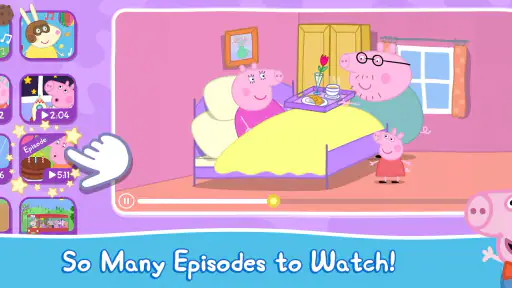
The game brings together educational games, videos, and creative activities featuring characters from the Peppa Pig series. This mix gives children different ways to engage with the familiar setting, rather than focusing on a single kind of play. Families considering a download can weigh that variety against what their child enjoys, whether that is watching, learning through games, or exploring creative activities.
Is World of Peppa Pig: Kids Games free to download, and what might cost extra?
The game is free to download, so families can try it without paying upfront. Some additional content is available through in-app purchases, with prices ranging from around $4 to $30 per item. If a child will use the app, it is sensible to review purchase settings on the device and decide which options are appropriate before handing it over.
What is the main objective of World of Peppa Pig: Kids Games?
World of Peppa Pig: Kids Games aims to provide a safe and engaging environment for children to learn and play. With a variety of educational games, videos, and creative activities, it encourages cognitive development, creativity, and social skills. The app features beloved characters from the Peppa Pig series, making learning fun and interactive for young children.
Is World of Peppa Pig: Kids Games suitable for all age groups?
World of Peppa Pig: Kids Games is specifically designed for preschoolers and young children, typically aged 2 to 5 years old. The content is curated to match their developmental needs and interests. While older children might find it entertaining, the app's primary focus is on early learning and development, making it ideal for toddlers and preschoolers. Its content rating is Everyone, which may help parents assess whether it suits their family.
Pros
- Engaging educational content for children
- Colorful and interactive graphics
- Frequent updates with new content
- Easy navigation for young users
- Encourages creativity and learning
Cons
- Requires subscription for full access
- May have in-app advertisements
- Content can become repetitive
- Limited offline functionality
- Not suitable for older children
- Category
- Educational
- Version
- 8.0.0











