Word Search - Crossword Puzzle
- 0.00
- 0.0
- Installs
- 50.00
- Price
- $2.69

Screenshots
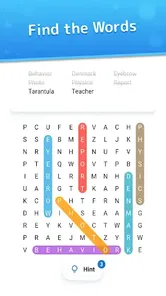
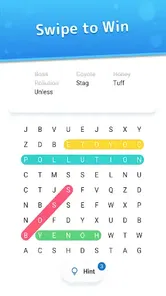

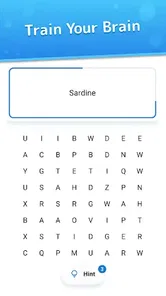
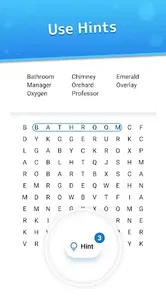
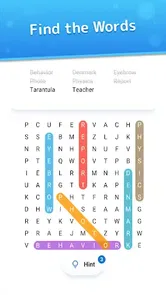
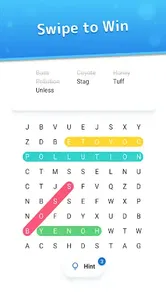

Analysis by Reviewed
I approach a word puzzle as a small break rather than a serious training plan, and that is the lens through which I’d judge Word Search - Crossword Puzzle. It is a paid word game from Brainbete, released on November 16, 2022, and priced at $2.69. Its Everyone age rating makes it suitable for a broad audience, while the modest install count suggests it is less established than the familiar puzzle titles many people already know. I’d consider it for relaxed solo play or a shared screen-side challenge, not as a feature-rich social platform.
How I’d make a puzzle fit the day
The easiest way to judge a casual word game is to see whether it fits the little gaps in a real day. This one makes most sense when I have a few quiet minutes and want to focus on one clear task. I can start a board, scan in a consistent direction, and stop when I need to move on. That is different from choosing a game that expects a long uninterrupted session or a commitment to rankings and timed competition.
For example, if I had a short wait before an appointment, I would choose a comfortable puzzle, silence the sound if the room called for it, and treat the board as a brief diversion rather than a task I must finish. At home, I would use the same screen as a cooperative prompt: one person looks across rows, another checks columns, and we trade places if either starts repeating the same scan. This makes the shared activity feel natural without assuming that the game includes a dedicated multiplayer mode.
That kind of routine also helps answer whether it belongs in a family’s rotation. Its Everyone rating and word-focused play make it approachable for different ages, but the best shared experience will depend on patience and reading comfort. I would let a younger player lead the search while an adult offers a gentle nudge only when asked. If the group wants a fast, head-to-head contest, a game built around explicit turns or a timer would be a better fit.
A Treasure Trove of Words
When I first opened Word Search - Crossword Puzzle, I was welcomed by a straightforward and user-friendly interface. The game is incredibly easy to navigate, making it perfect for users of all ages. Whether you're a seasoned word enthusiast or a newbie, you'll find this app both entertaining and challenging.
Gameplay and Features
The app is listed as a word search game, while its broader pitch is a crossword-style activity for everyday brain practice. That distinction matters if you are choosing between puzzle formats: I would expect the central appeal to be finding words rather than the clue-heavy solving of a traditional newspaper crossword. The short description is a useful clue to that focus, so players who specifically want elaborate crossword grids should check that the format suits them before paying.
The app offers a variety of puzzles to keep you on your toes. From classic word searches to intricate crossword puzzles, there's something for everyone. One of the standout features is the customizable difficulty level. You can start with the easy puzzles and gradually work your way up to the more challenging ones. It’s a great way to improve your vocabulary and keep your mind sharp.
More From Our News Desk

 Gmail
Gmail in a Busy Inbox: Who Benefits Most?
From first account to crowded workday, Gmail earns its place through dependable search and flexible sorting—but its best fit depends on how much inbox maintenance you can tolerate.

 Prime Video
Switching to Prime Video: What Changes in Your Viewing Routine
Prime Video can make a compelling second home for streaming, but switching means learning a different catalog, rental layer, and route from browsing to playback.

 Universal TV Remote Control
 Works Best as a Reliable Backup
A phone remote earns its place through quick setup and reliable habits. Here is how to get more from Universal TV Remote Control—and where its limits show.

 Weather - By Xiaomi
Weather by Xiaomi Review: Clear at a Glance, Less Clear Up Close
Xiaomi’s weather app makes everyday forecasts quick to scan, but its calm surface can leave useful details and recovery paths harder to find than they should be.

 X
X Under Pressure: Can It Recover When Posting Goes Wrong?
A resilience-focused review of X, examining setup, mistaken posts, interruptions, weak connections, and the gaps that matter when recovery needs to be dependable.

 Clash of Clans
 Is Won Between the Battles
Its raids are quick; its community is a long-term project of coordination, teaching, rivalry, and shared responsibility—with all the friction that entails.
Latest News



For a more repeatable routine, I’d pick a comfortable difficulty first and use a short session as a deliberate stopping point, rather than trying to solve everything at once. That makes the game easier to fit between errands or during a quiet break, and it can keep a tricky board from turning leisure into a test. If children or less experienced players are joining, starting gently also gives everyone a chance to learn the puzzle’s rhythm before raising the challenge.
Another feature I really appreciate is the daily challenge. Each day, a new puzzle is added, giving you a fresh challenge to look forward to. There's also a hint system in place for those moments when you find yourself stuck. Trust me, it comes in handy!
I’d treat hints as a way to get unstuck, not as a shortcut through every difficult moment. When a word does not jump out, scanning one row or column at a time and checking likely letter patterns can make the search feel more methodical; a hint is then useful if that pass still goes nowhere. For friends or family, taking turns choosing where to look can keep the shared session lively without requiring anyone to race.
Settings and Session Style
The app’s appeal depends partly on how you like to play. If you prefer quiet concentration, the sound option mentioned below is worth checking early; if you are sharing the puzzle, agree on whether to solve together or alternate turns before tapping around. Those small habits make a simple word game more comfortable for different ages and attention spans. I would not assume that a familiar control or setting from another puzzle app works the same way here, so it is sensible to explore the visible options rather than hunt for undocumented shortcuts.
Before settling into a longer play habit, I’d also check that the game is comfortable to use on the device in hand. Text that seems clear in a quick glance can feel different after several minutes, and the way a screen is held can affect how easily I follow a grid. I would try a board in the usual posture and lighting I expect to play in, rather than making a decision from a brief look at the opening screen. If the display or touch interaction feels tiring, that is a practical reason to choose another word game, even if the puzzle itself sounds appealing.
There is a useful distinction between a setting that changes comfort and one that changes the challenge. Sound is an easy preference to settle before play; difficulty is better treated as a choice that can shape the whole session. I would avoid switching to a tougher level just because an easy board goes quickly. A steady level that keeps me attentive without making every search feel laborious is more likely to turn the game into a pleasant routine.
Visuals and Sound
Visually, the app is clean and appealing. The colors are easy on the eyes, and the text is clear and legible. I also enjoyed the subtle sound effects which add an extra layer of immersion without being overwhelming. You have the option to mute them if you prefer a more silent experience.
That mute choice is practical in places where sound would be distracting, such as a waiting room or a quiet commute. I’d set the audio preference before settling in, then leave it alone during a session instead of breaking concentration to adjust it later. Clear text helps with quick glances, though anyone who needs unusually large lettering or extensive display controls should check the game on their own device before committing.
For a shared session, sound is a small but meaningful consideration. I would keep it on when playing at home if the effects add to the relaxed mood, but mute it when another person is reading, working, or resting nearby. That simple choice lets the same game move between settings without turning a quiet puzzle break into a source of friction. It is also a reminder that a comfortable setup matters more than trying to make every session longer.
Where It Fits—and Where It Doesn’t
Compared with free word-search games, the $2.69 purchase is a real trade-off: you are paying upfront for this particular experience rather than sampling a no-cost alternative first. I’d choose it when a simple, focused word puzzle is what I want and I am comfortable with that price. If I needed a large online community, extensive competitive modes, or a broad collection of puzzle types, I would look elsewhere; those are different priorities from a straightforward word game.
That comparison is useful because word-puzzle apps often serve different moods. A free option can be the sensible choice if I want to try the format without paying, while a traditional crossword app is a better match when I want clues and answers to test general knowledge. A competitive word game suits someone who enjoys timed turns or measuring results against other players. This title is most appealing when the goal is a self-paced search, with the option to share the screen informally rather than depend on social features.
The upfront cost also changes how I would decide. I’d ask whether I expect to return to this particular style of puzzle, rather than judging the purchase by a single quick session. If I only occasionally look for word games, a free alternative may be the lower-friction choice. If I already know that scanning for hidden words is the kind of quiet activity I enjoy, paying for this one may feel reasonable. It is a personal-value decision, not a reason to expect a larger feature set than the game offers.
The current version is 1.1.7 and requires Android 7.0 or later. That makes the version and operating-system requirement useful checks before installing, especially on an older phone. The game has 50+ installs, so I would treat it as a smaller option rather than assume it has the polish, depth, or long-running community of a widely played word title. Its Everyone rating is reassuring for family use, but I’d still take turns and keep the experience collaborative if younger players are involved.
Brainbete is the developer behind this small-scale release, and that context shapes my expectations: I would approach it as a specific, modest word game, not as a major puzzle service with a large player network. The limited audience makes it particularly important to decide based on the actual format and the way I want to play. Someone who mainly wants a quiet solo board may not mind a small community at all; a player who relies on shared events, public rankings, or a busy social scene probably will.
One practical question is whether the game suits an older Android device. The operating-system requirement gives a clear compatibility check: I would compare it with the version on the phone before paying, especially if the device is not used often. Another is whether it works for a short, interrupted session. The word-search format lends itself to a pause-and-return style of play, but I would still avoid starting a puzzle when I know I will be interrupted every few seconds; frequent breaks can make it harder to keep track of which areas I have already searched.
Why You Should Download It
What I love most about this app is its ability to combine fun with education. It's an excellent tool for both kids and adults to expand their vocabulary while having a blast. Plus, it's a great way to unwind after a long day or to kill time during your commute.
A realistic use for me would be opening it while waiting for an appointment, completing a puzzle at an unhurried pace, and putting the phone away when my name is called. At home, it can work as a low-pressure family activity: one person scans across the grid while another checks vertical lines, then you swap roles. That kind of shared play is a better fit than expecting the game to provide a full multiplayer experience.
To get more from that routine, I would make the search systematic rather than repeatedly sweeping the whole board at random. Pick a direction, check a section, and move on; if a likely word remains elusive, look for its less obvious starting point instead of retracing every line. This is not a secret shortcut or a special feature, just a way to use attention well. It reduces the feeling of being stuck and gives another player a clear part of the board to take over.
I would skip it if I wanted an elaborate crossword with clue writing, a large menu of distinct puzzle genres, a robust competitive ladder, or extensive personalization of the display. Those are reasonable preferences, but they point toward a different app. I would also pause before buying if I have not yet decided whether I enjoy word searches at all; the upfront price makes a free trial elsewhere a more cautious first step. For someone already drawn to this format, however, its straightforward focus can be the point rather than a shortcoming.
So, if you're on the hunt for a new puzzle app to add to your collection, give Word Search - Crossword Puzzle a try. It's a delightful blend of challenge and relaxation that will keep you coming back for more. Happy puzzling!
Word Search - Crossword Puzzle Frequently Asked Questions
What devices can run Word Search - Crossword Puzzle?
Word Search - Crossword Puzzle is available for Android devices running Android 7.0 or later. Before downloading, check your device’s operating system version to make sure it meets that requirement. The game is listed as a mobile word game, so it is intended for supported phones and tablets rather than desktop play.
Who developed Word Search - Crossword Puzzle, and what does it cost?
The game is developed by Brainbete and is priced at $2.69. It is a paid download, so you should expect to purchase it before playing rather than assume the game itself is free. Its content rating is Everyone, making it broadly suitable for players looking for a family-friendly word game.
What is Word Search - Crossword Puzzle, and how does it work?
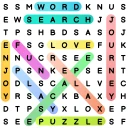
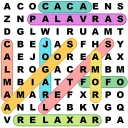
Word Search - Crossword Puzzle is an engaging mobile application that combines the classic word search puzzle with crossword-style gameplay. Players are presented with a grid filled with letters, and the goal is to find and highlight words from a list. Words can be arranged in any direction: horizontally, vertically, or diagonally. The game challenges your vocabulary and pattern recognition skills, making it perfect for those who love word games.
Is Word Search - Crossword Puzzle suitable for all ages?
Yes, Word Search - Crossword Puzzle is designed to be family-friendly and suitable for players of all ages. The game's intuitive interface and varying difficulty levels make it accessible for children and adults alike. It serves as an excellent educational tool for younger players to improve their vocabulary and spelling, while also providing challenging puzzles for seasoned word game enthusiasts.
Does Word Search - Crossword Puzzle require an internet connection to play?
No, Word Search - Crossword Puzzle does not require an active internet connection to play, making it an ideal choice for entertainment on-the-go. Once downloaded, players can enjoy unlimited access to the puzzles anytime, anywhere. However, some features, such as leaderboard updates or in-app purchases, may require internet access.
Pros
- Engaging word puzzles.
- Improves vocabulary skills.
- Offline play available.
- Colorful and intuitive design.
- Daily challenges for rewards.
Cons
- Contains ads.
- Limited free hints.
- In-app purchases required.
- Repetitive levels.
- No multiplayer mode.