Sudoku
- 26.00
- 4.7
- Installs
- 5.00K
- Price
- $2.69

Screenshots
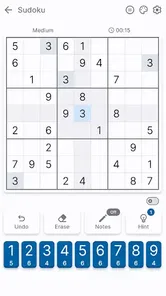
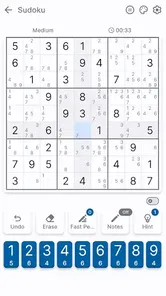
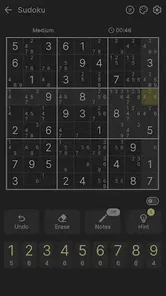
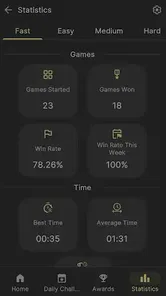
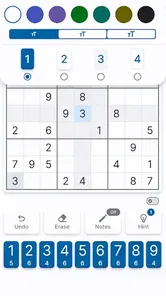

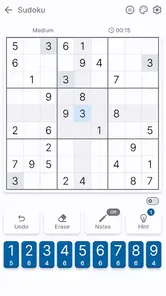
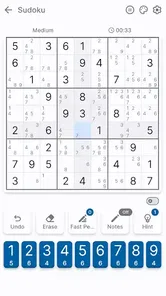
Analysis by Reviewed
So, I’ve just spent a few days diving deep into the world of Sudoku, and let me tell you, it’s been quite an adventure! This classic number puzzle game has made its way into the digital age with style and ease. If you love a good brain teaser, then you’re in for a treat. Let’s explore why this app has become my go-to for some serious mind-bending fun.
Who will enjoy this kind of daily challenge?
I’d recommend this puzzle game to someone who wants a quiet, self-paced activity rather than a race or a story-driven game. A realistic use for me is opening a puzzle while waiting for an appointment, solving a few cells, then putting the phone away when I’m called. Sudoku suits that stop-and-start rhythm well: you can think carefully instead of needing to keep up with a stream of action. It is less appealing if you want social play, a lively narrative, or a game that constantly changes its rules.
Brainbete’s game is listed for $2.69, so I’d treat the purchase as a deliberate choice rather than assuming it is a free casual download. The advertised collection of more than twelve thousand puzzles gives puzzle fans a reason to consider it, but a large pool matters most if you expect to return regularly. If you only solve Sudoku once in a while, a free alternative may be a better fit; if you prefer one focused puzzle app and expect to use it often, paying for that focused experience may feel worthwhile.
Why Sudoku is a Must-Have on Your Device
First off, let’s talk about accessibility. The Sudoku app is available on both Android and iOS, which means almost anyone with a smartphone can jump in and start playing. I found the installation process to be smooth and hassle-free, so kudos to the developers for that!
User Interface: Clean and Intuitive
When you launch the app, you’re greeted with a clean and straightforward interface. No clutter, just pure Sudoku goodness. The numbers are easy to read, and the app responds quickly to touches, which is crucial when you’re racing against the clock to solve those tricky puzzles. Plus, the app offers different themes, so if you're like me and enjoy switching things up, you'll appreciate this feature!
Readability is not just about the digits themselves. I find it helps to pause before starting a difficult grid and check that the chosen theme gives me enough contrast to distinguish filled cells and empty spaces comfortably. If you tend to play in short bursts, that small check can save you from repeatedly squinting or misreading a digit. The clear presentation is a welcome starting point, though anyone who relies on unusually large text or a particular high-contrast layout should test the board on their own device before settling in.
Variety of Puzzles
One of my favorite things about this app is the variety. Whether you're a beginner or a seasoned Sudoku master, there’s something for everyone. The app offers puzzles ranging from easy to evil, and let me tell you, the evil ones will truly test your mettle! There’s a certain satisfaction in solving a complex puzzle, and this app delivers that in spades.
More From Our News Desk

 Gmail
Gmail in a Busy Inbox: Who Benefits Most?
From first account to crowded workday, Gmail earns its place through dependable search and flexible sorting—but its best fit depends on how much inbox maintenance you can tolerate.

 Prime Video
Switching to Prime Video: What Changes in Your Viewing Routine
Prime Video can make a compelling second home for streaming, but switching means learning a different catalog, rental layer, and route from browsing to playback.

 Universal TV Remote Control
 Works Best as a Reliable Backup
A phone remote earns its place through quick setup and reliable habits. Here is how to get more from Universal TV Remote Control—and where its limits show.

 Weather - By Xiaomi
Weather by Xiaomi Review: Clear at a Glance, Less Clear Up Close
Xiaomi’s weather app makes everyday forecasts quick to scan, but its calm surface can leave useful details and recovery paths harder to find than they should be.

 X
X Under Pressure: Can It Recover When Posting Goes Wrong?
A resilience-focused review of X, examining setup, mistaken posts, interruptions, weak connections, and the gaps that matter when recovery needs to be dependable.

 Clash of Clans
 Is Won Between the Battles
Its raids are quick; its community is a long-term project of coordination, teaching, rivalry, and shared responsibility—with all the friction that entails.
Latest News



For a more satisfying session, I like to choose a difficulty that matches the time and attention I actually have, rather than picking the hardest puzzle by default. An easy grid works better when I’m distracted or have only a few minutes; a tougher one is more rewarding when I can sit somewhere quiet and keep several possibilities in mind. Compared with Sudoku books, a phone is easier to carry and lets me switch puzzles without needing a fresh page. A printed book, though, can be preferable if screen glare or prolonged phone use bothers you.
Features that Enhance the Experience
Beyond the basic gameplay, the app includes some nifty features that enhance the overall experience. There are hints available if you’re stuck, which I found particularly helpful on those "evil" level puzzles. Additionally, there’s an option to highlight mistakes, helping you learn and improve as you play. You can also track your progress over time, which adds a nice competitive edge to the game.
I’d use a hint as a teaching prompt, not as a shortcut whenever a grid slows down. Before tapping for help, I try scanning one row, column, or box at a time and noting which digits are already ruled out; that makes it easier to understand why the hint is useful. Mistake highlighting can be handy while learning, but it may interrupt the satisfaction of solving unaided, so it is worth deciding whether you want feedback enabled for that session. Progress tracking can encourage a routine, although I would not let a record or streak turn a relaxing puzzle into a chore.
Play Offline Anytime
A big plus for me is that the Sudoku app doesn’t require an internet connection to play. This makes it perfect for those long commutes or when you’re stuck in a waiting room. Just pull out your phone and start solving, no Wi-Fi needed!
Offline play is especially useful when I want a puzzle during a flight or somewhere with unreliable reception, and it avoids making the game dependent on a connection in those moments. For comfort, I’d still choose the setting carefully: bright outdoor light can make a phone screen harder to read, while a quiet break at home makes it easier to concentrate. The game is a puzzle rather than a sensory experience, so people looking for audio-led play or a very different way to interact with a game may find that it does not suit their needs.
What to know before choosing it
The app is a puzzle game from Brainbete, with a 4.7 average from around 770 ratings and over five thousand installs. It is rated for Everyone, and its current version is 1.1.1; the listed minimum Android requirement is version 7.0. Those details make it easy to judge basic fit, but the most important practical question is whether its board and controls feel comfortable on your own phone. A rating can summarize other players’ satisfaction, but it cannot tell you whether a particular theme is readable for you or whether touch-based number entry feels natural.
There are trade-offs here. A phone makes it simple to carry a large selection of puzzles, but it also brings notifications, glare, and the temptation to keep playing when you meant to take a short break. I’d silence distractions and set a natural stopping point before beginning a demanding grid. If you need a very specific accessibility setting, prefer pencil and paper, or want competition and social features to be the main attraction, I’d compare other options before paying. For a straightforward solo Sudoku session, this one’s central appeal is the chance to focus on the grid at your own pace.
In conclusion, if you're on the hunt for a game that’s both entertaining and mentally stimulating, look no further than Sudoku. It’s user-friendly, packed with features, and offers endless hours of challenging fun. Whether you’re a newbie or a pro, this app is a fantastic addition to your gaming collection. Happy puzzling!
Sudoku Frequently Asked Questions
Who developed Sudoku, and what kind of game is it?
Sudoku is a puzzle game developed by Brainbete. Its focus is the familiar number-placement challenge: fill a grid while following the rules for rows, columns, and smaller sections. If you enjoy puzzles that reward patience and careful reasoning, this straightforward format may suit you. The game is rated for Everyone, so it is presented as suitable for a broad audience.
What does Sudoku offer to players looking for plenty of puzzles?
The game’s store summary highlights “12000+ Puzzles,” making it appealing to players who want a substantial collection of Sudoku challenges. Its short description is simply “Sudoku,” which reflects the classic puzzle focus. The game is priced at $2.69, so you can consider that cost alongside the puzzle collection before deciding whether it fits what you want.
What is Sudoku and how is it played?
Sudoku is a logic-based number-placement puzzle game. The objective is to fill a 9x9 grid with digits so that each column, each row, and each of the nine 3x3 subgrids contain all of the digits from 1 to 9. Players must use logic and strategy to determine the correct placement of numbers, with no guessing involved. The game starts with some numbers already filled in, and the challenge is to complete the grid correctly.
Is Sudoku suitable for all ages?
Yes, Sudoku is suitable for all ages. It is a game that promotes logical thinking and problem-solving skills, making it beneficial for both young and older players. There are various difficulty levels available, from easy to expert, allowing players to choose the level that best matches their skill and age. Sudoku can be a fun and educational activity for children, helping them improve their concentration and cognitive abilities.
Are there different versions of Sudoku available in the app?
Many Sudoku apps offer different versions and variations of the classic Sudoku puzzle. These might include smaller grids like 4x4 or larger grids like 16x16, as well as variations such as diagonal Sudoku, killer Sudoku, and more. These options provide a fresh challenge for players looking to try something different from the traditional format. Checking the app’s features section will usually provide details on the available versions.
Pros
- Challenging puzzles enhance logical thinking.
- Variety of difficulty levels for all players.
- Minimalistic design for distraction-free gameplay.
- Offline mode available for on-the-go play.
- Daily puzzles keep the game fresh and engaging.
Cons
- Ads can be intrusive during gameplay.
- Limited hints in free version.
- No multiplayer mode available.
- Occasional bugs causing app crashes.
- In-app purchases can be pricey.