Vita Solitaire for Seniors
- 10.04K
- 4.9
- Installs
- 5.00M
- Price
- Free

Screenshots
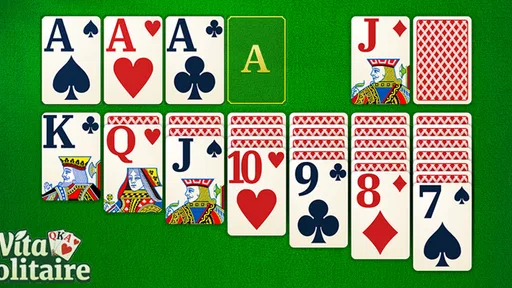
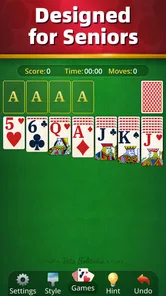
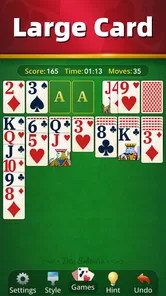
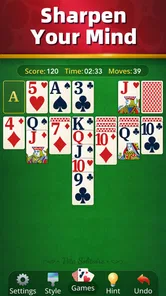
Analysis by Reviewed
When I want a quiet card game that I can pick up without planning a long session, I look for a clear board and familiar rules. That is the appeal of Vita Solitaire for Seniors: it brings solitaire to a phone or tablet with an interface intended to be easier to see and use. In my experience, that focus matters most when I am playing in short breaks, or when a small, crowded screen makes other card games tiring.
This is a free card game from Vita Studio, and the current version is 1.32.1. It is rated for Everyone and requires Android 7.0 or later. The game has a 4.9 average from around 280,000 ratings, with over five million installs. Those figures suggest a broad audience, but they do not tell you whether its pace and presentation fit your habits; the useful question is whether its particular style of solitaire feels comfortable for you.
A straightforward way to settle into a game
My usual approach is to start with the tutorial or instructions if I have not played for a while, then move through a deal at an unhurried pace. Solitaire is familiar, but the small choices still matter: I scan the visible cards before moving anything, look for a move that reveals a covered card, and avoid tapping quickly just because a move is available. That simple rhythm makes the game feel more like a short puzzle than a race.
The hints and undo options are useful in different ways. I treat a hint as a nudge when I have overlooked a possible move, not as a button to press after every pause. Undo is better for testing a decision: if a move does not open up the board as I expected, I can step back and try another route. Used sparingly, the two tools help me learn patterns without taking the decision-making out of the game.
A practical everyday session might be a few hands while waiting for an appointment or winding down at home. I can pause between moves, return to the board, and play at a pace that suits me rather than keep up with another person. That makes it a good fit for someone who wants a self-contained pastime. It is less suitable if the main attraction of card games for you is conversation, competition, or a shared table.
Why Vita Solitaire for Seniors Stands Out
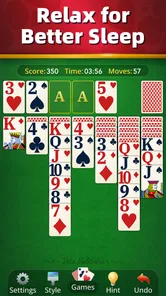
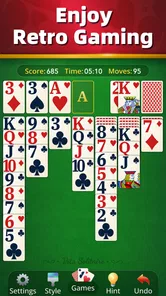
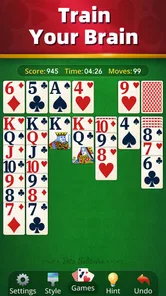
First things first, the design of this app is incredibly intuitive. As soon as you open it, you're greeted with a simple, clean interface that feels inviting rather than overwhelming. The developers have clearly put a lot of thought into making this app accessible for seniors, with large cards and buttons that are easy to see and tap. No more squinting or fumbling around—just straightforward solitaire fun!
Features That Make a Difference
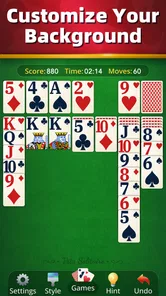
What I really love about this app is its customization options. You can change the background and card designs to suit your taste, which adds a personal touch to your gaming experience. Plus, the app includes hints and undo options, perfect for when you hit a snag or want to try a different strategy without starting over.
More From Our News Desk

 Instagram
Instagram’s Power Comes From Its Place in Your Phone
A close look at how Instagram turns Meta’s reach, recommendation systems and everyday camera habits into durable platform power—and what that costs users.

 Gmail
GmailGmail in a Busy Inbox: Who Benefits Most?
From first account to crowded workday, Gmail earns its place through dependable search and flexible sorting—but its best fit depends on how much inbox maintenance you can tolerate.

 Prime Video
Switching to Prime Video: What Changes in Your Viewing Routine
Prime Video can make a compelling second home for streaming, but switching means learning a different catalog, rental layer, and route from browsing to playback.

 Universal TV Remote Control
Universal TV Remote Control Works Best as a Reliable Backup
A phone remote earns its place through quick setup and reliable habits. Here is how to get more from Universal TV Remote Control—and where its limits show.

 Weather - By Xiaomi
Weather by Xiaomi Review: Clear at a Glance, Less Clear Up Close
Xiaomi’s weather app makes everyday forecasts quick to scan, but its calm surface can leave useful details and recovery paths harder to find than they should be.

 X
XX Under Pressure: Can It Recover When Posting Goes Wrong?
A resilience-focused review of X, examining setup, mistaken posts, interruptions, weak connections, and the gaps that matter when recovery needs to be dependable.
Latest News



Another feature worth mentioning is the daily challenges. These add a fun twist to the classic game, providing new puzzles that keep you on your toes and coming back for more. It’s a great way to mix things up and test your skills!
Small adjustments that make play more comfortable
Before settling into longer sessions, I would spend a minute trying the available card and background designs. A high-contrast combination can make it easier to distinguish suits and follow stacks, while a personally appealing background can make repeated games feel less monotonous. The best choice is not necessarily the prettiest one: if a pattern makes the card faces harder to read, I would switch back to a plainer design.
Large cards and buttons are helpful, but they do not remove every source of friction on a phone. A smaller display can still make it harder to inspect a busy tableau, and tapping near the edge of a card may not feel as forgiving as playing on a tablet. If precise taps are uncomfortable, I would slow down rather than rush through a sequence. A steadier pace is also a good way to avoid undoing several moves just to correct one accidental touch.
For a repeatable routine, I like to glance over the whole layout before using a hint, then check whether a move reveals a face-down card or opens a useful space. If nothing promising stands out, a hint can help me notice an option I missed. Afterward, I make the move myself and watch what it changes. This keeps the challenge intact while turning a stuck moment into a small lesson about the board.
The daily challenges give players a reason to return, but I would approach them as optional variety rather than a task to complete every day. On a busy evening, a regular hand is enough; when I want a different puzzle, the challenge gives me a change of pace. That distinction helps keep a relaxing game from becoming another obligation. If you prefer an entirely unstructured experience, you can simply play when you feel like it.
Performance and User Experience
In terms of performance, Vita Solitaire for Seniors runs smoothly without any noticeable lag. Whether you’re playing on a tablet or a smartphone, the game maintains its crisp graphics and responsive controls. It's designed to be lightweight, so it won't hog your device’s resources or drain your battery.
The user experience is top-notch. The app provides clear instructions and a helpful tutorial for those who might be new to solitaire or need a quick refresher. Plus, the lack of ads interrupting your game is a huge plus. You can focus entirely on stacking those cards without distractions.
How it fits among other solitaire choices
Compared with a physical deck, this game removes the need to shuffle, arrange cards, or clear a table. That convenience is useful when I have only a few minutes or want to play somewhere without a flat surface. A real deck still wins for people who enjoy handling cards, sharing a game with someone beside them, or choosing their own rules at the table. This app is a solo digital alternative, not a replacement for that social experience.
Compared with other phone-based solitaire games, its strongest appeal is the accessible presentation and the combination of customizable card designs, hints, undo, and daily challenges. Some players may prefer a more stripped-back app that offers little beyond a virtual deck, while others may want several different card games or competitive features. I would choose this one when legibility and a relaxed solo session matter more than variety or head-to-head play.
One trade-off to keep in mind is that help tools can make a puzzle feel less satisfying if I lean on them too often. I get more out of a hand by first trying to reason through the available moves, then using a hint only when I am genuinely stuck. Undo is similarly best treated as a way to explore a decision, not a guarantee that every deal can be solved. That approach preserves the small but enjoyable thinking challenge at the heart of solitaire.
Who will enjoy it—and who may want something else
I would recommend it to people who already enjoy solitaire, want an easy-to-read card game, or need a calm activity that can be played in short bursts. It also suits someone returning to the game after a long break: the tutorial provides a refresher, and hints can bridge the gap until the familiar patterns come back. The senior-focused design may be especially welcome, but the game is not limited to older players; anyone who appreciates larger, clearer controls can benefit.
I would steer away from it if you are looking for a fast competitive game, frequent social interaction, or a large collection of unrelated card games. Solitaire is inherently a mostly solitary activity, and its appeal depends on enjoying the gradual process of opening the board and choosing among moves. If you find that rhythm repetitive, a multiplayer card game or a broader game collection would likely keep your interest longer.
The game is free to download, with in-app purchases ranging from $0.99 to $10.99 per item. I see that as a reason to check the purchase details before buying anything, rather than assume that every optional item is necessary to enjoy a basic session. If you prefer to avoid spending, you can make that choice consciously and focus on the core card game. The listed price and purchase range are useful to know, but they do not by themselves tell you whether you will want any extras.
Wrapping Up
Overall, Vita Solitaire for Seniors is a fantastic app for anyone looking to enjoy a classic card game with added accessibility features. It's perfect for seniors or anyone who prefers a more straightforward, easy-on-the-eyes interface. With its customizable features, engaging daily challenges, and seamless performance, it’s definitely worth a download.
If you're ready to relive those nostalgic card-playing days or just in need of a relaxing pastime, give this app a try. You might just find yourself hooked on stacking those virtual cards!
My final advice is to judge it by the comfort of an ordinary session, not by how many tools it offers. Try a few hands at your natural pace, choose card and background designs that stay easy to read, and save hints for genuine sticking points. If those habits make the game feel calm and clear, its simple format is a strength. If you keep wishing for opponents, more kinds of games, or a deeper challenge, a different card app will be a better match.
Vita Solitaire for Seniors Frequently Asked Questions
Is Vita Solitaire for Seniors free to download, and what does it cost to play?
Vita Solitaire for Seniors is free to download, so you can try its classic card-game format without paying upfront. Optional in-app purchases are available, with items priced from $0.99 to $10.99 each. These purchases are not required to download the game. If you prefer not to buy extras, you can simply avoid making optional purchases while using the app.
How much space does Vita Solitaire for Seniors need, and will it work on my device?
Before installing any game, it is sensible to check that your device has enough free storage and is running a compatible operating system. Vita Solitaire for Seniors supports Android 7.0 or later, so Android users can compare that requirement with their device settings before downloading. Checking available space first can also help avoid an interrupted installation.
What kind of game is Vita Solitaire for Seniors?
Vita Solitaire for Seniors is a card game centered on the familiar solitaire format. Its focus is a straightforward way to enjoy classic solitaire, making it a natural choice for players looking for a relaxed solo card game. It is free to download, while optional in-app purchases are available for players who choose to buy extras.
Who makes Vita Solitaire for Seniors, and is it suitable for all ages?
Vita Solitaire for Seniors is developed by Vita Studio and is rated for Everyone, so it is intended to be suitable for a broad audience. The game’s solitaire format can appeal to both people who already enjoy card games and those who want a simple pastime. It has an average rating of 4.9 from around 280,000 ratings, reflecting broad player interest.
What makes Vita Solitaire for Seniors different from other solitaire games?
Vita Solitaire for Seniors is specifically designed with an intuitive interface that caters to senior players. It features larger card designs, easy-to-read text, and simplified controls to ensure a comfortable gaming experience. Additionally, the game includes customizable difficulty levels and hints to assist players who may be new to solitaire or prefer a more relaxed gameplay.
Pros
- User-friendly interface designed for seniors
- Large
- easy-to-read cards for convenience
- Simple gameplay with clear instructions
- Supports offline play
- no internet needed
- Includes customizable themes for personalization
Cons
- Limited game variety
- only solitaire
- No multiplayer or online features
- Graphics may feel outdated to some users
- Lacks advanced features for experienced players
- No daily challenges or achievements