Tap Challenge: Filter Games
- 27.00
- 4.4
- Installs
- 1.00M
- Price
- Free
Screenshots






Analysis by Reviewed
What gives Tap Challenge: Filter Games its appeal is the promise of short, tap-focused challenges shaped by visual filters. I like that central idea because it turns a familiar action into something that asks for more than speed alone: you have to notice what is on screen and respond with care. That makes it a better fit for a spare minute than a game that expects you to settle in for a long session.
When a quick challenge fits the day
I can see this working during a coffee break or while waiting for a bus, when I want something more active than scrolling but do not want to commit to a sprawling game. A useful habit is to treat each attempt as a brief focus exercise: look at the visual cue first, then tap, rather than rushing just because the controls are simple. That small pause can make quick play feel more deliberate.
It is also an easy option to hand to someone curious about casual games. The basic tap interaction does not ask for a complicated control scheme, so a new player can understand the broad appeal quickly. I would still choose a quieter activity for a moment when I need to concentrate on a message or conversation; even a short challenge competes for attention.
That distinction matters in ordinary use. If I have a few minutes between errands, I can give the screen my attention and enjoy a quick test of visual focus. If I am walking, crossing a street, or expected to listen to someone, I would leave the game closed. The simple controls do not make it a hands-free activity, and the challenge only makes sense when I can actually watch the visual cues.
Getting Started with Tap Challenge
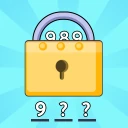
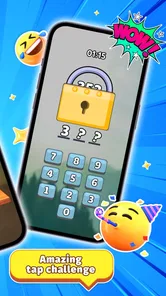
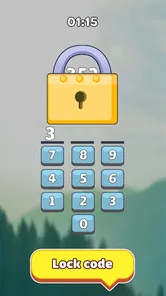
Once you download and open Tap Challenge: Filter Games, you're greeted with a vibrant and intuitive interface. The colors pop right out, and the graphics are clean and crisp, making the game visually appealing. Right from the start, you can tell that the developers put a lot of effort into creating a user-friendly experience.
For a new player, the most useful way to approach that first session is to learn the rhythm before trying to chase a high score. I would watch what changes on screen, make a few careful taps, and only speed up once the pattern feels clear. That is a better starting point than treating every round as a reflex test from the first second, especially if visual filters make a familiar cue look different.
The game is free, which makes it easy to try without weighing the cost against how often I expect to play. Its age rating is Everyone 10+, a detail parents may want to consider when choosing a casual game for a shared device. HIGAME GLOBAL is the developer, and the game sits in the casual category, so its short-session focus is a more useful expectation than looking for the scope of a long-form adventure.
More From Our News Desk

Weather by Xiaomi Review: Clear at a Glance, Less Clear Up Close

X Under Pressure: Can It Recover When Posting Goes Wrong?

Clash of Clans Is Won Between the Battles

Android Auto Makes the Case for Quieter Car Software

MobiOffice: Transforming Mobile Productivity with Seamless Integration

EA SPORTS FC™ Mobile Soccer: Redefining Mobile Sports Gaming
Gameplay That Keeps You Hooked
Now, onto the gameplay! The premise is simple yet addictive: you tap your way through various levels, each one more challenging than the last. It's all about speed, accuracy, and a bit of strategic thinking. As you progress, the game throws in new elements to keep things interesting, like filters and obstacles that require quick reflexes.
One of the things I love about this game is how it gradually ramps up the difficulty. Just when you think you've mastered a level, bam! A new twist keeps you on your toes. It's this unpredictability that keeps me coming back for more. Plus, the quick levels mean you can easily fit a game or two into your busy schedule.
A practical tip is to separate learning a cue from reacting to it. When a filter or obstacle changes what you see, I find it more useful to pause for a beat and identify what the screen is asking for than to mash the display and hope the timing works out. The game’s tap-first design rewards attention as well as speed, so a calmer first attempt can be more informative than several rushed ones.
That makes it a handy choice for a small break at home, too. I might play a round while waiting for food to finish cooking, then put the phone down as soon as I need to handle something else. Short rounds fit those gaps better than a game built around lengthy missions, but the same quick pace means it is easy to lose track of time if I keep telling myself I will play only one more.
How it compares, and where it asks more of you
Compared with a standard casual game built around one repeated action, the filter angle gives these tap challenges a visual-reading element. That is a worthwhile difference if I want a little test of attention as well as reflexes. If I am looking for a deeper story, long-term strategy, or a slow puzzle to solve at my own pace, though, I would pick another type of game instead.
The trade-off is that fast tapping can become tiring or frustrating when I am distracted, and a rising challenge is not automatically relaxing for every player. I would play in short bursts and stop when I notice myself tapping without taking in the screen. That keeps the quick format enjoyable instead of turning it into a chore.
There is also a difference between this and a classic puzzle game: a puzzle usually gives me room to consider options, while a tap challenge puts more weight on noticing and responding in time. Compared with an endless runner, the appeal here is less about steering through a continuous path and more about reacting to what the filtered screen presents. Neither approach is universally better. I would choose this one when I want a compact attention test, and a slower puzzle when I want to think without feeling hurried.
For players who find rapid visual changes uncomfortable or who prefer to play while multitasking, this is probably not the right casual game. The same is true if I want substantial character growth, a story to follow, or careful planning that unfolds over a longer session. Its focused format is its strength, but it also limits the kinds of play it can offer.
Why You'll Love It
Besides being a fun and challenging game, Tap Challenge: Filter Games is also super accessible. Whether you're on a short coffee break or waiting for the bus, you can dive into a game without any hassle. The controls are smooth, and the game runs seamlessly on both Android and iOS, which is a big plus in my book.
Moreover, the game has a leaderboard feature that adds a competitive edge. You can compete with friends or players worldwide, making each game session feel like a mini-tournament. It's thrilling to see your name climb up the ranks as you improve.
That competitive layer changes how I would use it: a solo player can simply enjoy a quick attempt, while someone who likes comparing progress has a reason to return. I would treat the rankings as a light extra rather than the main attraction, since the appeal of the tap challenges should still work when I am playing on my own. If I am sharing the game with friends, a quick round makes a natural, low-effort contest without needing to organize a longer session.
In a group, I would keep that competition casual. A short round can give friends something immediate to compare, but I would not make the leaderboard the only measure of whether the game is enjoyable. A player who does not care about rankings can still focus on reading the visual cues and improving their own timing; someone motivated by a shared score may get more replay value from the same compact challenge.
One useful way to decide whether it suits you is to notice what kind of satisfaction you want from a mobile game. If you enjoy sharpening a quick response and seeing whether you can handle a changed visual cue, the central mechanic has a clear purpose. If you want rewards that build a long-term collection or a broad set of activities to explore, a more expansive casual game will likely fit better.
A Few Final Thoughts
In conclusion, Tap Challenge: Filter Games is a fantastic choice for anyone looking to inject a bit of fun into their day. It's easy to pick up, hard to put down, and has just the right amount of challenge to keep you engaged. Whether you're a seasoned gamer or just looking for something to kill time, this app deserves a spot on your device. Trust me, once you start tapping, you won't want to stop!
There are a few practical points that may help with the decision. It is a free casual game from HIGAME GLOBAL, rated Everyone 10+, and it has a 4.4 average from around 2.1K ratings, with over 1M installs. It arrived on Aug 19, 2024, and version 0.0.25 requires Android 6.0 or later. Those details make it easy to judge whether it suits your device and household, while the free entry makes trying its quick-play style a low-commitment choice.
I would recommend it most to people who enjoy fast visual reactions and brief sessions, especially when they want a small competitive hook. If you prefer calm play, substantial progression, or a game that rewards careful planning more than quick taps, this probably is not the one I would choose. For everyone else, it is a straightforward way to turn an idle few minutes into a focused little challenge.
The rating and install figures suggest that plenty of people have given it a try, but I would use those as context rather than a promise that every player will enjoy the same pace. My own deciding question would be simple: do I like quick visual challenges enough to return to them in spare moments? If yes, the free entry makes trying it reasonable; if I know I prefer slower play, I would choose a different style instead.
For a final practical check, the current version is 0.0.25 and the minimum Android requirement is 6.0, so I would confirm that an older device meets that baseline before attempting to install it. The game’s short, focused format works best when I can give it my full attention for a moment, rather than keeping it open as background entertainment. That is the clearest way I can recommend it: a compact casual game for a quick test of attention, not a replacement for every kind of mobile game.
Tap Challenge: Filter Games Frequently Asked Questions
Is Tap Challenge: Filter Games suitable for children?
Tap Challenge: Filter Games is a casual game with an Everyone 10+ content rating, so it is aimed at a broad audience while being rated for players aged ten and older. Its tap-based challenges and mini-game format make the basic idea easy to understand, though individual families may want to decide whether the game’s content and play style suit their child.
What is Tap Challenge: Filter Games?
Tap Challenge: Filter Games is an engaging mobile game designed for both Android and iOS platforms. It offers a variety of mini-games that test your reflexes, attention to detail, and speed. Players need to tap the screen to perform different tasks in each level, making it a fun and challenging experience for all ages. The game is published by HIGAME GLOBAL and focuses on trending tap challenges and viral filter games.
Is Tap Challenge: Filter Games free to play?
Yes, Tap Challenge: Filter Games is free to download and play. However, like many mobile games, it offers in-app purchases that allow players to buy additional features or remove ads. These purchases are optional, and you can enjoy the full experience without spending money, although some features may enhance gameplay.
What are the system requirements for Tap Challenge: Filter Games?
For Android users, Tap Challenge: Filter Games requires Android version 6.0 or higher. iOS users will need iOS 11.0 or later. The game is optimized to run smoothly on most devices, but ensuring your device meets these requirements will help you avoid any performance issues.
Does Tap Challenge: Filter Games require an internet connection?
Tap Challenge: Filter Games can be played offline, allowing you to enjoy the game without an internet connection. However, some features, such as leaderboards and in-app purchases, require an internet connection. Playing offline is perfect for those who want to enjoy the game on the go without worrying about data usage.
Pros
- Intuitive user interface for easy navigation.
- Engaging gameplay with diverse challenges.
- Regular updates with new levels.
- Smooth performance with no lags.
- Customizable settings for personal preferences.
Cons
- In-app ads can be intrusive.
- Limited free levels available.
- Requires internet for some features.
- High battery consumption during play.
- No offline mode available.













