Solitaire HD - Card Games
- 4.89K
- 4.7
- Installs
- 5.00M
- Price
- Free
Screenshots
Analysis by Reviewed
I usually turn to a solitaire game when I have a few spare minutes and want something calm that doesn’t demand a long session. Solitaire HD - Card Games is aimed at exactly that kind of play: it’s a free card game from EasyFun Puzzle Game Studio, and its simple premise makes it easy to understand before you have to decide whether its style suits you.
Where a simple card game can still trip you up
The first thing I’d keep in mind is that “solitaire” can mean different things to different players. If you expect one familiar patience game, extra modes or prompts can feel like clutter rather than a bonus. I’d start with the version you already know, learn where the basic controls sit, and only then explore anything else the game offers. That way, a hint or a move you didn’t intend is less likely to interrupt the rhythm.
There’s also a practical distinction between a relaxing game and a puzzle you’re trying to solve perfectly. Undo and hints can help you recover or understand a position, but leaning on them for every decision can take away the satisfaction of working through the cards yourself. I use them as occasional aids: first pause and scan the tableau, then ask for help only if I’m genuinely stuck. That makes them more useful than tapping through options automatically.
Getting comfortable with a session
When I’m setting up a new card game, I check the basics before blaming the app: is the screen easy to read at my current brightness, are taps landing where I expect, and have I accidentally changed a visual option? Small cards or a busy background can make a game feel harder than it is. If a screen looks uncomfortable, adjusting the device’s brightness or choosing a simpler appearance, when available, is a sensible first move.
Setup checks that save time
This game is listed for Android 6.0 and later, so an older device should still be checked against that minimum before installation. It is free to start, with optional in-app purchases priced from $0.99 to $99.99 per item. I’d be mindful of purchase prompts, especially if the phone is shared or a child might play. Its Everyone age rating makes it broadly suitable, but that doesn’t remove the value of checking purchase settings on a family device.
It has a 4.7 average from around 40,000 ratings, and over 5 million installs, which suggests plenty of people have tried it. Those figures can help set expectations, but they don’t tell me whether the card size or pace will suit my own eyes and habits. I’d treat the first few hands as a practical test: can I read the layout comfortably, and do the controls feel predictable?
Recovering a game without making it a chore
If I lose track of a move, I avoid tapping rapidly in search of a fix. I retrace the last decision, look for a card that can open a column, and then use an undo or hint if the game provides one in that mode. This simple sequence is especially helpful during a short break, when it’s easy to forget why a card was moved. It also keeps the session from becoming a string of random taps.
More From Our News Desk

 Instagram
Instagram’s Power Comes From Its Place in Your Phone
A close look at how Instagram turns Meta’s reach, recommendation systems and everyday camera habits into durable platform power—and what that costs users.

 Gmail
GmailGmail in a Busy Inbox: Who Benefits Most?
From first account to crowded workday, Gmail earns its place through dependable search and flexible sorting—but its best fit depends on how much inbox maintenance you can tolerate.

 Prime Video
Switching to Prime Video: What Changes in Your Viewing Routine
Prime Video can make a compelling second home for streaming, but switching means learning a different catalog, rental layer, and route from browsing to playback.

 Universal TV Remote Control
Universal TV Remote Control Works Best as a Reliable Backup
A phone remote earns its place through quick setup and reliable habits. Here is how to get more from Universal TV Remote Control—and where its limits show.

 Weather - By Xiaomi
Weather by Xiaomi Review: Clear at a Glance, Less Clear Up Close
Xiaomi’s weather app makes everyday forecasts quick to scan, but its calm surface can leave useful details and recovery paths harder to find than they should be.

 X
XX Under Pressure: Can It Recover When Posting Goes Wrong?
A resilience-focused review of X, examining setup, mistaken posts, interruptions, weak connections, and the gaps that matter when recovery needs to be dependable.
Latest News



For an interrupted game, I’d first reopen the app and see whether the current hand is still available before starting over. If the board does not respond, I’d close and relaunch the game, then check that the device itself is responding normally. These are general troubleshooting steps, not a guarantee that a particular hand will be restored. If the issue happens repeatedly, noting what you were doing when it occurred is more useful than repeatedly making the same move.
When the problem may be elsewhere
A card game can seem slow or unresponsive for reasons that have little to do with its rules. If other apps are also sluggish, the phone may need a restart or may be busy with other tasks. If only the cards feel difficult to select, try a deliberate tap near the center of the card rather than quickly dragging across overlapping cards. That small change can help distinguish a control habit from a genuine app problem.
For a typical everyday session, I’d open a hand while waiting for a train or winding down after dinner, play a few deliberate moves, and stop when the break is over. That suits the patience format better than treating every round as a timed challenge. It’s also a good fit for someone who wants a familiar solo activity without needing to coordinate with other players. If you want head-to-head competition, social play, or a demanding strategy game, a different card app will likely serve you better.
How it fits among other solitaire choices
Compared with a plain, single-mode solitaire app, this one may appeal to players who like having familiar card play in a polished, approachable package. On the other hand, someone who wants the absolute simplest possible screen may prefer a bare-bones alternative with fewer options to explore. The best choice depends on whether variety and presentation make you more likely to return, or whether you’d rather have one uncluttered game and nothing else.
The game is currently at version 1.9.1. I wouldn’t choose a version number as a measure of quality on its own; what matters during play is whether the current build works comfortably on your device and whether the available choices match your expectations. As with any free game that offers purchases, I’d also decide in advance whether I’m happy to play without spending, rather than treating optional items as necessary to enjoy a hand.
A practical verdict
Overall, Solitaire HD - Card Games is worth considering if you want a low-pressure way to play patience on your phone and are comfortable checking a few settings to make the layout work for you. I’d recommend it most to casual players who value a straightforward card session and don’t mind optional purchases being part of a free app. I’d skip it if you need competitive play, dislike purchase prompts, or want a game with a more demanding challenge. For me, the sensible approach is to try a few hands, keep hints as backup, and judge it by how easily it fits into an ordinary day.
First Impressions
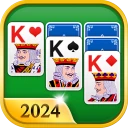
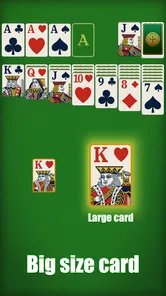
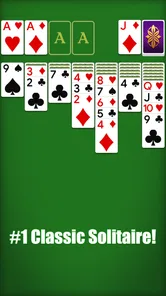
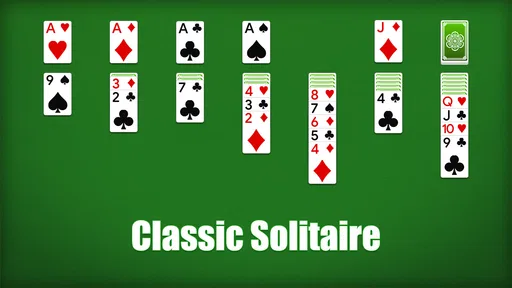
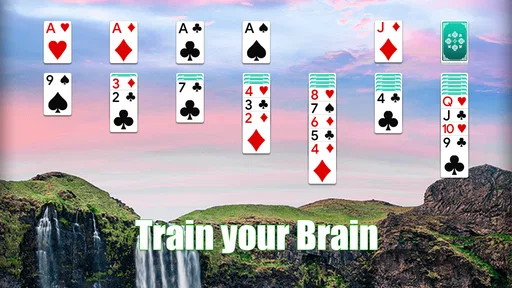
As soon as I launched Solitaire HD - Card Games, I was greeted with a crisp and clean interface. The design is straightforward, which means you can jump right into the game without any fuss. The cards are beautifully rendered in high definition, making it easy on the eyes even during extended play sessions. I really appreciated the attention to detail in the graphics; it adds a certain charm that makes the game feel more engaging.
Gameplay and Features
At its core, it’s the classic Solitaire we all know and love. But what sets this app apart is the plethora of features designed to enhance your gaming experience. For starters, there are multiple Solitaire variations available, so you’re not just stuck with the standard Klondike. You can mix things up with Spider, FreeCell, and more, adding a refreshing twist to your card-playing sessions.
The app also includes features like unlimited undo, hints, and auto-complete, which are perfect for both beginners and those of us who just need a little nudge in the right direction. Plus, the daily challenges keep things exciting, offering new puzzles to solve and rewards to earn. It's a great way to keep engaged, and let's be honest, who doesn't love a good challenge?
Performance and User Experience
Performance-wise, Solitaire HD - Card Games runs smoothly without any noticeable lag, even on older devices. The touch controls are responsive, which is crucial for a card game where precision is key. I also found the app to be quite battery-friendly, which is always a plus when you're playing on the go.
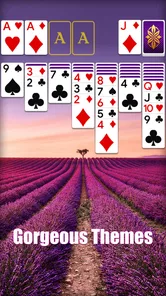
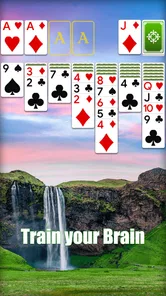
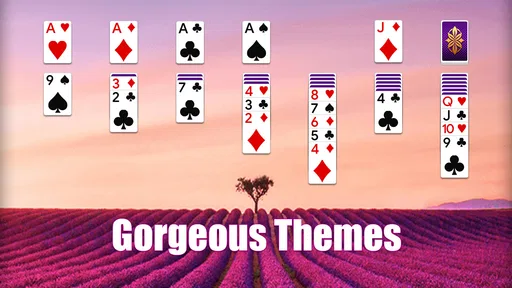
One of the standout features for me was the customizable themes. You can personalize the card backs and backgrounds to suit your style, which adds a nice personal touch to the game. It’s these little details that make the app feel special and keep you coming back for more.
Final Thoughts
In conclusion, Solitaire HD - Card Games is a solid choice for anyone looking to enjoy a classic card game with a modern twist. Its user-friendly interface, variety of game modes, and customizable options make it a standout in the crowded world of mobile card games. Whether you're a die-hard Solitaire fan or just looking for a fun way to pass the time, this app is definitely worth a try. So go ahead, give it a download and start stacking those cards!
Solitaire HD - Card Games Frequently Asked Questions
How much storage space does Solitaire HD - Card Games need?
Before downloading, it is sensible to check that your device has room for another game. Solitaire HD - Card Games is a card game built around a familiar solitaire experience, so it may appeal if you want something straightforward to keep on your phone or tablet. The space needed for installation can vary by device and may change with updates.
Can I play Solitaire HD - Card Games in short sessions?
Solitaire is well suited to picking up for a brief break, and Solitaire HD - Card Games is presented as a relaxing version of Patience. You can choose it when you have a little time to focus on a card game rather than committing to a longer story or multiplayer match. Its simple premise also makes it easy to return to when you feel like playing again.
Does Solitaire HD - Card Games have advertisements?
The game offers in-app purchases, and some players may want to consider that when deciding whether it suits them. Advertisements can be part of free mobile games, but the available purchase information does not establish which specific items are offered. If advertising is important to your decision, review the game’s purchase details and on-screen options after installation before spending money.
Is Solitaire HD - Card Games a good choice for someone new to solitaire?
It may be a comfortable starting point if you are new to solitaire. The game is described as a relaxing big-card version of Patience, a familiar solo card format, so you can approach it without needing a group or a complicated premise. If you already know the basic idea, it can also provide a convenient way to enjoy a traditional card game on a mobile device.
Is Solitaire HD - Card Games free to download and play?
Yes. Solitaire HD - Card Games is free to download, so you can try its solitaire gameplay without paying upfront. The game also offers optional in-app purchases, with prices ranging from $0.99 to $99.99 per item. You can enjoy the basic game without making a purchase, while any spending on extras is a choice for you to make.
Pros
- Stunning HD graphics enhance gameplay.
- Smooth
- intuitive touch controls.
- Multiple game modes to choose from.
- Customizable card designs and backgrounds.
- Offline play available
- no internet needed.
Cons
- Ads can be intrusive at times.
- Limited free features
- in-app purchases needed.
- Occasional crashes on older devices.
- No multiplayer option available.
- Updates can be slow to release.