Baby Panda's Town: Home
- 108.00
- 4.3
- Installs
- 50.00M
- Price
- Free

Screenshots

Analysis by Reviewed
When I look at a children’s town-building game, I want to know more than whether the characters are cute: I want a sense of what a child can do, how much adult help might be needed, and whether spending is part of the experience. Panda Games: Town Home is an educational game from BabyBus, aimed at a broad, family-friendly audience. It is free to start, while optional in-app purchases are listed from $1.99 to $41.99 per item, so I would check the purchase settings on the device before handing it to a child.
A gentle fit for short play sessions
I can picture this working well during a quiet stretch at home: a child explores the town for a little while, tries an activity, then puts the device away without needing to keep up with a competitive match or a long story. That open-ended, approachable feel is a better fit for younger players than games built around fast reactions, complicated rules, or online competition. Adults looking for a structured lesson plan, though, may prefer a focused learning app with clear teaching goals; a playful town game is not a substitute for one.
The useful parent tip is to treat play as a chance to talk, not just a way to occupy a screen. Ask the child what they are trying to do or invite them to describe what they see. That can turn a short visit into a bit of conversation and observation without expecting the game itself to teach a particular skill. I would also preview the experience together, since children differ in how much guidance they need when navigating a game.
What the purchase details do—and do not—tell me
The free download lowers the barrier to trying it, but the listed purchase range is wide enough that I would not assume every item is a small add-on. The price range alone does not tell me what each purchase contains, whether it changes progress, or how often a child might encounter a prompt. I would look at the purchase controls on the device and agree on a simple rule before play, such as asking an adult before buying anything.
That distinction matters because a free game can still create spending decisions. If you want a completely purchase-free setup, use the device’s available purchase restrictions rather than relying on a child to recognize a checkout screen. I would also avoid treating any in-game reward as something that must be bought: the available facts do not establish that spending is required to enjoy the game.
Welcome to Panda Paradise
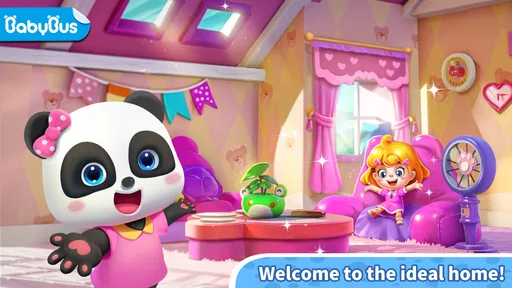
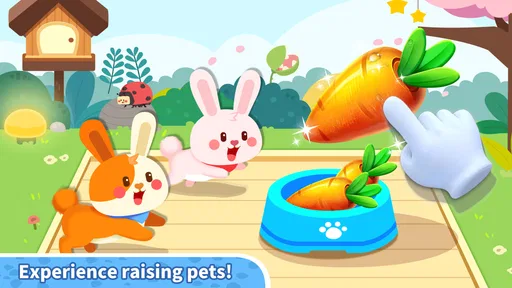
Right off the bat, Panda Games: Town Home greets you with an explosion of colors and cute animations. The game sets you in a charming town where your main job is to manage and expand your panda family’s home. The graphics are so vivid and lively; it feels like you're playing in an animated movie! The attention to detail is impressive, from the tiny bamboo shoots swaying in the wind to the pandas' animated expressions.
Gameplay: More Than Just Adorable Pandas
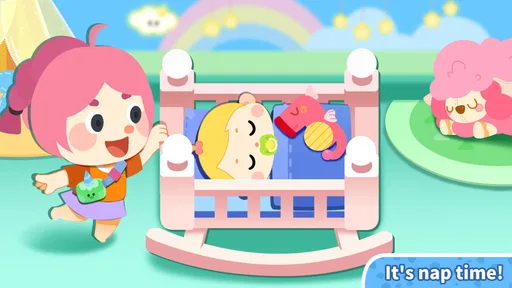
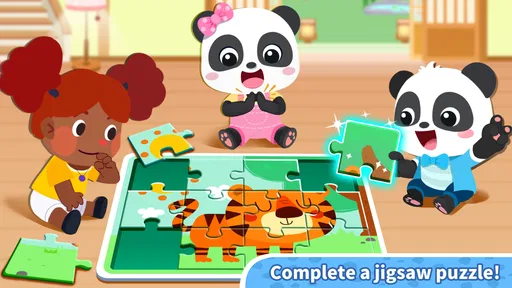
The game isn’t just about gawking at cute pandas—although that’s a huge part of the fun! You’re tasked with building and decorating your town, engaging in mini-games, and completing daily tasks. The tasks range from farming to solving puzzles, and each comes with its own rewards. It’s a perfect blend of creativity and strategy, keeping you glued to your screen for hours.
More From Our News Desk

Weather by Xiaomi Review: Clear at a Glance, Less Clear Up Close

X Under Pressure: Can It Recover When Posting Goes Wrong?

Clash of Clans Is Won Between the Battles

Android Auto Makes the Case for Quieter Car Software

MobiOffice: Transforming Mobile Productivity with Seamless Integration

EA SPORTS FC™ Mobile Soccer: Redefining Mobile Sports Gaming
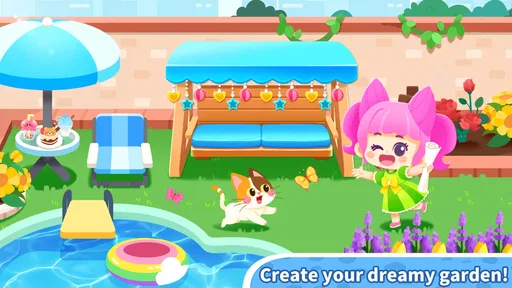
One of my favorite features is the customization aspect. You can personalize your panda’s home with a plethora of items. Want a panda with a top hat? You got it! How about a garden full of colorful flowers? No problem! The customization options are endless, making it a game that truly reflects your style.
Making the most of town play
For a child who likes switching between creative play and small challenges, the mix of town activities described here is more appealing than a single-purpose puzzle game. It gives them different ways to spend a session, while the home and garden details offer a reason to make choices rather than simply tap through one repeated task. I would still set a natural stopping point: the mention of daily tasks can make a game feel like something to check repeatedly, and that may not suit a family trying to keep screen time occasional.
A practical way to keep it relaxed is to let the child choose one activity or decoration goal before opening the game. That gives a short session a clear endpoint and keeps the focus on play rather than on completing everything. If they lose interest quickly, there is little reason to push; a child who prefers one direct puzzle or a linear story may find a town format too loose.
Interactive and Social Features
What makes Panda Games: Town Home stand out is its social element. You can connect with friends, visit their towns, and exchange gifts. It’s like having a little panda community right in your pocket. The developers have done a fantastic job encouraging social interactions, which adds a whole new dimension to the game. Plus, the in-game chat system is a great way to strategize or just have a casual chat with your panda-loving pals.
Social play deserves an adult check
Because the game is aimed at a general audience and carries an Everyone age rating, I would still make a separate decision about social play for the child using it. An age label does not answer practical questions about who can be contacted, what controls are available, or how chat works in a particular setup. I would explore those options with the child before enabling any interaction, and keep play to familiar contacts if that is the family’s preference.
This is also where it differs from a purely offline coloring or puzzle app: visiting other towns and exchanging gifts can add a social reason to return, but it introduces more to supervise. If your priority is a simple, self-contained activity with no social element, a standalone creative game may be an easier fit. If your child enjoys sharing what they have made, the town visits could be a reason to play together rather than unsupervised.
Why You Should Join the Panda Craze
So why should you download this app? Besides the obvious cuteness overload, Panda Games: Town Home offers a relaxing yet engaging experience. It’s perfect for winding down after a long day or for those moments when you need a quick escape. The game’s accessibility and the variety of activities ensure that you’re never bored.
Its scale suggests that many families have tried it: it has over 10 million installs and a 4.0 average from around 16,000 ratings. I treat that as useful context, not a promise that every child will enjoy it. BabyBus makes educational games, and this one is free to download, rated Everyone, and requires Android 5.0 or later. The current version is 8.70.13.00; I would check that it suits the device before installing.
For an everyday choice, I would pick it when a child wants a colorful world to explore and a mix of activities, rather than when I need a quiet, tightly bounded lesson or a game with no purchase considerations. It is also worth asking whether the child prefers making their own goals or being guided through a clear sequence. Town play tends to reward curiosity; a more structured educational alternative may be better for a child who wants one instruction at a time.
The app is updated regularly, with seasonal events and new features keeping the game fresh and exciting. The developers are clearly passionate about providing a top-notch experience, and it shows in the quality and creativity of the content.
A measured recommendation
My trust verdict is positive but practical: I would consider it for a child who enjoys pandas, decoration, and varied casual activities, while setting purchase and social boundaries first. It is less suited to families seeking a confirmed, curriculum-led learning tool, a fully supervised offline experience, or a game where every detail of progression and spending is transparent at a glance. The rating and broad reach offer reassurance that it is established, but neither replaces a quick parent preview.
In conclusion, if you’re looking for a game that combines fun, creativity, and a touch of whimsy, then Panda Games: Town Home is a must-try. Whether you're a casual gamer or a hardcore panda enthusiast, this app is sure to bring a smile to your face and a little joy to your day. So go ahead, dive into the panda world, and create your dream town today!
Baby Panda's Town: Home Frequently Asked Questions
Does Panda Games: Town Home have a current version I should check before installing?
The current version is 8.70.13.00. Checking the version shown for your device before downloading can help you know whether you are getting the latest release available to you. The game is developed by BabyBus and is free to install, with optional in-app purchases. Its focus is a panda-themed town experience, so it may appeal to children and families looking for an educational game.
How much does Panda Games: Town Home cost, and are there purchases inside the game?
Panda Games: Town Home is free to install, and optional in-app purchases range from $1.99 to $41.99 per item. If a child will be playing, it is sensible to review purchase settings on the device and discuss them beforehand. The game is categorized as educational, but families should decide whether optional spending fits their preferences.
What devices can run Panda Games: Town Home?
Panda Games: Town Home is available for Android devices running version 5.0 or later, so it can suit many older as well as newer phones and tablets. Before downloading, check that your device has enough free storage for the game. The game is free to install, though optional in-app purchases are available.
Is Panda Games: Town Home suitable for young children?
The game is listed for Everyone and belongs to the educational category, which makes it a family-friendly option to consider for children. Its town-building and panda-themed play are presented in an accessible way. Parents should still review the game themselves and consider whether its optional in-app purchases are appropriate for their child.
What is Panda Games: Town Home and how does it work?
Panda Games: Town Home is an engaging simulation game where players can design and manage their own virtual town. The game allows you to build homes, decorate them, and interact with cute panda characters. With user-friendly controls and vibrant graphics, it's suitable for players of all ages. You can expand your town, complete missions, and enjoy endless customization options to create your dream community.
Pros
- Engaging graphics captivate children.
- Variety of mini-games for learning.
- Easy navigation for young users.
- Interactive storytelling elements.
- Encourages creativity and exploration.
Cons
- In-app purchases can add up.
- Limited parental controls available.
- Requires internet for some features.
- Occasional ads interrupt gameplay.
- May not engage older children.













