Nordica Village: Kids Games 2+
- 1.00
- 4.0
- Installs
- 50.00K
- Price
- Free

Screenshots
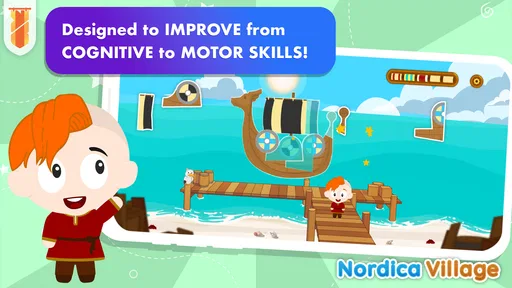
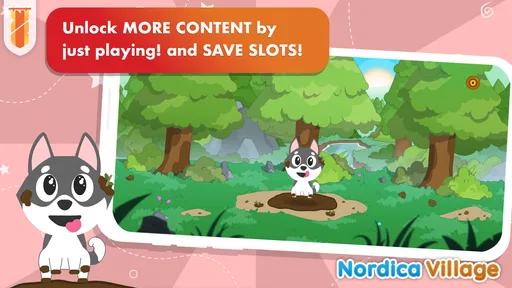
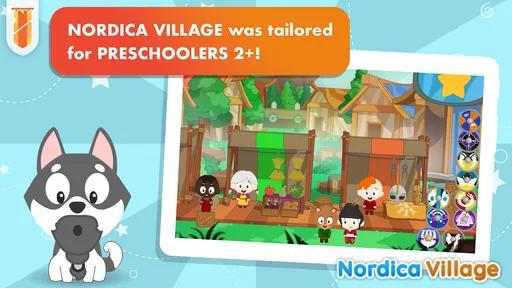
Analysis by Reviewed
Nordica Village: Kids Games 2+ is an educational game for young children that takes its inspiration from historical settings rather than presenting learning as a worksheet. I found its central idea appealing: preschoolers can explore a themed world while practising early skills through short activities. That makes it more inviting than many conventional learning apps, especially for a child who quickly loses interest in drills.
The game is made by KidsBanner - Educational games for Kids!, and it is aimed at children from the preschool years through the early part of kindergarten. It is free to download, carries an Everyone age rating, and has reached over 50 thousand installs. Its average score is 4.0 from around 41 ratings, so there is some useful public feedback, although the small rating base means I would treat that number as a general signal rather than a final verdict.
How the historical setting changes the learning experience
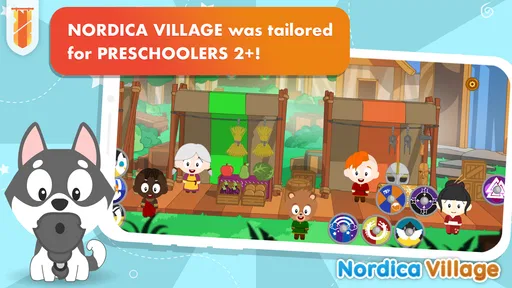
The strongest part of the concept is the setting. Instead of presenting isolated alphabet, number, or matching exercises in a plain menu, Nordica Village gives those activities a sense of place. The historical inspiration helps the game feel like a small world to visit, which can make a child more willing to return to a learning task.
I would describe it as a companion for guided play rather than a complete preschool curriculum. Parents should not expect it to replace books, conversation, drawing, physical play, or hands-on counting. Its value is in offering a screen-based activity that can sit alongside those things and give a child a gentle way to practise attention and recognition.
The age positioning matters here. A child who is just two may need an adult nearby to explain what to tap and to keep the session calm. An older preschooler may be able to navigate more independently, but that does not automatically mean the app should be left running without supervision. Young children can move through an attractive game without understanding what they are learning, so a short conversation afterward makes the activity more meaningful.
A useful routine is to let the child play one small session, then connect it to something away from the screen. If the setting prompts interest in homes, clothing, objects, or daily life from another period, I would follow that curiosity with a picture book or a simple drawing activity. That turns the game from passive entertainment into a starting point for conversation.
What a normal play session feels like
In my experience, the best way to introduce this kind of app is not to hand over the device with no explanation. I would first play beside the child, demonstrate how to choose an activity, and watch whether the instructions are understandable without constant help. Once the child recognises the basic interaction, I would step back but remain close enough to notice frustration or accidental purchases.
More From Our News Desk

Weather by Xiaomi Review: Clear at a Glance, Less Clear Up Close

X Under Pressure: Can It Recover When Posting Goes Wrong?

Clash of Clans Is Won Between the Battles

Android Auto Makes the Case for Quieter Car Software

MobiOffice: Transforming Mobile Productivity with Seamless Integration

EA SPORTS FC™ Mobile Soccer: Redefining Mobile Sports Gaming
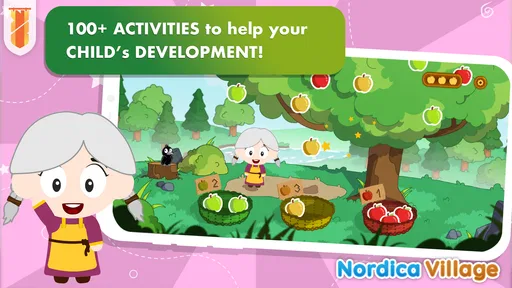
The historical theme can also be useful for children who respond better to stories and visual context than to abstract exercises. A child who refuses a direct counting worksheet may be more open to counting objects inside a village-themed activity. That does not make every task automatically effective, but the setting gives the learning a little more emotional colour.
There is a trade-off, though. A decorative world can sometimes compete with the lesson. If a child spends more time exploring the presentation than completing the educational task, the parent may need to set a clear purpose for the session. I would ask the child to finish one activity before moving elsewhere, rather than treating the game as an unlimited open-ended playground.
Progress without turning preschool play into pressure
Parents often want to know whether a child can make progress without feeling tested. Nordica Village is better suited to low-pressure repetition than to formal measurement. I would use it when the goal is to practise a familiar idea, build confidence with tapping and visual choices, or create a calm transition between activities.
It is less suitable when you need a detailed record of exactly which skills a child has mastered. The store information presents it as a collection of educational games for preschoolers, not as a diagnostic tool. That distinction is important: enjoyment and repeated exposure can support learning, but they do not provide the same evidence as an assessment made by a teacher or parent.
One practical approach is to watch for behaviour rather than chase a score. Does the child begin to recognise a pattern more quickly? Can they explain why they chose an answer? Do they stay with a task for longer after several sessions? Those observations are more useful at this age than pushing a child to complete every activity perfectly.
I also would not use the game as a reward for every small behaviour. If screen time becomes the only attractive part of the routine, the educational purpose can disappear. A better arrangement is to decide the session length in advance and finish while the child is still comfortable. That helps prevent the familiar cycle of asking for “just one more” activity and ending with frustration.
The game’s current version is 3.11, and it requires Android 8.1 or later. That makes the operating-system requirement worth checking before installation, particularly if the child uses an older hand-me-down tablet. A compatible device is not automatically a good device for a young child: screen size, sound level, battery condition, and the reliability of touch input will affect the experience just as much.
What spending means for a family
Nordica Village is free to start, with in-app purchases listed from $0.99 to $5.49 per item. That gives families a chance to inspect the experience before spending money, which I consider a sensible starting point for a preschool app. The important question is not simply whether the download costs nothing, but whether the child can use enough of the game to judge its fit without being repeatedly pushed toward a purchase.
I would set up purchase protection before giving the device to a child. Even a small amount can become an unwanted expense if a young player can reach the payment flow. The safest routine is for the adult to handle downloads and purchases, while the child only receives the prepared game environment.
The listed purchase range is clear, but I would still read each purchase screen carefully rather than assuming that every paid item offers the same kind of value. A family may prefer to spend nothing, while another may decide that a particular addition is worthwhile after observing sustained interest. The right decision depends on actual use, not on the promise that more content will automatically create better learning.
What I like about this arrangement is that it leaves room for a cautious trial. What I dislike is the uncertainty a parent can feel when a young child is the main person navigating the app. For that reason, I would never judge the app’s fairness only by its free label. I would judge it by how calmly it can be used when purchases are disabled or controlled by an adult.
Fair play when there is no need to compete
This is not the sort of educational game I would choose for competition between children. Its appeal is personal exploration and practice, not ranking one child against another. That is a positive for preschool use because it avoids turning early learning into a contest where speed matters more than understanding.
For a family with siblings, I would encourage turn-taking rather than comparing results. One child might enjoy the historical setting, while another might prefer the problem-solving activity. Treating those preferences as different ways to engage keeps the experience fairer than expecting both children to enjoy the same parts equally.
The absence of a competitive focus also makes it easier to use with children developing at different speeds. A parent can sit with one child and give extra explanation without making that support feel like a disadvantage. If your main goal is a leaderboard, head-to-head challenge, or visible performance tracking, this is probably not the right category of game for you.
There is another kind of fairness to consider: fairness in attention. A child may appear to be playing independently, but young users often need help interpreting an instruction or recovering from a mistaken tap. I would treat shared play as part of the experience, especially during the first sessions, rather than expecting the app to provide all the teaching.
Where it fits beside familiar alternatives
Compared with a standard alphabet or numbers app, Nordica Village has a more distinctive identity because the historical setting gives the activities a connected atmosphere. That can be a real advantage for children who become bored by brightly coloured drills that all look alike. The compromise is that a themed game may not provide the narrow repetition a parent wants for one specific skill.
Compared with educational videos, it asks the child to make choices instead of only watching. That interactive element can be more engaging, but it also means the child may need assistance and can make mistakes without understanding them. Compared with physical puzzles, cards, or blocks, it is easier to start and tidy away, but it cannot provide the same tactile experience.
I would choose it over a generic learning app when the child is attracted by stories, places, and visual discovery. I would choose a more focused alternative when a teacher has identified a particular need, such as sustained handwriting practice or structured phonics work. Nordica Village works best as one part of a varied routine, not as the single educational tool in the home.
Questions I would settle before installing
The first question is whether a two-year-old can use it alone. I would say that independent use may develop with familiarity, but an adult should expect to guide the earliest sessions. The younger the child, the more important it is to check whether the instructions, touch targets, and pace make sense to them rather than assuming the age label guarantees effortless navigation.
The second question is whether it is genuinely educational or merely themed entertainment. My view is that the educational intention is clear from its preschool focus and activity-based format, but the learning benefit depends on how the child engages. I would watch for understanding, not simply time spent inside the village.
The third question is whether the free version is enough. Since the game can be downloaded without an upfront charge and paid items are offered separately, I would try the available experience first. If the child loses interest quickly, there is little reason to spend more. If the child returns willingly and the activities fit a useful routine, a carefully chosen purchase may make sense.
The fourth question is whether it is appropriate for older children. It may still entertain a young kindergarten child who enjoys the setting, but I would not expect it to challenge a much older learner. Its centre of gravity is clearly the preschool period, so families looking for advanced reading, mathematics, or science content should look elsewhere.
The last question is whether it can replace adult involvement. It cannot replace a parent, teacher, or real-world practice. I see it as a prompt: play together, notice what the child understands, and then extend that idea away from the screen. That approach gives the app a clearer purpose and prevents the device from becoming the only source of stimulation.
My trust verdict for families
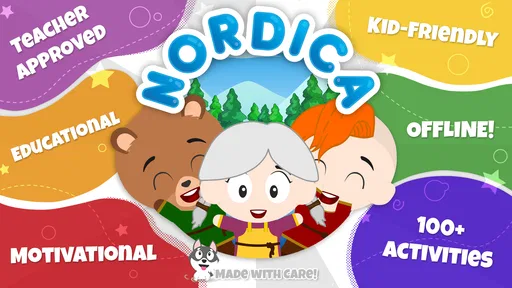
After weighing the concept, the free entry point, and the purchase structure, I see Nordica Village as a reasonable option for families seeking a gentle educational game with a more memorable identity than a collection of disconnected drills. The historical theme is its clearest point of difference, and the lack of a competition-first design makes it easier to use at a child’s own pace.
I would recommend it to parents of preschoolers who are willing to supervise the first sessions, control purchases, and treat the game as a supplement rather than a curriculum. I would be more cautious if you need detailed progress reports, a tightly sequenced lesson plan, or guaranteed independent use by a very young child.
Its public reception is encouraging but still limited: the game has one published review alongside its average of 4.0 from around 41 ratings. I would therefore install it with realistic expectations and let the child’s response decide whether it earns a regular place in the routine. A rating can suggest that an app is worth trying, but it cannot tell me whether its pace and style suit one particular child.
My final recommendation is to begin with a short, supervised session on a compatible Android device, keep payment controls in adult hands, and connect the on-screen theme to an offline activity. The fairest way to judge Nordica Village is by the quality of the child’s engagement, not by how long the app keeps the screen busy. Used that way, it can be a pleasant learning companion; used as a substitute for play, conversation, and teaching, it is much less convincing.
Nordica Village: Kids Games 2+ Frequently Asked Questions
What age is Nordica Village: Kids Games 2+ intended for?
Nordica Village is presented as an educational game for preschoolers, with activities intended for children aged two to five. Its historical-inspired setting offers a playful backdrop for exploring simple activities. The game carries an Everyone content rating, though parents should still decide whether its style and activities suit their individual child and supervise play as needed.
What is Nordica Village: Kids Games 2+?
Nordica Village: Kids Games 2+ is an interactive children’s game designed for young players aged two and above. It lets children explore a friendly village, interact with characters and objects, and complete simple activities at their own pace. The experience focuses on discovery, creativity, and basic problem-solving rather than competition, making it suitable for preschool play sessions.
Is Nordica Village suitable for toddlers and preschool children?
The game is aimed at toddlers and preschoolers, with simple controls and colorful scenes that are easy to understand. Children can generally tap, drag, and explore without needing to read complicated instructions. However, every child develops differently, so parents should try the game first and adjust play time according to the child’s age, attention span, and comfort with mobile devices.
Does the game require an internet connection to play?
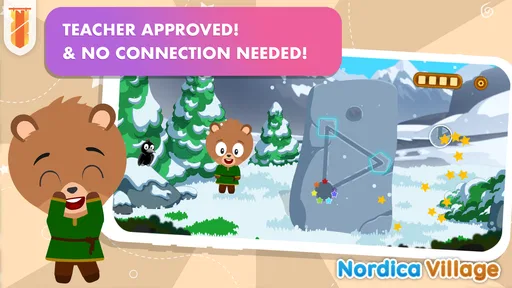
Nordica Village may allow much of its main gameplay to be enjoyed offline after the required content has been installed, which is useful for travel or areas with limited connectivity. Some features, updates, advertisements, purchases, or additional content may still require internet access. Parents should download and test the game before going offline to confirm which activities remain available.
Are there in-app purchases or advertisements in Nordica Village: Kids Games 2+?
The game is free to download and offers in-app purchases priced from $0.99 to $5.49 per item. Parents should also review the game’s store listing and device settings for current advertising details, as these can vary by version, region, or platform. It is wise to enable parental controls, restrict purchases, and supervise the first sessions so children do not accidentally request paid content.
Pros
- Simple controls make it easy for toddlers to explore independently.
- Bright visuals and friendly characters are appealing to young children.
- Short activities suit brief play sessions and limited attention spans.
- Offline play is useful during travel or in areas without internet access.
- Gentle gameplay avoids pressure
- timers
- and competitive elements.
Cons
- Some activities may feel repetitive after extended play.
- Very young users may still need help navigating menus and prompts.
- Educational depth is limited compared with dedicated learning apps.
- Certain features or content may require in-app purchases.
- Device performance can affect loading and animation smoothness.











