Nick Academy
- 46.00
- 2.8
- Installs
- 100.00K
- Price
- Free
Screenshots

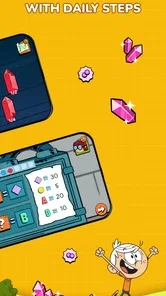


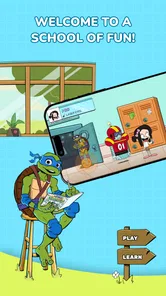
Analysis by Reviewed
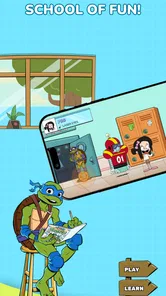
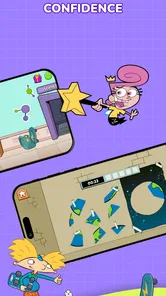
I approached Nick Academy as a short, playful learning game rather than a replacement for a complete coding or science course. Created by Nick Academy, it brings coding, science, math, and space topics into a Nickelodeon-themed setting aimed at children and families. That combination gives it an immediate advantage: a child who would ignore a traditional lesson may be more willing to explore one when familiar characters are part of the experience.
It is free to download, carries an Everyone age rating, and is available for devices running Android 10 or later. The game was released on August 7, 2024, and the current version is 1.18.17. Its audience is already fairly broad, with over 100 thousand installs, although the average score sits at 2.8 from more than 250 ratings. I would not treat that score as an automatic verdict, but I would take it as a reason to approach the game with realistic expectations rather than assuming every family will have a smooth experience.
Learning through familiar characters instead of formal lessons
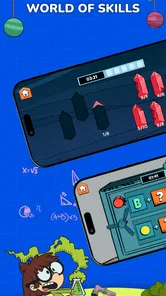
The strongest idea here is the way the game packages several school-related subjects into small, character-led activities. Coding, science, mathematics, and space can feel like separate areas when presented in a classroom. In a game, they can become different reasons to keep exploring. That variety matters for younger players who lose interest quickly when an activity stays on one topic for too long.
In my view, the Nickelodeon connection is not just decoration. It is the main invitation to begin. A child may open the app because of the characters, then spend time with a puzzle involving logic, a number challenge, or a space-themed activity without thinking of it as extra homework. That is a useful entry point for informal learning, especially after school or during a quiet family moment.
At the same time, parents should separate educational play from structured instruction. A game can introduce ideas, reinforce recognition, and make practice less intimidating. It is less suitable as the only resource for a child who needs a carefully ordered curriculum, detailed explanations, or measurable mastery of a particular school topic. I see this title as a supplement: something that can make learning feel approachable, not something that should carry the whole responsibility.
The broad subject mix also creates a practical trade-off. A child who enjoys switching between topics may find the variety refreshing. Another child may need a clear goal and could feel that the experience jumps among coding, science, math, and space without enough depth in one area. Before installing it, I would ask whether the child enjoys sampling different challenges or prefers to stay with one subject until it is fully understood.
What the free entry point really means
The free price makes trying the game relatively easy. A parent can see whether the tone, characters, and activity style suit the child before committing money. That is especially helpful because educational games are highly personal: one child may find a puzzle exciting while another finds the same task repetitive or confusing.
More From Our News Desk

Weather by Xiaomi Review: Clear at a Glance, Less Clear Up Close

X Under Pressure: Can It Recover When Posting Goes Wrong?

Clash of Clans Is Won Between the Battles

Android Auto Makes the Case for Quieter Car Software

MobiOffice: Transforming Mobile Productivity with Seamless Integration

EA SPORTS FC™ Mobile Soccer: Redefining Mobile Sports Gaming
However, the app includes in-app purchases priced from $7.99 to $59.99 per item. That range is important when deciding whether “free” fits your household budget in practice. It does not tell me that spending is necessary, nor does it tell me exactly how the paid items affect the experience, so I would not promise a particular amount of free content or describe purchases as harmless extras. I would simply treat the purchase system as something to inspect carefully before handing the device to a child.
My practical advice is to explore the opening experience yourself first. Check what the child can access without spending, notice where purchase prompts appear, and decide in advance whether purchases are off-limits. If the game is used on a shared family device, that small preparation is more useful than relying on the word “free” alone. It also gives you a chance to judge whether the learning activities justify any later expense for your own family.
The purchase range changes the value calculation for different users. A family looking for occasional educational entertainment may be perfectly satisfied with the free starting experience. A child who wants to return every day may eventually make the paid options more relevant, but I would only spend after observing sustained interest. Paying early, before knowing whether the game fits the child, removes the main benefit of the free entry point.
How progress can feel motivating or pressuring
Game-based learning works best when the child understands what to do next and receives a satisfying sense of improvement. Nick Academy has a natural advantage in this area because its subjects can be approached as activities rather than textbook chapters. A child can use a short session to practise a concept, take a break, and return later without needing to prepare a full study period.
I would use it in modest sessions rather than presenting it as an open-ended obligation. For example, after dinner, a child could choose one activity connected with space or mathematics, play for a limited time, and then explain what they tried. That final conversation is valuable: it turns passive screen time into a chance for the child to describe a solution, identify a mistake, or connect the game with something learned at school.
There is also a risk that progress becomes more important than understanding. If a child focuses only on finishing challenges or unlocking the next attractive element, the educational purpose can fade into ordinary reward chasing. Parents can reduce that problem by asking questions such as “Why did that answer work?” rather than only asking whether the child completed the level. This approach makes the game a discussion starter instead of a silent activity.
For younger players, frustration is another consideration. Coding and mathematics can be rewarding, but they can also expose gaps in reading, concentration, or basic number confidence. If a child becomes upset, I would avoid turning the session into a test. Let the child switch subjects or stop for the day. The mixture of topics is useful precisely because it may offer another route into learning when one challenge is not a good fit.
For older children who already understand introductory coding or science concepts, the game may feel too light. Its character-driven presentation is likely more valuable for engagement than for advanced study. A child seeking serious programming practice would be better served by a dedicated coding platform with a clear progression, while a child needing help with school mathematics may benefit more from an app aligned directly with the current curriculum.
Fairness: entertainment value versus spending advantage
Fairness is difficult to judge from the purchase information alone, and I do not want to pretend otherwise. The confirmed purchase range shows that paid items exist, but it does not establish whether they provide extra learning material, cosmetic rewards, convenience, or access to the main progression. Because of that, I would not label the game pay-to-win, nor would I claim that every educational activity is available without payment.
For a learning game, the key fairness question is slightly different from the one used for competitive games. The concern is not only whether one player beats another. It is whether a child can learn meaningfully without feeling pushed toward spending, and whether paid access changes the educational experience in a way the family considers reasonable. Parents should make that judgment after looking at the actual purchase prompts and available activities on their device.
I also would not compare children by progress inside this app. If one child has access to paid content and another does not, their experiences may not be directly comparable. A better family rule is to judge success by curiosity and explanation: can the child describe an idea, try a different solution, or connect an activity to real life? That keeps the focus on learning rather than on who has opened the most content.
The free-to-try model is fairer when the unpaid portion gives a genuine sense of the game’s teaching style. It is less helpful if the opening section feels like a long advertisement for purchases. Since the purchase details do not reveal the exact division of content, I recommend treating the first session as an evaluation period. If the child enjoys the activities and the prompts feel manageable, the app may earn a place in a family’s routine. If the child spends more time asking for purchases than solving problems, I would move on.
Everyday uses that make more sense than constant play
One realistic use is a short transition between schoolwork and leisure. A parent could offer one science or space activity after homework, then ask the child to share one new idea. This works better than leaving the game open indefinitely because the session has a purpose and a natural stopping point.
Another use is for siblings with different interests. One child might begin with a math challenge while another prefers coding or space. The shared theme gives them something to discuss even if they choose different activities. I would still supervise occasionally, because different ages and abilities can make the same task feel very different.
The game can also help a reluctant learner take a first step. A child who resists worksheets may be willing to try a character-based challenge for a few minutes. If that first contact goes well, a parent can follow it with an offline activity: draw a simple space diagram, explain a pattern, or write down the steps used to solve a puzzle. This is one of the more useful ways to extend the app without expecting it to provide every explanation itself.
Travel and waiting rooms are another plausible setting, but I would download and test the experience before depending on it for a long journey. Educational games are only useful in that situation if the child can start an activity easily and remain interested without constant adult intervention. I would also avoid assuming that a child will want the same subject repeatedly; offering a choice among the four themes may work better than prescribing one.
Who should try it, and who should skip it
I think Nick Academy is most suitable for younger players who enjoy Nickelodeon characters, short game-like tasks, and switching between different learning themes. It is also a reasonable option for parents who want a gentle introduction to coding, science, math, and space without immediately choosing a specialized course for each subject.
I would be more cautious if your child needs formal assessment, detailed feedback, or a strict sequence that matches classroom lessons. The game’s educational appeal is its approachable presentation, not evidence of a complete academic program. It may also be a poor fit for children who dislike character-based content or become distracted by entertainment elements when they are supposed to concentrate.
Families with a firm no-purchase policy should still consider trying the free version, but only after setting expectations. The presence of items costing from $7.99 to $59.99 means the child may encounter a spending decision at some point. If that possibility is likely to cause arguments, a fully purchase-free educational alternative may be more peaceful, even if it is less colorful.
Players on older devices should check compatibility before planning around the game, since it requires Android 10 or later. That requirement is not unusually demanding for a recent mobile title, but it can matter in families that keep an older phone or tablet for children. The current version, 1.18.17, is the one I would look for when checking whether the installed copy is up to date.
How it compares with ordinary learning alternatives
Compared with a workbook, Nick Academy is more inviting for a child who needs visual stimulation and immediate interaction. A workbook is usually easier to control, easier to align with a specific school topic, and less likely to introduce purchase prompts. The game wins on approachability, while the workbook wins on predictability and focused practice.
Compared with a dedicated coding app, this title offers broader subject variety and a more familiar entertainment identity. A specialized coding tool is generally the better choice for a child who wants to build programming skills in a sustained way. Nick Academy makes more sense when coding is one curiosity among several rather than the main goal.
Compared with educational videos, the game has the potential advantage of asking the child to make choices instead of only watching. Videos can explain difficult ideas clearly and efficiently, but they do not always reveal whether the child can apply what was shown. I would use videos for explanation and the game for playful practice, provided the child remains engaged with the tasks rather than simply tapping through them.
Compared with a classroom or tutoring session, the app is more convenient but far less responsive. A teacher can notice confusion and change the explanation immediately. A game cannot replace that personal adjustment. This is why I would recommend using it as a low-pressure supplement, especially when the goal is to build interest before moving to a more structured resource.
What I would check before trusting it as a routine
The rating of 2.8 from 253 ratings makes me cautious about recommending it without a trial. Ratings can reflect different problems, expectations, devices, or purchase experiences, so they do not explain the cause by themselves. Still, the score is low enough that I would not install it blindly for a child and assume it will become a dependable daily tool.
I would first play through the opening activities, observe how clearly instructions are presented, and see whether the child understands the goal without repeated help. Then I would check how often payment prompts appear and whether the free experience feels complete enough to judge. Those checks answer the questions that matter most to a family: is it understandable, enjoyable, and comfortable to use without unexpected spending?
I would also watch for the child’s behavior after several sessions. Genuine learning interest usually shows up in questions, explanations, or attempts to solve a new problem. If the child only asks to unlock something or rushes through activities, the app may be functioning more as entertainment than education. That is not automatically bad, but it changes whether the title deserves regular screen time.
The developer, Nick Academy, presents a focused concept, but the mixed public response means trust should be earned through your own experience. I would keep the first few sessions short, avoid making purchases immediately, and compare the child’s engagement with a free alternative before spending. That process is more reliable than judging the app only by its recognizable characters or educational label.
My verdict on value and trust
Nick Academy is an appealing experiment in making school-related subjects feel less formal. Its best quality is the combination of familiar Nickelodeon-style appeal with activities connected to coding, science, math, and space. For the right child, that can turn a reluctant first step into genuine curiosity. The free entry point also makes a cautious trial possible.
My reservations are equally clear. The average score of 2.8 deserves attention, the purchase system includes items from $7.99 to $59.99, and the available facts do not establish how paid content affects progression or learning depth. I would therefore avoid describing it as a complete educational solution or recommending spending before testing the unpaid experience.
My trust verdict is “try carefully, then decide.” I would recommend it to a family seeking occasional, character-led educational play and willing to supervise spending. I would skip it in favor of a specialized coding, math, or science resource when the child needs depth, curriculum alignment, or dependable academic progression. Used in short sessions with a parent asking follow-up questions, it can be a useful spark; left to carry all of a child’s learning expectations, it is not the right tool.
Nick Academy Frequently Asked Questions
What subjects does Nick Academy cover?
Nick Academy is a game in the educational category, with a focus on learning coding, science, math, and space through games featuring Nickelodeon characters. Its store summary gives a broad picture of the learning themes, while the exact activities may vary within the experience. It may appeal to families looking for a playful way to introduce children to these subjects.
What is Nick Academy, and what can users do with it?
Nick Academy is an educational app designed to make learning more entertaining through activities, lessons, games, and interactive content inspired by Nickelodeon characters and themes. Depending on the version and region, children may find practice exercises, creative challenges, videos, or learning resources. The app is intended to complement learning at home rather than replace school, tutoring, or guidance from parents and teachers.
Is Nick Academy suitable for children, and does it require parental supervision?
The app is primarily aimed at children, and its content rating is Everyone. Parents should review the age rating, privacy policy, and available activities before allowing a child to use it. Supervision is recommended, especially when the app includes external links, account features, advertisements, in-app purchases, or online communication.
Does Nick Academy require an internet connection to work?
Nick Academy may need an internet connection for downloading lessons, loading videos, synchronizing progress, updating content, or signing in. Some activities might remain available after they have been loaded, but offline access should not be assumed for every feature. If you plan to use the app while traveling or with limited data, test the important content first and check whether your device stores lessons for offline use.
Is Nick Academy free to download, or does it include payments?
Nick Academy is free to download, but it includes in-app purchases priced from $7.99 to $59.99 per item. Parents should review purchase details before starting and secure device purchase settings to help prevent accidental transactions by children. The free download means you can install the game without an upfront charge, but some available items may involve additional spending.
Pros
- Clear lessons make English practice easy to follow.
- Short activities fit well into busy daily routines.
- Useful vocabulary focuses on practical communication.
- Progress tracking helps maintain learning motivation.
- Suitable for learners who prefer guided study.
Cons
- Some advanced learners may find the content too basic.
- A stable internet connection may be needed for some features.
- Practice variety can feel limited after extended use.
- Certain lessons may require a paid subscription.
- Speaking feedback may not always be as detailed as expected.











