My Baby Unicorn - Pony Care
- 2.43K
- 3.9
- Installs
- 10.00M
- Price
- Free
Screenshots
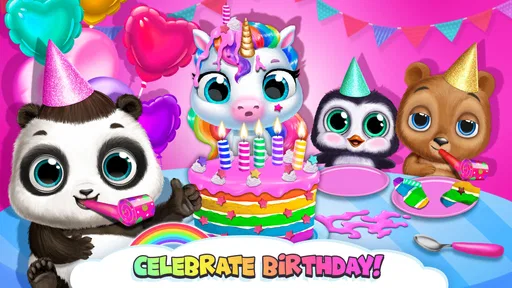
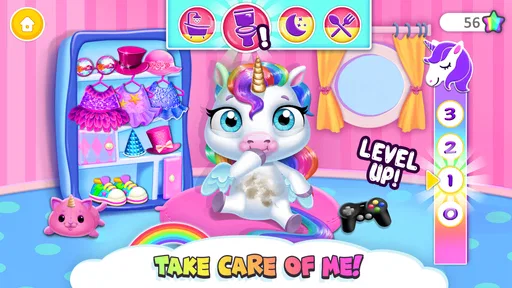
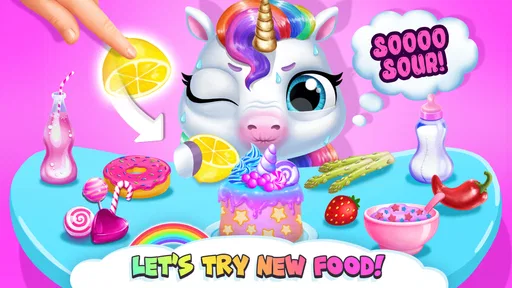
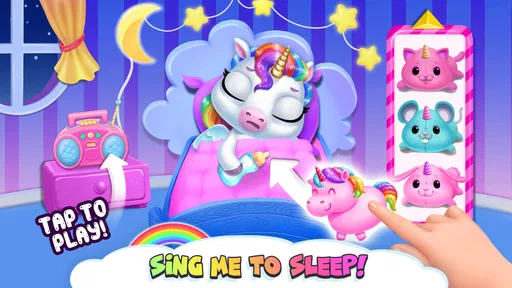
Analysis by Reviewed
I tend to judge a children’s game by whether it can hold a child’s attention without needing an adult to explain every tap. My Baby Unicorn - Pony Care is built around a simple, appealing idea: looking after a little fantasy pet through care, dress-up and playful activities. It is an educational game from TutoTOONS, aimed at children, and its gentle premise makes it an easy option to consider for a quiet moment at home.
What the free download does—and doesn’t settle
The game is free to download, which makes it possible to try the basic experience before deciding whether it suits your child. It also includes optional in-app purchases, with listed item prices ranging from $3.99 to $159.99. That broad range is worth noticing before handing over a device: I’d check the purchase settings and talk through any buying decisions with a child rather than treating “free” as meaning that every part of the experience has no cost.
That distinction matters most for families who want a predictable, no-spend activity. The free entry point lowers the barrier to trying it, but the existence of paid items means I wouldn’t leave a young child to make purchase choices independently. If you prefer games with no in-app purchases at all, a fully paid game or an option whose cost is settled up front may fit your household better.
A Whimsical World Awaits
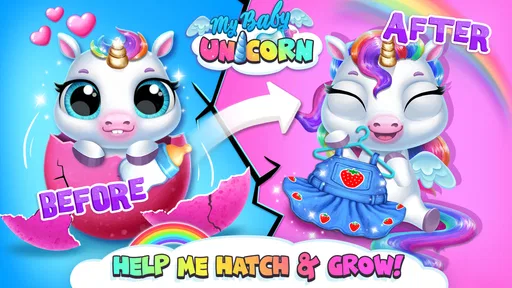
When I first opened My Baby Unicorn - Pony Care, I was immediately drawn into its colorful and vibrant universe. The graphics are nothing short of a visual treat with their charmingly crafted animations and vibrant colors. It’s like stepping into a children's storybook where every page springs to life. The app does an incredible job of making you feel like you're right there in a magical land, surrounded by mythical creatures.
Engaging Gameplay
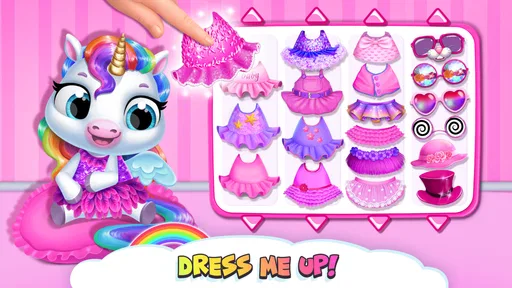
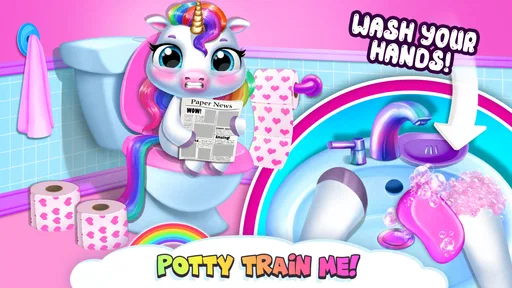
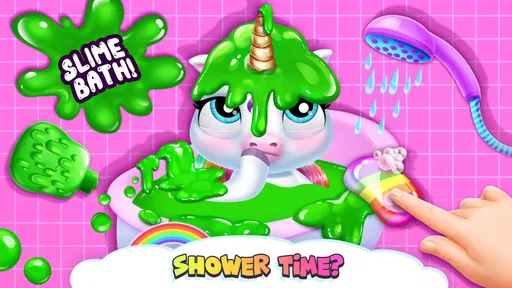
The gameplay is where the game really shines. It's incredibly engaging and perfect for kids and the young-at-heart. You start off by choosing your very own unicorn or pony to care for. The app offers a plethora of activities that range from feeding and bathing your pony to dressing them up in adorable outfits. You can even decorate their stables to make them feel right at home. It’s all about nurturing and creating a bond with your mystical friend.
One of the features I absolutely loved is the mini-games section. It’s packed with fun little challenges that not only entertain but also educate. From solving puzzles to participating in races, these games are designed to keep you hooked for hours. Plus, they’re a fantastic way for kids to develop their cognitive skills while having a blast.
Making play work in everyday moments
The mix of care, customization and mini-games is useful when a child wants something more interactive than watching a video but isn’t ready to settle into a longer game. I’d use it during a quiet stretch at home, or while waiting somewhere with an adult close by. The child can pick a simple activity, finish it, and decide whether to keep playing; that makes it easier to set a natural stopping point than a game built around a long level or match.
More From Our News Desk

Weather by Xiaomi Review: Clear at a Glance, Less Clear Up Close

X Under Pressure: Can It Recover When Posting Goes Wrong?

Clash of Clans Is Won Between the Battles

Android Auto Makes the Case for Quieter Car Software

MobiOffice: Transforming Mobile Productivity with Seamless Integration

EA SPORTS FC™ Mobile Soccer: Redefining Mobile Sports Gaming
A practical tip is to let the child choose the first activity, then invite them to describe what their pony needs or why they picked a particular outfit. That turns the play into a small shared conversation without asking the game to teach a formal lesson. If the child is restless, switching from care to dress-up or a mini-game may help maintain interest, but I wouldn’t count on any one activity holding attention every time.
Small play sessions suit the care-and-play rhythm
The care activities give a child a clear starting point when opening the game: choose a pet-related task, then move on to dressing up or another activity when attention shifts. I find that structure more useful for short breaks than a game that expects a long, uninterrupted session. A parent can also make the play more conversational by asking a child what they want to do for their pony next, rather than simply passing over the phone and walking away.
For example, during a brief wait before dinner, a child could spend a few minutes bathing or feeding the pet and then choose an outfit, with the adult nearby to help steer away from purchase prompts if they appear. That’s a practical use, not a promise that the game will keep every child occupied for a set length of time. Children vary, and the game’s appeal will depend on whether they enjoy pretend pet care and cute character customization.
How it compares with other children’s games
Compared with a straightforward puzzle app, this game puts more emphasis on imaginative pet ownership; compared with an open-ended dress-up game, it adds care activities and mini-games to the mix. That variety is its strongest point for a child who likes switching between tasks without leaving the same colorful setting. The trade-off is that children looking for deeper lessons, a structured curriculum or a challenging puzzle progression may get more from an app designed specifically for those goals.
The educational label should be understood in that modest, play-based sense. Puzzles can invite thinking, and caring routines offer a simple pretend-play frame, but I wouldn’t choose it as a substitute for a dedicated learning tool. If your child mainly wants a calm activity to explore and personalize, the blend makes sense; if they want a focused lesson or a competitive game, another option may be a better match.
User-Friendly Interface
Let’s talk about the user interface for a second. The developers have done a stellar job in making the app intuitive and easy to navigate. Whether you’re a tech-savvy teen or a parent handing the phone over to your kid, you’ll find the controls straightforward and responsive. The menus are well-organized, ensuring that even the youngest users can easily find their way around.
What to check before handing over the device
Even when a game feels simple to navigate, I’d spend a first session alongside a younger child. That gives you a chance to see which activities they understand independently and whether anything on screen prompts questions about buying extras. It also lets you judge the pace: some children will happily move between the pony’s care and appearance, while others may focus on one favorite activity and want to repeat it.
If you are setting up a device for a child, reviewing purchase controls beforehand is a more useful safeguard than relying on a conversation alone. A child may tap out of curiosity, not because they understand that an in-app item can cost money. I’d also agree on a stopping point before starting, especially if the game is being used as a short waiting-room distraction; that keeps the adult in charge of when the phone goes away.
Who is likely to get the most from it?
I’d consider it for a child who enjoys unicorns, pretend caregiving and choosing how a character looks, especially when an adult wants a bright, low-pressure game to share or supervise. The Everyone content rating makes its intended audience clear, though that doesn’t remove the need for a parent to decide whether the purchase options are suitable for their family. It has reached over 10 million installs and holds an average rating of 3.9 from around 60,000 ratings, suggesting a broad audience but not a guarantee that every child will enjoy its particular style.
It is less suited to children who quickly tire of repeated care routines, want substantial reading or learning exercises, or need a game with no paid extras. A useful tip is to explore together first: see whether the child gravitates toward pet care, creative choices or mini-games, then decide whether the available activities offer enough variety for your household. The current version is 14.0.1347, and the game runs on Android 6.0 or later.
Where another kind of game may be better
If your main goal is helping a child practice a particular school skill, I’d choose a focused educational app instead. This game’s learning value is incidental to play: it can encourage choice-making, imaginative storytelling and a little problem-solving through its activities, but it is not a substitute for lessons or guided practice. Likewise, a child who prefers clear goals and steadily increasing difficulty may get more satisfaction from a puzzle game with a defined progression.
On the other hand, a conventional dress-up game may feel too limited for a child who wants a character to care for, while a pet simulator with more demanding management could be too involved for a casual break. The appeal here is the combination of familiar pretend care and creative choices in a child-friendly setting. I’d treat that as a specific kind of entertainment rather than expecting it to be the best fit for every child who likes animals or fantasy characters.
Free access and the value question
Because the game costs nothing to download, trying it is a reasonable way to find out whether its style suits your child. The paid items change the value calculation for families who might otherwise assume the experience is entirely free. I would make the decision based on whether the activities available during ordinary play are enough for your household, not on the assumption that a purchase is needed to make the game worthwhile.
The listed in-app purchase range is wide, so I’d be especially careful not to let a child browse purchase options without supervision. If you do not want to manage that boundary, an app with a single up-front price and no optional spending may be easier to live with. If you are comfortable supervising purchases—or preventing them through device settings—the free starting point makes it easier to test the game before committing money.
Final Verdict
So, is the game worth downloading? I would say yes for families who want a free-to-start, colorful pet-care game and are comfortable managing optional purchases. It’s a delightful app that offers an escape into a magical world filled with fun and learning opportunities. Whether you're looking to entertain your kids or simply want to indulge in some whimsical fun yourself, this app is a reasonable choice. The combination of vibrant graphics, engaging gameplay, and a user-friendly interface makes it a standout in the world of children's apps.
In a nutshell, if you’ve ever dreamt of having a unicorn friend or just want a splash of magic in your day, give it a try. You won’t be disappointed!
My Baby Unicorn - Pony Care Frequently Asked Questions
What kind of game is My Baby Unicorn - Pony Care?
My Baby Unicorn - Pony Care is an educational game built around looking after a cute virtual pony. Its pet-care and dress-up focus gives children a playful way to interact with their unicorn through everyday care and creative choices. The game is designed to be approachable for young players, with a colorful presentation and simple activities that make the central idea easy to understand.
How much storage space does My Baby Unicorn - Pony Care need?
The amount of storage the game uses can depend on the device and the version being installed. Before downloading, it is sensible to check that the device has enough free space for the app and its required files. Keeping some additional room available can also help a device continue running smoothly, especially if it is used for other games, photos, or apps.
What age group is My Baby Unicorn - Pony Care suitable for?
My Baby Unicorn - Pony Care is an educational game intended for children, with an Everyone content rating. Its simple pet-care activities and playful presentation make it approachable for young players, while adults can help children explore the game and make choices. The game is free to download, though in-app purchases are available, so parents may want to review purchase settings before handing over a device.
What is My Baby Unicorn - Pony Care?
My Baby Unicorn - Pony Care is an engaging and interactive mobile game designed for children. In this game, players take care of a magical baby unicorn by feeding it, grooming it, and dressing it up in cute outfits. The game provides a virtual pet experience where kids learn about responsibility and nurturing. It features vibrant graphics and easy-to-use controls, making it suitable for young audiences.
Is My Baby Unicorn - Pony Care safe for children?
Yes, My Baby Unicorn - Pony Care is designed for young players and carries an Everyone content rating. Its focus is on caring for a virtual unicorn and exploring creative activities. As with any children’s game, parents should supervise play and review device settings, particularly those related to in-app purchases. This can help keep the experience age-appropriate and prevent children from making purchases without an adult’s permission.
Pros
- Engaging graphics and animations.
- Variety of mini-games to play.
- Child-friendly interface.
- Teaches responsibility with pet care.
- Regular updates with new content.
Cons
- In-app purchases can be frequent.
- Requires internet for some features.
- Ads may disrupt gameplay.
- Limited parental controls.
- May not hold older kids' interest.













