Monster Math: Games For Kids
- 100.00
- 4.7
- Installs
- 100.00K
- Price
- Free

Screenshots
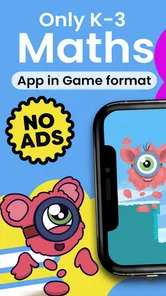
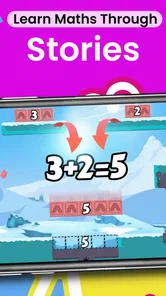
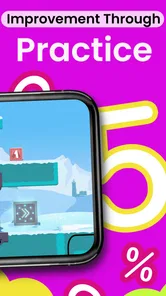
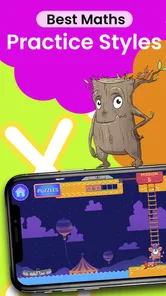
Analysis by Reviewed
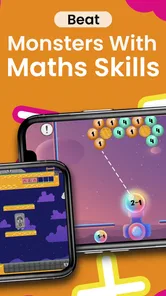
Choosing a math game for a child is less about finding the most colorful option and more about finding the right kind of practice. I look for three things first: whether the activities match the child’s current level, whether the game makes repetition feel worthwhile, and whether an adult can use it without turning every session into a lesson. Monster Math: Games For Kids is built for that particular balance. It is a free educational game from Makkajai: Math Games for 1st, 2nd, 3rd, 4th grade, aimed at children who need regular practice with basic math facts.
After spending time with it, I see it as a useful middle ground between a worksheet and a completely open-ended game. It gives children a reason to answer questions, but the learning goal remains visible instead of being buried under unrelated entertainment. That makes it appealing for short practice sessions at home, after school, or during a quiet travel break. It is not the right choice for every learner, though, and the details of how you plan to use it matter more than the impressive-looking download figure.
How to decide whether Monster Math is the right fit
The first question is age and ability. The game carries an Everyone content rating and requires Android 9 or later, while its focus is elementary-school math. The developer’s name specifically refers to 1st through 4th grade, but the store summary emphasizes fluency for grades 1 through 3. I would therefore treat it as a tool for foundational practice rather than a complete mathematics course for every child in that age range.
A child who understands addition, subtraction, multiplication, or related early skills but hesitates when answering may benefit most. The game can provide repeated exposure in a friendlier setting than a page of problems. A child who is still learning what numbers mean, however, may need hands-on objects, conversation, or explanation before a fast digital exercise becomes useful. Likewise, a confident older student looking for fractions, geometry, or multi-step reasoning will probably outgrow this type of practice.
I also consider the family’s preferred learning style. Some children enjoy seeing practice turned into a small challenge and will willingly return to it. Others become anxious when a question is timed, scored, or presented as a game. In the latter case, a calm workbook or an app designed around visual explanations may be a better starting point. No math game can replace noticing confusion and explaining a concept in a different way.
The free entry point is important for families who want to test the fit before committing. The game is listed as free, with optional in-app purchases ranging from $7.99 to $59.99 per item. I would not treat the free label as a promise that every useful part will remain available without an upgrade. Before handing the device to a child, I would explore the available content myself and decide whether the free experience is sufficient for the intended routine.
What the practice feels like in everyday use
The strongest use case is a short, repeatable session rather than a long study block. Imagine a child coming home tired but needing a little arithmetic practice. Instead of presenting a full worksheet, I would set a modest goal, let the child play for a few minutes, and then stop while the activity still feels manageable. That approach works particularly well when the child resists formal homework but is willing to engage with a game.
More From Our News Desk

Weather by Xiaomi Review: Clear at a Glance, Less Clear Up Close

X Under Pressure: Can It Recover When Posting Goes Wrong?

Clash of Clans Is Won Between the Battles

Android Auto Makes the Case for Quieter Car Software

MobiOffice: Transforming Mobile Productivity with Seamless Integration

EA SPORTS FC™ Mobile Soccer: Redefining Mobile Sports Gaming
There is also value in using it as a warm-up. Before helping with schoolwork, a child can spend a brief period recalling basic facts. If the answers come quickly, the session has prepared the child without consuming much energy. If the child repeatedly hesitates, that is useful information for the adult: the next step may be explanation and practice away from the screen, not simply more rounds.
One practical tip is to watch the first few sessions rather than assuming that a high score means solid understanding. A child can sometimes rely on guessing, speed, or remembering a visual pattern without being able to explain the calculation. I would occasionally ask, “How did you work that out?” That small habit turns the game from passive screen time into a chance to identify whether the underlying skill is becoming dependable.
Where this game has a real advantage
Its clearest strength is focus. Many children’s games use numbers as a decorative extra, while this one is specifically positioned around math facts. That makes it easier for a parent to understand why the child is playing. If your goal is quick arithmetic practice rather than general educational entertainment, this directness is valuable.
The game also suits families that need flexibility. A parent does not have to prepare printed exercises or create a new set of questions every day. The child can use the same general activity as a recurring practice tool, which lowers the effort required to maintain a routine. That convenience is easy to underestimate: the best learning resource is often the one a family can actually use consistently.
Another advantage is motivation through context. A child who would reject “ten more sums” may accept another round when the questions are connected to a playful setting. I would use that motivation carefully. The aim is not to make entertainment the only reason to calculate, but to build enough repetition that recall becomes easier in school and daily life.
The app’s public reception also suggests that many families find the approach worthwhile: it holds a 4.7 average from around 1.6 thousand ratings, and it has passed 100 thousand installs. Those figures do not guarantee that every child will enjoy it, but they do make it a credible option to try rather than an obscure experiment. The current version is 369.1.7, so I would still check that the device meets the Android requirement and that the installed experience behaves well on the particular phone or tablet being used.
Three ways to get more learning from it
First, use it diagnostically instead of treating every session as a competition. Notice which types of questions cause pauses, careless mistakes, or frustration. Write down a small pattern if necessary, then practice that skill with coins, counters, drawings, or spoken examples. Returning to the game later can show whether the explanation helped. This workflow is more useful than simply chasing a longer play session.
Second, separate speed from accuracy. Fast answers can be encouraging, but speed should not become the child’s only measure of success. I would praise careful thinking and ask the child to explain a difficult answer occasionally. If the game rewards quick responses, balance that pressure with slower offline questions so the child learns that understanding matters as much as recall.
Third, make the device part of a predictable boundary. A short session after reading or before a planned break is easier to manage than unlimited access. It also prevents the game from becoming a bargaining tool every time the child wants screen time. When the routine is consistent, the child can focus on the math rather than negotiating how long the device stays in hand.
Where another type of app may fit better
Monster Math is not a universal replacement for other educational tools. If a child needs a visual explanation of place value, regrouping, or the meaning behind an operation, an app built around animated instruction may be more suitable. A fact-practice game can show whether a child answers correctly, but practice alone does not always explain why an answer is correct.
It may also be a weak match for children who learn best through physical materials. Some learners understand addition faster with blocks on a table than with repeated taps on a screen. In that situation, I would use the game only after concrete practice, not as the main teaching method.
Families seeking broad curriculum coverage should compare categories rather than assuming that every math app covers the same ground. A worksheet platform may offer more control over exact skills. A tutoring service may provide feedback from a person. A puzzle game may develop reasoning more deeply but offer less repetition of basic facts. Monster Math makes the most sense when fluency practice is the priority.
There is another trade-off for households with several children. A game aimed at early elementary skills may be excellent for one child and too simple for another. If siblings share a device, I would avoid presenting it as a single solution for everyone. The younger learner may need it regularly, while the older one may benefit from a different resource with more advanced topics and less emphasis on basic recall.
What to consider before changing from worksheets or another app
Switching tools has a hidden cost: children must learn the new layout, expectations, and rhythm before they can concentrate fully on mathematics. If a current resource is already helping a child understand concepts, replacing it merely because a game looks more appealing may interrupt progress. I would switch when the existing method is being avoided, is too difficult to maintain, or does not provide enough repetition.
For a smooth transition, I would keep one familiar activity alongside the new game for a while. For example, the child could use the game for recall practice and complete a small number of written problems afterward. This reveals whether the digital practice transfers to handwriting and independent work. If performance collapses away from the screen, the child may need a bridge between the two formats.
Parents should also be ready to manage purchases. Because optional items are priced from $7.99 to $59.99 each, I would review the purchase screen personally and use the device’s purchase controls before allowing independent play. The important question is not simply whether the game starts for free, but whether its accessible content is enough for your child’s routine and whether the paid path feels worthwhile for your budget.
Privacy and device comfort are practical parts of the decision as well, even when they are not the main reason for installing a math game. I would use a family-managed profile where possible, keep the device updated, and check that the child can play without being distracted by unrelated notifications. A focused environment often improves the learning value more than adding extra minutes.
My recommendation for different kinds of learners
I recommend giving it a try if you want an approachable way to reinforce elementary math facts, especially when your child is reluctant to use worksheets but enjoys game-like practice. It is particularly promising for short daily routines, quick refreshers before homework, and families that want a low-effort activity they can repeat without preparing new materials.
I would be more cautious if your child needs detailed teaching, becomes upset by performance pressure, or is already working beyond basic elementary arithmetic. In those cases, a concept-focused app, a teacher-guided resource, physical manipulatives, or a more advanced practice platform may deliver better results. The game should support learning, not force every child into the same style of practice.
For me, the best way to use this title is as one part of a small learning routine: play briefly, observe the mistakes, explain the difficult idea away from the screen, and return later to check whether recall improves. That workflow gives the game a purpose beyond keeping a child occupied. It also protects against the common mistake of confusing repeated taps with genuine understanding.
Overall, Monster Math: Games For Kids is a sensible free starting point for families looking for elementary math practice with a playful feel. Its 2020 release and Everyone rating make it easy to place in a family setting, while its Android 9 minimum requirement is worth checking before installation. I like it most as a focused fluency companion, not as a full mathematics curriculum. If that distinction matches your needs, it is worth trying; if you need explanation, advanced topics, or a completely screen-free approach, another category of resource will serve you better.
Monster Math: Games For Kids Frequently Asked Questions
Can Monster Math help children practice math in a playful way?
Monster Math is an educational game built around the idea of making math practice feel playful rather than like a worksheet. Its monster-themed activities give children a lively setting for working on math facts and related skills. It may suit families looking for a game that adds practice to a child’s routine, while still leaving parents in charge of choosing when and how long the child plays.
What devices can run Monster Math: Games For Kids?
Monster Math is available for Android and iOS devices. On Android, the current version is 369.1.7 and requires Android 9 or later, so it is worth checking the device’s operating system before downloading. The app is made for children to use on a phone or tablet, and parents may find a larger screen more comfortable for younger players who are still learning to tap accurately.
What is Monster Math: Games For Kids?
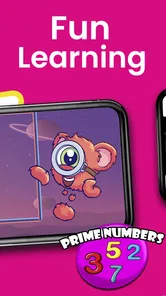
Monster Math: Games For Kids is an educational math game designed to help children practice essential skills through short, game-like activities. It generally covers topics such as counting, addition, subtraction, multiplication, division, geometry, and number recognition, depending on the child’s level. The monster-themed presentation makes lessons feel more like play than traditional homework, which can help younger learners stay interested while building confidence.
What age group and math levels does Monster Math support?
The game is primarily aimed at young children in the early learning and elementary-school years, with a focus on fun math facts fluency for grades 1–3. The exact suitability still depends on a child’s existing knowledge. Its activities are usually organized by age, grade, or difficulty, allowing beginners to start with basic counting and arithmetic before progressing to more advanced exercises. Parents should review the available levels because content and curriculum coverage may vary by device version or subscription plan.
Does Monster Math: Games For Kids work without an internet connection?
Some parts of Monster Math may be available offline after the game and its required content have been installed, which is useful for travel or situations without reliable Wi-Fi. However, certain features can require an internet connection, including account synchronization, advertisements, purchases, updates, or parental reports. It is best to open the game once while connected and test the lessons your child plans to use before going offline.
Pros
- Covers addition
- subtraction
- multiplication
- and division practice.
- Short challenges help maintain children’s attention during practice.
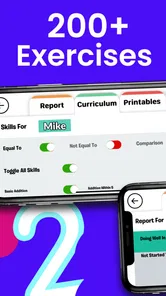
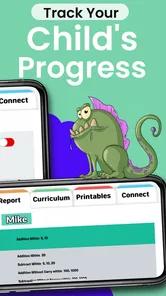
- Progress tracking lets parents monitor learning development over time.
- Colorful graphics and characters make math practice feel more engaging.
- Suitable for independent practice with simple
- child-friendly controls.
Cons
- Some advanced content may require a subscription or in-app purchase.
- Repeated exercises can become predictable for children seeking more variety.
- Younger users may need help navigating menus and selecting activities.
- Progress can depend on consistent practice rather than occasional play.
- The game may feel too easy for children already confident in math.











