Baby Panda's Town: Hospital
- 195.00
- 4.6
- Installs
- 10.00M
- Price
- Free

Screenshots
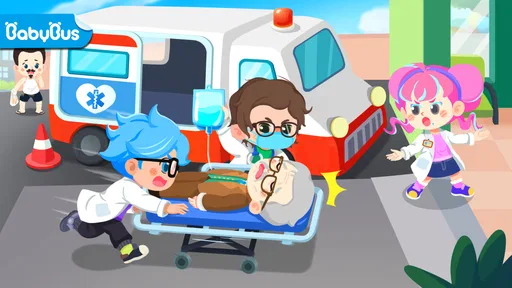
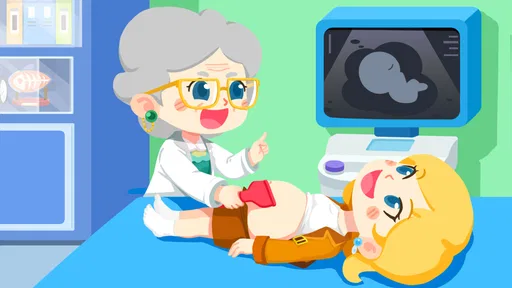
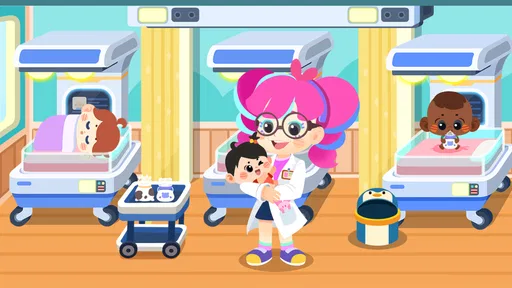
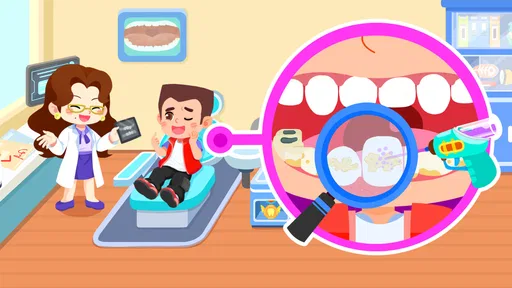
Analysis by Reviewed
When a child is curious about hospitals, a pretend-care game can turn that interest into a gentle story rather than a lecture. That is the main appeal I see in Little Panda's Town: Hospital: it gives young players a place to imagine helping patients and building a hospital story through play. It is an educational game from BabyBus, and its focus is more on approachable role-play than on teaching medical facts in depth.
Caregiving is the central idea
The game’s core promise is simple: players take the role of someone helping patients. That framing matters. Instead of asking children to memorize terms, it invites them to connect a patient’s need with a caring response. For a child who has questions before a check-up, that kind of pretend scenario can make the subject feel more familiar, though it should be treated as imaginative play rather than a guide to real treatment.
I’d use it as a conversation starter, not as a substitute for explaining what will happen at an actual appointment. A parent can ask what the child thinks a patient needs, then listen to the story they create. The useful part is often the talk around play: children can express worries or curiosity in their own words, while adults can answer calmly without making the game carry more educational weight than it can support.
Turning pretend care into a useful conversation
That conversation works best when it follows the child’s lead. If a young player says a patient is nervous, I might ask what would help them feel comfortable, rather than correcting the story or introducing a list of medical facts. This keeps the focus on care and empathy, while leaving room to explain that real clinicians make decisions differently from characters in a game.
It can also be useful to play after a child has heard that someone in the family has an appointment, provided the adult stays available for questions. I would avoid presenting the game as preparation for a particular test or procedure: its role-play is broad, and a specific appointment is better explained by the caregiver or health professional who knows what will happen.
First Impressions
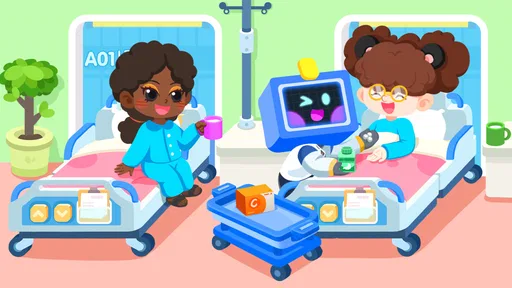
Right off the bat, Little Panda's Town: Hospital welcomes you with vibrant colors and friendly animations. The interface is intuitive, making it easy for even the youngest users to navigate through the different sections of the hospital. From the reception area to the operating room, every corner of the hospital is brimming with interactive elements. The developers have clearly put a lot of love into crafting a world that's both engaging and educational.
How the play fits into a day
In practice, this kind of open-ended hospital role-play works best in short, child-led visits. I’d let a child choose a patient or area to explore, then give them time to invent what happens instead of directing every action. If they lose interest, there is no need to turn the session into a lesson; coming back another time is a better fit than pushing them through a routine.
More From Our News Desk

Weather by Xiaomi Review: Clear at a Glance, Less Clear Up Close

X Under Pressure: Can It Recover When Posting Goes Wrong?

Clash of Clans Is Won Between the Battles

Android Auto Makes the Case for Quieter Car Software

MobiOffice: Transforming Mobile Productivity with Seamless Integration

EA SPORTS FC™ Mobile Soccer: Redefining Mobile Sports Gaming
A realistic use might be a quiet stretch before dinner when a child wants something more purposeful than a fast, competitive game. An adult can sit nearby, follow the child’s pretend storyline, and gently distinguish make-believe from real care if a question comes up. This approach also helps reveal whether the child is enjoying the caregiving theme or simply tapping through the scenes, which are different kinds of engagement.
A small routine for shared play
For a shared session, I’d let the child choose what to explore, then ask them to describe the patient’s problem in their own words. A simple follow-up such as “What would you do next?” gives them space to invent without turning the game into a quiz. If their answer raises a real health concern, I’d pause the play and address it separately rather than treating the game’s pretend events as advice.
This is also a practical way to judge whether the game is holding attention. A child who narrates a story, changes roles, or returns to a scene with a new idea is engaging with the pretend-care premise. A child who only taps quickly through the available interactions may be looking for a different kind of game, and there is little benefit in insisting that they play it as an educational activity.
A Day in the Life
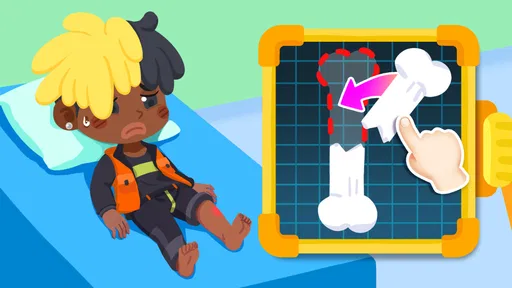
As you delve deeper into the app, you'll find yourself immersed in various medical scenarios. Whether it's helping a patient with a broken arm or diagnosing a mysterious illness, there's always something to keep you on your toes. The app encourages problem-solving and critical thinking, making it as informative as it is fun. Plus, with no time limits, kids can explore at their own pace, really getting to grips with the ins and outs of hospital life.
What to expect from its hospital theme
The hospital setting gives everyday pretend play a clear subject, but the value is in the child’s own storytelling, not in learning how a real hospital operates. I would not rely on the scenes to teach correct diagnosis, first aid, or what a clinician will do. The more useful expectation is that a child can experiment with the idea of helping someone, while an adult can use questions to separate imaginative events from real-world care.
That distinction matters especially if a child is worried about an upcoming visit. The game may help make hospital-related words and settings feel less unfamiliar, but it cannot promise to reduce anxiety or explain a specific appointment. I’d pair it with a direct, reassuring explanation tailored to the child, and let them stop playing if the subject begins to make them uneasy.
Where it differs from other kids’ games
Compared with quiz-based educational games, this one leans on imaginative care rather than right-or-wrong answers. That can suit a younger child who learns by acting out situations, but it is less suitable for a parent looking for structured lessons, clear progress tracking, or a detailed introduction to health science. If the goal is to help a child understand a specific procedure, a calm conversation with a trusted adult or age-appropriate medical resource is a better match.
There is also a practical trade-off around spending. The game is free to download, but it includes optional in-app purchases, with items ranging from $2.49 to $41.99. I’d check the purchase settings on a child’s device before handing it over, and agree on whether spending is allowed. That small bit of preparation helps keep a casual play session from turning into an unexpected buying decision.
Managing a shared device
If a child uses a parent’s or sibling’s device, I’d treat purchase access as part of the setup, not something to think about only after a button appears. Decide in advance whether the child can ask before buying, and keep the device owner close enough to handle that conversation. This is particularly helpful when a young player is allowed to explore without constant direction: a free download does not mean every optional item is free.
For a household choosing between this and a no-purchase activity, the decision depends on how the device is managed. A caregiver who wants a fully offline, hands-on pretend game may prefer toys and a homemade clinic. Someone comfortable supervising a digital session may appreciate having a hospital-themed setting ready to explore. In either case, I would make the spending boundary clear before play begins.
Educational and Fun
What sets this app apart from other educational games is its commitment to accuracy. The medical tools and procedures, while simplified for younger audiences, are surprisingly true to life. This not only teaches kids about healthcare but also helps alleviate any fears they might have about visiting a doctor in real life. The app manages to strike a balance between being informative and entertaining, ensuring that kids learn while having a blast.
Choosing it over other kinds of play
Against a coloring app, this game offers a more active premise: the child can make the hospital scenario their own instead of simply filling in a picture. Against a puzzle or quiz game, it gives up the satisfaction of a clear answer and measurable progress in exchange for open-ended storytelling. I see that as a meaningful trade-off rather than a flaw. The right choice depends on whether a child wants to invent a caring role or solve a defined challenge.
It is also not the best pick when a parent needs reliable health education. For learning how to wash hands, what to expect during a particular check-up, or what to do in an emergency, use guidance designed for that purpose and explain it directly. The game can support a light conversation about helping people, but its playful format should not be mistaken for a lesson plan or a source of medical instructions.
Who is likely to enjoy it?
I think it is best suited to children who already enjoy pretend play, caring for dolls or toys, and making up stories about everyday jobs. It can also give a parent or caregiver a low-pressure way to open a conversation about hospitals. Children who prefer puzzles with defined answers, fast action, or realistic medical instruction may find the gentle role-play less compelling; for them, a more structured educational game or a hands-on conversation may work better.
The game is rated Everyone, and it has attracted more than 10 million installs, with an average rating of 3.8 from around 5,400 ratings. Those figures suggest a broad audience, but they cannot tell me whether its style will click with a particular child. I’d make the decision based on the child’s interest in pretend caregiving and the adult’s comfort with a game that mixes play with optional purchases.
Age, attention, and adult involvement
An Everyone content rating is a useful baseline, but it does not tell a parent whether a particular child will understand the difference between playful treatment and real care. I’d stay nearby at first, especially with a child who tends to take game scenarios literally or has been asking anxious questions about doctors. For a child who is already comfortable with pretend play, less guidance may be needed, though I would still be available to answer questions.
It is also worth considering attention style. A child who enjoys revisiting familiar scenes and extending a story may get more from this than one who wants a clear finish line or a new challenge every few minutes. Rather than judging the game by how long it keeps a child occupied, I’d look at whether play leads to imaginative narration or a pleasant conversation afterward.
Why You'll Love It
One of the standout features of Little Panda's Town: Hospital is its replayability. With so many scenarios and outcomes, no two playthroughs are the same. Kids will love returning to the app to discover new stories and challenges. Additionally, the app's positive reinforcement system encourages children to think creatively and empathetically, skills that are invaluable in real-world interactions.
Practical details before installing
The game is free to try, and its current version is 8.71.02.00. On Android, it requires version 5.0 or later, so checking a device’s operating system is a simple first step before installing. The release date is November 27, 2023. I’d also remember that the Android requirement does not establish whether a particular iOS device is supported; check the relevant store on the device you plan to use.
BabyBus is the developer, and the game sits in the educational category, though its teaching style is closer to pretend play than formal instruction. That distinction helps set expectations: a child can explore a hospital story and practice thinking about a patient’s needs, but parents should not expect a curriculum, assessment, or dependable medical explanations from that kind of play.
My recommendation for a first session
If I were introducing it to a child, I’d start with a short session while an adult is nearby, explain that the hospital events are pretend, and let the child choose where the story goes. I would not try to cover every scene or turn the experience into a test. Afterward, a quick question about what the child liked can reveal whether the theme felt inviting or whether another type of activity would suit them better.
That approach also makes it easier to decide whether to keep the game on a shared device. If the child returns to the caregiving idea and invents new stories, it may be a useful occasional activity. If they are mainly drawn to tapping around or request purchases, I’d set firmer limits or choose a simpler, non-digital alternative.
For compatibility, the current version is 8.71.02.00 and it requires Android 5.0 or later. It was released on November 27, 2023, and remains a free educational game, so there is no upfront price to try it. I’d still treat the purchase options as part of the decision, particularly on a shared device, and keep playtime supervised when a young child is exploring independently.
In conclusion, Little Panda's Town: Hospital is a fantastic addition to any child's digital library. It offers a perfect blend of fun and education, ensuring hours of entertainment while fostering a love for learning. So, if you're on the hunt for an app that will keep your little ones engaged and informed, look no further. Trust me, they'll be playing doctor in no time!
Baby Panda's Town: Hospital Frequently Asked Questions
Is Little Panda's Town: Hospital free to download, and what might cost extra?
Little Panda's Town: Hospital is free to download, so families can try the game without paying upfront. Optional in-app purchases are available, with prices ranging from $2.49 to $41.99 per item. If a child will be playing, it is sensible to review purchase settings beforehand and supervise any requests to buy additional content.
What is Little Panda's Town: Hospital?
Little Panda's Town: Hospital is an engaging educational game designed for young children. It allows kids to explore the world of healthcare and hospitals through interactive gameplay. Children can learn about various medical procedures, hospital roles, and the importance of health and safety while having fun with the adorable character, Little Panda. Its store summary invites players to cure patients and create their own hospital story.
Is Little Panda's Town: Hospital safe for kids?
Yes, Little Panda's Town: Hospital is specifically designed with kids in mind and has an Everyone content rating. The game features age-appropriate content and interactive elements that are both educational and entertaining. It provides a welcoming environment for children to explore and learn about hospitals and healthcare. Parents can also check device settings and supervise play to help make the experience suitable for their family.
What age group is Little Panda's Town: Hospital suitable for?
Little Panda's Town: Hospital is ideal for children aged 3 to 8 years old. The game's content and interactive features are tailored to engage young minds, helping them learn about the medical world in a fun and accessible way. It's a great tool for early childhood education and imaginative play, especially for children who enjoy pretend-play scenarios and caring for characters.
Does Little Panda's Town: Hospital require an internet connection?
No, Little Panda's Town: Hospital does not require an internet connection to play. Once downloaded, the game can be used offline, making it convenient for parents and kids to enjoy it anywhere without worrying about internet access. Families may still need a connection for tasks such as downloading the game or managing purchases through their device's store.
Pros
- Engaging educational content for kids.
- Interactive and user-friendly interface.
- Promotes empathy and caregiving.
- Wide variety of medical scenarios.
- Ad-free experience enhances focus.
Cons
- Limited appeal for older children.
- Requires internet for updates.
- In-app purchases can be distracting.
- Graphics could be more detailed.
- Lacks parental control features.













