Like Nastya: Party Time
- 252.00
- 4.6
- Installs
- 5.00M
- Price
- Free
Screenshots
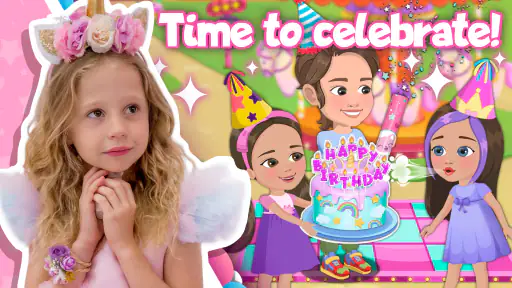
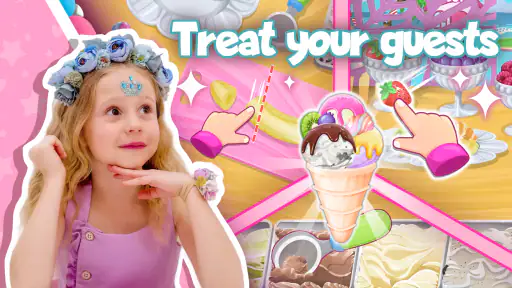
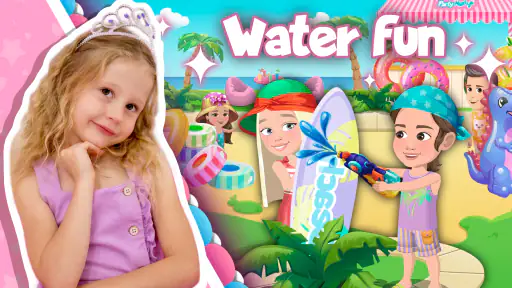
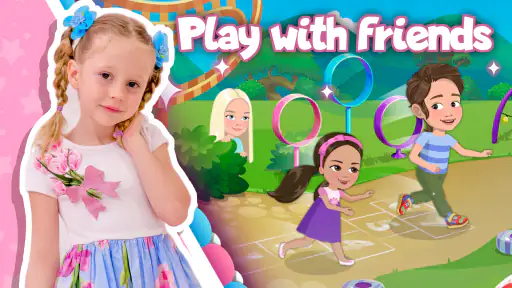
Analysis by Reviewed
In my view, Like Nastya: Party Time works best as a short, shared play session for a child who already enjoys Nastya’s cheerful on-screen world. It is an educational game from Like Nastya Official, built around a birthday-party theme with friends. The idea is easy for a young fan to grasp: explore playful activities in a familiar setting, rather than sit through a lesson or follow a complicated story. I would treat it as a light option for a little downtime, not as a substitute for a broader learning app.
A simple routine that suits short sessions
I’d start by sitting with the child for the first few minutes and letting them tap around at their own pace. That gives you a feel for how they handle the game’s prompts and whether they can move between activities without help. After that, a useful routine is to let them choose one activity, play it, and then pause to talk about what they enjoyed. This makes the experience feel intentional without turning play into a lesson.
For an everyday example, it could fit while dinner is being prepared or during a quiet break at home: offer a brief turn, then put the device away when the activity is finished. The party theme gives children a recognizable frame for play, but the game is most useful when an adult helps set a clear stopping point. That small habit can prevent a casual game from becoming an open-ended screen session.
Making the first few minutes count
I find that a calm first run is more useful than handing over the device and expecting a child to work everything out immediately. Sit alongside them, let them choose where to begin, and watch for whether they understand the on-screen cues or simply tap quickly to see what happens. That observation helps you decide whether the next turn can be independent or whether the game works better as a shared activity.
A practical habit is to agree on the end of a session before starting, using a natural stopping point such as finishing one activity. This avoids negotiating about screen time after the child is already absorbed. If they want to keep going, you can offer a choice between putting the game away or doing something away from the screen, rather than promising another turn that may stretch longer than intended.
What parents should check before handing over the device
The game is free to download, rated for Everyone, and has optional in-app purchases ranging from $0.99 to $14.99 per item. I recommend checking purchase controls on the device before a child plays independently, especially if payment details are saved. That is a practical precaution for any children’s game with optional purchases, and it helps avoid an accidental checkout interrupting the fun.
It has a 4.6 average from around 12,000 ratings and has passed over 5 million installs, which suggests it has found a sizeable audience. Its current version is 1.6.0, and it needs Android 5.1 or newer. The release date was June 29, 2023. Those details are useful when deciding whether an older device can run it, but I’d still check that the game opens smoothly on the particular phone or tablet the child will use.
More From Our News Desk

Weather by Xiaomi Review: Clear at a Glance, Less Clear Up Close

X Under Pressure: Can It Recover When Posting Goes Wrong?

Clash of Clans Is Won Between the Battles

Android Auto Makes the Case for Quieter Car Software

MobiOffice: Transforming Mobile Productivity with Seamless Integration

EA SPORTS FC™ Mobile Soccer: Redefining Mobile Sports Gaming
Before a child uses it alone, I would also check the device’s sound level and brightness, then make sure the game is already open and ready. That keeps the handoff simple and avoids a child wandering through unrelated apps while looking for the game. If the device is shared, closing other apps first can also make it easier to return to the child’s normal routine afterward.
Getting the Party Started
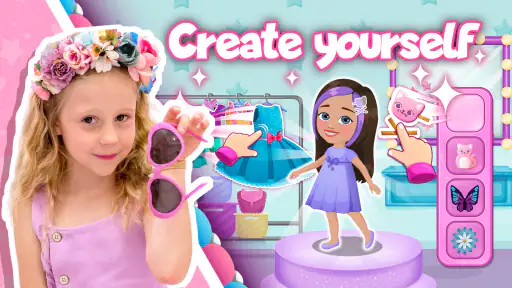
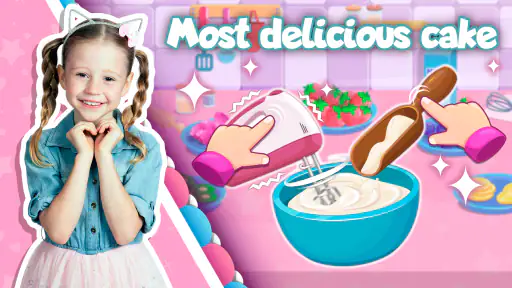
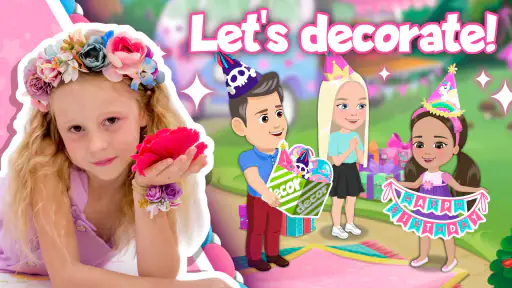
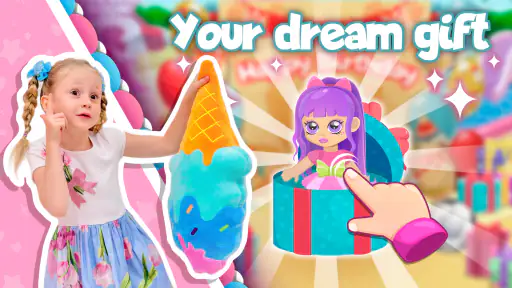
From the moment you launch Like Nastya: Party Time, you are greeted with a burst of colors and cheerful animations that set the stage for an exciting adventure. The app is packed with mini-games and activities that reflect the playful spirit of Nastya’s YouTube channel. It’s like stepping into one of her videos, only now you’re part of the action!
Mini-Games Galore
The heart of the app lies in its variety of mini-games. These are designed to be both entertaining and educational, which is a big win for parents. Kids can engage in activities that enhance their motor skills, problem-solving abilities, and creativity. Whether it's a puzzle game or a musical challenge, each mini-game is crafted to keep young users engaged and learning without even realizing it!
Interactivity is a major highlight here. The games are intuitive, allowing even the youngest of players to navigate through them with ease. Plus, the app’s interface is user-friendly, making it accessible to a wide age range. It's a seamless blend of play and education, which is exactly what parents want in a kids’ app.
Finding a repeatable play pattern
For a child who asks to play again, I would keep the routine predictable rather than trying to make every session feel new. Let them choose an activity, give them time to explore it, and finish by asking what they liked. This simple pattern can help a parent notice whether the appeal is the familiar character, the activity itself, or just the chance to use the device.
There is also a useful distinction between a child who is engaged and one who is merely tapping through. If they can tell you what they were trying to do or point out a moment they enjoyed, the session is probably working for them. If they seem impatient or keep switching without interest, I would end the turn rather than treating more screen time as a way to make the game worthwhile.
Visuals and Sounds
The graphics are nothing short of delightful. Bright, vivid colors and adorable animations bring each scene to life, capturing the essence of Nastya’s playful world. The audio complements the visuals perfectly, with cheerful tunes and sound effects that add to the immersive experience. It’s clear that a lot of effort went into creating an environment that is both engaging and comforting for kids.
One thing I particularly appreciated was the attention to detail in the app’s design. Every game and activity is crafted with care, ensuring that kids have a safe and enjoyable experience. Plus, there are no intrusive ads, which is a big relief!
Because the experience uses both bright visuals and sound, it is worth thinking about where a child will play. In a quiet room, audio can make the activities feel more lively; in a waiting room or around other people, turning the device volume down may be kinder and more practical. I would not treat sound as essential to every moment of play, but I would stay nearby the first time to see whether the child follows the activities comfortably without it.
Choosing it over other kids’ games
Compared with open-ended drawing apps or broad collections of educational games, this is a more focused choice: its appeal is tied to Nastya and the party setting. That can make it an easier sell to a child who already recognizes her, while a child who does not know the character may get more mileage from games with a wider range of themes. I would also choose a dedicated puzzle or creative app if I wanted one specific skill to get sustained attention; this is better approached as varied, character-led play.
A small tip for keeping sessions fresh is to ask the child to describe a favorite moment afterward rather than simply asking whether they “won.” It encourages them to notice what they did and gives you a quick sense of which activities hold their attention. If the child starts tapping through without engaging, that is a good cue to stop or switch to an offline activity, rather than extending screen time just because the game is available.
For a real-world choice, I would reach for this game when a young Nastya fan wants something to do during a short quiet spell and an adult can help set the boundaries. I would pick a broad educational collection when the child enjoys changing subjects, and an open-ended art app when the goal is to make something at their own pace. Those alternatives may offer more variety or a clearer focus, but they will not necessarily have the same familiar character-led appeal.
Where its appeal has limits
The same character focus that makes the game inviting can narrow its audience. It is most likely to click with young children who enjoy Nastya; older kids looking for deeper strategy, long progression, or a more open-ended creative tool may find the format too light. Parents seeking a structured curriculum should also look elsewhere, since the game is best understood as playful entertainment with educational elements, not a step-by-step teaching program.
I would not assume that every child will find the activities equally engaging, either. Young players differ in how much help they need with touch controls and how long they want to stay with one activity. If a child gets frustrated, try demonstrating the first interaction together, then let them take over; if that still does not help, this may simply not be the right game for them.
Limits worth keeping in mind
The game’s straightforward, party-centered approach is also its main trade-off. A child who wants a large world to explore or a long sequence of challenges may lose interest once the novelty of the characters and activities wears off. Likewise, a parent looking for lessons that build in a planned order should not rely on this as the main learning tool. Its educational value is better treated as something that can accompany play than as a replacement for a dedicated learning program.
Another point to consider is that “easy to start” does not mean every child will be comfortable playing alone. A younger child may need a demonstration, while another may be content to explore independently. If you are choosing it for a long trip or a situation where you cannot help, test it beforehand at home. That gives you a chance to see whether the child can use it without becoming frustrated and whether its style holds their attention.
The game is not the right choice simply because it is free or popular. Its best fit is a child who responds to Nastya’s familiar world and enjoys brief, guided digital play. If that connection is missing, or if the child is asking for a particular kind of challenge, a different game is likely to be a better use of their time.
Final Thoughts
Overall, Like Nastya: Party Time is a fantastic app for young fans of the YouTube star. It captures the joy and excitement of Nastya’s world while providing educational value. The app is a testament to how digital content can be both fun and beneficial for children. If you're looking for an app that will keep your kids entertained and learning, this one is definitely worth checking out. So, why wait? Jump into the fun world of Like Nastya and let the party begin!
My recommendation is more specific: choose it when the child’s interest in Nastya is already a plus and you want a colorful, easy-to-start game for brief play. Keep purchase controls in mind, decide on a stopping point, and stay nearby until you know how the child handles it. If you want deeper lessons, broader themes, or a creative activity that can continue in many directions, another kind of children’s app will serve you better. For the right young fan, though, this birthday-party setting is an enjoyable little change from watching videos passively.
Like Nastya: Party Time Frequently Asked Questions
Who developed Like Nastya: Party Time, and what devices can run it?
Like Nastya: Party Time is an educational game developed by Like Nastya Official. It runs on Android devices using version 5.1 or later, so it is worth checking your device’s operating system before downloading. The game is free to install, though it also offers optional in-app purchases. Its focus on a birthday party with Nastya and her friends gives families a quick sense of the theme before they decide whether it suits their child.
What is Like Nastya: Party Time, and what can users expect from it?
Like Nastya: Party Time is an engaging and interactive game inspired by the popular YouTube channel featuring the young star, Nastya. In this game, users can join Nastya in various party-themed activities, solving fun puzzles and challenges. The app is designed for children, offering a safe and entertaining environment with colorful graphics and easy-to-navigate controls, making it perfect for young players. Its central theme is Nastya’s birthday party with her friends, which gives the activities a familiar setting for fans.
Is Like Nastya: Party Time suitable for all age groups?
Like Nastya: Party Time is primarily designed for children, especially those who are fans of the Like Nastya YouTube channel. The content is age-appropriate, focusing on fun and educational activities that encourage creativity and problem-solving skills. Parents can feel confident allowing their children to explore the app, knowing it is safe and free from inappropriate content. The game is rated Everyone, but younger players may still benefit from an adult helping them get started.
Does Like Nastya: Party Time require an internet connection to play?
Like Nastya: Party Time can be enjoyed both online and offline. While an internet connection is not necessary for most of the gameplay, some features, such as updates or additional downloadable content, may require internet access. This flexibility allows children to enjoy the game anywhere, without worrying about connectivity issues. For a smoother first setup, it can be helpful to download or update the game while connected.
Are there in-app purchases in Like Nastya: Party Time?
Yes, Like Nastya: Party Time includes in-app purchases. While the game is free to download and offers a variety of free content, there are optional purchases available to enhance the gaming experience. These may include additional costumes, party decorations, or new challenges. Parents should be aware of these purchases and may want to set up parental controls to manage spending. Individual purchase prices range from $0.99 to $14.99, so checking device purchase controls before handing over the game is sensible.
Pros
- Engaging and interactive gameplay for kids.
- Colorful and vibrant graphics.
- Safe environment with no ads.
- Educational content woven into fun activities.
- User-friendly interface for children.
Cons
- Limited content without subscription.
- May require in-app purchases.
- Not suitable for older kids.
- Requires internet for some features.
- Can become repetitive over time.
- Category
- Educational
- Version
- 1.6.0











