Kids Offline Preschool Games
- 101.00
- 4.2
- Installs
- 1.00M
- Price
- Free
Screenshots
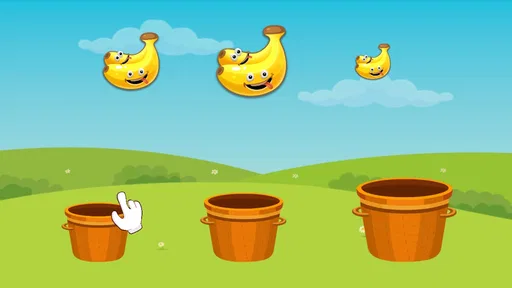
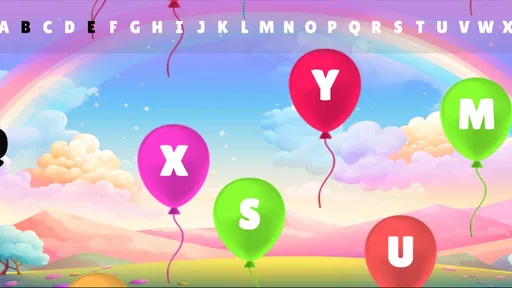
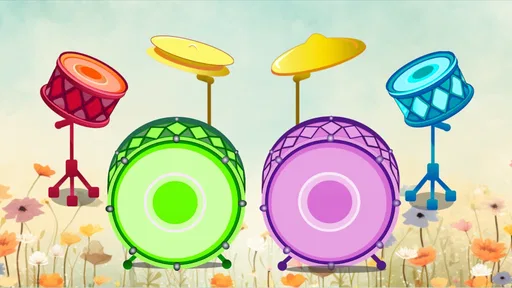
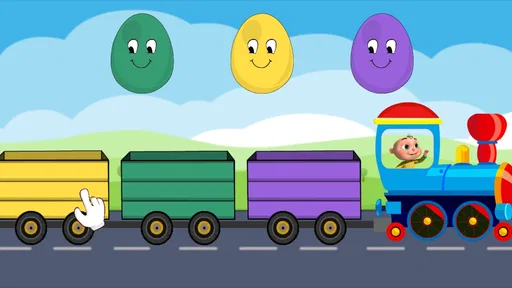

Analysis by Reviewed
When I tried Kids Offline Preschool Games, I approached it less like a conventional game and more like a small activity shelf for young children. It is an educational game from Kidzooly - Kids Games, Rhymes , Nursery Songs, aimed at preschool practice through simple play. The appeal is easy to understand: a child can move between tracing, coloring, and other early-learning activities without needing a complex story, competitive leaderboard, or constant internet connection.
That simplicity is also the main thing to judge carefully. Preschoolers usually need quick feedback, clear goals, and activities that can be started without much explanation. This game generally fits that rhythm, but it is not a complete early-years curriculum and it will not replace a parent, teacher, or a dedicated learning program. I found it most useful as a short, repeatable activity for quiet moments rather than as a long gaming session.
How the first goals shape a child’s play
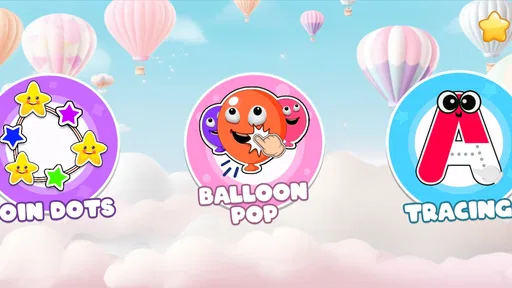
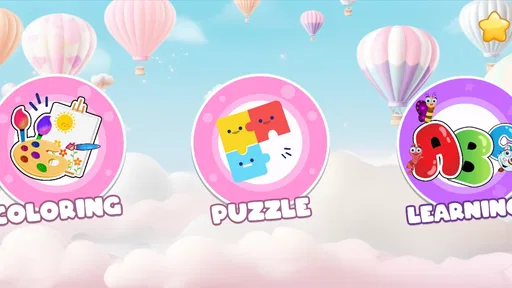
The early goals are deliberately familiar. Tracing gives a child a direct action to understand, while coloring offers a more open-ended task with an immediate visual result. These are sensible starting points because they do not require reading ability or a detailed explanation from an adult. A preschooler can usually see what to do by looking at the screen and trying it.
That matters more than it may sound. Many children’s apps introduce too many buttons before the child has learned the basic interaction. Here, the activity-based structure makes the first few minutes easier to manage. I could imagine handing the device to a child and giving only a short instruction such as “try the tracing activity,” then stepping in when needed rather than narrating every tap.
The strongest early goal is not winning; it is completing a small action successfully. A child follows a line, fills an area, or finishes a simple picture and receives a result they can see. This kind of goal suits preschool attention spans because it creates a beginning and an end without demanding a long commitment.
Parents should still set expectations. The game’s educational value depends on how the child uses each activity. Tracing can support hand control, but simply rushing over a shape is not the same as careful letter practice. Coloring can encourage recognition and coordination, but it is not automatically a lesson in color theory or drawing. I found the best results came when I treated each activity as a prompt for conversation: asking what the child was tracing, why a color was chosen, or what the finished picture represented.
The offline focus is especially practical for those first goals. A child can use the activities during travel, in a waiting room, or in a quiet corner at home without turning the session into a search for online videos. It also makes the app feel more contained than a general video platform, where a preschool activity can quickly become unrelated entertainment.
More From Our News Desk

Weather by Xiaomi Review: Clear at a Glance, Less Clear Up Close

X Under Pressure: Can It Recover When Posting Goes Wrong?

Clash of Clans Is Won Between the Battles

Android Auto Makes the Case for Quieter Car Software

MobiOffice: Transforming Mobile Productivity with Seamless Integration

EA SPORTS FC™ Mobile Soccer: Redefining Mobile Sports Gaming
At the same time, “offline” should not be mistaken for completely independent use. A young child may still need help choosing an activity, recovering from a mistaken tap, or understanding what the task is asking. I would prepare the game before handing over the device, especially if the child is not yet comfortable navigating menus.
Small completions are more important than long sessions
The game works best when the adult defines a modest goal. Instead of asking a child to keep playing until they lose interest, I would suggest finishing one tracing exercise and one coloring activity. This creates a natural stopping point and prevents the app from becoming background noise.
That approach also reveals whether the child is actually learning from the interaction. If the child can explain what they did, identify the shape or object, or repeat the tracing motion more carefully the next time, the activity has served a useful purpose. If they are only tapping rapidly to reach the next screen, a parent can slow the pace and turn the session into guided practice.
For families with more than one child, the simple goal structure can be useful but limited. A younger preschooler may enjoy the basic actions, while an older child may finish them quickly and ask for more challenge. The game is therefore better suited to early practice than to a mixed-age group expecting the same activity to occupy everyone equally.
Progress signals, difficulty, and the pace of play
Progress in this game is felt through completed activities and visible results rather than through a deep role-playing system. That is appropriate for the audience. A preschooler does not need a complicated map or a long achievement list to understand that a picture has been finished. The completed drawing itself can act as the reward.
Still, parents looking for explicit learning reports should approach it differently from a classroom platform. I would not use it as the sole way to track letter formation, pencil control, or knowledge of shapes and colors. Its feedback is immediate and playful, but the adult remains responsible for noticing whether the child is improving or merely repeating motions.
This is one of the more important trade-offs. Visible completion can encourage a child to try again, but it does not always explain why an attempt was strong or weak. If a child traces outside a path, the useful follow-up may need to come from the parent: “Let’s try slowly from the top,” rather than expecting the game alone to teach the correction.
The difficulty curve appears intentionally gentle. That makes the game approachable, particularly for children who become frustrated by failure screens or timed challenges. There is value in an environment where the child can explore without feeling that every mistake ends the session.
The downside is that gentle pacing can become predictable for children who already have good fine-motor control or recognize the material quickly. In my view, the app is most engaging when the child is still building confidence. Once the activities feel effortless, an older preschooler may need a workbook, a more structured phonics tool, or hands-on games that introduce a clearer progression.
I would also avoid measuring difficulty only by whether a child can finish. A child may complete a tracing task while holding the device awkwardly, dragging too quickly, or relying on random movement. The adult can raise the challenge without inventing a new game mode: ask the child to trace more slowly, name the shape first, choose a color intentionally, or repeat the activity using the opposite hand only if that is comfortable and appropriate.
How to create a useful difficulty curve at home
Because the built-in challenge is light, the best progression often comes from the way the app is introduced. On the first day, let the child explore freely. On later sessions, choose one activity and encourage accuracy before speed. After that, connect the screen task to a physical activity, such as drawing the same kind of line on paper or finding the same color in the room.
This workflow makes the game more valuable than passive repetition. The app supplies a simple visual exercise, while the adult adds memory, language, and real-world practice. I found this especially helpful for children who enjoy screens but resist traditional worksheets. The game can become the invitation to practice rather than the entire lesson.
Another practical tip is to use the game when the child is alert, not only when they are already tired. A short session before dinner or after a rest period is more likely to produce careful tracing than a long session at bedtime. Since the activities are easy to start, it is tempting to use them as a last-minute distraction, but the educational benefit is stronger when the child has enough patience to pay attention.
What keeps children returning, and where retention falls short
The main reason to return is variety within a familiar format. A child who enjoys coloring may later try tracing, while another child may prefer the sense of completion that comes from finishing a picture. This kind of choice can support repeated use without forcing every child through the same sequence.
There is also a comforting predictability to preschool activities. Young children often like repeating something they already understand, and repetition can be useful for hand control. In that sense, the game does not need constant novelty to have value. A child may return because the interaction feels safe and manageable, not because the app is pushing a dramatic storyline.
However, the retention pressure is fairly mild. I did not view it as a game built around intense competition, urgent timers, or a demanding reward loop. That is a positive choice for this age group, but it means parents should not expect the app to hold attention for a long uninterrupted period. If a child stops after a few minutes, that is not necessarily a failure; it may simply mean the activity has reached its useful limit for that session.
The free entry point makes it easy to test that fit. Kids Offline Preschool Games is free, while in-app purchases are listed at $3.49 per item. I would let the child try the available activities before considering any purchase, and I would make the buying decision myself rather than allowing a preschooler to explore payment prompts. The important question is not whether extra material sounds appealing, but whether the child is returning voluntarily and using the current activities with care.
For families concerned about screen habits, the app is easier to manage when used as one item in a routine. A parent might set a simple rule: one or two activities, followed by a physical game, snack, or story. This avoids turning the game into an automatic reward for every moment of boredom. Its offline nature helps with that routine because there is less temptation to jump from the activity into unrelated online content.
Children who need constant novelty may outgrow it sooner. A preschooler who wants fast animation, complex missions, or competitive scoring may find the calm activity structure unexciting. In that situation, a different game may be more entertaining, but entertainment alone is not necessarily a better educational choice. I would choose this app when the goal is calm practice, not maximum stimulation.
Everyday situations where it makes sense
One realistic use is a restaurant wait. Before leaving home, I would open the game and make sure the child knows which activity to select. During the wait, the child could complete a tracing task and then color, while I remain available to talk about the shapes and pictures. That is more manageable than handing over an unrestricted video feed, and the session has a clear endpoint.
It can also work during travel, particularly when internet access is unreliable. A child can use familiar activities in the car or at a relative’s home, although an adult should still consider motion, posture, and the child’s comfort. The app is not a substitute for looking out the window, talking, or taking breaks, but it can fill a short gap without requiring a connection.
At home, I would use it as a bridge between free play and table work. Let the child complete a digital tracing activity, then offer paper and crayons. This reveals whether the screen interaction is transferring into physical control. If it does not, that is useful information: the child may enjoy the digital result but need more hands-on practice.
Who should choose it, and who should look elsewhere
I think Kids Offline Preschool Games is a good match for parents seeking a low-pressure educational game for preschoolers, especially when offline access and short activities matter. It is also a reasonable option for a child who is beginning to explore tracing and coloring but becomes discouraged by more demanding learning apps.
The age setting is Everyone, and the design is clearly aimed at young learners rather than older children. The developer is Kidzooly - Kids Games, Rhymes , Nursery Songs. The app has reached over a million installs and holds a 4.2 average from around 4.1 thousand ratings, which suggests that many families have found the general approach useful, though those figures should not replace judging it with your own child.
The current version is 1.65 and it requires Android 8.0 or later. That makes device compatibility an important practical check before planning to use it on an older phone or tablet. I would also install and test it myself first, not because the activities are difficult, but because every child responds differently to navigation, visual style, and the amount of guidance needed.
I would choose a different option for a child who needs a clearly sequenced reading program, detailed progress reports, or strong adaptive difficulty. This game offers activity practice, not a full assessment system. I would also look elsewhere if the main goal were advanced drawing instruction, formal handwriting correction, or lessons designed for children beyond the preschool stage.
Another limitation is that the app’s calm structure may not satisfy children who expect a traditional game with characters, missions, and escalating challenges. That is not a flaw in itself, but it changes the buying decision. The right question is whether the child benefits from repeating simple actions and seeing a finished result. If the answer is no, a more structured alternative may keep them engaged for longer.
Parents should also think about supervision and purchases. Even with child-friendly content, I would keep the device configured for adult control and handle any in-app purchase personally. The free version is the sensible starting point, and the listed $3.49-per-item purchase model means the total cost depends on what a family decides to add.
My progression verdict
My overall view is that the game succeeds when its goals remain small: trace carefully, color with intention, finish an activity, and stop before the child becomes restless. Its progress signals are visual and immediate, its difficulty is welcoming, and its pacing avoids the pressure that can make preschool learning feel like a test.
That same gentleness limits long-term challenge. The game does not provide the kind of demanding progression that keeps an advanced preschooler busy for extended periods, so parents will get more from it by supplying the next step themselves. Pairing screen activities with paper, conversation, and real objects turns a simple digital exercise into a broader learning routine.
My recommendation is to treat it as a handy preschool activity box, not as a complete learning course. It is especially useful for short offline sessions, travel, waiting times, and children who need confidence before moving to more demanding practice. I would recommend trying the free experience first, watching how carefully the child engages, and only then deciding whether the optional purchases add enough value.
For the right child, the lack of heavy competition is a strength. There is room to explore, repeat, and build basic control without feeling rushed. For a child who needs deeper academic structure or a sharper challenge curve, another educational app will probably be a better main tool. As a calm supplement, though, Kids Offline Preschool Games earns a place in my preschool activity rotation.
Kids Offline Preschool Games Frequently Asked Questions
Is Kids Offline Preschool Games free to download?
Kids Offline Preschool Games is free to download, so families can try its educational activities without paying upfront. The app also offers in-app purchases, with items priced at $3.49 each, so it is sensible to review purchase settings before handing a device to a child. Parental controls can help prevent accidental purchases, particularly on a shared phone or tablet.
What is Kids Offline Preschool Games?
Kids Offline Preschool Games is an educational app designed for young children, usually preschoolers and early learners. It brings together simple activities that can help children practice colors, shapes, numbers, letters, matching, memory, and basic problem-solving. The games are generally presented with bright visuals, friendly sounds, and easy controls so children can explore independently while developing early learning and coordination skills. Its developer is Kidzooly - Kids Games, Rhymes , Nursery Songs.
Can Kids Offline Preschool Games be played without an internet connection?
Yes, the main advantage of Kids Offline Preschool Games is that its activities are intended to work without a constant internet connection. After the app has been installed and any required content is downloaded, children can play during travel, at home, or in places with limited connectivity. Parents should still open the app once while online to complete setup and check whether all activities are available offline.
Is Kids Offline Preschool Games suitable for my child’s age?
The app is primarily aimed at preschool-age children and early learners, but the ideal age depends on the child’s reading ability, attention span, and previous experience with educational games. Younger children may need help understanding the instructions, while older preschoolers may enjoy completing activities independently. The app has an Everyone content rating, but parents should review the available games and difficulty level before allowing unsupervised use.
Does Kids Offline Preschool Games work on my device?
Kids Offline Preschool Games is available for Android devices running version 8.0 or later. Before downloading, check the operating system version on the device your child will use. This is especially helpful if you are setting it up on an older phone or tablet, since compatibility can affect whether the app installs and runs as expected.
Pros
- Works without internet
- making it useful for travel and offline play.
- Simple controls are easy for young children to understand independently.
- Covers several preschool skills
- including colors
- shapes
- numbers
- and matching.
- Bright visuals and cheerful sounds help keep children engaged during activities.
- Short games suit young attention spans and allow quick
- casual learning sessions.
Cons
- Some activities may feel repetitive after children complete them several times.
- The free version may include ads or locked content
- depending on the device.
- Limited difficulty options may not challenge older preschoolers for long.
- Sound effects can become distracting in quiet environments or during repeated play.
- Parents may need to supervise screen time and help children choose suitable games.











