General Knowledge Quiz Game
- 30.00
- 4.5
- Installs
- 1.00M
- Price
- Free

Screenshots


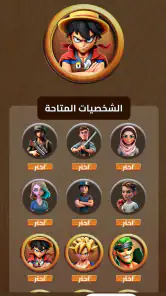

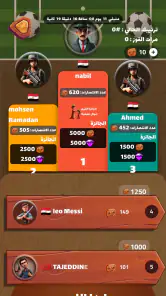
Analysis by Reviewed
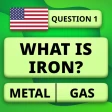
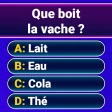
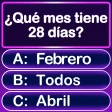
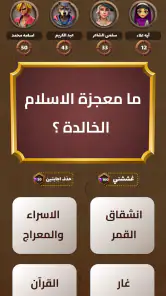
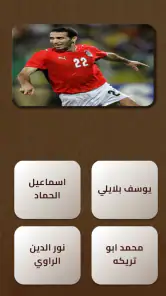
I approached General Knowledge Quiz Game as the kind of trivia title you open when you want a quick mental challenge rather than a long gaming session. Its purpose is straightforward: answer general-knowledge questions, see how much you remember, and keep moving through quiz rounds. That simplicity is its biggest attraction, but it also means your enjoyment depends heavily on how smoothly the question flow fits your habits.
After spending time with it, I see a free trivia game that works best for short breaks, casual competition at home, and anyone who enjoys testing broad knowledge without learning a complicated control system. It is available to an Everyone audience, runs on Android 7.0 or later, and has reached over one million installs. Those details make it easy to consider for an older spare phone or a family device, although the presence of optional purchases means I would still keep an eye on the purchase settings when children use it.
What the quiz feels like in everyday use
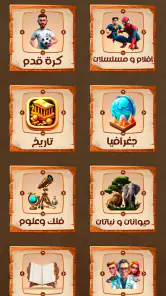
The central experience is built around general knowledge rather than a narrow subject. That gives each session a varied character: one question may feel familiar, while the next can expose a gap in your memory. I like that unpredictability because it prevents the game from becoming a simple drill in one topic. At the same time, it means the difficulty can feel uneven from one question to the next, especially if you are strong in one area and less comfortable in another.
I would not treat this as a replacement for a serious study tool. It is better understood as light practice for recall. You are not following a lesson plan or building a carefully organized course of knowledge. Instead, you are making decisions under the small pressure of a quiz format. That makes it useful for warming up your brain, settling a friendly argument, or filling a few spare minutes while waiting for an appointment.
One practical advantage is that the game does not ask you to learn a complex interface before you can enjoy it. Trivia players usually want the question to be the main event, and this title keeps the basic interaction centered on reading, choosing, and continuing. If you prefer games with deep progression systems, elaborate visuals, or a strong story, you may find the experience too plain. If you prefer immediate questions and answers, that restraint is welcome.
Where players can get stuck
The first point of friction is not necessarily a technical problem. It can simply be the mismatch between expectations and the game’s format. Someone looking for a structured course in history, science, or language will not get the same value here as someone seeking a broad quiz. The general approach is convenient, but it does not let you prepare for one subject in a focused way.
Another possible stumbling block is the natural ambiguity of general-knowledge questions. A question can seem easy until two answers look close, or until the wording requires careful reading. My advice is to slow down for a moment instead of tapping the first familiar option. In a game like this, mistakes often come from rushing rather than from lacking the knowledge itself.
Short sessions can also create a misleading impression. A player may have an excellent round because the topics match personal interests, then struggle in the next round because the subjects change. I would judge the game over several sessions rather than deciding that it is either too easy or too difficult after one sitting. The variety is part of the appeal, but it also makes individual rounds hard to compare.
There is a second kind of friction around optional spending. The game is free to download, while in-app purchases range from under one dollar to around one hundred dollars for an individual item. That does not automatically make the game unsuitable, but it does make purchase awareness important. On a shared phone, I would set up the device so that accidental purchases are less likely, particularly if younger players will be answering questions.
Checks I would make before playing
Before blaming the game for a poor start, I would begin with simple preparation. I would confirm that the phone uses Android 7.0 or a newer release, then make sure the operating system has finished any pending update. Compatibility is especially worth checking on older devices, because a phone that technically runs a game may still behave poorly when its system software is outdated.
I would also close demanding apps before starting a longer quiz session. Trivia itself is not a graphics-heavy activity, but background processes can still make any app feel slow or unreliable. Restarting the phone is a sensible next step if the game opens but reacts late, displays a blank screen, or returns to the home screen unexpectedly.
For a first installation, I would use a stable connection and leave enough free storage for the installation process and normal phone operation. I would not repeatedly tap the install button if the process appears delayed. Waiting briefly, checking whether the download has actually completed, and then reopening the game is safer than creating several overlapping attempts.
Because the game is free to start, I would separate two decisions that are easy to confuse: whether the quiz itself is enjoyable and whether any optional purchase is worthwhile. I would play enough free content to understand the question style before spending anything. That is particularly useful here because the core appeal comes from the quality and variety of the questions, not from buying a game you have not yet tested.
On a family device, I would make the age setting part of the setup conversation. The title is rated Everyone, which makes it broadly suitable for general audiences, but an Everyone label does not remove the need for sensible supervision around purchases or screen time. I would also tell younger players that an incorrect answer is part of the game rather than a sign that they are doing badly.
Recovering a session when something goes wrong
If the quiz stops responding, my recovery order would be simple. First, I would wait a moment to see whether the screen is processing an action. If nothing changes, I would close the game completely and open it again. If the issue remains, I would restart the phone, then check the connection and available storage before trying another round.
I would avoid clearing app data as an early solution. That step can remove local settings or progress, and it is a poor trade-off when a basic restart may solve the problem. I would reserve more disruptive measures for repeated failures, and I would make sure I understand what could be lost before using them.
When an answer screen appears late, I would first distinguish between a frozen interface and a delayed connection. If other apps are also slow, the phone or network is the more likely place to investigate. If only this game behaves strangely, closing and reopening it gives a cleaner test than repeatedly pressing the same control.
Installation trouble deserves a similar approach. I would check the Android version, free space, and connection in that order. If the phone meets the minimum system requirement but the installation still fails, I would restart the device and try again later rather than assuming the quiz itself is defective. A temporary store or network interruption can look exactly like an app problem from the user’s side.
For purchases, I would keep the receipt or transaction record and avoid repeating a tap simply because the first response was slow. A delayed confirmation can create confusion, and making several attempts is not a good way to diagnose it. I would first check whether the purchase completed, then use the relevant store support route if the result is unclear.
When the app is probably not the cause
It is easy to blame a game when a phone is overloaded, a connection is unstable, or the display is not registering touches properly. In a trivia title, a missed tap can feel like a wrong answer, so I would test the screen in another app before deciding that the quiz marked an answer incorrectly. If taps fail elsewhere too, the device deserves attention first.
Battery-saving behavior can also affect how an app feels when you switch away and return. If a session restarts after the phone has aggressively closed background apps, that may be a device-management issue rather than a question or scoring issue. I would observe whether other apps are also being refreshed before treating the quiz as uniquely unreliable.
Network changes are another common source of confusion. Moving between mobile data and Wi-Fi, entering a weak-signal area, or using a congested connection can interrupt loading. When that happens, I would reconnect and retry once instead of repeatedly tapping through the screen. The same advice applies if the game works normally at home but struggles in one particular location.
Storage pressure can cause broader instability too. If the phone is nearly full, installations, updates, and ordinary app behavior may all become inconsistent. Freeing space and restarting the device is more useful than reinstalling the quiz immediately. I would only move to a reinstall after simpler checks have failed and after considering whether local progress could be affected.
How I would fit it into a routine
My favorite use case is a short, deliberate session rather than leaving the game open for hours. For example, I might play while waiting for a friend, use a few rounds as a break between tasks, or invite someone nearby to answer the same questions aloud. The broad subject matter makes it easy to include people with different interests, although differences in background knowledge can make the competition uneven.
A useful personal workflow is to treat missed questions as prompts for later curiosity. I would note the topic mentally, finish the round, and look it up separately if it genuinely interests me. That keeps the game from turning into a frantic search exercise while still giving the quiz a small learning benefit. The important distinction is that the app can spark learning, but it should not be mistaken for a complete reference source.
For a group, I would avoid presenting every answer as a test of intelligence. General knowledge is uneven by nature: one person may know geography while another remembers entertainment, science, or historical details. The game works better as a conversation starter when players explain how they reached an answer instead of focusing only on the score.
I would also use it as a low-pressure warm-up before a more demanding activity. A few questions can help shift attention away from work or scrolling without requiring the commitment of a full game. If I wanted a precise training plan, detailed statistics, or a specialist subject, I would choose a dedicated alternative instead. This title is strongest when flexibility matters more than measurement.
How it compares with other trivia choices
Compared with a subject-specific quiz, this game offers wider variety but less control. A history-focused app is the better choice when you want to build knowledge in one field. A language-learning quiz is better when every question needs to support a defined skill. I would choose this game when I want surprise and breadth, not when I need a curriculum.
Compared with a multiplayer trivia platform, it is more suitable for casual solo use or an informal session beside another person. Competitive platforms often place more emphasis on live timing, social features, or public rankings. Those elements can make a game exciting, but they can also add pressure and distractions. The general-knowledge format here is easier to approach when I simply want to answer questions without joining a larger competition.
Compared with a traditional printed quiz book, the app is more convenient for carrying around and starting immediately. A book may be preferable if you want to avoid screen time, control the pace manually, or discuss every answer in depth. The app wins on accessibility, while the book can offer a calmer and more deliberate experience.
The trade-off is that broad quiz games are difficult to make equally satisfying for everyone. A knowledgeable player may find familiar questions repetitive, while a casual player may encounter sudden jumps in difficulty. I would recommend it to people who enjoy that mixed rhythm. I would skip it for anyone who becomes frustrated by unpredictable topics or who needs transparent, structured progression.
What the current release means for a new player
The current version is 9.1.5, and the game was released on May 19, 2023. For someone deciding whether to try it now, the more practical point is to keep the app updated through the normal store process and to check that the phone remains compatible. I would not read a version number as a promise of a particular feature; I would judge the experience by how reliably the installed build opens, loads questions, and records answers on the device in front of me.
The developer is listed as Battery Stats Saver, which is an unusual name for a trivia publisher. I would not let that label decide the quality of the quiz, but I would pay attention to the actual installation and support experience rather than assuming the developer name tells me what the game contains. The title itself is what matters most here: a general-knowledge quiz aimed at quick, accessible play.
An average rating of 4.5 from around nine thousand ratings suggests that many players find the experience worthwhile, while the published review count is much smaller at roughly thirty. I would treat the rating as a useful first signal, not a guarantee that every question style will suit me. Ratings cannot predict whether I will enjoy the topic mix, the pacing, or the balance between easy and difficult questions.
My practical verdict
I recommend General Knowledge Quiz Game to anyone who wants a free, approachable trivia option for short sessions. It is especially appealing if you enjoy discovering which subjects you remember well and which ones need a little more thought. The Everyone rating, broad Android compatibility, and simple format make it easy to try on a family phone or an older spare device.
I would be more cautious if you want a serious educational tool, a specialist subject, a deep competitive system, or a completely purchase-free environment. The optional items, priced from under one dollar to around one hundred dollars each, are a reason to manage spending carefully. I would play the free experience first and decide afterward whether the game earns a place in my routine.
My best advice is to approach it as a flexible brain break, not as a formal test. Check the phone and connection before troubleshooting, restart calmly when a session misbehaves, and remember that a difficult round may reflect the topic mix rather than a problem with your knowledge. The strongest reason to try it is its low barrier to entry; the main reason to skip it is the lack of focused control that comes with broad trivia.
Overall, I find it an easy game to recommend to casual quiz fans, families, and people who like turning spare minutes into a small challenge. It will not replace a dedicated learning app or a richer multiplayer alternative, but it does not need to. When I want a quick round of general questions without a complicated setup, this is a practical choice, provided I keep expectations realistic and handle optional purchases with care.
Pros
- Covers history
- science
- geography
- and everyday knowledge.
- Short rounds make it easy to play during quick breaks.
- Questions gradually become more challenging as you progress.
- Useful for learning new facts while testing your memory.
- Simple interface is suitable for players of different ages.
Cons
- Some questions may feel repetitive after extended play.
- A few answers can depend on regional or cultural knowledge.
- Mistakes may be frustrating when several questions are missed.
- Progress can feel slow without spending more time in the app.
- An internet connection may be required for certain features.

- Category
- Trivia
- Version
- 9.1.5