Fluvsies Academy - Kids Games
- 27.00
- 4.4
- Installs
- 100.00K
- Price
- Free

Screenshots
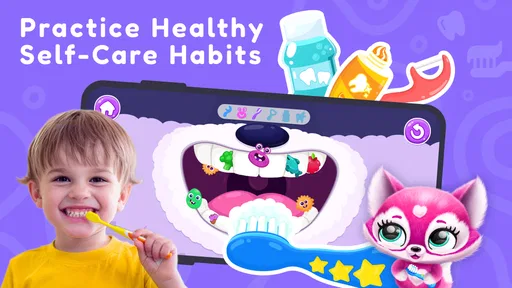


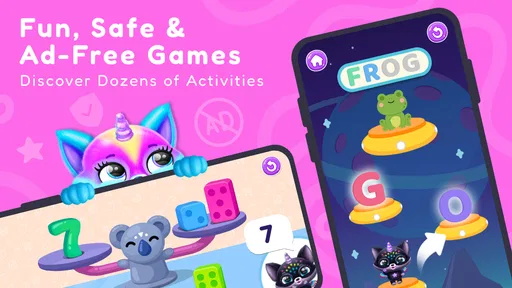
Analysis by Reviewed
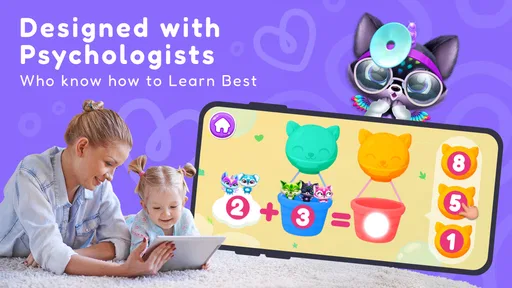
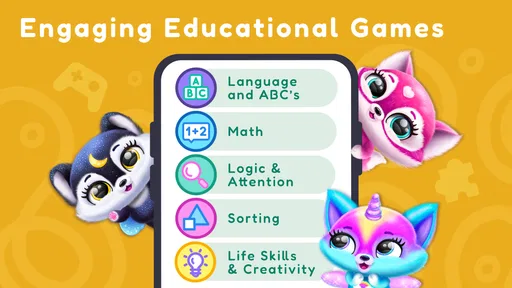
When I test a children’s game, I pay attention to more than whether the first few minutes are cute. I want to know if it fits naturally into a real household, whether a child can use it without constant adult rescue, and whether it gives parents a sensible reason to return to it. Fluvsies Academy - Kids Games is an educational game from TutoTOONS built around toddler-friendly learning, with activities connected to early math and everyday life skills. I found its strongest use case in short, shared-device sessions rather than long independent play.
The game is free to install and is rated for Everyone, which makes it easy to consider for a family tablet or a child’s first game collection. It has an average rating of 4.3 from around 500 ratings and has passed 100,000 installs. Those figures suggest that it has found an audience, but they do not replace the more important question: does its style of learning suit the child who will actually use it?
How it fits into a shared family device
In my experience, the best setting for this game is a household where a toddler sometimes borrows a parent’s phone or a shared tablet. The child can have a short turn while an adult is nearby, then hand the device back without the game needing to become the center of the entire afternoon. That makes it more practical than a title designed around long sessions or complicated progress systems.
A realistic example would be a child waiting while dinner is being prepared. An adult can offer a few minutes of play, watch how the child responds to the math or life-skill activity, and then stop at a natural point. The educational theme gives the session a clearer purpose than simply opening a random cartoon game, while the Fluvsies presentation helps keep the experience approachable for a young player.
Shared use also changes how I judge the game. A toddler may tap quickly, switch hands, or ask an adult to repeat an activity. That is not a flaw by itself; it is normal use. What matters is whether the game remains understandable when the child is not playing in perfect conditions. This is where the simple concept works in its favor, although parents should still expect to be present for some sessions.
I would not treat it as a complete replacement for hands-on learning. A child can practise recognizing quantities or thinking through a simple task on screen, but real objects, conversation, drawing, sorting toys, and helping with safe household routines provide experiences a mobile game cannot reproduce. I see this title as a convenient supplement, especially when a parent wants a focused activity rather than passive video.
What a parent should decide before handing over the device
The first boundary is time. Because the game is aimed at toddlers, I would decide in advance whether it is being used for a brief transition, a quiet break, or a longer supervised activity. Without that small plan, a child may naturally want to continue from one appealing moment to the next. The game can support learning, but it should not quietly become the default solution for boredom.
More From Our News Desk

Weather by Xiaomi Review: Clear at a Glance, Less Clear Up Close

X Under Pressure: Can It Recover When Posting Goes Wrong?

Clash of Clans Is Won Between the Battles

Android Auto Makes the Case for Quieter Car Software

MobiOffice: Transforming Mobile Productivity with Seamless Integration

EA SPORTS FC™ Mobile Soccer: Redefining Mobile Sports Gaming
The second boundary is the device itself. On a shared phone, notifications, messages, and unrelated apps can interrupt the experience or tempt a child to tap elsewhere. A tablet used only in a common room is easier to manage. I would also avoid handing over a device with important work open, not because this game is unusual, but because toddlers explore screens with enthusiasm and very little concern for what an adult considers important.
There is also a purchase boundary to consider. The game is free, but its in-app purchases range from $6.99 to $39.99 per item. That makes purchase protection and adult supervision especially important on a shared device. I would check the device’s purchase settings before the first session and make it clear that any paid choice belongs to the adult. This is a practical step that matters more than whether the child understands the difference between free content and an optional purchase.
The current version is 5.0.20 and the minimum operating system is Android 7.0. That makes it suitable for a number of older Android devices, but compatibility is not the same as comfort. A phone with a small screen may be harder for little fingers, while an older device may make loading or tapping feel less smooth. If the child struggles, I would first try a larger screen and a clean setup before assuming the activities are too difficult.
Coordinating play between adults and children
One useful way to use Fluvsies Academy is to turn each short session into a conversation. Instead of correcting every tap, I would ask the child what they think will happen next, invite them to count aloud, or connect an on-screen task with something nearby. If the activity involves an early math idea, counting cups, blocks, or fruit after the game can make the lesson feel less isolated.
This approach also helps adults notice the difference between not understanding and simply losing focus. Toddlers often know an answer but tap too quickly, or they may understand the task but become distracted by the characters. Watching the child for a few minutes gives a better picture than judging success from a single round. I prefer gentle prompts over taking the device away and completing the activity for them.
For households with more than one caregiver, a simple shared routine helps. One adult might use the game during a morning transition, while another uses it as a quiet activity later, but both should keep expectations similar. The point is not to create a formal lesson plan. It is to prevent the game from becoming a bargaining tool where every adult has a different rule about duration, purchases, or when play is appropriate.
I would also avoid treating the device as a progress report. If one child moves faster than another, that does not automatically mean the faster child is learning more. The value here is in practising basic ideas at a comfortable pace. A child who enjoys repeating a familiar activity may be building confidence, while a child who rushes through everything may need a slower, more interactive approach from an adult.
There is a useful trade-off in this kind of design. A focused educational game is easier to understand than a broad digital playground, but it may feel repetitive to an older preschooler who already handles the concepts comfortably. If the child begins guessing without thinking, I would switch to a real-world activity or a more advanced learning tool instead of extending screen time simply because the game remains available.
Age context, trust, and adult involvement
The Everyone content rating makes the game suitable for a broad audience, but toddlers are not all at the same developmental stage. A child who is still learning to control a touchscreen may need an adult to demonstrate the first activity. Another child may understand the task quickly but need help with patience and turn-taking. I would judge the fit by the child’s motor skills, language, and attention span rather than by age alone.
Trust in a children’s app comes from predictable use. I want the child to know what the game is for, and I want the adult to know when the device will be returned. Setting that expectation before opening the game reduces the familiar argument that begins when a child is asked to stop unexpectedly. A visual timer, a verbal countdown, or a promise to finish one activity can make the transition easier, even though those tools come from the household rather than the game itself.
I also recommend keeping the first few sessions close to an adult. This is not because the learning theme is inappropriate; it is because young children often need help interpreting instructions, recovering from an accidental tap, or understanding why a paid option is not theirs to select. Supervision is particularly sensible when the game is installed on a device used by several people.
Parents should think about whether they want an app that encourages independent exploration or one that works best as a shared activity. Fluvsies Academy sits somewhere in the middle for me. Its toddler-oriented concept is approachable, but the greatest educational benefit comes when an adult adds questions and real examples. If you need a completely hands-off experience that occupies a child while you work elsewhere, I would be more cautious about choosing it for that purpose.
The developer, TutoTOONS, gives the game a recognizable children’s entertainment identity, but I would still evaluate the actual experience rather than relying on the developer name. A familiar character style can attract a child, yet attraction is only useful if it leads to thoughtful play. In this case, the learning focus gives the presentation a clearer role than decoration alone.
Where it stands beside ordinary toddler alternatives
Compared with a general cartoon video, this game asks the child to respond rather than only watch. That makes it a better choice when the adult wants a little participation and practice. Compared with physical toys, however, it offers less sensory variety and less natural movement. Blocks, picture books, counting objects, and pretend play remain stronger when the goal is conversation, coordination, or imaginative freedom.
Compared with a broad collection of preschool mini-games, the academy theme feels more focused. That can help a family choose an activity with a learning intention instead of scrolling through unrelated options. The downside is that a narrower concept may not hold the attention of every child, particularly one who wants racing, construction, music, or open-ended creative play.
It is also different from a dedicated early-learning platform that may be chosen for a more structured curriculum. I would prefer a specialist learning service when a parent needs detailed progression, regular reporting, or a carefully sequenced teaching plan. Fluvsies Academy makes more sense for casual practice in a friendly game format, especially when the adult is willing to provide the structure around it.
One non-obvious strength is how easily it can become a bridge between digital and offline routines. A parent can use an activity as a prompt, then close the app and continue with household objects. That is more valuable than simply asking whether the child completed a screen challenge. One limitation is that this benefit depends on adult participation; without it, the game may remain an isolated burst of tapping.
Practical ways to get more from each session
I would begin by choosing one purpose for the session. For example, the goal might be counting carefully, following a sequence, or talking about a daily task. Trying to turn every activity into a full lesson can make play feel like work. A single question before and after the activity is often enough to connect the game with the child’s day.
Another useful habit is to let the child demonstrate before stepping in. If a toddler pauses, an adult may be tempted to tap the answer immediately. Waiting a little longer can reveal whether the child is thinking, exploring, or simply distracted. If help is needed, I would describe the next step rather than move the child’s finger for them. That preserves a sense of ownership.
For shared devices, I would keep the game in a predictable place and close unrelated apps first. I would also make the purchase rule simple: the child can play, but only an adult decides whether anything is bought. Since individual in-app items can cost between $6.99 and $39.99, this is not a detail I would leave to chance.
A final tip is to stop while the child is still doing well. Ending after a successful activity is usually easier than waiting until frustration appears. It also keeps the game associated with a manageable routine rather than a long struggle over the device. On the next day, the child can return without feeling that every session has to last longer than the previous one.
Who should choose it, and who should pass?
I would recommend this game to parents looking for a free starting point for toddler-friendly educational play, especially in a shared household where an adult can stay nearby. It is a reasonable fit for short practice with early math and everyday skills, and its Everyone rating makes it easier to consider for a family device.
I would be less enthusiastic for families seeking deep academic progression, detailed learning records, or a completely independent experience. I would also skip it if the child strongly prefers physical play and becomes frustrated by touchscreen tasks. In those cases, a book, manipulatives, or a more specialized educational option may deliver better results.
The free entry point is helpful, but the in-app purchase range means adults should prepare the device first. I would not let a toddler explore payment screens casually, and I would not assume that a child understands which parts of a game involve real money. This is a household-management issue rather than a reason to reject the learning concept, but it is important enough to shape my recommendation.
My overall view is positive with clear limits. Fluvsies Academy works best as a small, supervised learning moment that fits around family life. It is not a substitute for a parent, a teacher, or hands-on play, and it may not satisfy children who want a wider variety of game styles. But when a shared tablet needs one approachable activity that can lead into counting, discussion, and everyday examples, I think it earns a place in the rotation.
For my household verdict, I would install it when the aim is short, guided educational play rather than unlimited screen occupation. Keep the purchase boundary with the adults, choose a comfortable device, and use the activities as conversation starters. With those expectations, this free educational game from TutoTOONS is a useful companion for toddler routines, not because it does everything, but because it gives families an easy starting point for learning together.
Fluvsies Academy - Kids Games Frequently Asked Questions
Does Fluvsies Academy help children practise math and everyday skills?
Fluvsies Academy is presented as an educational game for toddlers, with playful activities intended to introduce math and key life skills. Its Fluvsie characters give young children a friendly way to approach learning through short, game-like challenges. It can complement everyday learning, while parents can help connect activities to skills children use outside the game.
What devices and operating systems can run Fluvsies Academy?
Fluvsies Academy is available for Android and iOS, and the Android version requires Android 7.0 or later. Before downloading, check that your device meets the relevant store’s compatibility requirements and has enough available space for installation. Keeping the device’s operating system and the game updated can also help provide a smoother experience.
What is Fluvsies Academy - Kids Games?
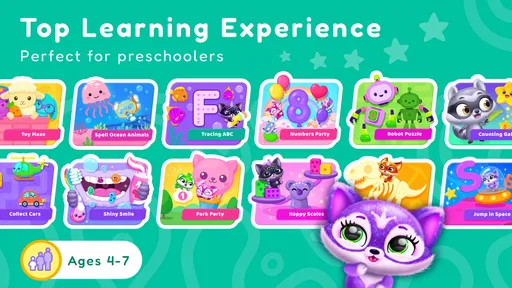
Fluvsies Academy - Kids Games is an educational app designed for young children, combining playful activities with basic learning concepts. Kids can interact with cute Fluvsie characters while exploring subjects and challenges related to early education. The colorful presentation, simple controls, and friendly animations make it approachable for preschool and early elementary-age children who learn best through short, entertaining activities.
What age group is Fluvsies Academy suitable for?
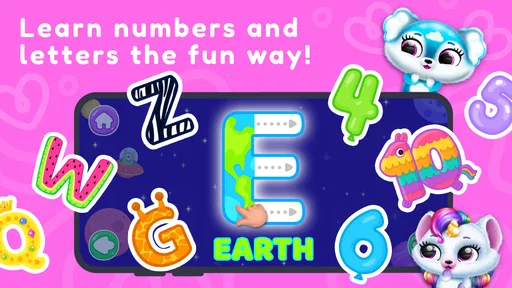
The app is primarily aimed at preschoolers and younger children who are beginning to recognize numbers, letters, shapes, colors, and other foundational concepts. Exact suitability depends on the child’s development and reading ability, since some activities may be easier with adult guidance. Parents should review the available lessons and difficulty level to decide whether the content matches their child’s age.
Does Fluvsies Academy require an internet connection?
Some parts of Fluvsies Academy may work after installation without a constant internet connection, which is useful for travel or play away from home. However, an internet connection can be required for downloading the app’s content, receiving updates, restoring purchases, or accessing certain features. Availability may vary by device and version, so testing the app offline before a trip is recommended.
Pros
- Simple controls make activities accessible for preschoolers.
- Bright animations and friendly characters keep children engaged.
- Short activities suit brief play sessions.
- Rewards encourage children to complete learning tasks.
- Works well as a gentle introduction to educational gaming.
Cons
- Some children may find the activities repetitive over time.
- Progression can feel limited for older preschoolers.
- In-app purchases may require parental supervision.
- The app may use considerable storage on some devices.
- Certain features may require an internet connection.













