Dr. Panda Train
- 13.00
- 3.7
- Installs
- 100.00K
- Price
- $3.99

Screenshots

Analysis by Reviewed
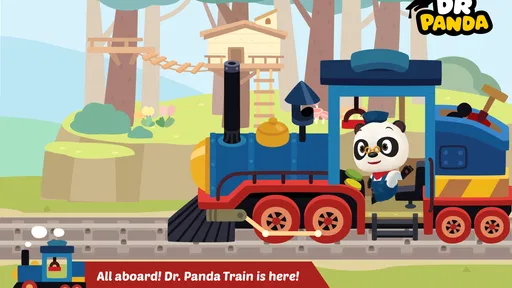
I approached Dr. Panda Train as a game for children who enjoy making things happen rather than following a strict win-or-lose challenge. Its central idea is easy to understand: children take control of a train, help passengers, move cargo, and explore the small responsibilities that make a railway journey work. That sounds simple, but the appeal comes from turning ordinary travel tasks into something a child can control at their own pace.
My first impression was that this is best treated as an educational pretend-play game, not as a lesson app with quizzes or a traditional train simulator. The experience encourages observation, sequencing, and gentle decision-making through interaction. It is aimed at Everyone, and the straightforward presentation makes it approachable for young players who may not yet be ready for complicated menus or fast reactions.
The game comes from Dr. Panda, a developer known for child-friendly interactive experiences. It has reached over 100 thousand installs and holds a 3.7 average from more than 400 ratings. Those figures suggest a reasonably established audience, although the rating also tells me that it will not be the perfect fit for every family. The important question is not whether a child likes trains in the abstract, but whether they enjoy open-ended routines and repeating familiar actions.
Where children may get stuck during play
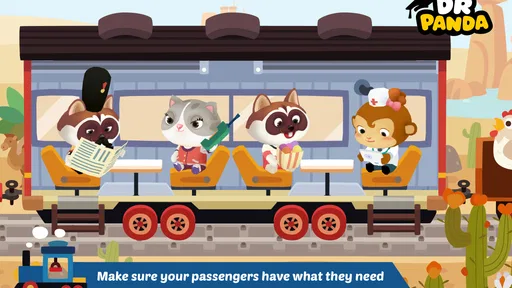
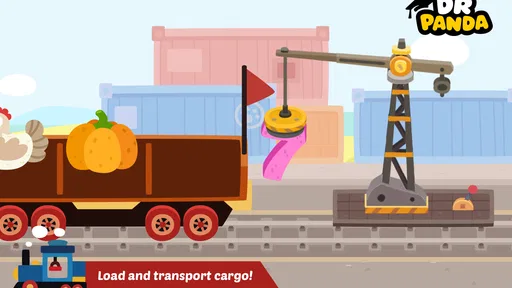
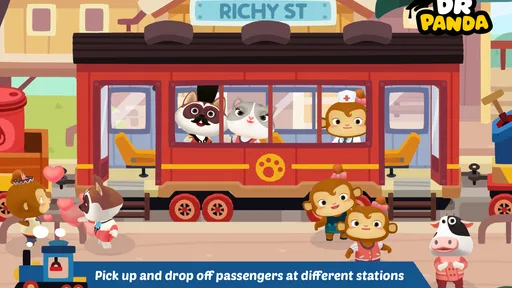
The most likely point of friction is not the train itself. Driving is the obvious attraction, but young players may need a little time to understand how the different parts of a journey connect. A child might know how to move the train yet hesitate when passengers need attention or when cargo has to be handled. That is not necessarily a flaw; it is part of the learning curve created by turning several small tasks into one trip.
I found it useful to let a child explore before explaining everything. If an adult immediately gives instructions for every action, the game can become a checklist. If the child is allowed to try, stop, and try again, the train becomes a setting for experimentation. A useful prompt is, “What do you think this part is for?” rather than telling them exactly what to press. That approach makes the activity feel more like play while still encouraging language and reasoning.
Another possible sticking point is the difference between a toy-like game and a goal-driven game. Children who expect points, races, levels, or a clear finishing screen may wonder what they are supposed to achieve. The experience is more satisfying for players who enjoy repeating a route, helping characters, and noticing what changes when they interact with the environment. For a child who needs constant rewards and obvious progress, a conventional puzzle game may be a better choice.
There is also a practical attention issue. A young player may begin enthusiastically, then abandon the train after a few minutes because the activity is deliberately calm. I would not interpret that as a technical problem. The game works better in short, relaxed sessions than as something to occupy a child indefinitely. It is particularly suitable for a quiet moment when an adult can sit nearby and talk about what is happening.
More From Our News Desk

Weather by Xiaomi Review: Clear at a Glance, Less Clear Up Close

X Under Pressure: Can It Recover When Posting Goes Wrong?

Clash of Clans Is Won Between the Battles

Android Auto Makes the Case for Quieter Car Software

MobiOffice: Transforming Mobile Productivity with Seamless Integration

EA SPORTS FC™ Mobile Soccer: Redefining Mobile Sports Gaming
How I would introduce the controls
I would start with one complete journey and resist the urge to demonstrate every interaction. Let the child take the controls, observe the passengers, and discover the cargo tasks in their own order. After that first attempt, I would ask them to repeat the trip while describing what they are doing. This turns a passive screen session into a simple sequence: notice, choose, act, and check the result.
That sequence is one of the more valuable aspects of the game. It gives children a safe place to practise planning without the pressure of failure. They can learn that a journey is not only about moving forward; it also involves preparing, helping others, and responding to what is in front of them. The lesson is subtle, but it is more meaningful than a generic matching activity because the actions belong to a recognizable situation.
Parents should also expect repetition. A child may perform the same passenger or cargo routine many times, and that repetition can look dull to an adult. In practice, repeating a familiar sequence is often how younger players build confidence. I would only step in if the child is genuinely frustrated or cannot identify what to do next. Otherwise, the repetition is part of the value rather than wasted play.
Setup checks before blaming the game
The game is listed for devices running Android 7.0 or later, so the first check is compatibility. On an older phone or tablet, the operating system matters more than the fact that the app is designed for children. Before paying or installing, I would check the device’s software version and available space, then make sure the device is updated through its normal system settings. A compatible operating system does not guarantee that every older device will feel equally comfortable, especially if the screen is small or the hardware is dated.
The listed price is $3.99, which makes the installation decision more deliberate than downloading a free toy for a quick test. I see that as reasonable for a parent who already knows the child enjoys this kind of imaginative play, but less attractive if the child only wants competitive racing. The price is easiest to justify when the game is used repeatedly during calm play sessions rather than opened once and forgotten.
I would also set up the device with the child’s physical use in mind. A tablet placed on a stable surface is likely to be easier for small hands than a phone held in one hand. If the child tends to tap rapidly or accidentally leave games, I would stay close during the first session and show them how to return to the game without changing unrelated device settings. This is general device preparation, but it prevents many complaints that sound like application failures.
Because the title is rated Everyone, it is clearly positioned for a broad audience. That does not mean every child will understand it immediately. Age ratings describe suitability at a broad level, while a child’s reading ability, patience, and familiarity with touch controls determine how independently they can play. A preschooler may need an adult beside them, while an older child may prefer to explore without help.
One small but important preparation step is to decide what “success” means before handing over the device. If the goal is ten minutes of quiet imaginative play, the game can meet that goal even if the child does not complete a particular sequence. If the goal is independent learning, allow more time for discovery. Many setup frustrations come from expecting a child-friendly game to behave like a structured tutorial.
Checks that make the first session smoother
- Check the operating system before installation, especially on an older Android device.
- Use a stable surface so small taps do not move the device around.
- Start with an adult nearby, but let the child make the first choices.
- Explain that the game is about running a journey, not winning a race.
- Keep the first session short enough that exploration remains enjoyable.
These steps do not add features to the game or change how it works. They simply match the environment to the kind of play it offers. In my experience, that distinction matters: a relaxed setup makes the train feel inviting, while a rushed setup can make ordinary discovery seem like confusion.
Recovering when a journey feels confusing
When a child says the game is stuck, I would first ask what they were trying to do immediately before the problem appeared. This is more useful than taking the device and tapping randomly. If the issue is that the child no longer knows the next step, I would retrace the last action and look for the unfinished part of the journey. A calm restart of the current activity is often more helpful than changing several settings at once.
If the app stops responding, the safest general recovery is to close it normally, reopen it, and try the same action once more. I would avoid repeatedly tapping the screen, because rapid taps can make it harder to tell whether the game or the device is responding. If the problem continues, restarting the device is a sensible next step. These are basic checks, but they preserve the child’s progress where possible and avoid unnecessary changes.
It is also worth separating a gameplay misunderstanding from a loading or performance issue. If the train moves and the child can interact with the scene, the game may simply be waiting for the player to notice a task. If the whole application freezes, the screen becomes unresponsive, or the device behaves strangely in other apps too, the cause may be broader than this title. That distinction prevents adults from “fixing” a problem that is really just part of the game’s open-ended design.
For a child who keeps forgetting what to do, I would turn the journey into a spoken routine. Ask them to say who needs help, what needs moving, and what they want to do next. This does not require a written guide and works well for children who are still developing reading skills. It also reveals whether the difficulty is with the controls, the sequence, or simply maintaining attention.
A useful recovery habit is to pause the session before frustration becomes the main memory of the game. Young players often return more successfully after a break, particularly when the earlier problem was caused by tiredness or overstimulation. Since the game is not built around urgent competition, there is little reason to push through a difficult moment. The calm format is an advantage here: stopping does not feel like losing.
When an adult should step in
I would help directly if the child cannot identify an interaction after several attempts, if the device is showing a genuine error, or if the child is becoming upset. I would not take over simply because they are playing more slowly than I would. The slower pace is where they practise noticing details and making choices. My role would be to point out possibilities, not to operate the train for them.
This balance is especially important because the game’s educational value comes from participation. If an adult completes the passenger and cargo tasks, the child sees a demonstration but does not build the same sense of control. A short question such as “What has not happened yet?” keeps the child involved and often leads them to solve the problem themselves.
When the app is not the cause of the problem
Not every disappointing session points to a defect. A child who wants a fast racing game may reject a carefully designed train activity because the pace feels too gentle. A child who prefers construction games may enjoy the cargo idea but want more freedom to build or customize. In both cases, choosing a different category would be more sensible than expecting this game to become something it was not designed to be.
Compared with a typical racing game, this experience places more attention on the journey and the people involved. There is less emphasis on speed, competition, and winning. Compared with a worksheet-style educational app, it offers fewer explicit questions and more situational learning. Compared with a large simulation game, it is easier for a young player to approach, but it will not satisfy someone looking for detailed railway management.
That comparison helps clarify the audience. I would recommend it to families looking for a gentle activity about trains, routines, and pretend responsibility. I would be more cautious for children who need constant novelty, score-based motivation, or increasingly difficult challenges. I would also skip it for an adult railway enthusiast expecting realistic controls, technical information, or a complex transport system.
Device conditions can create another false diagnosis. A nearly full device, an outdated operating system, poor touch response, or general slowdown may affect the experience even when other apps are involved. If several applications are behaving badly, I would check the device itself before reinstalling this game. Updating the system through standard settings, freeing ordinary storage, and restarting the device are sensible general measures.
The same applies to expectations around independent use. A game marked Everyone can still require supervision for a young child, particularly during installation, payment, or the first exploration session. If a parent expects to hand over a device and receive uninterrupted independent play, disappointment may come from the situation rather than the title. The better fit is a shared activity or a short period of nearby supervision.
How it fits into an everyday family routine
A realistic use case would be a child waiting while a parent finishes a small household task. Instead of presenting the game as a reward that must be completed, the parent could suggest one train journey and ask the child to explain what the passengers and cargo need. Afterward, the child can describe the route or repeat the activity independently. This gives the session a natural beginning and end, which is more manageable than leaving the game open without a plan.
It can also work as a conversation starter during shared play. An adult might ask why a passenger should be helped before the train continues, or what could happen if cargo is ignored. The child is not being tested, but they are practising cause and effect through a familiar setting. That makes the game more useful than a screen activity that is consumed silently and forgotten immediately.
For travel or waiting rooms, I would consider the calm pace a strength, provided the device is already prepared and the child understands the basic controls. The game does not need to be treated as a long-term curriculum. Its value is in giving a child a contained world where they can repeat practical actions and make choices without real-world consequences.
One trade-off is that the adult may enjoy the first discovery more than the tenth repetition. If a family wants something that grows steadily harder, this may feel limited over time. If the child enjoys returning to the same pretend world and finding comfort in familiar routines, that same quality becomes a reason to keep it installed.
My practical verdict after using it
Dr. Panda Train is a focused educational game built around imaginative railway play. I like it most when I think of it as a digital playset: the child drives, helps, handles tasks, and learns through repeating a meaningful sequence. It is not trying to replace a reading lesson, teach advanced transport concepts, or deliver competitive thrills, and judging it by those standards would be unfair.
The 3.7 average shows that the experience has mixed reactions, so I would not recommend buying it blindly for every child. The $3.99 price is easier to support when the child already enjoys trains, role-play, and calm exploration. The Everyone rating and Android 7.0 requirement make the basic audience and device starting point clear, while version 26.3.13 identifies the current version to look for when checking an installation.
My strongest recommendation is to treat the first session as guided discovery rather than a test. Check the device first, explain that there may not be a conventional race or score to chase, and let the child control the order of actions. If something feels stuck, retrace the last task before assuming the app has failed. Those small choices make the experience more rewarding and also reveal quickly whether the child’s preferences match the game.
I would choose it for a young train fan who likes helping characters and repeating everyday routines. I would choose a racing title for a child who wants speed, a puzzle app for someone who needs clear challenges, and a deeper simulator for an older player seeking technical detail. For the right child, though, this gentle approach is exactly its strength: it turns a train into a small world of responsibility, exploration, and conversation.
Dr. Panda Train Frequently Asked Questions
How much does Dr. Panda Train cost, and what should I check before downloading?
Dr. Panda Train is a paid game, so you can check its price on the relevant app store before downloading. It is listed at $3.99. Make sure you are viewing the listing for your device and platform, and check that your device meets the minimum operating-system requirement. The game is rated for Everyone, making it an option for families looking for a child-friendly train game.
What is Dr. Panda Train, and what can children do in the game?
Dr. Panda Train is a child-friendly interactive game in which children take control of a colorful train and explore different locations. Players can choose passengers, load cargo, operate the train, and discover playful activities along the route. The experience is designed around open-ended exploration rather than winning, losing, or completing difficult missions.
Is Dr. Panda Train suitable for young children?
The game is generally designed for preschool and early elementary-aged children, with simple controls and an intuitive interface that makes it easy to begin playing without extensive instructions. Activities are gentle and non-competitive, so children can explore at their own pace. Its Everyone age rating also makes it broadly suitable for family use, though parents can still review the game before downloading.
Does Dr. Panda Train require an internet connection to play?
After the application has been installed, much of the core gameplay can typically be enjoyed offline, which is convenient for travel or situations without reliable mobile data. However, internet access may be needed for the initial download, updates, restoring purchases, or accessing certain store-related functions. Availability of offline features can vary by device and app version.
Does Dr. Panda Train include advertisements or in-app purchases?
Dr. Panda Train is presented as a child-focused premium experience rather than a game built around constant advertising or aggressive monetization. It is listed as a paid game, and parents should check the official Google Play or App Store listing for the purchase terms on their platform. It is also wise to review device purchase settings when children use the device.
Pros
- Simple controls make it easy for young children to play independently.
- Bright
- friendly visuals are appealing without being overly stimulating.
- Passengers and scenery encourage imaginative storytelling during play.
- Works well for short play sessions and casual offline entertainment.
- Train interactions provide gentle cause-and-effect learning opportunities.
Cons
- Gameplay may feel repetitive once children discover the main interactions.
- Limited challenge can make it less engaging for older preschoolers.
- Some devices may experience performance issues or longer loading times.
- The app offers little educational guidance beyond basic exploration.
- Parents should check in-app purchase and privacy settings before use.











