Critical Action:Gun Strike Ops
- 1.13K
- 4.3
- Installs
- 100.00M
- Price
- Free

Screenshots
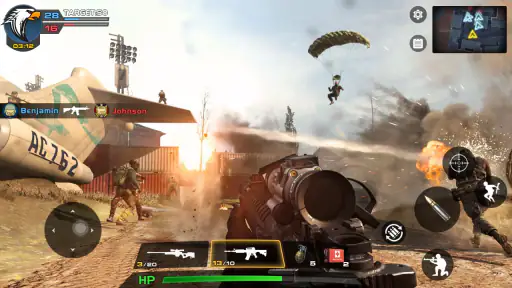
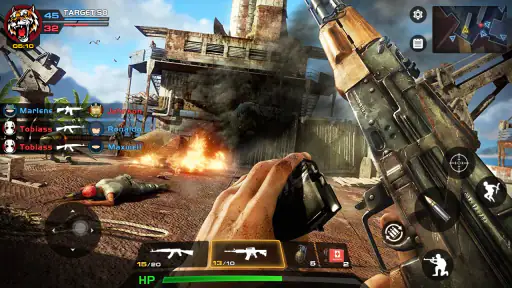
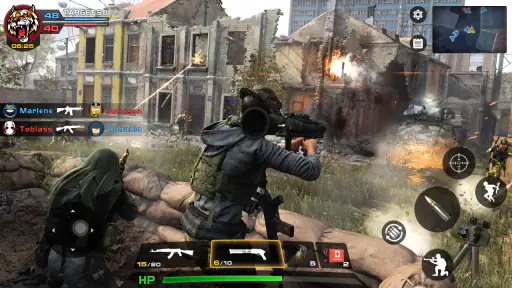
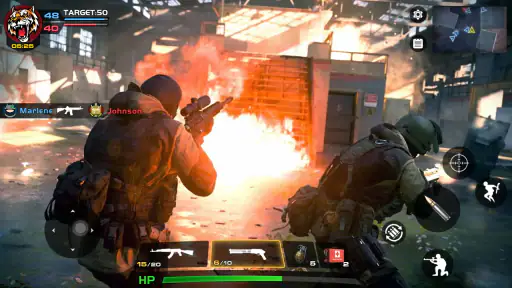
Analysis by Reviewed
I tend to judge mobile shooters by what happens in the first few minutes: can I understand how to begin, and does the game give me a reason to keep going? Critical Action: Gun Strike Ops is an adventure shooter built around action missions, with a presentation that aims for a compact, cinematic feel. It is free to play, though optional in-app purchases range from $0.99 to $49.99 per item, so I would go in expecting a free starting point rather than assuming every progression choice is cost-free.
Where the first-session friction can appear
The game’s appeal depends on getting past its opening and settling into its shooting rhythm. A quick tutorial can help, but I would still take a moment to learn how movement and aiming feel before rushing through a mission. Touch controls that seem obvious in a calm moment can become awkward once enemies and objectives compete for attention. If a first attempt feels messy, that is not necessarily a sign the game is a poor fit; it may simply take a little practice to coordinate moving, aiming, and firing.
One practical way to make the opening less frustrating is to treat the first mission as a control check rather than a performance test. Notice whether you can keep your aim steady while changing position, and whether the screen feels comfortable to use on your device. That small pause can help distinguish a genuine preference issue from ordinary mobile-shooter adjustment. I would also avoid judging the whole game by one rushed session: the missions are more enjoyable when I can focus on their objectives instead of fighting the interface.
Simple checks before settling in
Critical Action is listed for Android 7.0 and later, and the current version is 2.9.04. Before installing, I would check that the device meets that minimum and has enough free space for the download and normal system use. If an install stalls, a sensible first step is to check the connection and available storage, then retry through the usual app-store process. Those checks are basic, but they prevent a device or connection issue from being mistaken for a problem with the game itself.
The game is marked Teen, which is worth keeping in mind when choosing it for a younger player. Its shooter premise and combat focus are not a great match for everyone, even if the game is being considered mainly for its action. I also like to decide in advance whether I am comfortable with optional purchases in a free game. The per-item range is broad enough that I would keep spending intentional, rather than tapping through purchase prompts without checking what they cost.
Recovering a session without guesswork
If a mission does not go smoothly, I find it more useful to change one thing at a time than to restart and repeat the same approach. Slow down, pay attention to the objective, and try a different position or weapon choice if the game gives you that option. A small adjustment can reveal whether the difficulty came from aim, timing, or simply not having understood what the mission required. That is a better learning loop than treating every failure as a reason to spend.
For technical hiccups, I would first close and reopen the game, then check whether the device has a stable connection if a mode or screen is not responding as expected. If the issue continues, restarting the device and checking for an available game update are reasonable next steps. I would avoid deleting progress or reinstalling as an early fix unless I knew how my progress was stored. That cautious order matters in any game where you have already invested time in missions or upgrades.
More From Our News Desk

Weather by Xiaomi Review: Clear at a Glance, Less Clear Up Close

X Under Pressure: Can It Recover When Posting Goes Wrong?

Clash of Clans Is Won Between the Battles

Android Auto Makes the Case for Quieter Car Software

MobiOffice: Transforming Mobile Productivity with Seamless Integration

EA SPORTS FC™ Mobile Soccer: Redefining Mobile Sports Gaming
When the game may not be the problem
Not every rough session points to a flaw in the game. A crowded screen, an uncomfortable grip, interruptions, or a weak connection can all make a shooter feel less responsive than it does in a calmer setting. If aiming feels inconsistent, try playing somewhere you can hold the phone steadily and give the controls your full attention. If the game behaves differently across sessions, checking the device and connection before changing your play strategy can save a lot of needless frustration.
There is also a preference question: a mobile shooter asks for more direct attention than a turn-based adventure or a slower story game. I would not choose this when I want something that can be paused mentally at every moment, or when I mainly want exploration and dialogue. It suits short bursts of focused action better than a relaxed background game. Players who dislike touch aiming may be happier with a different genre or a shooter whose control style they already know they enjoy.
Getting into the Action
From the moment you launch Critical Action: Gun Strike Ops, you’re greeted with an intuitive interface that makes jumping into the action a breeze. The game starts off with a quick tutorial, which I appreciated because it doesn’t bog you down with too much info. It’s like the game is saying, "Hey, let’s get you to the good stuff as fast as possible!"
Gameplay and Mechanics
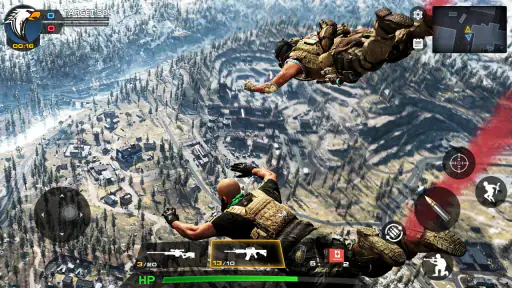
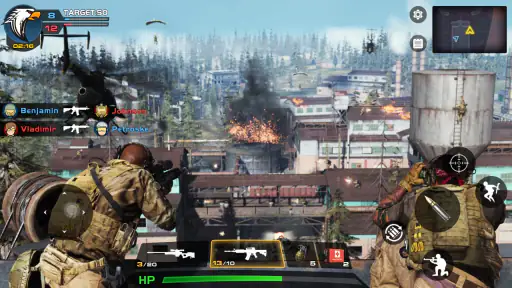
Once you’re past the initial setup, you’ll find yourself immersed in a series of intense missions. The controls are super slick—think smooth joystick movements and responsive firing mechanisms. I felt like a tactical genius as I navigated through different terrains, taking down enemies with precision. There’s something deeply satisfying about lining up that perfect shot, and the game’s mechanics make it effortless.
The variety of missions is another standout feature. Whether you’re rescuing hostages or defusing bombs, each mission requires a different strategy. It keeps things fresh and prevents that dreaded "same old, same old" feeling. I was genuinely excited to see what the next mission had in store.
Graphics and Sound
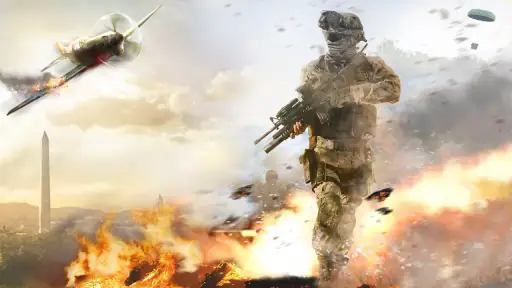
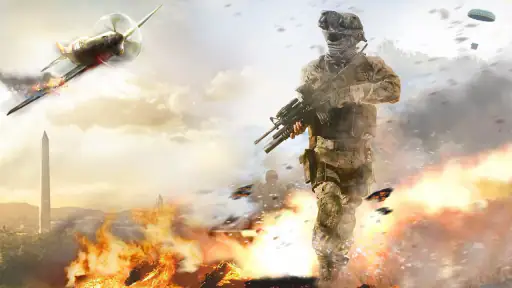
Let’s talk about the visuals for a sec. For a mobile game, the graphics are pretty darn impressive. The environments are detailed, and the character models are well-designed. It’s not photorealistic, but it’s definitely easy on the eyes. The explosions and effects add a nice touch of realism without overdoing it.
And the sound? Oh man, the sound design is spot on. From the whizzing of bullets to the distant thud of grenades, every sound adds to the immersive experience. I found myself turning up the volume just to soak in the ambiance. It’s like having a mini action movie in my pocket.
Customization and Weapons
Now, let’s chat about one of my favorite aspects: the customization options. You can tweak your loadout to suit your playstyle. Prefer sneaking around with a silencer? You got it. Want to go in guns blazing with a heavy machine gun? Totally doable. The game offers a wide array of weapons, each with their own pros and cons, so you can experiment and find what works best for you.
Upgrading weapons is also super satisfying. You earn currency as you complete missions, which can be used to improve your arsenal. Honestly, there’s a certain thrill to seeing your weapons evolve alongside your skills.
Multiplayer Mode
If you’re a fan of social gaming, the multiplayer mode is where Critical Action really shines. Teaming up with friends or going head-to-head in intense battles adds a whole new layer of excitement. It’s competitive, it’s fun, and it’s a great way to show off your skills.
The matchmaking is quick, and I rarely found myself waiting for more than a minute to jump into a game. Plus, the community is active, which means you’ll always have someone to play with.
Choosing the right way to play
For a quick everyday session, I would use the solo missions when I have a small stretch of uninterrupted time: on a break, for example, when I can finish an objective rather than leave halfway through. Multiplayer is a better fit when I have time to concentrate and want the added unpredictability of other players. If I am tired or likely to be interrupted, I would choose a less demanding game instead of expecting a competitive match to work as a casual background activity.
Compared with slower adventure games, this one puts immediate combat and weapon choices at the center rather than asking me to settle into a long story. Compared with a more simulation-focused shooter, its appeal is the quick route into missions and a straightforward action mood, not a promise of deep tactical realism. That makes it easier to recommend to someone who wants accessible mobile shooting, but less suitable for a player seeking a detailed military sim or a story-led campaign.
Who will get the most from it
I would point action fans toward this game if they enjoy switching between mission objectives, adjusting a loadout, and then testing those choices in combat. Someone who likes experimenting can make a useful habit of changing only one weapon choice at a time; that makes it easier to tell whether a new setup actually suits their aim and pace. The trade-off is that upgrades and optional purchases can make progression feel less appealing to anyone who wants every path to be entirely free of spending decisions.
The developer is FPS Shooter & Action Game, and the game has a 4.3 average from around 218,000 ratings, with over 100 million installs. Those figures suggest it has found a broad audience, but popularity does not settle the personal question of whether its controls and combat style suit you. I would use the first sessions to answer that for yourself before investing much time or money.
Making a short session count
A useful routine is to decide what you want from a session before opening the game: progress through a solo objective, practise with a weapon, or join a match for a more competitive change of pace. That simple choice helps avoid drifting between menus or starting something demanding when you have only a few minutes. If I have a brief break, I would lean toward a mission with a clear goal; if I have company and uninterrupted time, multiplayer has a stronger case.
I would also resist upgrading several weapons at once just because the option feels rewarding. Keeping one familiar choice gives me a baseline, while a second setup lets me test a different approach without losing track of what actually helped. This is especially useful on a touchscreen, where a weapon that looks powerful may not suit my aim or the way I move. The best loadout is not automatically the one with the biggest appeal on paper; it is the one I can handle reliably under pressure.
What to expect from the offline angle
The game is presented as an offline shooter, which makes it appealing when I want action without planning around a group of friends. I would still treat online-dependent screens or multiplayer as a different situation: a stable connection is a sensible check whenever a mode is not loading or responding. In practice, the offline appeal is most useful for fitting a solo session around travel or a quiet moment, while connection quality matters more when I choose to play socially.
That distinction also helps answer whether it is a good travel choice. It can be a reasonable option if I want a mission-based shooter available for a stretch of downtime, but I would open it before relying on it away from home and make sure the part I want to play behaves as expected. I would not assume every feature works the same way without a connection. A little preparation is more useful than discovering a mode limitation after settling in somewhere with poor reception.
Keeping purchases in perspective
Because the game is free to start, the main decision is not whether to pay upfront but whether optional spending belongs in the way I want to play. I would first see how much enjoyment I get from the missions and normal progression before considering a purchase. If a prompt appears during a frustrating stretch, that is exactly when I would pause and decide whether I genuinely want the item or am reacting to a difficult moment.
For parents choosing a game for a teenager, I would make that spending conversation part of the setup rather than leaving it until a purchase prompt appears. The Teen rating and combat premise are also reasons to consider whether the tone fits the player. A free download can still involve real purchase decisions, so clear expectations are useful for both younger players and adults who prefer to keep entertainment spending controlled.
Final Thoughts
So, is Critical Action: Gun Strike Ops worth your time? Absolutely. It offers a fantastic blend of solo missions and multiplayer fun, all wrapped up in a visually appealing package. Whether you’re a casual gamer or a hardcore shooter fan, there’s something here for everyone.
In short, if you’re looking for a game that’s packed with action, offers a ton of customization, and keeps you on the edge of your seat, give Critical Action a shot. It’s one of those games that’s hard to put down once you start. Happy gaming!
My practical verdict
I would try it for its mission-based action and the option to move between solo play and multiplayer, while keeping expectations grounded: touch controls and purchase choices may not suit everyone. It is a reasonable pick for someone who wants a free adventure shooter to sample, especially if they enjoy learning a weapon setup through play. If I wanted a quieter pace, a stronger story focus, or a more measured shooter experience, I would choose another game instead.
Critical Action:Gun Strike Ops Frequently Asked Questions
Can I play Critical Action: Gun Strike Ops on my device?
Critical Action: Gun Strike Ops requires Android 7.0 or later, so check your device’s operating system before downloading. The game is available for Android and iOS, and its first-person shooter format is designed for mobile play. Making sure your device meets the minimum requirement can help you avoid installation problems and decide whether the game is suitable for your phone or tablet.
Is Critical Action: Gun Strike Ops free to download, and does it include optional purchases?
Critical Action: Gun Strike Ops is free to download, so you can try its shooter gameplay without paying upfront. It also offers in-app purchases, with individual items priced from $0.99 to $49.99. These are optional spending opportunities to keep in mind before installing, especially if younger players may use the device. The game is listed as version 2.9.04, and it requires Android 7.0 or later.
What is Critical Action: Gun Strike Ops?
Critical Action: Gun Strike Ops is an engaging first-person shooter game available on Android and iOS platforms. It offers players a fast-paced, action-packed gaming experience with a variety of missions and challenges. The game features offline play, allowing you to enjoy intense combat scenarios without needing an internet connection. Its premise is a counter-terrorist adventure focused on saving the world, presented as a 3D FPS.
Does Critical Action: Gun Strike Ops require an internet connection?
No, Critical Action: Gun Strike Ops can be played offline, which is one of its standout features. This means you can enjoy the game anywhere, without the need for a stable internet connection. However, certain features like updates and social sharing might require online access.
What are the main features of Critical Action: Gun Strike Ops?
Critical Action: Gun Strike Ops offers a range of exciting features, including a wide variety of weapons, immersive 3D graphics, and challenging missions. The game provides smooth controls and realistic sound effects, enhancing the overall gaming experience. Players can also unlock new levels and weapons as they progress.
Pros
- Engaging gameplay with varied missions
- Smooth controls enhance shooting experience
- Impressive graphics for mobile platform
- Offline mode available for solo play
- Regular updates with new content
Cons
- Occasional in-app purchase prompts
- Limited multiplayer features
- Some ads can be intrusive
- Requires significant storage space
- Gameplay can become repetitive
- Category
- Adventure
- Version
- 2.9.04