BonBon Life World Make Stories
- 172.00
- 4.3
- Installs
- 5.00M
- Price
- Free

Screenshots
Analysis by Reviewed
I like that BonBon Life World Make Stories gives a child a clear starting point for pretend play without asking them to follow a fixed level or win condition. The useful question is less “What do I unlock?” and more “What little scene can I make with what I have?” That makes it a better fit for open-ended play than for someone looking for puzzles, a campaign, or a structured lesson.
A simple routine makes the creative freedom easier to use
For a first session, I’d keep the goal small: choose one setting, pick a couple of characters, and give them a reason to be there. A child might make a shop visit, a family meal, or a rescue in a made-up town. Starting with one scene prevents the large number of possible combinations from becoming overwhelming, and it gives the story a shape before anyone starts moving characters around.
On a busy afternoon, this can work as a short, quiet activity while dinner is being prepared: let a child set up a scene, then ask what each character wants and what should happen next. The adult can join in as a co-player rather than taking over. That small prompt turns dressing up and arranging figures into a bit of narrative practice, while still leaving the child in charge.
Make choices deliberately, not all at once
Because the appeal is in combining characters, clothes, objects, and locations, I’d avoid trying to inspect everything in one sitting. A more comfortable habit is to choose a theme first—such as a celebration or a day outdoors—and build around it. If the scene feels cluttered, remove one character or prop instead of adding more. That simple edit often makes the action easier to follow when you replay or record it.
It’s also worth checking the app’s available settings together before handing it over for independent play. Keep the device’s sound and screen controls at a comfortable level, and make sure a younger player knows how to return to the scene they were making. I wouldn’t assume every child will find every menu obvious just because the main play area feels approachable; a quick guided start can prevent accidental exits and frustration.
Where it fits among creative games
Compared with drawing apps, this game gives children ready-made characters and places to arrange, so they can get into role-play without first learning to draw. Compared with storybooks or games built around missions, it leaves more decisions to the player but offers less direction. That trade-off is the point: it suits imaginative children who enjoy inventing dialogue and situations, while a child who wants clear goals may prefer a more guided game.
Discovering the Magic of BonBon Life World Make Stories
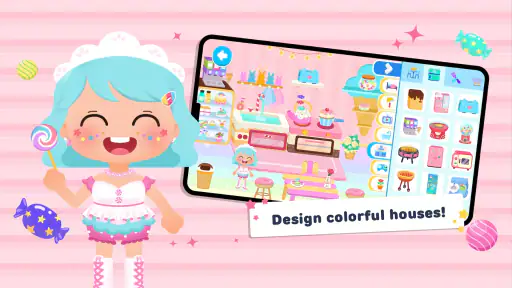
When I first stumbled upon this app, I was immediately drawn to its charming and colorful visuals. It’s like stepping into a world where everything is vibrant and full of life. The app’s interface is intuitive, making it super easy to navigate even for folks who aren’t exactly tech-savvy.
More From Our News Desk

Weather by Xiaomi Review: Clear at a Glance, Less Clear Up Close

X Under Pressure: Can It Recover When Posting Goes Wrong?

Clash of Clans Is Won Between the Battles

Android Auto Makes the Case for Quieter Car Software

MobiOffice: Transforming Mobile Productivity with Seamless Integration

EA SPORTS FC™ Mobile Soccer: Redefining Mobile Sports Gaming
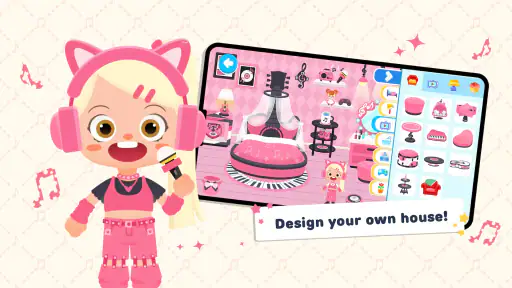
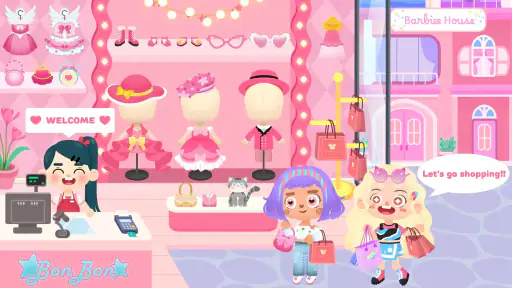
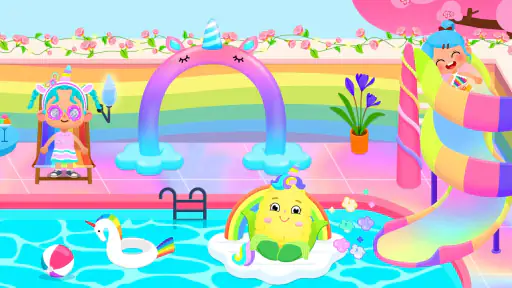
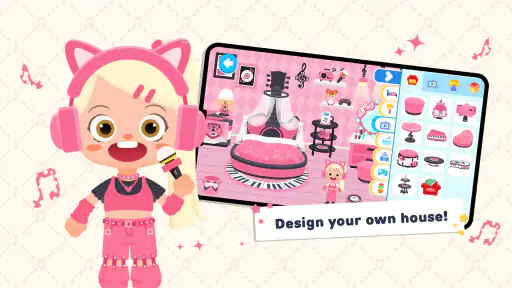
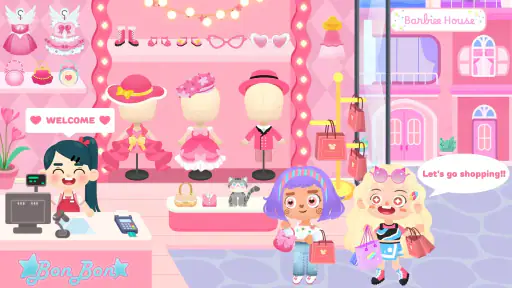
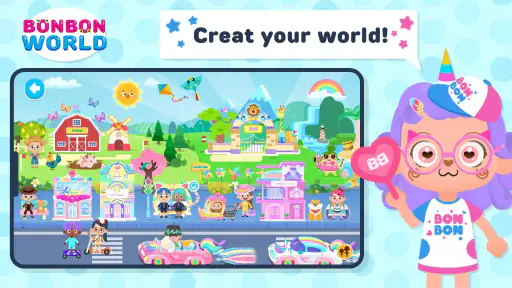
Once you dive in, you’ll find a plethora of characters and locations to play with. From bustling cities to serene countryside landscapes, each setting offers a unique backdrop for your stories. And the best part? You can customize these characters with a wide array of outfits and accessories. It's like having your own digital dress-up game combined with storytelling!
Endless Creativity at Your Fingertips
What truly sets BonBon Life World Make Stories apart is its emphasis on creative freedom. The app allows you to move characters around, interact with objects, and even record your stories to share with friends or family. It’s like being a director of your own mini-movie!
I found myself spending hours experimenting with different plots and scenarios. One moment, I was orchestrating a grand pirate adventure, and the next, I was crafting a cozy tea party in a magical forest. The possibilities are truly endless, and it’s incredibly satisfying to see your ideas come to life in such a playful manner.
Sharing Your Stories with the World
Once you’ve created your masterpiece, the app makes it easy to showcase your stories. You can save your projects and share them with others, allowing you to receive feedback and inspire fellow creators. It’s a wonderful way to connect with a community of like-minded individuals who are just as passionate about storytelling as you are.
Whether you're a budding storyteller or just looking for a fun and engaging way to pass the time, BonBon Life World Make Stories is an app worth checking out. It’s a delightful escape into a world where your creativity knows no bounds, and every day brings a new opportunity to make something magical.
So, if you’re ready to let your imagination run wild, give this app a try. You might just find yourself lost in a world of your own making, and trust me, it’s a wonderful place to be.
What to expect from a first session
BonBon Life World Make Stories is a free educational game from BonBonGame.com, rated for Everyone. It has an average rating of 4.3 from around 14,000 ratings and has passed 5 million installs. Version 3.5.0 is listed for devices running Android 7.0 or later, and the game was released on February 5, 2024. Those figures suggest a well-established audience, though they don’t tell you whether a particular child will enjoy open-ended play; a short, supervised try is still the best test.
One practical question is whether the game works for a child who cannot yet plan a whole story. I think it can, provided an adult models a tiny sequence first: place a character, give them a simple purpose, then decide what changes. Another is whether it is best played alone or together. Both can work, but joint play is useful at the start because a grown-up can show how to turn moving figures into a beginning, middle, and ending without dictating the plot.
The recording and sharing angle also deserves a little thought. I’d treat a recorded scene as a keepsake or something to show a trusted person, and let the child decide what they want to present. Before sharing anything beyond the device, an adult should review the destination and the child’s comfort level. The creative part is valuable on its own; there’s no need to publish a story for it to feel complete.
Limits that matter in everyday use
Open play can be a weakness as well as a strength. A child who expects instructions, timed challenges, or a clear “next task” may quickly ask what to do, and the adult may need to offer a prompt. Likewise, if a child prefers making a picture from scratch, a drawing app gives more direct control over the image; if they prefer a story with a set plot, a guided narrative game is likely a better match. This game’s strongest use is imaginative staging, not teaching a formal skill through a sequence of lessons.
I’d also set expectations around attention and stopping. A scene can keep changing as new ideas arrive, so agreeing on a stopping point—finish the current mini-story, then save or put the device away—helps avoid a vague session that drifts on. For siblings, taking turns choosing the setting or the next action can make play more collaborative, though children who strongly want control of every character may be happier playing separately.
Who I’d recommend it to
With an average rating of 4.3 from about 14,000 ratings, this free game has found plenty of players, but popularity is not a substitute for fit. I’d recommend it to children who enjoy dress-up, toy-world role-play, and making up dialogue, especially when an adult is available to help them get started. I’d skip it for a player who mainly wants competitive goals, carefully graded educational exercises, or a story that unfolds without needing to invent the next event.
My most useful habit is to keep a scene small, save or record it when it feels complete, and start the next session with a different premise instead of endlessly adding props to the old one. That gives the play a natural rhythm and makes it easier to revisit favorite characters in new situations. In that role, BonBon Life World Make Stories is an inviting creative toy: not a substitute for every kind of children’s game, but a pleasant choice when the aim is to make up a world together.
Small habits that help stories take shape
One useful way to keep a child engaged is to let them choose the setting while you give the scene a gentle constraint: “This takes place before bedtime,” or “Someone has lost something.” A small boundary can make the next move easier without turning play into a test. I’d avoid supplying the whole plot; the point is to give the child a foothold, then let them decide how the characters respond.
Another repeatable pattern is to create a clear ending before recording. Ask what the last moment should be, then work backwards to place only the characters and objects needed for it. This can be less fiddly than building a large world first and hoping a story appears. It also gives a child a satisfying stopping point when the available play time is short.
Choosing the right kind of screen activity
For a child who likes arranging toys, changing outfits, and speaking for different characters, this is a more direct digital version of pretend play than a conventional educational quiz. The activity centers on making a scene, not answering questions correctly. That distinction matters for parents choosing an app to occupy a particular moment: it can encourage imaginative decisions, but it is not the best substitute for practice with a specific school subject.
It may also suit a child who hesitates to draw. The ready-made settings and figures remove the pressure of making every visual element from scratch, so the child can focus on who is present and what is happening. On the other hand, children who want to sketch their own characters, control every visual detail, or build a story through written text may get more out of a drawing or writing activity.
Keeping independent play manageable
If a child is going to play without an adult beside them, I’d first agree on a simple routine: choose a scene, make one change at a time, and stop after finishing a small story. This is more useful than trying to teach every control at once. If they get stuck, a prompt such as “What does this character want?” gives them a way forward without requiring an adult to solve the scene for them.
For younger children, I’d also check whether they can comfortably navigate back to their play after exploring menus. A brief practice run together can reveal whether they need a reminder or a little more support. This is a practical check, not a reason to hover over every choice; once the basic routine feels familiar, independent experimentation is part of the appeal.
Where experienced play has limits
There is a difference between getting faster at arranging a scene and finding a deeper challenge. Reusing a familiar setup can make it easier to start, but it does not turn open-ended play into a progression with goals or increasingly difficult tasks. If a child has already lost interest in inventing situations, changing costumes or locations may not be enough to bring that interest back.
I would also keep the sharing step optional. Recording can give a child a reason to shape a beginning and ending, but it can also shift attention toward making something presentable. If that starts to feel like pressure, simply playing out the scene is a perfectly good outcome. For a family that wants a saved record, an adult can help choose a finished moment rather than asking the child to document every session.
My verdict after weighing the fit
BonBon Life World Make Stories works best when the adult treats it as a set of playful materials rather than a lesson plan. Its appeal is in letting children stage small everyday dramas, invent unusual adventures, and revise scenes as ideas change. I’d introduce it with a short shared session, then see whether the child begins proposing their own characters’ motives and next steps. That is a better sign of fit than simply tapping through the available choices.
If your priority is a calm creative activity that can flex between solo play and a little family storytelling, I think it is worth trying. If you need explicit learning objectives, tightly guided challenges, or a game that reliably tells a child what to do next, choose something more structured. The best use here is modest and specific: give a child a few characters, a place, and room to imagine what happens.
BonBon Life World Make Stories Frequently Asked Questions
Is BonBon Life World Make Stories free to download?
BonBon Life World Make Stories is free to download, so you can try its world-building and storytelling activities without paying upfront. The game also offers optional in-app purchases, which are covered in more detail below. If you manage downloads or spending for a child, it is sensible to check your device’s purchase settings before handing over access.
Who develops BonBon Life World Make Stories, and how popular is it?
BonBon Life World Make Stories is developed by BonBonGame.com. It has earned a 4.3 average from around 14,000 ratings and has been installed over 5 million times, suggesting that many players have tried its creative play experience. Ratings are only one part of deciding whether a game suits you, so its open-ended approach and features are worth considering too.
What should I know about the age rating before downloading BonBon Life World Make Stories?
BonBon Life World Make Stories is rated Everyone, making it suitable for a broad audience. Its focus on building a world, designing characters, and creating stories gives children and families an imaginative activity to explore. As with any game used by a child, parents may want to review the experience together and decide whether it suits their child’s interests.
What kind of game is BonBon Life World Make Stories, and what can I do in it?
BonBon Life World Make Stories is an educational game centered on imaginative play. You can build a dream world, design characters, and use them to make and play out unique stories. Rather than following one fixed objective, the experience invites you to create your own settings and scenarios, so the activities can change as your ideas develop.
What is the main objective of BonBon Life World Make Stories?
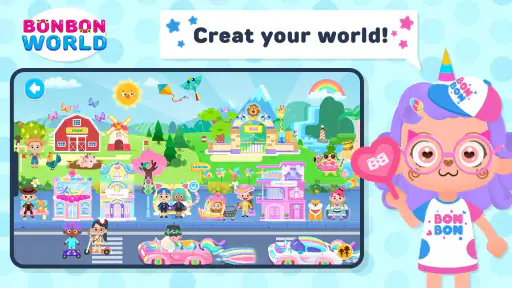
BonBon Life World Make Stories is a creative sandbox game where players can build and customize their own worlds. The main objective is to stimulate creativity by allowing users to create stories and scenarios using a wide variety of characters, items, and environments. Whether you're designing a bustling cityscape or a serene countryside, the possibilities are endless.
Pros
- Rich variety of customizable characters.
- Engaging story creation elements.
- Intuitive user interface.
- Frequent updates with new content.
- Encourages creativity and imagination.
Cons
- In-app purchases can be expensive.
- Some features require internet access.
- Occasional ads interrupt gameplay.
- Limited options in free version.
- Requires significant storage space.
- Category
- Educational
- Version
- 3.5.0











