Baby Panda's Kids School
- 32.00
- 4.4
- Installs
- 10.00M
- Price
- Free

Screenshots



Analysis by Reviewed
I look at Baby Panda's Kids School as a playful starting point for early learning, especially for families who want short, child-friendly activities rather than a formal lesson. It is an educational game from BabyBus, built around colorful characters, cartoons, and interactive play. That mix can make it easier to invite a young child to explore, though it works best as a supplement to conversation and hands-on activities, not as a replacement for them.
Choosing the right moment to play
I find this kind of game most useful when a child has a little time to spare and an adult can stay within reach. A short session before dinner, a quiet break at home, or a wait when there is no easy way to bring out toys can give a child something engaging to do. I would not use it as the default answer whenever a child is bored, though. Keeping it for occasional play makes it easier to notice which activities genuinely hold their interest and to end the session without turning the game into a negotiation.
For a child who likes trying different things, the variety can make starting easier than opening a workbook or asking them to practise one skill on command. A caregiver can let the child choose, then listen for the words they use to describe what happened. That small step turns a game into a conversation and helps you judge whether the activity was understandable, enjoyable, or simply visually exciting.
When a focused alternative may work better
The choice is less straightforward for a child who wants the same task repeated until it feels familiar. A dedicated counting, letter, or matching activity may offer a clearer routine for that purpose, while physical cards and blocks make it easy to slow down or change the challenge in response to the child. I’d choose BabyBus’s broader approach when exploration is the goal, not when I need a carefully controlled practice plan.
It is also worth distinguishing entertainment from evidence of learning. Completing an activity can be encouraging, but it does not tell an adult on its own whether the child can use the idea elsewhere. If the game prompts a child to notice a shape at home or talk about a number during play, that transfer is a more useful sign than simply moving quickly from one screen to another.
A playful school world, with practical trade-offs
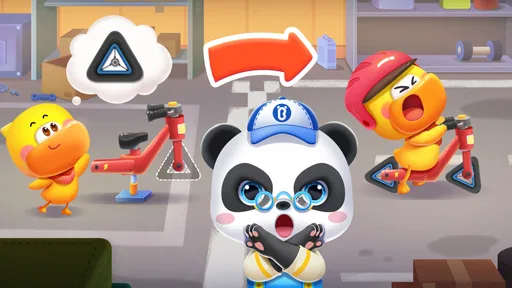
When I first opened Baby Panda's Kids School, I was greeted by a vibrant and interactive interface. The app is designed to be intuitive, so even the youngest users can navigate it with ease. The characters and animations are colorful and lively, making learning a joyous experience rather than a chore.
Readability and navigation for little learners
The visual style is clearly aimed at children who may not yet read confidently: pictures and familiar characters help make the experience inviting. I would still sit nearby at first. A child who cannot read instructions may need an adult to explain what a screen is asking, and an easy-to-spot button is not automatically an easy-to-understand task. Letting a child try, then offering a small hint instead of taking over, is a useful way to see which activities they can manage independently.
More From Our News Desk

Weather by Xiaomi Review: Clear at a Glance, Less Clear Up Close

X Under Pressure: Can It Recover When Posting Goes Wrong?

Clash of Clans Is Won Between the Battles

Android Auto Makes the Case for Quieter Car Software

MobiOffice: Transforming Mobile Productivity with Seamless Integration

EA SPORTS FC™ Mobile Soccer: Redefining Mobile Sports Gaming
The game belongs to the educational category, and its broad mix is a better fit for sampling early concepts than for following a tightly sequenced curriculum. Compared with a single-purpose counting or alphabet app, it gives a child more kinds of play to explore; compared with books, toys, or a teacher-led activity, it offers less room for open-ended discussion. I’d use it to spark a question—about a shape, number, or word—and then carry that question into everyday play.
Interactive games and the value of pacing
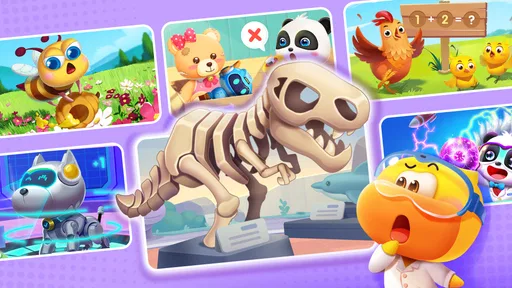
What truly sets this app apart are the myriad of interactive games and activities available. From puzzles and counting games to shape recognition and language skills, there’s something for every curious mind. I found the activities to be not only educational but also incredibly engaging. Watching kids giggle and cheer as they completed each task was a testament to how effective these games are at holding their attention.
For a realistic routine, I’d bring it out while waiting for an appointment or during a quiet stretch at home, then stop while the child is still interested. A useful tip is to ask them to explain what they just did before moving on: that quick conversation can reveal whether they understood the idea or simply tapped through. The range is a strength, but it can also make the experience feel less focused for a child who wants repeated practice on one specific skill. In that case, a dedicated learning app, a picture book, or a simple matching game may be a better choice.
Motor and sensory considerations
The app focuses on building essential skills that are crucial for early childhood development. It’s not just about ABCs and 123s; it’s about nurturing cognitive abilities, improving hand-eye coordination, and encouraging creativity. The app encourages kids to explore different subjects, which helps in developing a well-rounded foundation for future learning.
Touch-based play can be appealing for children who enjoy tapping and exploring, but the same bright animation and activity can be tiring or distracting for some. I’d watch how a particular child responds rather than assume that colorful visuals suit everyone. If precise taps are frustrating, stay close and guide the moment without completing each task for them. A child who prefers quieter, slower-paced practice may do better with physical pieces, drawing, or an adult-led activity.
Making the screen session work for families
One of the features I appreciated the most was the app’s encouragement for parental involvement. It offers tips and insights on how parents can extend learning beyond the app. This not only makes learning a shared experience but also strengthens the bond between parents and their children.
That makes it easier to turn screen time into a shared routine: a caregiver can let the child choose an activity, watch where they hesitate, and follow up with a related object at home. For example, after shape play, ask the child to find a circle on a plate or a square in a book. This kind of follow-through is more useful than treating completion as proof of mastery, and it gives a child who needs extra time a low-pressure way to revisit an idea.
Access, cost, and the limits to check
Safety is paramount when it comes to kids' apps, and Baby Panda's Kids School doesn’t disappoint. The app is designed to be a safe environment with no in-app purchases or ads that could disrupt the learning experience. As a parent, this peace of mind is invaluable.
It is free to download and rated for everyone, with a minimum requirement of Android 5.0; its current version is 10.03.06.02. It has a 4.6 average from around 5,100 ratings and over 10 million installs, which suggests that many families have tried it, though popularity alone cannot tell me whether a particular child will enjoy its style. There are in-app purchases, priced from $2.99 to $41.99 per item, so I would review purchase controls with a child before handing over a device. The game was released on December 28, 2022, and its age rating does not mean every child will find the same interface or sensory pace comfortable.
For access in everyday life, I’d treat it as a supervised option for a short wait or a shared play break, rather than something to rely on when a child needs a fully independent activity. If a device is shared, checking the controls before the child starts can prevent an accidental purchase; if the setting is noisy or the child is already overstimulated, a paper activity may be calmer. Those small choices matter more than trying to make every moment a lesson.
Who is likely to enjoy it?
I would recommend it to families looking for a varied first step into educational screen play, particularly when an adult can join in and connect activities to ordinary objects and conversations. It may be less suitable for children who need a very predictable sequence, a quieter visual style, or practice tailored to one particular learning goal. In those situations, a focused app or an offline activity gives caregivers more control over pace and repetition.
My inclusive verdict is that this is a promising option for children who respond well to animated, touch-led exploration, but it should be judged child by child. A child with limited fine-motor control may need an adult nearby to help with taps, while another may find the busy presentation hard to process. I would try a brief session together before assuming it is a good independent fit. If the child can comfortably see the prompts, understand the task, and interact without stress, the game can become a useful shared activity; if not, a calmer format is a sensible choice, not a setback.
Practical checks before handing over the device
Because the game is aimed at young children, I would set up the device first rather than making those decisions in the middle of play. On a shared phone or tablet, check that purchase controls are appropriate and that the child will not be able to move into unrelated apps accidentally. It is also worth deciding in advance how long the session will last. A clear stopping point—such as finishing one activity and then putting the device away—can make transitions easier than waiting until a child is already tired.
Families may also wonder whether it can replace adult teaching or a structured preschool resource. I would not treat it as either. Its strength is offering an inviting way to encounter different early concepts; an adult still supplies context, repetition, and reassurance. If you need a planned progression that tracks one skill over time, a curriculum-led resource is more appropriate. If you simply want a playful prompt for shared discovery, this broader format has a useful place.
A good fit when exploration is the goal
BabyBus has made an educational game with a wide appeal, and its 4.6 average across around 5,100 ratings reflects substantial interest from families. The free download lowers the barrier to trying it, while purchases from $2.99 to $41.99 per item mean that caregivers should check the buying flow rather than assume every part is included at no cost. Its Everyone age rating is a broad guide, not a promise that every child will enjoy the same colors, pace, or interaction style.
I would choose it for a curious young child who enjoys animated prompts and benefits from an adult turning screen discoveries into real-world talk. I would skip it, or keep it as an occasional option, for a child who needs low-stimulation visuals, highly repetitive practice, or a more deliberate learning sequence. That distinction is the most useful way to decide: the game can invite exploration, but it is not designed to meet every learning preference.
In conclusion, Baby Panda's Kids School is a delightful app that combines fun and education seamlessly. It’s a fantastic tool for parents who wish to supplement their child’s learning in an engaging way. Whether your child is just starting their educational journey or looking to reinforce what they’ve already learned, this app is a wonderful addition to their learning toolkit.
Baby Panda's Kids School Frequently Asked Questions
What devices can run Baby Panda's Kids School?
Baby Panda's Kids School is available for Android devices running Android 5.0 or later. Before downloading, check your device's operating system version and make sure you have enough storage for the game. It is a free educational game from BabyBus, with optional in-app purchases, so parents may also want to review their device’s purchase settings before handing it to a child.
Is Baby Panda's Kids School free to download?
Yes, Baby Panda's Kids School is free to download, so families can try the game without an upfront purchase. It also offers optional in-app purchases, with items priced from $2.99 to $41.99. If a child will use the device, consider enabling purchase approval or other payment controls so that any paid content requires an adult’s attention.
What is Baby Panda's Kids School app about?
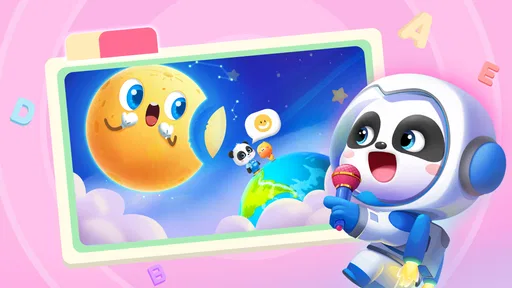
Baby Panda's Kids School is an educational app designed for children, providing a fun and interactive learning environment. The app features various mini-games and activities that focus on different subjects such as math, language, and science. It aims to enhance children's cognitive abilities while keeping them engaged through playful elements and colorful graphics. Its store summary also highlights fun science games and cartoons, making it a playful option for children who enjoy learning through activities.
Is Baby Panda's Kids School suitable for all age groups?
The app is primarily designed for preschoolers and early elementary school children, typically between the ages of 3 to 7 years. It offers age-appropriate content that aligns with children's learning abilities at these stages. However, parents should review the app's activities to ensure they match their child's developmental needs. Its Everyone content rating gives families a useful general guide, though caregivers can still decide whether the activities suit their own child.
Does Baby Panda's Kids School require an internet connection to use?
While some features of Baby Panda's Kids School may be accessible offline, the app does require an internet connection for downloading updates and accessing certain content. Parents should check specific activities within the app to determine which ones can be enjoyed without an internet connection to ensure uninterrupted play for their children. If connectivity matters for a planned trip or quiet-time routine, it is sensible to open the game beforehand and see which activities are available.
Pros
- Engaging and colorful graphics.
- Educational content for young kids.
- Interactive games enhance learning.
- User-friendly interface.
- Regular updates with new content.
Cons
- Contains in-app purchases.
- Ads can be distracting.
- Requires internet for some features.
- Limited content without purchases.
- May not engage older kids.













