Baby Panda's Kids Play
- 351.00
- 4.2
- Installs
- 50.00M
- Price
- Free

Screenshots


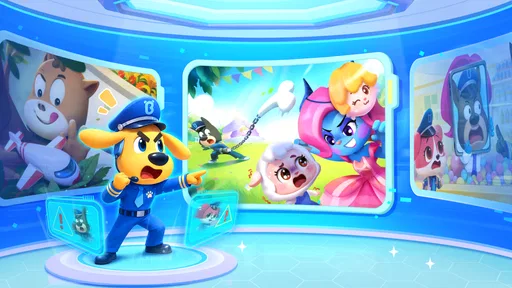
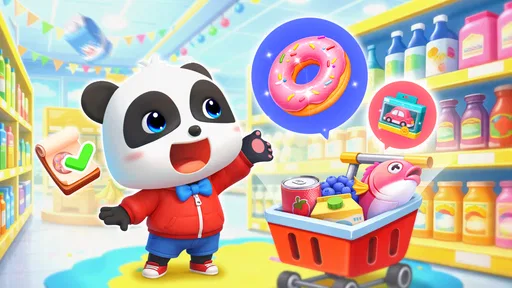


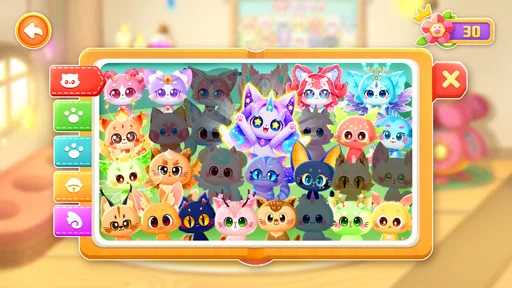
Analysis by Reviewed
On a shared family tablet, a children’s game has to do more than hold attention: it needs to be easy to hand over, simple to understand, and suitable for a short visit between everyday tasks. That is the lens I’d use for Baby Panda's Kids Play. It is a free educational game from BabyBus, bringing together familiar Baby Panda play and cartoon content in one place. I can see it working best as a relaxed choice for a young child who likes switching between playful activities, rather than as a structured lesson or a substitute for time with an adult.
A practical fit for shared screens
Imagine a child waiting while dinner is being prepared and asking for something to do on the household tablet. A collection of short activities can be easier to offer than a long game with one complicated objective: a grown-up can help choose a starting point, then let the child explore for a little while. The useful household habit is to agree on a stopping point before handing over the device. That keeps the game as one small part of the routine, rather than letting a cheerful screen quietly decide how long play lasts.
That same approach works during a brief wait at home or while one adult is finishing a task nearby. I would choose the game when I can remain within earshot, not as a way to occupy a child where no one can check in. Before starting, I’d make the next transition clear—such as putting the tablet away when dinner is ready—so the end of play is part of the plan rather than a surprise. This is especially useful with a child who finds it hard to stop once an activity has their attention.
Set expectations before handing it over
The game is rated Everyone, but that label is not a promise that every child will navigate it in the same way. I would sit with a younger player at first, watch what catches their attention, and see whether they can move between activities without help. On a shared device, it also makes sense to keep the child’s session separate from an adult’s own browsing or app use simply by supervising the handoff and return. I would not assume that a game designed for children automatically manages household account boundaries for you.
That small first-session check is more useful than trying to turn play into a lesson. If a child gets absorbed in one activity, you can ask what they are doing or let them explain it in their own words. If they keep tapping around without settling, the range of choices may be too distracting at that moment; a single focused activity elsewhere could suit them better. The game’s broad appeal is also its trade-off: variety helps different interests, but it may not provide the calm, linear experience every family wants.
Discover the World of Baby Panda
First things first, the Baby Panda's Kids Play app is like a vibrant little universe for children. Picture this: a digital playground where kids can hop from one activity to another, learning and having fun simultaneously. It’s quite colorful, which is a huge plus because we all know how much kids love colors. The app is designed to offer an interactive learning experience, making education feel like a game rather than a chore.
Engaging Mini-Games
The app is packed with a variety of mini-games that cater to different interests and learning objectives. Whether it’s about counting, understanding colors, or even basic problem-solving, there’s something in there for every little curious mind. I’ve seen my little nephew get hooked on a game where he had to help Baby Panda clean up his room – talk about sneaky ways to teach kids about tidiness!
More From Our News Desk

Weather by Xiaomi Review: Clear at a Glance, Less Clear Up Close

X Under Pressure: Can It Recover When Posting Goes Wrong?

Clash of Clans Is Won Between the Battles

Android Auto Makes the Case for Quieter Car Software

MobiOffice: Transforming Mobile Productivity with Seamless Integration

EA SPORTS FC™ Mobile Soccer: Redefining Mobile Sports Gaming
What's delightful is how these games are structured. They’re short, sweet, and packed with enough entertainment to keep a child's attention, which is no small feat. Plus, the rewards system within the app keeps the kids motivated to keep playing and learning.
Choosing it over a single-purpose learning game
Compared with a typical counting or alphabet app, this is the broader, less lesson-like option: children can move among different kinds of play rather than repeat one skill in a fixed sequence. That can be handy when you are not sure what mood a child will be in, or when siblings take turns and have different interests. The trade-off is that a parent looking for a clear curriculum, measured progress, or practice focused on one skill may prefer a dedicated learning app and an adult-led activity. I would treat the mini-games as playful exposure, not proof that a child has mastered a topic.
That distinction also helps when deciding what to offer after play. If a child seems interested in counting or sorting, you can follow up with objects around the room or a book rather than expecting the game to track learning for you. I like this as a low-pressure prompt for conversation, not as a replacement for practice that needs repetition and feedback. The choice between this collection and a focused learning app depends less on which is “better” and more on whether the child needs variety or a deliberate sequence that day.
Making turns easier for siblings
For two children sharing one screen, I’d make the handoff concrete: let one choose an activity, then have the other choose the next, with an adult nearby if they need help navigating. This turns the variety into a coordination advantage, but it does not mean the game itself should be relied on to manage turns or resolve disputes. For a solo child, the same variety can be a useful way to keep a brief session from feeling repetitive; for a child who gets overwhelmed by choices, selecting one activity together first is a better starting point.
With siblings, I would also avoid treating the device as a neutral referee. One child may be more comfortable tapping through menus, while the other may have a stronger preference about what to play. Taking turns choosing is simple, but an adult may need to help the less confident child find an activity and ensure both get a real chance. If sharing becomes an argument, the game’s range is not worth forcing; separate turns or another activity may be the more peaceful option.
User-Friendly and Safe
Now, if you’ve been wary about apps for kids, you’ll appreciate the user-friendly interface of this one. It’s straightforward enough for kids to navigate independently after a few tries. Safety is another big tick on the list. The app doesn’t bombard you with ads, and there are parental controls available to ensure kids are engaging with content that’s appropriate for their age.
One thing that stands out is the lack of aggressive in-app purchases. While there are some paid features, the app doesn't push them hard, allowing kids to enjoy a substantial amount of content for free.
What to check before making it a regular choice
I would still preview the experience on the device the child will actually use. Check that the menus and pace suit them, and stay close enough to help if they land somewhere unexpected. When several family members use the same tablet, an adult should handle any choices that involve purchases or account activity rather than leaving those decisions to a child. That is a sensible boundary for any shared device, not a reason to expect the game to provide family-management tools.
It is also worth matching the app to the moment. Its short activities are convenient for a brief, supervised break, but they are not automatically the right choice for quiet time, a long journey without adult involvement, or a child who needs a very predictable sequence. If you want a screen activity that keeps one specific learning goal front and center, a focused app, a book, or hands-on play may be more useful. If the goal is simply an approachable mix of familiar child-friendly play, this has a clearer case.
For a household deciding whether it can become a regular option, I’d try a few short sessions at different times rather than judging it by one excited first look. A child may enjoy choosing activities when rested but find the same choices frustrating when tired. You can also notice whether they return to one kind of play or keep browsing. That observation helps you decide whether the collection is genuinely useful for your child, or whether a more predictable activity better fits your routine.
Age, trust, and the household routine
BabyBus is the developer, and the game’s Everyone rating makes it broadly approachable, but I would still judge suitability by the child in front of me. A preschool-age player may need an adult to get started, while a more confident child may enjoy making their own choices. The title has a 4.5 average from around 74,000 ratings and has been installed over 10 million times, which suggests wide interest, but popularity cannot tell you whether its pace and presentation suit your household. A quick supervised try is the best test.
The game was released on September 7, 2022, and version 2.1.20.0 requires Android 5.0 or later. It is free to install, so it is easy to try without paying upfront; I would still review any purchase prompts myself before making it available for independent play. That distinction matters in a home where a device is shared, because a child-friendly game and an adult-managed account are separate concerns. Keeping the first session supervised helps you see how the app fits without making assumptions about settings or controls.
Parents sometimes want to know whether a game like this can stand in for an adult’s attention while they handle something nearby. I would not count on it for that. Even when a child can navigate comfortably, supervision matters on a shared device because the adult is responsible for the handoff, the time limit, and any account or purchase decisions. The app can make a short stretch of waiting more pleasant, but it does not remove the need for an adult to decide when play starts and ends.
It is also a reasonable choice for a child who already enjoys Baby Panda cartoons and likes familiar characters, since the game brings that kind of content together with interactive play. A child who prefers open-ended toys, stories read together, or one calm activity may not be drawn to switching between digital options. I would skip it for a child who becomes unsettled by choice-heavy screens or for a family specifically seeking a course-like learning plan. In those cases, a book, hands-on activity, or narrowly focused educational game is likely to match the goal better.
Final Thoughts
In the grand scheme of things, Baby Panda's Kids Play is a charming and educational app that manages to capture the essence of playful learning. It’s not just about keeping kids occupied; it’s about enriching their minds in a fun and engaging way. Whether you’re a parent looking to add something educational to your child’s screen time or just someone curious about the latest in kid’s apps, this one’s worth checking out. And hey, who knows, maybe you’ll find yourself enjoying a game or two along the way!
My household verdict is that it makes most sense for families who want a free, varied collection of child-oriented activities and are comfortable supervising the first few sessions. It is less suitable if you need a tightly structured learning path, a guaranteed quiet activity, or a game to supervise a child in your place. I would try it during a short shared-screen break, see which activities actually hold the child’s interest, and keep the adult in charge of device and purchase decisions. That is a practical way to enjoy its variety while keeping expectations grounded.
Baby Panda's Kids Play Frequently Asked Questions
Does Baby Panda's Kids Play have a child-friendly presentation?
Baby Panda's Kids Play is an educational game presented for children, bringing together Baby Panda games and BabyBus cartoons. Its playful, animated approach is intended to make exploring the activities inviting for young players. Parents can take a look at the game together with their child and decide whether its style and content are a good fit for their family.
How much storage space does Baby Panda's Kids Play need?
Storage needs can vary depending on the device and the content installed, so it is sensible to check the available space on your phone or tablet before downloading. The game brings together Baby Panda games and BabyBus cartoons, and having room for an app and its content can help avoid interruptions during installation or use.
Is Baby Panda's Kids Play a good choice for children who enjoy BabyBus cartoons?
The game is designed to bring together Baby Panda games and BabyBus cartoons that children love, making it a natural option for young fans of that content. Rather than focusing on just one activity, it combines playful experiences with familiar animated material. Families can consider whether their child enjoys both interactive games and cartoons before deciding to download it.
What should parents consider before letting a child use Baby Panda's Kids Play?
Parents may want to explore the game alongside their child and see how its activities fit their interests and routine. Baby Panda's Kids Play is an educational game from BabyBus with child-focused content, and its free download makes it possible to try. It is also worth setting device-level limits and supervising use according to your family's preferences.
Is Baby Panda's Kids Play free to download, and what devices can run it?
Baby Panda's Kids Play is a free educational game from BabyBus, so families can try it without paying to download it. It runs on Android devices with Android 5.0 or later. The game’s child-friendly focus makes it a straightforward option for families looking for playful activities, while the free download lets parents explore it before deciding whether it suits their child.
Pros
- Engaging and colorful graphics.
- Interactive learning opportunities.
- User-friendly interface for kids.
- Regular updates with new content.
- Supports multiple languages.
Cons
- May contain in-app purchases.
- Requires internet for full features.
- Could be repetitive over time.
- Some ads can be intrusive.
- Limited offline accessibility.













