ABCya! Games
- 3.59K
- 4.2
- Installs
- 1.00M
- Price
- Free
Screenshots

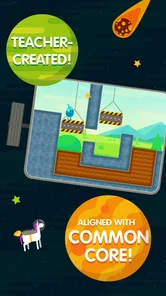


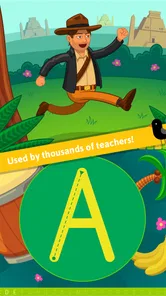
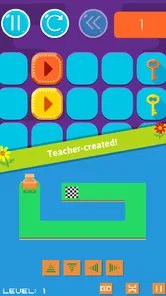

Analysis by Reviewed
When I choose an educational game for a child, I look for more than bright screens: I want play to give them a reason to practise a skill without making the activity feel like a worksheet. That is the idea I see at the center of ABCya! Games, a children’s learning game from ABCya.com LLC. Its appeal is the mix of familiar school subjects and game-like challenges, with the aim of making a short stretch of practice easier to start.
Learning works best when it feels like play
ABCya! Games covers areas such as math and language arts, and that range makes it useful when a child wants to switch between different kinds of activities. Rather than treating every exercise as a lesson, the game format gives children something to do while they work with numbers, spelling, grammar, or vocabulary. I find that distinction important: a child who resists a workbook may be more willing to try a challenge that feels like a game.
One practical tip is to let the child choose an activity that matches their mood and attention span, then use it as a short practice break rather than expecting it to replace a full lesson. A quick round can be a gentle way to revisit a familiar skill; it is less suitable as the only way to teach a new topic that needs explanation or feedback from an adult.
Engaging and Educational
First off, let's talk about what makes ABCya! Games stand out. It's not just another app trying to masquerade as educational. It's genuinely packed with games that cover a wide range of subjects. From math to language arts, there's something for every young learner. I was particularly impressed by how the games manage to make learning feel like a fun adventure rather than a chore.
A Game for Every Learner
What I love about this app is its diversity in game types. Whether your child is a visual learner or someone who thrives on interactive challenges, there's a game tailored just for them. I found the math bingo particularly engaging. It combines the thrill of bingo with the challenge of solving math problems. And trust me, seeing kids excited about math is a win in any parent's book!
The app also includes language arts games that help with spelling, grammar, and vocabulary. I noticed how kids could easily pick up new words and concepts without even realizing they were learning. It's like slipping veggies into a smoothie—sneaky but effective!
Choosing a good moment to play
For a realistic everyday use, I would keep it ready for a quiet moment at home: while dinner is being prepared, a child can pick a math or language activity and play nearby. This works best when the adult sets a simple boundary, such as choosing one game and stopping when that round is done. The child gets a little independent practice, while the parent can stay close enough to help if an instruction or question is confusing.
More From Our News Desk

Weather by Xiaomi Review: Clear at a Glance, Less Clear Up Close

X Under Pressure: Can It Recover When Posting Goes Wrong?

Clash of Clans Is Won Between the Battles

Android Auto Makes the Case for Quieter Car Software

MobiOffice: Transforming Mobile Productivity with Seamless Integration

EA SPORTS FC™ Mobile Soccer: Redefining Mobile Sports Gaming
Compared with a worksheet, the game format can feel more inviting; compared with a broad video or entertainment app, the subject-focused activities give the play a clearer learning purpose. Neither comparison makes it a substitute for everything else. A worksheet can be better when a teacher needs written work to review, while a book or conversation is more useful for sustained reading and discussion.
User-Friendly Interface
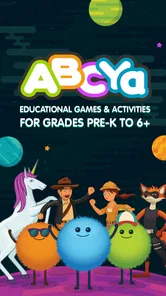
Another highlight of ABCya! Games is its user-friendly interface. Navigating through the app is a breeze, even for the youngest users. The bright colors and cheerful animations are inviting, and the intuitive design means kids can dive right into the fun without any hiccups.
For younger children, I would still take a moment to help them get started and agree on what they are allowed to play. Once they know how to choose an activity, the simple navigation can make it easier for them to manage a short session without needing an adult to direct every tap. That small bit of setup is more useful than handing over a device and hoping the child immediately finds the right challenge.
Costs, expectations, and fit
The game is free to install and is rated for everyone, which makes it easy to consider for family use. It has an average rating of 4.3 from around 12,000 ratings, and more than a million installs. In-app purchases range from $4.99 to $299.99 per item, so I would check purchase settings with a child before letting them explore on their own; the free entry point does not mean every possible purchase is free.
ABCya! Games is best for children who enjoy choosing among playful learning activities and for adults looking for a screen-based way to add light practice to the day. It may not suit families seeking a structured course, a detailed progress-reporting tool, or a quiet, text-first experience. If a child needs step-by-step teaching or a parent wants to assess mastery, a guided lesson or direct practice with an adult is likely a better fit.
Making a short session count
I would treat the choice of activity as a small part of the learning routine, not a test the child has to pass. If they are practising spelling, for example, it can help to ask them afterward which word or prompt made them pause. That brief conversation turns a game round into a chance to notice what feels easy and what may need a little more support, without turning play into a quiz.
Another useful approach is to alternate between subjects rather than letting a child repeatedly choose the activity they already find easiest. Choice matters because it gives them ownership, but a gentle invitation to try a different kind of challenge can keep the session from becoming repetitive. I would avoid insisting on a specific activity when the child is tired; in that moment, a short break or a hands-on alternative is more likely to help than pushing through another round.
Families deciding whether the app can work without constant supervision should consider the child’s reading ability and confidence with menus. A child who can follow the on-screen directions may be able to get started independently after an adult introduces the routine. If the instructions are difficult to read or interpret, staying nearby is sensible—not because every activity needs a parent, but because a quick explanation can prevent confusion from spoiling the experience.
How it compares with other learning choices
Many educational apps lean toward either a sequential lesson path or a collection of short activities. ABCya! Games is more appealing when the goal is to offer a child a choice of subject-based play, rather than to follow a single, adult-directed course from one step to the next. That makes it a convenient complement to schoolwork, but less suitable when you need a clear sequence of lessons or a record of what a child has mastered.
It also occupies a different place from video lessons. A video can explain a concept in a calm, guided way, while a game invites the child to respond and make choices as they practise. If the child is encountering an idea for the first time, I would start with an explanation, demonstration, or conversation and then use a game as a lighter follow-up. If the aim is simply to make a familiar skill less tedious, the game format has the stronger case.
Compared with a general entertainment game, the subject focus gives an adult a clearer reason to offer screen time, but it does not automatically make every minute instructional. I would still ask whether the particular activity is holding the child’s attention and matching what they need that day. The label “educational” is not a substitute for choosing thoughtfully; the best fit depends on the child and the moment.
Costs, expectations, and fit
The game is free to install and is rated for everyone, which makes it easy to consider for family use. It has an average rating of 4.3 from around 12,000 ratings, and more than a million installs. In-app purchases range from $4.99 to $299.99 per item, so I would check purchase settings with a child before letting them explore on their own; the free entry point does not mean every possible purchase is free.
ABCya! Games is best for children who enjoy choosing among playful learning activities and for adults looking for a screen-based way to add light practice to the day. It may not suit families seeking a structured course, a detailed progress-reporting tool, or a quiet, text-first experience. If a child needs step-by-step teaching or a parent wants to assess mastery, a guided lesson or direct practice with an adult is likely a better fit.
What to expect from the app
The app was released on August 4, 2017, and its current version is 2.27.0, with Android 7.0 or later required. Those details matter if you are installing it on an older device: check the operating system before planning to use it. ABCya.com LLC focuses this game on children’s educational play, but I would still treat it as one option in a child’s routine, not as a complete learning plan.
I also recommend trying an activity alongside the child the first time. That lets you see whether the instructions fit their reading level and whether the challenge holds their interest. If they enjoy the format, you can use it as a low-pressure way to revisit skills; if they quickly lose interest or need more explanation, switching to a book, hands-on activity, or adult-led lesson is a sensible choice.
Final Thoughts
All in all, ABCya! Games is a fantastic app for parents and educators looking to combine learning with play. It’s a brilliant way to keep kids engaged, challenged, and most importantly, happy. So if you're on the hunt for an educational tool that your kids will actually enjoy, give ABCya! Games a try. You might just find them asking for a bit more screen time for all the right reasons!
My recommendation is to start with the child’s interest rather than trying to cover every subject in one sitting. A few focused minutes can make this a handy part of an ordinary afternoon, especially for children who respond well to playful practice. I would skip it if you need a fully guided curriculum or want screen time to be entirely unstructured; for those needs, an adult-led lesson or a non-learning game may be a better match.
ABCya! Games Frequently Asked Questions
What devices and operating systems can run ABCya! Games?
ABCya! Games is available for Android and iOS devices, including phones and tablets. Before downloading, check that your device meets the app’s minimum operating-system requirement: Android 7.0 or later. The game is listed as free to download, so you can install it and explore its educational games before deciding whether its available content suits your child.
What is ABCya! Games and what age group is it suitable for?
ABCya! Games is an educational app designed to provide fun and interactive learning experiences for children. It offers a wide range of games that cover various subjects such as math, language arts, and more. The app is particularly suitable for children in the elementary school age group, typically ranging from kindergarten through fifth grade. The games are crafted in a way to make learning enjoyable and engaging for young learners. Its content rating is Everyone, making it a family-friendly choice for children.
Is ABCya! Games free to use or does it require a subscription?
ABCya! Games offers a selection of games for free, but to access the full range of content, a subscription is required. The subscription provides access to additional games and features, giving children more options for learning and play. In-app purchases are available, with prices ranging from $4.99 to $299.99 per item, so it is worth checking the purchase details before confirming anything. The free download lets families try the app before deciding whether to pay for more content.
What platforms is ABCya! Games available on, and how can it be downloaded?
ABCya! Games is available on both Android and iOS platforms, making it accessible on a wide range of devices including smartphones and tablets. To download the app, users can visit the Google Play Store for Android devices or the Apple App Store for iOS devices. Simply search for 'ABCya! Games' in the respective store and follow the installation instructions to get started. The app is developed by ABCya.com LLC and is described as fun and educational games for kids.
Does ABCya! Games offer educational content tailored to specific grades?
Yes, ABCya! Games offers educational content that is specifically tailored to different grade levels. The app categorizes games according to grade, from kindergarten to fifth grade, allowing parents and educators to select games that are appropriate for their children's specific educational needs. This feature helps ensure that the content is both age-appropriate and educationally relevant, promoting effective learning.
Pros
- Engages kids with fun educational games.
- Offers a wide variety of learning topics.
- Easy navigation for young users.
- Regularly updated with new games.
- Enhances critical thinking skills.
Cons
- Contains ads in the free version.
- Requires internet for most features.
- Limited offline access to games.
- Subscription needed for full access.
- Some games may not suit older kids.