ABCKidsTv - Tracing & phonics
- 6.00
- 3.7
- Installs
- 50.00K
- Price
- Free
Screenshots


Analysis by Reviewed
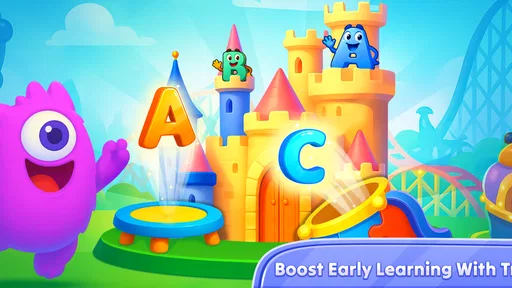
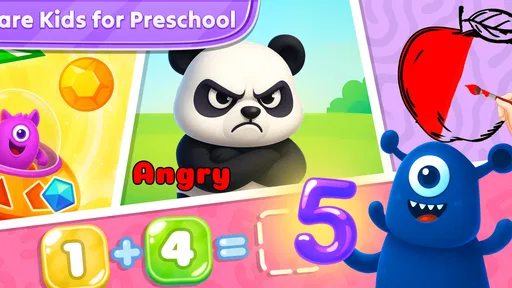
ABCKidsTv - Tracing & phonics is the kind of educational game I would place on a tablet before handing it to a preschooler who is beginning to recognize letters, sounds, numbers, and simple words. Its activities are built around tracing, phonics, counting from one to one hundred, and a vocabulary set of one hundred and four words. That combination gives it a wider learning range than a game that only teaches the alphabet, while still keeping the interaction simple enough for young children to explore without constant adult instructions.
I reviewed it as a parent-friendly learning tool rather than as a traditional game with levels, competition, or a long-term challenge system. The appeal is its short, focused activities: a child can practise one letter, count for a few minutes, or repeat word sounds without needing to understand a complicated menu. Its strongest use is guided, repeatable practice in small sessions, especially when an adult is nearby to turn tapping into conversation instead of treating the app as a complete lesson.
How the learning activities feel in everyday use
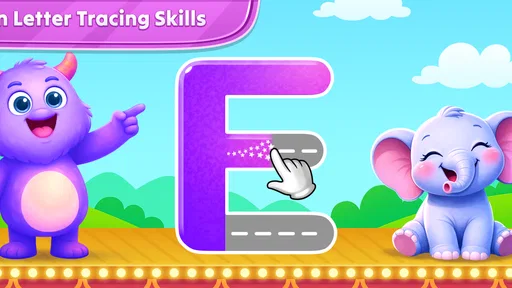
The tracing element is the natural starting point. Young children can follow letter shapes with a finger, which makes the activity more physical than simply looking at flashcards. I find this useful because it gives a child a clear action to perform and an immediate reason to pay attention to the shape on screen. It is particularly suitable for a child who is still developing hand control and needs a gentle introduction to writing movements.
Tracing apps can become frustrating when they demand adult-level precision. With a preschool child, I would not judge success by perfect lines. I would use the activity to talk about where the letter begins, which direction the stroke follows, and what sound the letter makes. That approach makes the game more forgiving and turns a potentially repetitive exercise into a small handwriting routine.
The phonics side adds an important layer. A child is not only seeing a symbol but also connecting it with a sound and, through the word activities, with meaning. I would pause after a sound and ask the child to name another object that begins the same way. This is one of the less obvious ways to get more value from the app: the screen supplies the prompt, while the adult supplies the real-world connection.
Counting practice extends the app beyond early reading. The range from one to one hundred is ambitious for a toddler-focused learning tool, so I would not expect a very young child to work through the entire sequence in one sitting. Instead, I would use smaller targets. A child who is comfortable counting to ten can practise the next few numbers, while an older preschooler may use the longer sequence as a review activity.
The word section is also more useful when treated as a conversation starter. After a word appears, I would ask the child to find the object at home, describe its colour, or use it in a short sentence. That simple habit prevents passive swiping and helps the vocabulary become part of everyday speech. In my experience, this kind of shared play matters more than leaving the app running unattended.
More From Our News Desk

Weather by Xiaomi Review: Clear at a Glance, Less Clear Up Close

X Under Pressure: Can It Recover When Posting Goes Wrong?

Clash of Clans Is Won Between the Battles

Android Auto Makes the Case for Quieter Car Software

MobiOffice: Transforming Mobile Productivity with Seamless Integration

EA SPORTS FC™ Mobile Soccer: Redefining Mobile Sports Gaming
Speed and responsiveness expectations
For this type of game, perceived speed is less about rapid animation and more about whether a child can move from one activity to the next without confusion. The simple educational format works in its favour. Tracing and counting do not need the visual intensity of an action game, so I would expect the experience to feel calm rather than demanding. That is appropriate for early learning, where a rushed interface can distract from the actual lesson.
On an older device, I would still give the game a moment to open before placing it in front of a child. Children are less tolerant than adults when a tap produces no visible response, and a short delay can quickly become random tapping. My practical advice is to launch it before the learning session, check that the selected activity is ready, and then hand over the device. This small routine reduces interruptions without pretending that every phone or tablet will behave identically.
The current version is 11.11.0, and the game supports devices running Android 7.1 or later. Those requirements make it accessible to families using older Android hardware, although age alone does not guarantee an equally smooth experience. Available storage, background activity, and the general condition of the device can still affect how comfortable the session feels.
I would not choose this game for a child who wants constant novelty or fast reactions. Its educational pace is deliberate. That can feel slow to an older child who already reads simple words, but it is a benefit for a beginner who needs time to trace, listen, and repeat. The right expectation is steady practice, not entertainment designed to keep changing every few seconds.
What happens during heavier use
The most demanding moment is likely to be a longer shared session in which a child moves repeatedly between tracing, phonics, counting, and word activities. Even without treating the app as technically intensive, that kind of use can expose practical problems: a child may lose focus, make accidental selections, or become tired of repeating the same motion. I would keep sessions short and change the learning goal rather than simply encouraging more screen time.
A useful routine is to choose one letter activity, connect it to one sound, and then finish with a few counting exercises. On another day, I would use the word section as the main activity. This rotation makes the app feel less like a worksheet and gives the child a clear beginning and ending. It also helps an adult notice whether the difficulty comes from the lesson itself or from screen fatigue.
For travel, the game could be helpful when a child needs a quiet activity and the device is already prepared. I would test the exact activities beforehand rather than relying on it for an important journey. A child may be happy tracing at home but need more help in a noisy car or waiting room. The app is best treated as one option in a small activity kit, not as the only plan.
Another realistic use is a short after-school reset. A child can practise a few letters while a parent prepares dinner, but I would still return to discuss what was practised. Asking, “Which sound did you hear?” or “Can you show me that number with blocks?” turns a brief digital session into something that continues away from the screen.
Families with more than one child should expect different levels of involvement. A toddler may need a hand-over-hand demonstration for tracing, while an older sibling can work more independently. That makes the game flexible, but it also means the same activity will not have the same value for every age. I would use it as a shared tool with adjustable expectations rather than assuming one setting fits all children.
Stability, recovery, and the role of supervision
Educational games need to recover gracefully from interruptions because young users often switch apps, lock the screen, or hand the device to an adult without warning. My practical approach is to end a session at a natural stopping point whenever possible. If the app is interrupted, I would reopen it and quickly check the current activity before letting the child continue. That is less about the lesson design and more about avoiding confusion after a pause.
Supervision is valuable for another reason: children can mistake a missed trace or an incorrect tap for failure. I would reassure them that repeating an activity is part of learning. This is especially important with phonics, where a child may hear a sound correctly but still struggle to connect it to the letter. The adult can slow the moment down, repeat the sound, and move on without turning the game into a test.
The game has a 3.7 average from around 218 ratings, with around 6 written reviews. I would read that as a sign to keep expectations balanced rather than treating the app as a universally perfect learning solution. The audience is large enough to show that families are using it, with over 50 thousand installs, but popularity alone does not tell me whether it matches a particular child’s learning style.
Because it is free to install, it is easy to try without committing to an upfront purchase. There are in-app purchases ranging from $3.99 to $59.99 per item, so I would check the purchase flow before allowing a child to use the device alone. This is a practical household issue: a child-focused interface and an adult-controlled device should be treated as separate concerns. I would handle any purchase decisions myself and use the free starting point to judge whether the activities suit the child.
The Everyone age rating fits the early-learning purpose, but it should not be confused with a guarantee that every child will enjoy it. A child who dislikes tracing may prefer physical letter cards, magnetic letters, or a wipe-clean workbook. Another child may enjoy the audio and tapping but need a teacher-led resource for more systematic reading instruction. The app can support learning, but it is not a replacement for conversation, books, handwriting practice, or feedback from an educator.
Device limits and practical setup
The Android requirement of 7.1 or later is helpful for families keeping an older tablet in service. Before a session, I would make sure the screen is clean, the device is charged, and notifications are quiet. These details sound minor, but they matter more with preschoolers than they do with adults. A distracting alert or an unresponsive touch area can make a child think the activity is difficult when the real problem is the device.
A larger tablet screen is likely to be more comfortable for tracing than a small phone. The child has more room for finger movement, and an adult can sit beside them without blocking the display. A phone is still practical for a quick counting exercise, but I would prefer a tablet for handwriting-oriented practice. This is a hardware trade-off rather than a flaw in the game itself.
I would also avoid using the app immediately after a long video session. Tracing requires attention and controlled movement, so a child who is already tired may tap through the activity without learning much. A short, planned session at a calm time is more effective than adding the game to an already crowded stretch of screen use.
For families comparing it with ordinary alternatives, the main difference is feedback through interaction. A workbook offers more room for freehand practice and can be used without a battery, but it cannot pronounce a sound or guide a child through a sequence. Flashcards are quick and portable, yet they depend heavily on the adult to provide the lesson. ABCKidsTv - Tracing & phonics sits between those options: it gives structure and audio-oriented practice while still benefiting from an adult who explains and extends the activity.
I would choose a dedicated reading curriculum instead when the child is ready for a carefully ordered progression with detailed parent guidance. I would choose physical materials instead when the goal is sustained handwriting control, because a screen cannot fully replace writing on paper. I would choose this game when I want a low-pressure introduction or a convenient review tool that combines early letters, sounds, counting, and vocabulary in one place.
Who will benefit most from it
The best match is a toddler or young child who is curious about letters and numbers but still needs very simple tasks. It also suits parents who want a short activity they can join rather than a complex educational platform that demands planning. The broad mix of tracing, phonics, counting, and words means a family can use it at several early-learning stages, although the child’s age and attention span should determine how much is attempted.
I would be more cautious for children who become upset by guided tracing, who need accessibility options tailored to a specific motor or sensory need, or who are already beyond basic letter sounds and counting. In those cases, a more advanced reading game, a physical writing tool, or a teacher-recommended resource may be a better investment of time.
The developer is Craox Technologies LLP, and the game was released on April 13, 2020. Its continued availability and current version suggest that it remains an active option for families looking for this particular style of early-learning practice. I would still make the decision based on the child’s response during the first few sessions: do they understand the activity, stay engaged, and show something learned away from the screen?
My performance verdict
ABCKidsTv - Tracing & phonics works best as a calm, flexible practice companion. I like the way it brings several early skills together without requiring a child to understand a complicated game system. The strongest results come from short sessions, a prepared device, and an adult who asks questions after each activity. Used that way, it can make letter sounds, number sequences, and early vocabulary feel approachable.
I would not present it as a complete preschool curriculum or leave it running as background entertainment. The in-app purchase range deserves adult attention, tracing may not suit every learner, and older children may quickly outgrow the basic exercises. Those limitations are important, but they do not cancel out the value of a free starting point for families who want to test a gentle educational game.
My recommendation is to try it when your child is beginning letters, sounds, and counting, then judge it by what happens after the screen is turned off. If the child can recognise a newly practised letter, repeat its sound, or continue counting in a real-world activity, the game is doing useful work. If the child only taps rapidly or becomes frustrated, I would switch to a shorter session or combine it with books and hands-on materials. In that role—not as a substitute for teaching, but as a convenient and approachable practice tool—ABCKidsTv - Tracing & phonics earns a place on a family tablet.
ABCKidsTv - Tracing & phonics Frequently Asked Questions
What devices and operating systems can run ABCKidsTv - Tracing & Phonics?
ABCKidsTv - Tracing & Phonics is an educational game for young children, and its minimum operating system requirement is version 7.1. Before downloading, check that your device meets this requirement and has enough available storage for installation. A child-friendly screen and responsive touch controls can make tracing activities easier to follow, especially for children who are still developing fine motor skills.
What kinds of activities does ABCKidsTv - Tracing & Phonics include?
The game combines letter tracing and phonics with counting from 1 to 100 and practice with 104 words. Its activities are intended to introduce early learning concepts through interactive play, making it useful for children who enjoy practicing on a touchscreen. It can complement other learning at home, though children may still benefit from books, conversation, and hands-on writing practice.
What is ABCKidsTv - Tracing & Phonics designed for?
ABCKidsTv - Tracing & Phonics is an early-learning app created to help young children become familiar with letters, basic phonics, and handwriting movements. It generally combines tracing activities with colorful visuals, sounds, and simple interactions. The app is best viewed as a supplementary learning tool for preschool and early kindergarten children, rather than a complete replacement for guided reading or classroom instruction.
Is ABCKidsTv - Tracing & Phonics suitable for toddlers and preschoolers?
The app is mainly aimed at young learners who are beginning to recognize the alphabet and practice writing letters. Preschoolers may benefit most because they can usually follow tracing paths and respond to phonics prompts with limited assistance. Younger toddlers may enjoy the animations and sounds, but they could need help understanding the activities. Parents should choose sessions according to the child’s age, attention span, and motor skills.
Does the app help children learn correct letter pronunciation and writing?
ABCKidsTv - Tracing & Phonics can support early practice by connecting letters with sounds and guiding children through tracing patterns. However, children may still form letters incorrectly or repeat sounds without fully understanding them, especially during independent play. Parents should occasionally watch the activities, encourage correct pencil movement, and repeat the sounds aloud. Regular practice alongside books and real handwriting exercises will provide more complete learning.
Pros
- Simple tracing activities help children practice letter formation.
- Phonics exercises support early sound recognition and pronunciation.
- Bright visuals and friendly animations keep lessons engaging.
- Short activities work well for preschool attention spans.
- Child-friendly navigation makes independent use easier.
Cons
- Some content may feel repetitive after frequent use.
- Progress tracking may be limited for parents and teachers.
- Requires supervision to reinforce correct pronunciation and grip.
- Ads or locked features may vary by device or subscription.
- Older children may outgrow the activities quickly.











