

Word Search Go: Word Puzzle
- 121.00
- 4.8
- Installs
- 100.00K
- Price
- Free

Screenshots
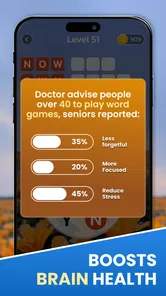

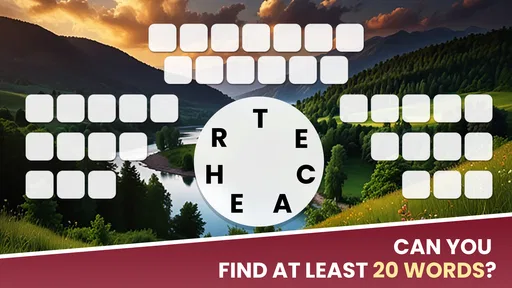
Analysis by Reviewed
I picked up Word Search Go: Word Puzzle expecting a simple way to fill a few spare minutes, and that is exactly where it works best. It is a word game from Gamonix Studios built around finding words in a letter grid, with a calm pace that makes it easy to play on a short break, during a commute, or while sitting with other people at home. I would not describe it as a deep replacement for a full brain-training program, but I found it pleasantly focused: the rules are familiar, the objective is immediately clear, and each completed puzzle gives me a small sense of progress without demanding a long session.
That simplicity also makes it interesting on a shared phone or tablet. Someone can hand the device to another person and explain the basic idea almost instantly. I can play a puzzle, pass the device across the room, and let somebody else take the next turn without needing a complicated profile setup or a long tutorial. For a household looking for a light, Everyone-rated word activity, that low barrier is one of its strongest qualities. The important question is not whether it is easy to start—it is—but whether its straightforward format matches the kind of challenge each person wants.
How Word Search Go fits into everyday shared use
When I use Word Search Go with other people, the most useful choice is deciding whether a puzzle is a quiet solo turn or a shared search before anyone starts. That small agreement keeps a quick break from turning into a race and gives less experienced players room to contribute. I also find that passing the device after each target word works better than waiting for someone to finish a whole puzzle, especially when attention spans differ.
A good choice for short, low-pressure sessions
My favorite way to use it is as a small pause between other tasks. If I have only a few minutes, I do not need to remember a complicated storyline, manage a team, or rebuild a strategy from an earlier session. I can open the game, look for the listed words, and stop when the puzzle is complete or when I want to put the device down. That makes it more practical than many word alternatives for casual use, especially when the phone is being shared and nobody wants to commit to a long round.
A realistic household example would be a parent preparing dinner while a child or another family member waits nearby. One person can search for words while the other suggests a direction, then they can swap roles. The game becomes a small cooperative conversation rather than a solitary screen habit. I would still keep expectations sensible: the app is designed as a puzzle game, not as a dedicated family activity with built-in group rules. The shared experience comes from how people choose to use the device, so the household has to agree on turns and boundaries itself.
It also suits adults who want something quieter than a competitive multiplayer game. There is no need to compare scores aloud or pressure another player to keep up. I can concentrate on the grid, ask someone else to spot a difficult word, or simply play alone. That makes the title a better fit for mixed-age rooms where people want a common activity but do not all enjoy the same level of intensity.
What the basic puzzle loop feels like
The familiar word-search format is both the main attraction and the main limitation. I look across rows, columns, and diagonals, scanning for the target words hidden among other letters. The rules are easy enough for a new player to understand without a formal lesson. That accessibility is useful when a device moves between people, because the next player can begin almost immediately rather than learning a large collection of controls.
More From Our News Desk

 Gmail
GmailGmail in a Busy Inbox: Who Benefits Most?
From first account to crowded workday, Gmail earns its place through dependable search and flexible sorting—but its best fit depends on how much inbox maintenance you can tolerate.

 Prime Video
Switching to Prime Video: What Changes in Your Viewing Routine
Prime Video can make a compelling second home for streaming, but switching means learning a different catalog, rental layer, and route from browsing to playback.

 Universal TV Remote Control
Universal TV Remote Control Works Best as a Reliable Backup
A phone remote earns its place through quick setup and reliable habits. Here is how to get more from Universal TV Remote Control—and where its limits show.

 Weather - By Xiaomi
Weather by Xiaomi Review: Clear at a Glance, Less Clear Up Close
Xiaomi’s weather app makes everyday forecasts quick to scan, but its calm surface can leave useful details and recovery paths harder to find than they should be.

 X
XX Under Pressure: Can It Recover When Posting Goes Wrong?
A resilience-focused review of X, examining setup, mistaken posts, interruptions, weak connections, and the gaps that matter when recovery needs to be dependable.

 Clash of Clans
Clash of Clans Is Won Between the Battles
Its raids are quick; its community is a long-term project of coordination, teaching, rivalry, and shared responsibility—with all the friction that entails.
Latest News



At the same time, experienced word-game players may find the structure less varied than alternatives built around anagrams, crosswords, spelling challenges, or timed competition. The satisfaction here comes from visual searching and recognition. If you prefer building words from a letter rack, solving clues, or planning several moves ahead, this will probably feel lighter. I see that as a clear trade-off rather than a flaw: its appeal is the clean, relaxing loop, not a dense system of rules.
One useful habit is to avoid dragging your eyes randomly over the whole board. I get better results by first locating unusual letters or the first letter of a longer target, then checking likely directions from that point. In a shared session, this also gives another player something concrete to do: one person can scan for starting letters while the other checks diagonals. That small division of attention makes the puzzle feel more social without requiring any special collaboration feature.
Why the calm presentation matters
The store summary presents the game as a way to keep the mind active while staying relaxed, and my experience matches that general balance. It asks for attention, but the familiar rules keep the mental load manageable. I can play when I want a break from scrolling because the task is specific enough to hold my focus without turning the session into work.
That does not mean every puzzle will feel equally relaxing. A difficult grid can become irritating if I am tired or if several words remain hidden in similar letter patterns. When that happens, I find it better to pause instead of treating completion as an obligation. This is particularly important with children or less experienced players: a shared game remains enjoyable only if nobody feels embarrassed for taking longer. The app works best when the goal is to enjoy the search, not to prove who is fastest.
Setting expectations on a shared device
Because this is a simple casual game, I would decide in advance how the household wants to handle access. On a family tablet, a practical arrangement is to give each person a short turn or let the person who started a puzzle finish it before passing the device. That avoids the common frustration of someone losing their place while another player takes over.
I would also avoid assuming that a shared device means a shared game history. Progress, preferences, and any visible activity should be treated as belonging to the device experience unless the household has separately agreed who is using it. The game should not be presented to a child as a private account space or as a place to store personal information. A parent or guardian can make the boundary clear: this is a puzzle to play, not a personal profile to manage.
That distinction matters because casual games often invite people to tap quickly through screens. Before allowing a younger player to use the app alone, I would show them which buttons begin play and which areas may relate to optional purchases. The game is free to download and play, while individual in-app items range from $0.99 to $24.99. I would not leave purchase decisions to a child simply because the game itself is easy to understand.
Age suitability and trust in the household
The Everyone content rating makes the game a natural candidate for a mixed-age home, especially when adults want a word activity that does not depend on mature themes or complicated social interaction. A child who already recognizes letters can understand the central task, while an adult can still enjoy the visual hunt for words. However, an age label is not a substitute for supervision around device use, spending, or screen time.
I would introduce it to a younger player by playing alongside them first. That lets me see whether the puzzle difficulty feels encouraging or frustrating, and it creates a chance to explain that asking for help is part of the activity. With older children, I would make the spending rule explicit: free play is fine, but optional purchases require permission. The useful boundary is simple and easy to repeat, which is better than assuming a child will recognize every store-related screen.
For older adults, the large visual task of finding words can be appealing, but comfort depends on the device and the person’s eyesight. I would use a tablet if the phone screen feels cramped and encourage breaks during longer sessions. The game can support a relaxed shared routine, but I would not present it as a medical tool or promise a measurable improvement in memory. Its value is entertainment with a modest attention challenge.
Coordinating turns without built-in assumptions
In my experience, the best shared sessions come from agreeing on the style of play before opening a puzzle. Some people like to search silently, while others enjoy calling out possible locations. If two players are using the same device, I prefer a cooperative approach: one person names a target word, the other traces the likely path, and both confirm the result before moving on. This prevents one confident player from taking over every puzzle.
Another approach is to alternate target words rather than alternating entire puzzles. That keeps both people involved and reduces the feeling that one person is merely waiting. It also works well when players have different abilities. A younger participant can look for short, familiar words, while an adult handles the more difficult searches. The game itself remains the same, but the household can adjust the social rules to make the activity fair.
I would not use it as a serious contest between family members unless everyone genuinely enjoys that pressure. The format can encourage friendly competition, but its strongest quality is its accessibility. If one player is much faster, a race may quickly become repetitive for the slower person. A cooperative search or rotating helper role usually produces a better experience, particularly when the goal is shared time rather than a winner.
How it compares with other word-game choices
Compared with crossword apps, this game asks less from the player before the first move. Crosswords depend on clue knowledge and often reward vocabulary, cultural familiarity, and patience with ambiguous answers. Here, the target words are already part of the task, so the challenge is finding them in the grid. I prefer this format when I want a clear objective and do not want to get stuck because I cannot interpret a clue.
Anagram and spelling games offer a different kind of mental work. They make me generate words from letters, whereas this title makes me recognize patterns and follow lines across the board. If you enjoy creating several possible answers from a small set of tiles, an anagram game may feel more satisfying. If you like scanning, visual order, and a calmer pace, this one is the more natural choice.
Competitive word games can provide more social energy, but they also require opponents, matching systems, or a willingness to play under time pressure. Word Search Go is easier to introduce in a household because the central activity does not depend on another person being online or equally skilled. The trade-off is that it may feel less exciting for players who want rankings, battles, or a strong sense of long-term competition.
Small techniques that make the search easier
My first practical tip is to change the way I scan after a failed attempt. Instead of repeatedly checking the same horizontal lines, I switch to diagonals or search backward from the final letter. This sounds obvious, but it prevents the common habit of staring at one promising area until the letters blur together. On a shared device, announcing the direction being checked also helps the other player follow the reasoning.
A second tip is to separate recognition from confirmation. I may think I have found a word, but I check every letter in sequence before marking it. This matters when several similar letters sit close together. It is especially useful when a child is playing, because the confirmation step turns a lucky guess into a small lesson in careful reading without making the game feel like homework.
A third trade-off concerns speed. Searching quickly can feel satisfying, but rushing makes it easier to miss a word that crosses an unexpected direction. I usually slow down once only one or two targets remain. That final stage is where frustration tends to build, and a deliberate scan around the edges of the grid often works better than tapping everywhere. The game rewards attention more than frantic movement.
Device, version, and practical expectations
The current version is 3.0.110, and the game supports devices running Android 7.0 or later. That makes it accessible to people using older Android hardware, although the actual comfort of play will still depend on screen size, touch response, and general device condition. I would choose a larger display for household use because passing a phone between several people can become awkward during a longer puzzle.
The app has reached over 100K installs and holds a 4.8 average from around 2.4K ratings, with 121 written reviews. Those figures suggest that the straightforward format has found an audience, but they should not replace personal testing. A high average can tell me that many players enjoy the experience; it cannot tell me whether a particular household wants more variety, a stronger competitive layer, or a more private account structure.
Since the game is free, it is easy to try without committing money at the start. I still recommend treating the purchase range as part of the setup conversation, especially on a shared device. I would let a child play only after explaining that free access and optional paid items are different things. Adults who dislike any in-app purchase prompts may prefer a paid word game with a simpler payment model, even if that alternative offers less flexibility upfront.
Who should choose it, and who should skip it
I would recommend it to someone who wants a familiar word search that starts quickly, works well in short sessions, and can be passed between people with little explanation. It is particularly suitable for households that want a quiet shared activity rather than a competitive game. It can also work for a solo player who likes visual puzzles and wants a gentle way to occupy a few spare minutes.
I would be more cautious recommending it to players seeking substantial progression, advanced vocabulary training, or a strong multiplayer identity. If you want detailed statistics, a personal competitive ladder, or the constant novelty of different puzzle genres, a more specialized alternative may suit you better. The same applies if optional purchases are a deal-breaker or if your household needs carefully separated personal spaces on one device.
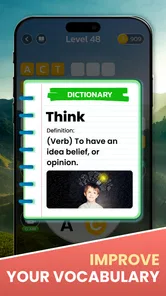
For children, I see it as a supervised or agreed-upon casual game rather than an automatic educational solution. It can encourage attention, letter recognition, and patient searching, but those benefits come from how the child plays and talks about the puzzle. I would use it alongside other activities, not as a replacement for reading, writing practice, or real conversation.
My household verdict
After using it as both a solo time-filler and a shared-device puzzle, I think Word Search Go: Word Puzzle succeeds because it stays understandable. Gamonix Studios has chosen a format that needs almost no explanation, and that makes it unusually convenient when several ages or skill levels are using the same phone or tablet. The game is free, rated Everyone, and easy to bring into a relaxed routine, while the optional purchase range means adults should still set a clear spending boundary.
My recommendation is strongest for people who value calm, recognizable gameplay over elaborate systems. I like that I can play for a short while, stop without losing a complicated plan, and return when I want another visual challenge. I also like that a household can turn one puzzle into a cooperative activity simply by sharing the search. Those strengths are real, but they come with a predictable limitation: players who need constant variety or competitive depth may outgrow the format.
The best way to approach this game is as a shared-friendly word break, not as a complete brain-training platform or a full family-management tool. Agree on turns, explain the difference between free play and optional purchases, and let each player choose whether to search alone or collaborate. With those boundaries in place, it becomes an easygoing addition to a household device and a solid choice for anyone who enjoys finding hidden words without a steep learning curve.
Word Search Go: Word Puzzle Frequently Asked Questions
Is Word Search Go: Word Puzzle free to download?
Yes, Word Search Go: Word Puzzle is free to download, so you can try its word-search puzzles without paying upfront. The game also offers optional in-app purchases, with items ranging from $0.99 to $24.99 each. If you prefer not to make purchases, review your device’s purchase controls before handing it to a child or another player.
Who develops Word Search Go: Word Puzzle, and which devices can run it?
Word Search Go: Word Puzzle is developed by Gamonix Studios and is available for Android devices running version 7.0 or later. That gives many Android users a straightforward way to check compatibility before installing. The game is categorized as a word game, so its main appeal is searching letter grids rather than action-based play or complex controls.
What is Word Search Go: Word Puzzle?
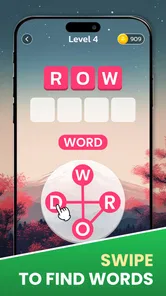
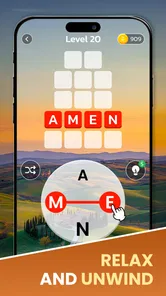
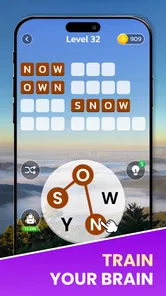
Word Search Go: Word Puzzle is a casual word game centered on finding hidden words in letter grids. Players swipe across adjacent letters to complete the words shown in each challenge. The game is designed for short sessions, making it suitable for relaxing at home, during a commute, or whenever you want a simple puzzle that does not require complicated controls or advanced gaming experience.
How do you play Word Search Go: Word Puzzle?
Each puzzle presents a grid filled with letters and a list of words to locate. You search horizontally, vertically, diagonally, and sometimes in reverse, depending on the individual board, then drag your finger across the letters to select a matching word. Completing the listed words normally advances you to the next level, while hints may help when a puzzle becomes difficult.
Is Word Search Go: Word Puzzle suitable for beginners and children?
Yes, the basic gameplay is easy to understand because it relies on familiar word-search rules and straightforward touch controls. Beginners can start playing without a tutorial-heavy setup, while children may also enjoy the visual format and simple objectives. The game is rated Everyone, but parents should still review its advertisements, in-app purchase options, and privacy information before allowing younger users to play.
Pros
- Simple interface makes it easy to start playing immediately.
- Hundreds of levels provide plenty of casual puzzle content.
- Helpful hints prevent difficult grids from becoming frustrating.
- Offline play is convenient for travel or areas with weak signal.
- Short rounds fit well into quick breaks throughout the day.
Cons
- Some puzzles may feel repetitive after extended play sessions.
- Hints and extra features may be limited without watching ads.
- Difficulty progression can feel uneven between certain levels.
- Small letters may be harder to read on compact phone screens.
- Frequent advertisements can interrupt the flow of gameplay.











