

Word Maker: Words Games Puzzle
- 9.45K
- 4.5
- Installs
- 10.00M
- Price
- Free

Screenshots
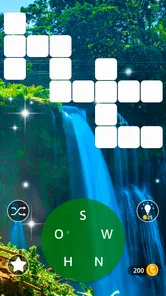
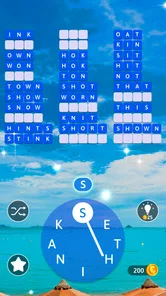
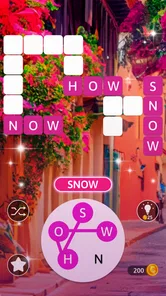
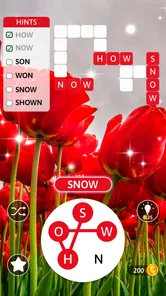
Analysis by Reviewed
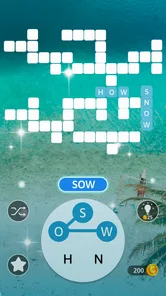
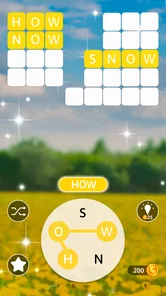
I usually reach for Word Maker: Words Games Puzzle when I have a few spare minutes and want a small, clear challenge rather than another feed to scroll through. The first action is simple: look at the available letters, try a combination, and see whether it forms a word the puzzle accepts. There’s no elaborate premise to learn before I can begin, so it suits those in-between moments when I want to start quickly and stop just as easily.
Who will enjoy this kind of puzzle
I’d recommend this word game to anyone who likes spotting patterns, testing vocabulary, or filling a short lull with something more active than scrolling. It can suit a solo coffee break or a quiet wait in a queue, especially if you enjoy the small satisfaction of finding a word you nearly missed. It is less suitable if you want a story, rich strategy, or a social competition: the central pleasure here is working with letters, not building a world or playing against other people.
Compared with a crossword, the focus is less on interpreting clues and more on seeing what can be made from the letters in front of you. Compared with a word-search, it asks for more experimentation than scanning a grid. That distinction matters: if clues are what you enjoy most, a crossword may feel more rewarding, while players who like quick pattern recognition should feel at home here.
A familiar word-game loop, with a quick start
The basic rhythm is easy to understand: inspect the letters, test a word, get a response, and decide what to try next. That clear feedback is a strength when I’m playing in short bursts because I don’t need to remember a complicated chain of rules between sessions. A successful find gives the puzzle a little lift; a failed guess tells me to rearrange the letters or rethink what might fit.
That simplicity also sets expectations. This is not the same kind of workout as a clue-heavy crossword, where solving one answer can depend on several others, and it is not a vocabulary lesson with explanations after each answer. I treat it more as a casual pattern-recognition game: useful for keeping my attention on words, but not something I’d rely on for structured language study.
Getting Started with Word Maker
Once you fire up Word Maker: Words Games Puzzle, you’re greeted with a simple and intuitive interface. The game doesn’t waste time with lengthy tutorials, which I appreciate. You can jump right into the action. The objective is straightforward: form words from the given letters. It’s all about finding the longest and most complex words you can muster. The app is available for both Android and iOS, making it accessible to everyone.
Gameplay and Features
What I love about the game is its variety. The levels start off easy but quickly ramp up in difficulty. This gradual increase keeps things interesting and ensures that you’re always challenged. Word Maker offers different modes to keep you engaged, from timed challenges to endless play. Personally, I find the timed mode exhilarating as it adds a layer of pressure that tests your quick thinking.
More From Our News Desk

 Gmail
GmailGmail in a Busy Inbox: Who Benefits Most?
From first account to crowded workday, Gmail earns its place through dependable search and flexible sorting—but its best fit depends on how much inbox maintenance you can tolerate.

 Prime Video
Switching to Prime Video: What Changes in Your Viewing Routine
Prime Video can make a compelling second home for streaming, but switching means learning a different catalog, rental layer, and route from browsing to playback.

 Universal TV Remote Control
Universal TV Remote Control Works Best as a Reliable Backup
A phone remote earns its place through quick setup and reliable habits. Here is how to get more from Universal TV Remote Control—and where its limits show.

 Weather - By Xiaomi
Weather by Xiaomi Review: Clear at a Glance, Less Clear Up Close
Xiaomi’s weather app makes everyday forecasts quick to scan, but its calm surface can leave useful details and recovery paths harder to find than they should be.

 X
XX Under Pressure: Can It Recover When Posting Goes Wrong?
A resilience-focused review of X, examining setup, mistaken posts, interruptions, weak connections, and the gaps that matter when recovery needs to be dependable.

 Clash of Clans
Clash of Clans Is Won Between the Battles
Its raids are quick; its community is a long-term project of coordination, teaching, rivalry, and shared responsibility—with all the friction that entails.
Latest News



The app also has a robust hint system. If you ever find yourself stuck, which I often do, you can use hints to guide you. But beware, these hints are limited, so use them wisely! Plus, the game frequently updates with new levels, so there’s always something fresh to tackle.
Making a short session work
For a realistic routine, I’d keep a round for a bus ride or the few minutes before an appointment, rather than plan a long session around it. A useful habit is to scan the letters once for short, familiar words, then look again for less obvious combinations before spending a hint. That second pass makes the puzzle feel like a deliberate exercise instead of a string of guesses, and it helps me save help for a genuine stall.
The loop is satisfying because each attempt gives a clear response: a word either fits or it doesn’t, and finding one gives me a reason to try another arrangement. A level can provide a stopping point, but the next puzzle is an easy invitation to continue. That reset is convenient for brief play, though it can also make time slip by if I keep telling myself I’ll do just one more.
What the feedback does—and doesn’t—teach
One practical way I use the game is as a quick attention reset between tasks. I focus on the letters rather than on notifications or a work problem, and the immediate right-or-wrong response makes it easy to re-engage after a distraction. If I’m playing with a child or a friend, I can also turn a puzzle into a low-pressure prompt to explain how we spotted a word, rather than simply racing to finish first.
There is a trade-off: recognising that a word fits is not the same as learning why it is valid or remembering its meaning. I wouldn’t choose this as my main tool for building vocabulary in a second language, because the enjoyment comes from assembling words, not from a lesson or detailed feedback about them. For that goal, a dedicated language-learning app or a word game with definitions would be a better match.
Design and User Experience
The design of Word Maker is clean and uncluttered. It doesn’t bombard you with ads, which is a huge plus in my book. The colors are easy on the eyes, and the animations are smooth, contributing to a pleasant gaming experience. The app runs seamlessly on both platforms, and I haven’t experienced any crashes or glitches during my playtime.
Another feature worth mentioning is the offline mode. Whether you’re on a plane or in a remote area without internet, you can still enjoy the game. This makes it a perfect companion for those long trips or commutes.
Planning around the level catalogue
The broad appeal is reflected in its reach: this is a free word game from AAA Fun, rated for Everyone, with a 4.5 average from around 40,000 ratings and over 5 million installs. The game launched on November 29, 2020, and version 1.36.0 is listed for devices running Android 7.0 or later. Its large collection—more than 3,000 levels—gives patient players plenty to work through, but a long catalogue is not the same thing as deep variety; if you need each session to introduce a very different mechanic, a focused puzzle game may hold your attention better.
There are also in-app purchases, with items ranging from $0.99 to $45.99. Since hints are limited, I’d treat them as a resource rather than a routine shortcut and check purchase prompts carefully if a child is playing. The game’s Everyone age rating makes it approachable for a broad audience, but that does not mean every player will want the same pace: younger players may enjoy word discovery, while adults who want a demanding vocabulary workout may find the straightforward format too light.
How I’d decide whether it fits
If you’re choosing between this and a crossword app, ask what kind of effort you want. Word Maker is the more direct option when I want to work from letters already on screen, without stopping to interpret clues or cross-check answers. A crossword is better when I want interlocking clues and a longer chain of reasoning. A word-search is better when I’d rather visually scan for a fixed list. These games overlap in their love of language, but the small action that drives each one feels different.
I’d also think about how I respond to repetition. A growing run of levels can be satisfying if I enjoy refining my approach to letter combinations, but it may feel samey if I need a fresh setting or a new rule to keep my interest. My practical tip is to play a few puzzles in one sitting before deciding whether the loop itself is enough for me. If I’m already searching for a story, multiplayer rivalry, or a more layered challenge, I’d pick another kind of game instead.
Keeping hints and purchases in perspective
When I get stuck, I try changing the order of my search before using help: start with a couple of obvious short words, then look for less common arrangements, and only then consider a hint. This is not a guarantee that every puzzle will yield quickly, but it gives me a way to avoid spending a limited resource simply because my first attempt failed. It also makes a hint feel like a deliberate nudge rather than part of every round.
For families, I’d keep purchase awareness separate from the game’s age rating. The Everyone rating is reassuring as a broad content signal, but it does not answer whether a child should be able to make purchases on a device. I would check the device’s purchase controls before handing it over, especially if the player is likely to use hints when frustrated. For adults, the useful question is whether the free play already provides the pace and challenge they want; I’d decide that before considering optional spending.
Final Thoughts
If you’re a fan of word puzzles, Word Maker: Words Games Puzzle is a must-try. It’s a well-crafted app that offers hours of entertainment. The challenges are engaging, and the game’s interface is user-friendly. It’s perfect for both casual players and those looking to sharpen their vocabulary skills.
So, what are you waiting for? Give it a download and start making words today. It might just become your new favorite pastime. Happy gaming!
My more measured recommendation is to try it when you want quick, self-contained letter puzzles and see whether the repeated cycle of searching, testing, and moving on suits you. The clearest reward is the moment a promising arrangement clicks; the natural reset is the next level, which makes it easy to return on another short break. That is a satisfying loop for casual play, but its simplicity is also the limit. If you want clues, a narrative, competitive play, or detailed teaching, another word-game format will serve you better.
Word Maker: Words Games Puzzle Frequently Asked Questions
What does the gameplay in Word Maker: Words Games Puzzle involve?
Word Maker: Words Games Puzzle centers on connecting letters to form words and solve puzzles. It is a good fit if you enjoy spotting possible word combinations and working through challenges at your own pace. The game’s description highlights more than 3,000 levels, giving players a substantial collection of word puzzles to explore.
What age group is Word Maker: Words Games Puzzle intended for?
Word Maker: Words Games Puzzle has an Everyone content rating, so it is presented as suitable for a broad audience. Its word-focused challenges may appeal to children practicing vocabulary as well as adults who enjoy casual puzzles. As with any game, parents can decide whether its play style suits a child and review device or account settings before downloading.
Does Word Maker: Words Games Puzzle require a particular Android version?
For Android, Word Maker: Words Games Puzzle requires Android 7.0 or later. Checking your device’s operating system before downloading can help you avoid compatibility issues. The game is categorized as a word game, with puzzles built around connecting letters and finding words, so it may suit players looking for a vocabulary-centered pastime.
Who developed Word Maker: Words Games Puzzle, and what kind of game is it?
Word Maker: Words Games Puzzle is a word game developed by AAA Fun. Its store description focuses on connecting words and solving puzzles, making it a fit for players who enjoy vocabulary-based challenges. Before downloading, you can also check that your device runs Android 7.0 or later, the stated minimum operating system requirement.
What is Word Maker: Words Games Puzzle?
Word Maker: Words Games Puzzle is an engaging mobile app designed to challenge your vocabulary skills. It offers a variety of word-based puzzles that require players to form as many words as possible from a set of given letters. The app is designed for both Android and iOS users, providing endless fun and learning opportunities with its user-friendly interface and multiple levels of difficulty. The game’s description highlights more than 3,000 levels of word puzzles.
Pros
- Engaging word puzzles enhance vocabulary.
- User-friendly interface for all ages.
- Challenging levels keep players entertained.
- Offline mode available for on-the-go play.
- Regular updates with new puzzles and features.
Cons
- In-app purchases can be costly.
- Ads may interrupt gameplay.
- Limited hints can be frustrating.
- Some levels feel repetitive.
- Requires internet for certain features.












