Tile Connect - Matching Games
- 8.87K
- 4.2
- Installs
- 50.00M
- Price
- Free
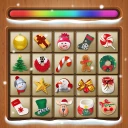
Screenshots

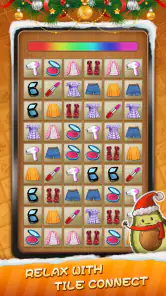
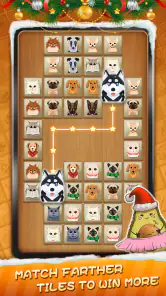
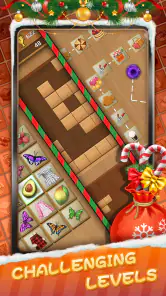
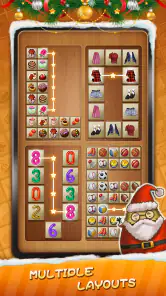
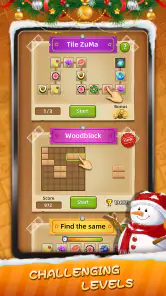
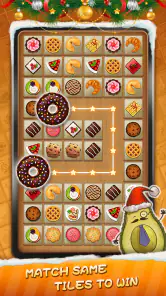
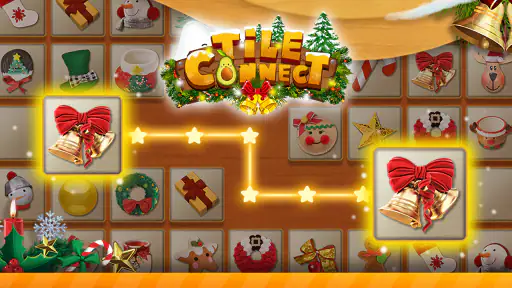
Analysis by Reviewed
I downloaded Tile Connect - Matching Games expecting a simple way to fill short breaks, and that is exactly where it makes the strongest first impression. It is a free board game from Higgs Studio built around pairing identical tiles before the board becomes difficult to manage. The basic idea is immediately understandable, but the experience is more than a single repetitive matching screen because it also includes tile-crush minigames.
My first reaction was that the game is easy to start without being completely mindless. I could play for a few minutes while waiting for an appointment, then return later without needing to remember a complicated story, a character build, or a long set of instructions. That low barrier is a real advantage for casual players. At the same time, the simplicity means its long-term appeal depends heavily on whether you enjoy gradually improving your visual scanning and decision-making.
What the first week feels like
I find the first week is best approached as a chance to learn how the board rewards patient scanning, rather than as a race to clear tiles quickly. Short sessions make it easier to notice which choices open useful space and which simply feel obvious. That early rhythm sets up the next question: whether the same small decisions stay satisfying once the matching pattern feels familiar.
A gentle learning curve with quick rounds
The opening sessions are approachable because the central action is familiar: find two matching tiles and clear them from the board. I did not need a tutorial-heavy introduction to understand the objective. The early rhythm encourages me to look across the whole layout, spot available pairs, and decide which match is safest to remove first.
That last part matters more than it sounds. Matching the first pair I notice is not always the best move. A tile may be blocking another useful combination, or clearing one area may make the remaining board easier to read. I found myself developing a small routine: scan the edges, identify pairs that open space, and avoid spending too long on a visually crowded section. It is a modest form of planning, but it gives the game more substance than simple tapping.
The board format also makes the game suitable for interrupted play. If I only have a short pause, I can complete a small amount of progress without committing to a long session. For commuters, students between tasks, or anyone who wants something quiet before bed, that convenience is more useful than a complicated progression system would be.
Why the minigames change the opening impression
The tile-crush minigames help prevent the first few sessions from feeling like one unbroken exercise. They give the package some variation and make the game feel less like a single puzzle template repeated forever. I appreciated the change of pace when I wanted something more immediate than studying a dense arrangement of tiles.
More From Our News Desk

Weather by Xiaomi Review: Clear at a Glance, Less Clear Up Close

X Under Pressure: Can It Recover When Posting Goes Wrong?

Clash of Clans Is Won Between the Battles

Android Auto Makes the Case for Quieter Car Software

MobiOffice: Transforming Mobile Productivity with Seamless Integration

EA SPORTS FC™ Mobile Soccer: Redefining Mobile Sports Gaming
Still, the minigames should be viewed as a supporting attraction rather than the entire reason to install the game. The matching boards are the identity of the product, while the extra activities work best as a break inside that loop. If you are specifically looking for a deep collection of different board games, this will feel narrower than a larger puzzle compilation.
Who is likely to enjoy the early experience
I would recommend the first-week experience to players who like visual puzzles, orderly tasks, and short sessions. It is also a reasonable choice for someone who finds action games too demanding but still wants a little interaction instead of passively watching videos. The Everyone content rating makes it accessible for a broad audience, although younger players may still need guidance around optional purchases.
It is less suitable for anyone who needs a strong narrative, competitive multiplayer, or a constantly changing challenge. There are no story characters pulling me forward, and the satisfaction comes from clearing layouts rather than discovering a world. Players who quickly lose interest in repeated pattern recognition may enjoy the novelty for a few days and then move on.
Small habits that improve the puzzle experience
One useful habit is to pause before making an obvious match. I found that a few seconds of scanning often revealed a better sequence, especially when several pairs were visible at once. Clearing the most accessible tiles is not automatically efficient; sometimes the more valuable move is the pair that exposes a blocked region.
Another practical approach is to divide the board mentally into sections. Rather than jumping randomly from one matching pair to another, I can inspect one area, remember the useful possibilities, and then compare them with pairs elsewhere. This reduces the feeling of visual overload and makes the game feel more deliberate.
I also prefer playing with a clean screen and minimal distractions. Because the challenge depends on recognizing shapes and symbols quickly, notifications or a rushed environment make the experience more tiring than it needs to be. That may sound obvious, but it is one reason the game works better as a focused short break than as something I play while doing several other tasks.
What remains after the novelty fades
After the novelty fades, I judge the game less by how often I open it and more by whether it still suits a particular kind of pause. Its appeal can last as an occasional reset, even if it never becomes a daily routine or a source of deep progression. The balance between a dependable puzzle and a familiar loop is what shapes its longer-term value.
The month-to-month question
The important test for a casual puzzle is not whether it entertains me on the first day. It is whether I still have a reason to open it after the basic matching loop becomes familiar. In my experience, Tile Connect has recurring value when I treat it as a flexible mental break rather than a game I must play every day.
The appeal comes from the combination of recognition and planning. The rules remain simple, but the arrangement of tiles changes the immediate problem. I can improve by becoming faster at spotting pairs, more careful about order, and better at preserving open space. That creates a quiet skill curve even when the underlying action does not change dramatically.
However, the game does not offer the same long-term variety as a strategy board game with different factions, a puzzle game with a campaign, or a competitive title with changing opponents. Once I have learned my preferred scanning method, some sessions can feel familiar. The minigames help, but they do not completely remove the repetition inherent in pair matching.
Where recurring value comes from
For me, the strongest recurring use case is the “in-between” moment: waiting for food, taking a short break from work, or winding down when I do not want to start a larger game. I can play without setting aside an entire evening. That makes it easier to return to than games that require a long uninterrupted session.
It can also work as a low-pressure warm-up for attention. I sometimes prefer a few calm matching rounds before reading or returning to a demanding task. The game gives my mind a narrow objective without asking me to manage a complicated interface. It is not a substitute for serious training, but it can be a pleasant transition between activities.
Families may find the basic concept easy to share because the rules can be explained quickly. Even so, I would not describe it as a deeply social board game. Its value is mainly individual, and people looking for conversation, teamwork, or a shared competitive table should choose a different kind of app.
How it compares with familiar alternatives
Compared with traditional match-three games, this game feels more focused on locating exact pairs than on building chains or planning special combinations. That makes it calmer and more accessible, but also less explosive. If you enjoy cascades, power-ups, and dramatic board reactions, a match-three alternative may provide more excitement.
Compared with classic solitaire-style apps, Tile Connect offers a more visual search task and less reliance on card sequencing. Solitaire can feel more strategic because a poor decision may affect a longer chain of moves, while this game is easier to understand at a glance. I would choose the tile format when I want lighter concentration and solitaire when I want a more deliberate card puzzle.
Compared with a pure memory game, it sits somewhere in the middle. I need recognition and attention, but I am not simply trying to remember hidden locations. The board is visible, so the challenge is managing what I see and deciding what to clear first. That distinction makes it a better fit for players who enjoy visual organization more than recall tests.
What can make continued play feel worthwhile
The best way to keep the game from becoming background tapping is to set a small personal goal. I might focus on making fewer rushed moves, clearing a difficult layout without distractions, or improving my ability to identify a safe sequence. These goals are more satisfying than opening the game automatically with no intention.
I also recommend alternating between the main matching activity and the tile-crush minigames instead of forcing one mode for too long. The variation does not transform the game into a large arcade collection, but it can refresh the session when the core board starts to feel predictable.
Players should also decide early whether optional spending fits their habits. The game is free to download, but in-app purchases range from $0.99 to $399.99 per item. That is a wide range, so I would approach purchase prompts carefully and use device-level spending controls if the game is being played by a child or on a shared device.
Maintenance, fatigue, and everyday friction
In everyday use, I find the main friction is not upkeep but knowing when a quick round has turned into too much visual scanning. Choosing a stopping point before I begin helps keep the game refreshing, especially when I am tired or distracted. That practical limit matters more than any elaborate routine, and it leads naturally to the question of who will still want it installed.
The low maintenance advantage
One of the product’s biggest strengths is that it does not demand much mental maintenance outside a session. I do not need to study a rulebook, remember a complex build, or keep up with a story before I can enjoy it again. The current version is 1.19.9, and the game remains easy to understand each time I return.
That simplicity makes it a dependable backup game. I can leave it unused for a while and come back without feeling behind. This is a meaningful advantage over games built around daily tasks, timed events, or elaborate progression systems. If your phone is already crowded with apps competing for attention, a game that can be ignored without penalty may fit your routine better.
The minimum operating system requirement is Android 8.0, which keeps it relevant for many older Android devices. I would still judge the experience on the specific phone or tablet being used, especially if the device has limited storage or performance, but the listed software requirement is not demanding by modern standards.
Where fatigue begins
The main source of fatigue is repetition. Pairing tiles is satisfying because the objective is clear, yet that same clarity can become predictable. After the initial learning period, I sometimes found myself performing the same visual scan without feeling that I was discovering a new kind of puzzle.
Visual density can also become tiring. When many similar tiles are present, the challenge shifts from thoughtful planning to careful inspection. That may be enjoyable for some players, but others will experience it as eye strain or frustration, particularly during long sessions. I get a better experience by keeping rounds short rather than treating the game as a marathon.
Another limitation is that the game’s relaxed format may not provide enough pressure for players who need a strong sense of stakes. If you prefer ranked matches, live opponents, or difficult strategic consequences, this will probably feel too gentle. Its lack of intensity is a benefit for casual use, but a weakness for players seeking adrenaline.
Handling purchases and attention demands
Because the game is free, optional purchases deserve practical attention. I would not install it for a child without first checking the device’s purchase settings. The presence of a high upper purchase amount does not mean a player must spend, but it does mean that casual tapping should not be confused with a completely cost-free environment.
I also would not recommend using it as a constant distraction during work or study. Its short-round structure makes it easy to open “just for a minute,” and the visual matching loop can encourage another attempt after finishing one. The same accessibility that makes it convenient can make it quietly time-consuming if I do not decide in advance when to stop.
Who should skip it
I would skip this game if my priority were deep strategy, a rich multiplayer community, or a substantial narrative campaign. It is not designed to replace those experiences. I would also look elsewhere if I become bored by tile-matching mechanics after a few rounds, because the extra minigames may not be enough to change that basic preference.
On the other hand, I would keep it installed for someone who wants a free, approachable board-style puzzle that works in short bursts. Its audience is broad, and the large existing player base is reflected in over 50 million installs, with an average rating of 4.2 from around 210 thousand ratings. Those figures do not guarantee that every player will enjoy the repetition, but they fit my impression that the game is easy to pick up and broadly accessible.
My long-term verdict
After the first-week novelty fades, Tile Connect earns space on my phone only if I treat it as a small daily convenience rather than a main hobby. Its lasting value comes from being ready when I want a quiet puzzle, not from offering endless transformation. I can return after a gap, understand the board immediately, and finish a short session without rebuilding momentum.
The developer, Higgs Studio, has positioned the game around a familiar board-puzzle foundation with enough extra activity to soften the repetition. I like that balance, but I would keep expectations realistic. The tile-crush minigames add variety, while the central pair-matching loop remains the reason to stay. If that loop is satisfying to you, the app can become a reliable habit; if it is not, no amount of casual convenience will make it feel deep.
My recommendation is strongest for people who want an uncomplicated free game for waiting rooms, short breaks, or relaxed evening play. I would install it with spending controls in place, play in brief sessions, and use deliberate scanning rather than tapping the first pair I see. Those small choices make the experience more enjoyable and reduce the two biggest risks: visual fatigue and automatic overplaying.
In the end, Tile Connect - Matching Games does not need to be a forever game to be worthwhile. It succeeds as a low-maintenance puzzle companion, especially for players who value immediate access over deep systems. Its lasting strength is dependable simplicity, not unlimited variety. If you want a calm matching game that can fill a few spare minutes without demanding a long commitment, I think it is worth trying. If you need evolving strategy, social competition, or a powerful reason to return every day, a more feature-rich board game will be the better choice.
Tile Connect - Matching Games Frequently Asked Questions
Can I play Tile Connect - Matching Games in short sessions?
Tile Connect - Matching Games is built around pairing identical tiles, so its central puzzle format is easy to pick up for a quick play session. Each board asks you to find valid matches and clear the tiles, while the layout and any level limits can make some rounds more demanding. It may suit players who enjoy focused, casual puzzles in between other activities.
What kind of puzzles and extra game content does it offer?
The game centers on classic pair-matching puzzles: find two tiles with the same image and connect them to clear them from the board. Its store summary also describes tile-crush minigames, adding another kind of puzzle activity alongside the main matching format. If you enjoy visual board-style games, this combination gives you a straightforward starting point with additional mini-game content.
Does Tile Connect - Matching Games work on my device?
Tile Connect - Matching Games is available for Android devices running Android 8.0 or later. It is also offered for iOS, so check its page in the relevant app store to confirm compatibility with your particular Apple device. The game is listed as version 1.19.9, and keeping an installed app up to date can help you access its current features and fixes.
What is Tile Connect - Matching Games?
Tile Connect - Matching Games is a casual puzzle game based on matching identical tiles. You usually need to find two equal images and connect them using a path with a limited number of turns. As you progress, boards become more crowded and time or move limits may make each level more challenging. It is designed for short, relaxing play sessions on Android and iOS devices.
How do you play Tile Connect - Matching Games?
The main objective is to clear the board by pairing matching tiles. Tap one tile and then select another with the same picture, provided the game allows a valid connection between them. Depending on the level, the path may need to remain clear and use only a limited number of bends. Players must observe the layout carefully and plan matches before the timer or available moves run out.
Pros
- Simple matching rules make it easy for beginners to start playing.
- Short levels are convenient for quick breaks or casual sessions.
- Colorful tile designs make the board easy to read at a glance.
- Increasing difficulty provides a gradual challenge as you progress.
- Offline play may be useful when you have limited or no internet access.
Cons
- Repeated matching gameplay can feel monotonous after extended sessions.
- Later levels may become frustrating when available moves are limited.
- Some features or bonuses may be restricted behind ads or purchases.
- Small tiles can be harder to distinguish on compact phone screens.
- Frequent advertisements may interrupt the flow between levels.
- Category
- Board
- Version
- 1.19.9













