Solitaire Classic – Klondike
- 3.17K
- 4.9
- Installs
- 5.00M
- Price
- Free
Screenshots
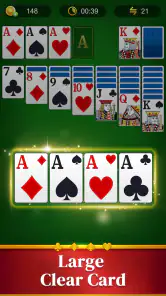
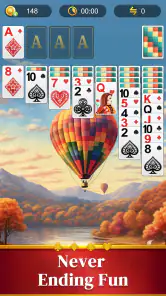
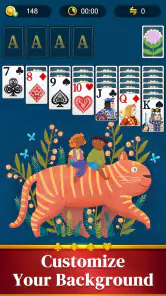
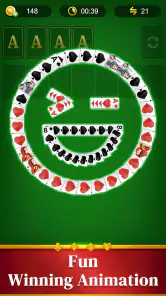
Analysis by Reviewed
My best reason to pick up this Klondike game is simple: it gives a familiar card puzzle a place in the small gaps of the day. I can start a round while waiting for a kettle to boil, pause to answer a message, and return without setting up a deck on a table. That convenience is the point; it is not trying to turn solitaire into a sprawling game with layers of systems to learn.
What the free entry point means
Solitaire Classic – Klondike is a free card game from Homa, with in-app purchases listed at $1.99 to $9.99 per item. So you can try the core experience without paying upfront, while optional purchases may cost extra. I would treat the free access as the reason to give it a test, not as proof that every part of the experience is free. If you are careful about spending, check purchase prompts before confirming anything and keep any spending controls you normally use enabled.
The game is rated for Everyone, which makes its basic card-play format easy to understand across age groups. Its average rating is 4.9 from around 151,000 ratings, and it has passed 5 million installs. Those figures suggest a broad audience, but they do not tell me whether an individual player will enjoy Klondike; the more useful question is whether you like thinking through a changing layout at your own pace.
Small choices that change a round
When I want a quicker, more forgiving session, drawing one card at a time gives me more chances to work through the deck. Drawing three makes the puzzle tighter because the order in which cards become available matters more. I would use the easier draw setting when I am distracted or playing in short bursts, and save the tougher one for when I can concentrate. That choice changes the feel of a familiar game without asking me to learn a different ruleset.
Hints and undo are useful, but I get more from them when I use them deliberately. If I am stuck, I first scan the tableau for a move that reveals a face-down card; exposing hidden cards can open more choices than shifting a card simply because it is available. If I make a move and the board gets worse, undo lets me test another line. Used this way, the tools help me learn the consequences of a move rather than automatically playing the round for me.
Where it fits among other solitaire choices
Compared with a physical deck, this is quicker to start and easier to carry, though it cannot reproduce the tactile pleasure of moving real cards. Compared with other digital solitaire games, the appeal here is a straightforward Klondike focus: I would choose it when I want the familiar draw-and-build puzzle, not when I am looking for a collection of card games, elaborate progression, or competitive play. If variety is your main priority, a broader card-game app may suit you better.
One practical way to enjoy it is to set a natural stopping point before opening a round: finish one game while waiting for a ride, rather than letting a spare moment stretch into a long session. Klondike can tempt me to keep going after a close loss, especially when a different card order seems likely to solve the next layout. The short-round format is convenient, but it does not guarantee that every deal will be winnable or satisfying.
More From Our News Desk

Weather by Xiaomi Review: Clear at a Glance, Less Clear Up Close

X Under Pressure: Can It Recover When Posting Goes Wrong?

Clash of Clans Is Won Between the Battles

Android Auto Makes the Case for Quieter Car Software

MobiOffice: Transforming Mobile Productivity with Seamless Integration

EA SPORTS FC™ Mobile Soccer: Redefining Mobile Sports Gaming
The app is listed as compatible with Android 7.0 and later, and its current version is 35.0.1. It was released on June 7, 2022. Those details make it easier to judge whether it fits an older device, while the version number is a useful reference if you are checking that you have the current release. I would still make sure the game runs comfortably on your own phone before relying on it as a regular time-filler.
If you are wondering whether it suits a beginner, I think so: the basic objective is familiar and the hint option can help when the layout stops making sense. Experienced players may prefer the three-card draw for a more demanding decision process, though people who want deep strategy or a strong sense of progression may find classic Klondike too contained. It is also not my pick when I want a social match or a different kind of card challenge.
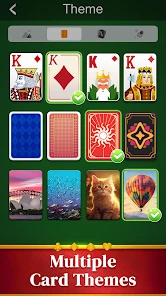
For an everyday example, I might open a round during a quiet lunch break, choose one-card draw if I expect interruptions, and switch to three-card draw later when I have time to focus. The background and card-back choices let me adjust the look, but they do not change the puzzle itself. That distinction matters: customization makes the familiar table feel more personal, while the lasting value still comes from whether I enjoy planning moves.
Homa’s game is a sensible option if you want a free way to play Klondike on your phone and are comfortable with optional in-app purchases. I would try it for short, low-pressure sessions and skip it if you need variety, competition, or a more substantial campaign. For me, its value is in making a classic card puzzle readily available, not in offering something radically different from the usual solitaire alternatives.
A routine that makes the game easier to enjoy
I find it helps to decide what kind of session I want before tapping through the first deal. If I have only a minute, I choose the relaxed one-card draw and treat the round as a small puzzle rather than a task I must finish. When I have a longer break, three-card draw gives each pass through the stock more weight. This simple choice keeps the game from feeling either too demanding or too slight for the time I have.
There is also a useful way to avoid undo becoming a substitute for thinking. Before reversing a move, I try to identify what I hoped it would unlock: a hidden card, a useful space, or access to a sequence. If the move has not improved those prospects, I undo and try a different route. This turns experimentation into a small lesson about the board instead of a string of random taps, and it is particularly helpful for newer players learning to prioritize uncovering cards.
What a phone version changes
Digital Klondike removes the small chores that come with a physical pack: there is no need to shuffle, gather scattered cards, or clear a table. That makes it convenient for a bus stop or a short wait where a real deck would be awkward. The trade-off is that a touchscreen cannot give the same satisfying feel as picking up and placing a card. If the physical ritual is part of why you enjoy solitaire, this version is handy rather than a full replacement.
Against a larger solitaire collection, the focused format is both a strength and a limit. I do not need to choose among several rule sets before starting, which makes it easy to return to the same familiar challenge. But if I get bored with Klondike or want to switch to another card game without changing apps, a collection will offer more variety. The right choice depends less on which app is universally better and more on whether you want one dependable puzzle or a wider menu.
Questions worth considering before you install
Will it work for brief sessions? Yes, Klondike naturally breaks into individual rounds, and the one-card option suits a distracted moment better than the more demanding draw. Can a beginner get started? The rules are familiar to many players, and hints can provide direction when a board feels stuck. If you already know the game, you can make the challenge sharper by choosing three-card draw and treating undo as a way to compare decisions rather than erase every mistake.
Do you need to pay to try it? No upfront payment is required, though optional in-app purchases are available. I would decide whether the free play is enough before considering any purchase, and avoid assuming that a paid option changes the core appeal: the central attraction is still arranging cards and planning what to reveal. If spending is a concern, take care around prompts and use the controls available on your device.
Is this the right pick if you want to compete with friends or work through a long campaign? I would look elsewhere. Its appeal is a personal, self-paced Klondike puzzle, not social competition or a sustained progression system. Likewise, someone who wants a constantly changing mix of card games may get more use from a broader collection. Knowing that distinction makes the download decision straightforward: choose this when you want the familiar game itself.
Hey there, card game enthusiasts! Have you ever found yourself with a few minutes to spare and a phone in your hand? Well, let me introduce you to an app that has become my go-to during those little breaks throughout the day: Solitaire Classic – Klondike. It’s a game we all know and love, but with a digital twist that makes it easily accessible anytime, anywhere.
A Trip Down Memory Lane
Remember those lazy afternoons when you’d sit by the window, the warm sun streaming in, and just lose yourself in a game of solitaire with a deck of cards? Solitaire Classic – Klondike takes you right back to those days. It’s like having that deck of cards in your pocket but without the hassle of shuffling or losing a card under the couch. The app beautifully mimics the classic experience, maintaining the nostalgia while adding a sprinkle of modern convenience.
Gameplay and Features
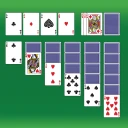
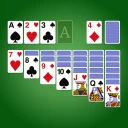
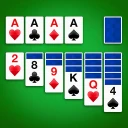
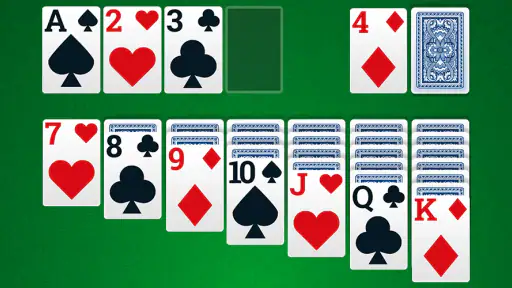
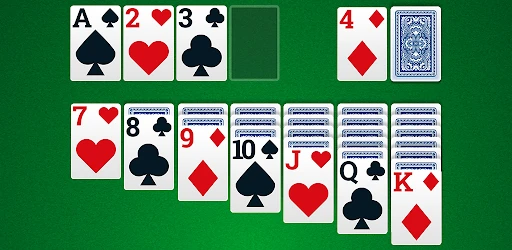
The app doesn’t stray far from the traditional Klondike solitaire that we all grew up with. It’s straightforward, easy to navigate, and even easier to get hooked on. As soon as you open the app, you’re greeted with a clean, uncluttered interface that’s incredibly user-friendly. Whether you’re a seasoned solitaire pro or a newbie, you’ll find your way around with no trouble at all.
One of the features I really appreciate is the option to draw one or three cards at a time. This simple choice allows you to tailor the difficulty to your mood. Feeling like a challenge? Go for three! Just want to unwind? Stick with one. The game also includes helpful hints and an undo option, which, let’s be honest, is a lifesaver when you realize you’ve made a strategic blunder.
And, oh, the customization options! You can change the card backs and the game’s background to suit your style. Whether you’re in the mood for a classic green felt or something more vibrant, the choice is yours.
Why It’s Worth Your Time
What really makes Solitaire Classic – Klondike stand out is its ability to entertain without overwhelming. The game is perfect for those quick breaks during the day, offering just enough challenge to keep your mind engaged without adding any stress. It’s like a quick mental workout that also lets you relax.
I also love that it requires no internet connection. You can play it while commuting, waiting in line, or even during those long flights where Wi-Fi is spotty at best. Plus, the app is light on your phone’s resources, meaning it won’t drain your battery or take up much space.
Final Thoughts
All in all, if you’re a fan of classic card games and are looking for something that’s both nostalgic and convenient, you really can’t go wrong with Solitaire Classic – Klondike. It’s a delightful little app that brings a beloved pastime into the digital age, and I can’t recommend it enough. Give it a download and see for yourself why it’s become a staple on my phone!
Solitaire Classic – Klondike Frequently Asked Questions
What kind of game is Solitaire Classic – Klondike?
Solitaire Classic – Klondike is a card game built around the traditional Klondike format, also known as Patience. Its store summary invites players to enjoy the classic deck-of-cards experience. If you are looking for a familiar solitaire game rather than a different card-game style, this is the type of play it offers.
Who develops Solitaire Classic – Klondike, and when was it released?
Solitaire Classic – Klondike is developed by Homa and was released on June 7, 2022. It remains a simple option to consider if you want to play Klondike solitaire on a mobile device. The developer and release date can also help you distinguish it from other games with similar Solitaire or Klondike names.
Does Solitaire Classic – Klondike cost anything to download?
Solitaire Classic – Klondike is free to download, so you can try its classic card-game format without paying upfront. The game also offers optional in-app purchases, with listed items ranging from $1.99 to $9.99. These purchases are separate from the basic download, so consider them if you are deciding whether the free version suits you.
Will Solitaire Classic – Klondike run on my phone or tablet?
The game is available for Android and iOS, and its listed minimum operating-system requirement is Android 7.0. It is a card game developed by Homa, with a Everyone content rating. Checking that your device meets the relevant platform requirements before downloading is a sensible first step, particularly if you use an older phone or tablet.
What is Solitaire Classic – Klondike and how does it differ from other solitaire apps?
Solitaire Classic – Klondike is a digital version of the traditional Klondike solitaire card game, available on Android and iOS. It offers a straightforward and classic solitaire experience, focusing on simplicity and elegance. Unlike other solitaire apps with complex features and distracting graphics, this version emphasizes a clean interface and smooth gameplay, making it ideal for purists seeking the traditional solitaire experience.
Pros
- Simple and intuitive interface
- Offline play available
- Free to download and play
- Smooth animations enhance gameplay
- Low battery consumption
Cons
- Contains ads during play
- Limited customization options
- No multiplayer mode
- Occasional lag on older devices
- In-app purchases for extra features
- Category
- Card
- Version
- 35.0.1