Pizza Boy C Pro
- 227.00
- 4.5
- Installs
- 10.00K
- Price
- $5.49

Screenshots

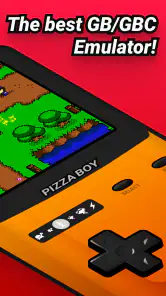

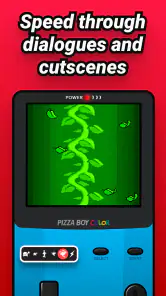
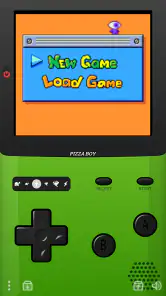
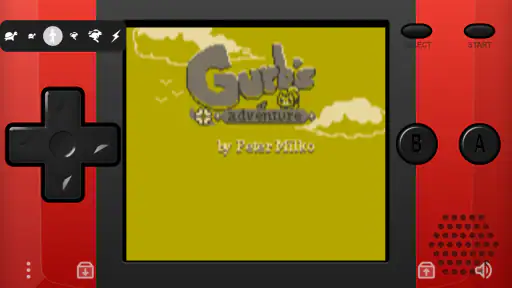
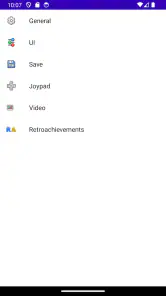
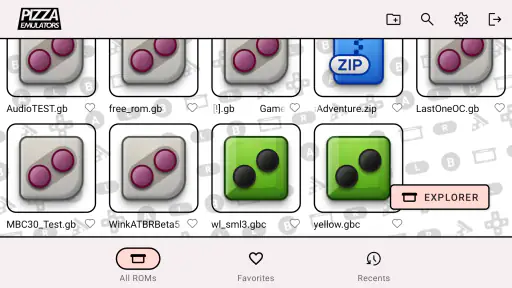
Analysis by Reviewed
When I reach for a classic handheld game on my phone, I want it to feel responsive without turning a short break into a setup project. Pizza Boy C Pro is an Android arcade emulator for Game Boy and Game Boy Color titles, made by Pizza Emulators. Its appeal is straightforward: it gives familiar games a place on a modern phone, with options that can make touch play more comfortable.
Picking the right games and expectations
This is a focused choice for someone who already has particular Game Boy or Game Boy Color games in mind. It is not a general arcade collection, and it does not replace the experience of browsing a ready-made catalogue. Before paying, I’d make sure I understand how I’ll access the game files I’m entitled to use and that the titles I care about are the ones I want to play on a phone.
The trade-off is similar to choosing a specialized tool over a broad, all-in-one emulator. A more general alternative may make sense if you want to move among several systems, while a simpler option may suit you if you never adjust controls or visuals. This app’s appeal is that its focus and customization are aimed at these two handheld systems; the extra choice is useful only if you’ll actually use it.
A realistic routine for quick breaks
Picture waiting for a delayed appointment with only a few minutes free. I’d open a game I already know, use a familiar control layout, and avoid changing visual settings in the middle of a level. If I’m interrupted, a quick save state can make it easier to resume at that point. For a longer session at home, I’d take time to try a controller or compare a shader with the plain image instead of fiddling while I’m trying to play.
That small distinction can make the app feel either convenient or fussy. A short break is not the moment to troubleshoot a layout or search for files, so I’d prepare the game and controls beforehand. Players who enjoy setting up their preferred feel will find that effort worthwhile; anyone expecting a game to launch instantly with no setup may find a dedicated handheld or a ready-to-play collection a better fit.
What performance feels like in everyday play
Speed matters most in games that depend on precise timing: a delayed button press can make a jump or a quick menu choice feel wrong. The app’s aim is faithful emulation, but the experience still depends on the particular phone, game, and control method. I’d test a favorite title for a few minutes before settling into a long session, especially if you’re using on-screen buttons and need to check their placement.
A practical routine is to use a save state before a difficult stretch, then return to it if a brief interruption pulls you away. That is different from relying only on a game’s own save points: it can help preserve a moment in progress, though it also makes it easier to save inconsistently. I’d keep a normal in-game save when available and treat quick states as a useful extra, not the only copy of progress.
More From Our News Desk

Clash of Clans Is Won Between the Battles

Android Auto Makes the Case for Quieter Car Software

MobiOffice: Transforming Mobile Productivity with Seamless Integration

EA SPORTS FC™ Mobile Soccer: Redefining Mobile Sports Gaming

How Microsoft OneDrive Became a Mobile Productivity Giant

How Google Translate Breaks Language Barriers Effortlessly
A Walk Down Memory Lane
So, what exactly is Pizza Boy C Pro? Well, in simple terms, it's a Game Boy and Game Boy Color emulator for your Android device. Yeah, you heard me right! It's like carrying a pocket-sized time machine in your phone. It's all about recreating that retro gaming experience with a modern twist. And folks, let me tell you, it does a pretty darn good job at it.
Smooth Gaming Experience
First things first, let's talk about the performance. The emulation is smooth as butter. You won't be facing any annoying lags or glitches that often plague other emulators. It feels like the app developers really put in the effort to ensure that every pixel and sound byte mirrors the original gaming experience. Whether it's Mario, Pokémon, or any other classic title, everything runs seamlessly, making you feel like you're back in the '90s.
Still, I wouldn’t treat a positive first impression as a guarantee that every title will feel identical on every phone. If one game seems less comfortable than another, I’d first check whether the issue is the touch layout or the particular game rather than assuming the whole app is at fault. A short test with a familiar section is a better way to judge responsiveness than changing several settings at once.
Feature-Packed Goodness
Now, let's geek out a bit over its features. Customization is the name of the game here. You can tweak the controls to your liking, which is a big plus for those of us who have our unique gaming styles. And the best part? You can save and load states anytime, anywhere. That means no more starting from scratch every time you want to play!
And for those who love a visual treat, the app supports high-level graphics and even allows you to apply shaders, giving a fresh look to those classic games. Oh, and did I mention that it also supports external controllers? Yeah, plug in that gamepad and let your thumbs do the talking!
Settings that are worth trying deliberately
My advice is to change one thing at a time. First, settle on a control layout that keeps the buttons reachable without covering the action more than you like. Then test a shader in a game with art you recognize. If you change both at once, it’s harder to tell whether a game feels better because of the controls or simply looks different. Keeping a familiar baseline also makes it easier to undo an experiment you don’t enjoy.
There is a real comfort trade-off with touch play: a phone gives you portability and a screen you already carry, but it does not provide the tactile separation of physical buttons. An external controller can help during longer play, but it is another thing to carry and connect. For a commute where space matters, touch controls may be the sensible compromise; for a planned session on the sofa, a controller may suit you better.
Making short sessions work
These options are especially handy during an ordinary commute or while waiting for an appointment. I’d set the virtual controls before starting a demanding game, then use a save state when I need to put the phone away quickly. If a controller is already part of your setup, it can make longer sessions feel more like playing on a handheld; if you just want a game for a quick queue, touch controls keep the phone self-contained.
Shaders are worth trying one at a time rather than treating every visual effect as an automatic improvement. A filter can give pixel art a different feel, but personal preference matters, and a cleaner image may suit some games better. The same goes for control customization: a layout that feels comfortable in a platform game may not be ideal for a title built around frequent menu navigation.
User-Friendly Interface
Speaking of the interface, it's intuitive and user-friendly. Even if you're new to emulators, you'll find it easy to navigate through the app. Everything is neatly organized, and you won’t spend ages trying to find your favorite game.
For a first-time emulator user, the easiest route is to keep the initial setup modest: choose a game file you can use, make sure it opens, and play long enough to learn where the controls sit before exploring optional visual changes. That separates basic setup questions from preferences. If you are already comfortable with emulators, you may move through that process quickly; if the idea of handling game files is itself a barrier, a conventional mobile game is likely less work.
Reliability, compatibility, and the trade-offs
For reliability, I’d judge it by how it behaves with the games and phone you actually plan to use, rather than assuming every setup will feel identical. If a session is interrupted, a quick state can help you resume, while a regular in-game save is a sensible backup habit. Before changing phones or reorganizing game files, make sure you understand how your saves are stored and keep any important progress safe; an emulator’s convenience is only useful if you can return to your game later.
Save states are especially helpful when real life interrupts at an awkward point, but I wouldn’t use them as a substitute for learning a game’s own save system. A useful habit is to save normally at a natural stopping point and use a quick state when you need to pause in the middle of play. If you later switch games or reorganize your files, taking a moment to confirm where your progress lives can prevent an avoidable disappointment.
Compared with a basic emulator, the useful distinction here is the emphasis on adjustable controls, visual options, save states, and external-controller support. Those extras can make it more flexible, but they also mean there are settings to learn. Someone who wants a simple, no-tweaking experience may prefer a more minimal option, while a player who values control over the feel of a classic game is more likely to appreciate the added choices.
It is also worth remembering that an emulator is not the same thing as a library of games. You should use game files you have the right to use and consider that setup step before buying. That makes this a less convenient pick for someone expecting a ready-to-play collection, but a more relevant tool for a player who already has a lawful way to access the games they want.
Who will get the most from it
I’d recommend it most to someone who has a small set of Game Boy and Game Boy Color favorites and wants to play them in flexible bursts. It makes particular sense if you like adjusting controls, switching between touch input and a controller, or using quick saves around interruptions. A player who is curious about how a classic game feels on a phone can also use a short trial session to decide whether the screen and input suit them.
I’d steer away if you want contemporary games, a supplied game library, or a perfect substitute for holding original hardware. It is also not the best match if you dislike setup, want one emulator for a broad range of systems, or depend on the feel of physical buttons but do not want to use a controller. Those are not flaws so much as mismatches between what the app is for and what a particular player expects.
Device demands and practical limits
The minimum requirement is Android 6.0, which gives the app a clear baseline for deciding whether an older phone is eligible. Eligibility alone does not tell you how comfortable a particular device will feel, though. Screen size affects how touch controls sit under your thumbs, and the phone you already own is the best place to test that before investing time in a long playthrough.
For a slower or older device, I’d keep the first session simple: try a familiar game, leave visual effects unchanged, and see how responsive the controls feel. If the experience is already comfortable, there may be no reason to alter anything. If it isn’t, avoid assuming that adding more visual options will help; a plain presentation and a better control arrangement are more sensible first checks. The point is to judge the app on your actual phone rather than chasing settings that may not address the problem.
The version available is 6.4.0, and the game has been on Android since February 27, 2017. That history makes it an established paid option, but it does not remove the need to check your own setup. The release is rated for Everyone, costs $5.49, and has a 4.5 average from around 994 ratings, with over 10,000 installs. I’d consider that price against how often I expect to use it and whether its specific controls and display options matter to me.
Final Thoughts
To wrap it up, Pizza Boy C Pro is not just an app; it's a portal to relive those cherished memories. It’s like meeting an old friend after years and picking up right where you left off. Sure, nothing beats the feel of a real Game Boy in your hands, but this app comes pretty close. Whether you're a retro gaming enthusiast or just someone looking to dip their toes into the world of classic games, this app is a must-try.
Pizza Emulators’ release is rated for Everyone, costs $5.49, and has a 4.5 average from 994 ratings, with 10K+ installs. It first appeared on February 27, 2017, and version 6.4.0 requires Android 6.0 or later. Those details put it in context as a paid, established choice rather than a free game, so I’d weigh the control and display options against how often you expect to play.
My performance verdict is positive for someone who wants portable access to Game Boy and Game Boy Color games and is willing to adjust the setup to personal taste. It is less suited to a player who wants modern games, an included catalogue, or a physical handheld feel without compromise. If you already know which classics you want to revisit, try a short session first, tune the controls, and see whether the phone’s screen and input style work for you.
So go ahead, download it, and let the gaming nostalgia begin. Trust me, your inner child will thank you!
Pizza Boy C Pro Frequently Asked Questions
Is Pizza Boy C Pro suitable for someone who has never used a game emulator before?
Pizza Boy C Pro is an arcade game app that emulates classic Game Boy and Game Boy Color games. Its interface is designed to make core tasks, such as opening a game and using on-screen controls, approachable for newcomers, while options for controls and save states can appeal to experienced players too. You will need compatible game files to play.
What is Pizza Boy C Pro and what features does it offer?
Pizza Boy C Pro is a high-performance Game Boy and Game Boy Color emulator for Android devices. It offers features such as fast emulation speed, high-quality graphics, customizable control layouts, save and load game states, and support for external controllers. Additionally, it provides a user-friendly interface that ensures an enjoyable gaming experience without annoying ads.
Is Pizza Boy C Pro compatible with all Android devices?
Pizza Boy C Pro is designed for Android devices and requires Android 6.0 or later. Compatibility can still depend on the particular device, so check your Android version before downloading. If your phone or tablet meets that requirement, it should be a suitable starting point for trying the app, although performance may vary between devices.
Does Pizza Boy C Pro support multiplayer gaming?
Yes, Pizza Boy C Pro supports multiplayer gaming through its link cable emulation feature. This allows players to connect with friends and enjoy multiplayer games as if they were using a physical Game Boy link cable. The app supports both local and online multiplayer options, enhancing the social aspect of classic gaming.
How can I load my ROMs into Pizza Boy C Pro?
Loading ROMs into Pizza Boy C Pro is straightforward. Users need to legally obtain ROM files and store them on their Android device. Within the app, they can browse their device's storage to locate and load the ROM files. It's important to note that sharing or downloading ROMs illegally is against the app's policy and may violate copyright laws.
Pros
- Highly accurate game emulation
- Supports various ROM formats
- Smooth performance on most devices
- Customizable controls and layout
- Regular updates and support
Cons
- May drain battery quickly
- Some features need premium version
- Occasional lag on older devices
- Limited multiplayer options
- Initial setup slightly complex
- Category
- Arcade
- Version
- 6.4.0