Pizza Boy A Pro
- 1.35K
- 4.8
- Installs
- 100.00K
- Price
- $5.49

Screenshots
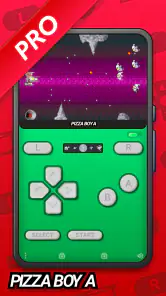
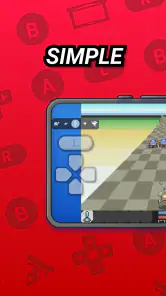
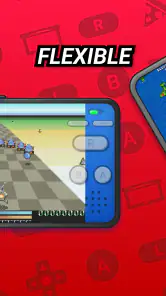
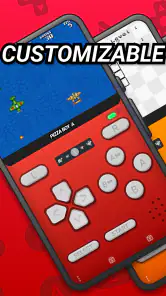
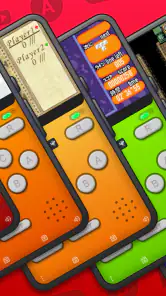
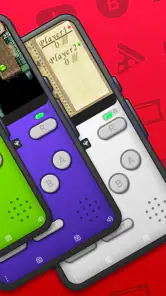
Analysis by Reviewed
When I’m choosing a retro game emulator, I first ask a practical question: do I already have games I want to play, and will I enjoy playing them on a phone? Pizza Boy A Pro is an arcade game from Pizza Emulators, built around handheld emulation rather than a library of games supplied with the app. That distinction matters: it makes most sense if you have a compatible game file you’re entitled to use and want a way to play it, not if you expect to download a ready-made collection and start immediately.
Who gets the most out of it
I’d recommend it most to someone who knows which older handheld titles they want to revisit and is comfortable setting up an emulator. It can also suit a curious newcomer who wants to try a particular classic, provided they understand that finding and organizing game files is a separate step. For a quick commute, a short level or saved progress can make a phone a handy stand-in for a dedicated handheld; at home, touch controls are convenient when a physical controller isn’t within reach.
A realistic routine is to choose a game before leaving home, check that it opens properly, then keep the phone ready for a few minutes of play during a break. That small test is worthwhile: it helps you find out whether the controls feel comfortable and whether the game you care about works well on your device before you build a larger collection around the app.
Questions to settle before you buy
Before paying, I’d make sure the emulator matches the handheld games I actually want to play, rather than assuming that “retro” means every old console or arcade title. Pizza Boy A Pro is a focused option, not a general-purpose library that covers unrelated systems. If your goal is one particular handheld era, that focus can be useful; if you want to jump between many platforms, a multi-system emulator may be a better fit.
I’d also think about where I’ll play. On a phone during a short break, touch input avoids carrying another device, but it takes screen space and can feel awkward in games where timing and simultaneous button presses matter. If I planned longer sessions or played action titles that demand precise inputs, I’d consider whether I already own a compatible controller and whether using it with my phone suits my routine. The emulator can make a phone convenient, but it doesn’t turn a touchscreen into physical buttons.
There is a practical file question too: the app is not a source of games. I would first check that I have a compatible game file I’m entitled to use and know where it is stored. Getting that part clear before buying prevents a common disappointment: installing an emulator and then discovering that the game I hoped to play is not ready to load. I’d start with one title rather than moving a whole collection at once, so any setup issue is easier to isolate.
Classic Gaming Experience
From the moment you launch Pizza Boy A Pro, you’ll be hit with a wave of nostalgia. The app has been designed meticulously to emulate the classic gaming experience down to the smallest details. You’ll feel like you’ve been transported back to the days when gaming was all about skill, strategy, and a little bit of luck.
More From Our News Desk

Clash of Clans Is Won Between the Battles

Android Auto Makes the Case for Quieter Car Software

MobiOffice: Transforming Mobile Productivity with Seamless Integration

EA SPORTS FC™ Mobile Soccer: Redefining Mobile Sports Gaming

How Microsoft OneDrive Became a Mobile Productivity Giant

How Google Translate Breaks Language Barriers Effortlessly
Features that Shine
What sets this app apart is its robust set of features. It supports a wide range of game formats, ensuring that you can play virtually any game you remember from your childhood. The app offers customizable controls, so whether you’re a fan of the old-school joystick or prefer a modern setup, Pizza Boy A Pro has got you covered.
Moreover, the graphics are crisp and vibrant, lending a new life to the retro games we all love. The sound quality is another aspect where this app excels, providing you with the authentic chiptune music and sound effects that defined an era.
Making setup less of a chore
The practical trade-off with an emulator is that control layout can matter as much as the game itself. I’d spend a moment adjusting the on-screen buttons for the game I’m actually playing rather than assuming one arrangement will suit everything. Games that depend on quick, precise inputs can feel less natural on glass than on a physical controller, while slower-paced play is often easier to manage with touch controls.
It’s also sensible to test one game at a time before moving files around or changing several settings. If a title doesn’t behave as expected, that doesn’t automatically mean the emulator is a poor fit; file compatibility, the game, and your device can all affect the experience. A small, deliberate setup makes it easier to spot what needs attention instead of troubleshooting a whole collection at once.
One useful habit is to treat each game as its own small setup decision. A layout that feels comfortable for a slower adventure may be badly placed for a title that needs fast directional changes. I’d adjust the buttons while testing the game, then play a short section before settling on the arrangement. That is more reliable than trying to perfect every option before I know which controls the game asks me to use most.
For a first session, I’d keep the process simple: open the game I intend to play, confirm that it runs as expected, try the controls in a low-pressure section, and only then make further changes. This avoids confusing a control issue with a file or compatibility issue. If I later add another title, I’d test that one separately instead of assuming the first game’s setup will carry over neatly.
There is also a comfort trade-off that matters over time. Touch controls can be perfectly adequate for a few minutes on a bus or during a break, but the phone’s screen and button overlay compete for the same space. If I find myself covering important parts of the picture or tiring my hands, that is a sign to change the layout, use a controller if I have one, or choose a game better suited to touch. An emulator’s flexibility is most useful when I’m willing to make those small adjustments.
Performance and Usability
One of the standout aspects of Pizza Boy A Pro is its smooth performance. The app runs efficiently on both Android and iOS platforms without any noticeable lag or glitches. Whether you’re playing on a high-end device or a more budget-friendly option, the experience remains consistently enjoyable.
The user interface is intuitive and straightforward. You won’t need a manual to navigate through the app, which is always a plus in my book. The developers have clearly put a lot of thought into making the app accessible and user-friendly.
For everyday use, I’d treat a quick launch test as part of deciding whether it belongs in my routine. A game that opens and feels comfortable on the couch may be less practical in bright light or with one hand occupied on a commute. I’d try the actual situation I expect to use it in, rather than judging the experience only from a quiet first run at home. Small details such as how I hold the phone and where my thumbs land can change whether a session feels relaxing or fiddly.
It also helps to remember that the emulator and the game file are separate parts of the experience. If one title behaves oddly, I would check the file and try a careful, single-variable adjustment before concluding that the whole app is unreliable. This method is less frustrating than changing several settings at once, because I can tell what made a difference. For someone who enjoys tinkering a little, that is manageable; for someone who wants every game to work instantly with no setup, it may be an unwelcome chore.
How it compares with other choices
Compared with a dedicated handheld, an emulator has the advantage of keeping play on a device you already carry, but it cannot reproduce the feel of physical buttons by itself. Compared with general-purpose emulator apps, Pizza Boy A Pro is a more focused choice for people interested in the handheld system it emulates; a broader emulator may be more convenient if you want to manage several different systems in one place. And if you simply want modern arcade games that are ready to play without sourcing files or adjusting controls, a conventional arcade game is likely the easier option.
The app costs $5.49, so I’d decide based on a specific use rather than nostalgia alone. Its 4.8 average from around 13,000 ratings suggests many users are pleased, and it has over 100,000 installs, but neither figure guarantees that your favorite game or preferred control style will suit your setup. It is rated for Everyone, and version 2.15.9 requires Android 6.0 or later. Pizza Emulators released it on September 29, 2019, and it remains a paid purchase rather than a free way to try a large catalog.
The choice between this and a multi-system emulator is less about which one is universally better and more about how you want to organize your games. If I mainly care about one handheld platform, a dedicated app can keep the experience straightforward and avoid making me sort through options for systems I never use. If my collection spans several kinds of retro hardware, having one broader tool may reduce app switching. I’d choose based on the systems I actually revisit, not the number of possibilities an app appears to offer.
A dedicated handheld is the more convincing choice when tactile controls, a separate gaming screen, or a device reserved for play matters more than carrying fewer things. A modern arcade game is a better choice when I want to tap an icon and play without arranging files or adapting controls. Those alternatives are not failures of emulation; they simply solve different problems. Pizza Boy A Pro makes the most sense when using a phone for a specific handheld library is the point.
The purchase decision is easier if I separate two questions: whether I want an emulator, and whether I want this particular focused emulator. If I already have a compatible game ready and expect to use it often, the paid price is a straightforward consideration. If I’m only vaguely curious about retro gaming, the setup work and need to source games may outweigh the appeal. I would not buy it on the assumption that the app itself includes the titles I remember.
Why You Should Try It
If you’re someone who cherishes the old-school gaming experience, Pizza Boy A Pro is a must-have in your app collection. It captures the essence of what made those games so special in the first place. Plus, it’s a great way to introduce younger generations to the games that paved the way for today’s gaming giants.
In conclusion, Pizza Boy A Pro is more than just an emulator; it’s a gateway to the past. It’s a reminder of simpler times when gaming was purely about fun and challenge. So, grab your virtual controller, dive into your favorite retro game, and let the nostalgia wash over you. Trust me, you won’t regret it!
My recommendation is strongest if you already have a game in mind, value a dedicated handheld-emulation experience, and don’t mind doing a little setup. If you expect a bundled game collection, need physical buttons, or want one app to cover a range of unrelated systems, I’d look at alternatives that better match those priorities. For everyone else, the clearest next step is to check your device’s Android version, prepare a game file you’re allowed to use, and try the controls before deciding whether the paid app earns a place in your regular rotation.
I’d especially consider it for someone who has a handful of specific games they return to, rather than someone who wants an endless menu to browse. A commute, lunch break, or quiet stretch at home can be a good fit when the game is already chosen and the controls have been set up. For a shared family device, I’d first make sure the person using it understands that the emulator and the game files are separate, so expectations are clear before anyone starts looking for a built-in catalog.
My final test would be deliberately modest: confirm the phone meets the Android requirement if that is the device I’m using, open one game I’m entitled to play, and see whether the input feels good enough to keep playing. If those basics work, the app’s focused approach and phone-friendly convenience have a clear purpose. If I discover that I dislike touchscreen play or would rather avoid handling files, I’d save the money and choose a dedicated handheld or a ready-to-play arcade title instead.
Pizza Boy A Pro Frequently Asked Questions
Can I use my own game files with Pizza Boy A Pro?
Pizza Boy A Pro is an advanced 32-bit handheld emulator, so you will need game files to play rather than treating it like a game that comes with its own titles. Before downloading, consider whether you already have files you can access on your Android device. Having them ready will make it easier to get started after installing the app.
What Android version do I need to install Pizza Boy A Pro?
Pizza Boy A Pro requires Android 6.0 or later. Check your device’s Android version before deciding to download it, especially if you have an older phone or tablet. The app is an Android game in the Arcade category, and making sure your operating system meets the minimum requirement is a simple way to avoid compatibility problems at installation.
Does Pizza Boy A Pro need any special setup before I can start playing?
Pizza Boy A Pro is an Android game in the Arcade category, and its store summary describes it as the full-featured version of Pizza Boy A, an advanced 32-bit handheld emulator. Before downloading, make sure your device runs Android 6.0 or later. You should also have the game files you intend to use ready to access on your device.
What is Pizza Boy A Pro and what features does it offer?
Pizza Boy A Pro is a highly acclaimed GBA emulator for Android devices. It features a smooth user interface, high-level BIOS emulation, and customizable controls. The app supports both landscape and portrait modes and offers fast emulation speed. Additionally, it provides features such as save states, fast forward, hardware joypads support, and various screen filters to enhance your gaming experience.
Is Pizza Boy A Pro compatible with all Android devices?
Pizza Boy A Pro is designed for Android devices running Android 6.0 or later. Compatibility can still depend on your particular device, so check that it meets the operating-system requirement before installing. A reasonably capable device may also help provide smoother gameplay when using an emulator, making it sensible to consider your phone or tablet’s performance as well as its Android version.
Pros
- Fast and smooth game emulation.
- Supports a wide range of ROMs.
- Customizable control settings.
- High compatibility with devices.
- Battery-friendly operation.
Cons
- Limited support for certain ROMs.
- Occasional audio sync issues.
- No multiplayer feature.
- Ads in free version.
- Requires manual ROM installation.
- Category
- Arcade
- Version
- 2.15.9