Mobile Phone Case Design & DIY
- 73.00
- 3.8
- Installs
- 10.00M
- Price
- Free
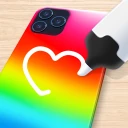
Screenshots
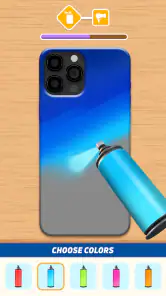
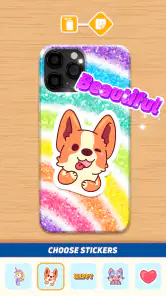
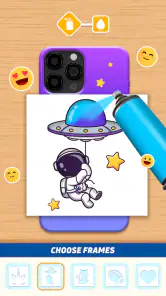
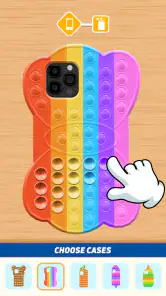
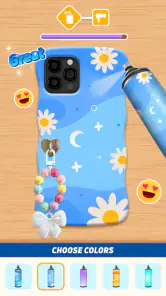
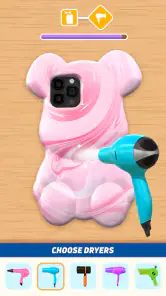
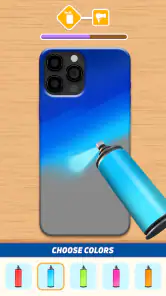
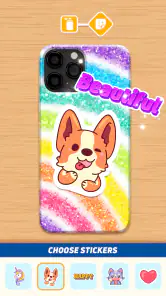
Analysis by Reviewed
For a first-time user, Mobile Phone Case Design & DIY sounds like a low-pressure way to turn a plain phone case into a small creative project. I’d approach it as a casual design game rather than a way to order a physical case: the appeal is making and enjoying a design on screen, not assuming it will become a product you can hold. That distinction makes the first session easier to enjoy.
What to expect from a casual design game
The game is published by Bravestars Publishing, is free to play, and is rated for Everyone. It has a 3.8 average from around 6,300 ratings, with over 10 million installs. Those numbers suggest it has reached a broad audience, though they don’t guarantee that its style will suit you. I’d expect a lightweight creative pastime, not a detailed professional design tool.
That matters when comparing it with the usual alternatives. A drawing app gives you more open-ended control, while a photo editor is better for polishing a picture. This game’s narrower phone-case theme can be more approachable if you want a clear, playful goal instead of a blank canvas. The trade-off is that anyone looking for precise layout work or a finished case to buy may be happier elsewhere.
Who will enjoy the theme, and who may not
I’d recommend this kind of focused design game to someone who likes making visual choices but doesn’t want to start with a completely empty screen. A phone case is familiar enough to give the activity a purpose: you can try a look that fits your favorite colors, a hobby, or a mood, then decide whether the result feels coherent. It also suits a short break better than a longer project that asks you to learn a full set of editing tools.
On the other hand, the theme may feel restrictive if you already enjoy building artwork from scratch. A general drawing app is a better fit when you want control over every mark, and a photo editor is more useful when the real task is improving a particular picture. I’d also skip this game if your main goal is to choose a phone model, check physical dimensions, or get a case made for everyday protection. Those are different jobs from enjoying a digital design activity.
Unleashing Your Creativity
Ever felt like your phone case was just too bland for your unique style? Well, that's where Mobile Phone Case Design & DIY steps in. This app is like a digital playground for anyone who loves to mix technology with creativity. It's all about designing custom phone cases that scream "you." Trust me, once you start, it's hard to stop!
Getting Started with the Basics
First things first, let's talk about the interface. It's super user-friendly, which means even if you're not a tech wizard, you'll still feel right at home. When you launch the app, you're greeted with a plethora of design tools. You can choose from a wide array of colors, patterns, and even upload your own images. The drag-and-drop feature makes it incredibly easy to maneuver through designs, so you can focus on what really matters – creating something awesome!
More From Our News Desk

Weather by Xiaomi Review: Clear at a Glance, Less Clear Up Close

X Under Pressure: Can It Recover When Posting Goes Wrong?

Clash of Clans Is Won Between the Battles

Android Auto Makes the Case for Quieter Car Software

MobiOffice: Transforming Mobile Productivity with Seamless Integration

EA SPORTS FC™ Mobile Soccer: Redefining Mobile Sports Gaming
For a first try, I’d keep the design simple: pick one image or a small set of colors, place the main element, then check how the whole case reads before adding more decoration. That makes it easier to spot when a favorite picture is getting crowded by extra details. If you’re using a personal image, choose one that still makes sense when viewed as part of a case design, rather than relying on tiny details that may be hard to notice on screen.
A calmer way to choose an image
When I use a personal photo in a design, I’d decide on the image before choosing its surrounding colors. That reverses the tempting approach of decorating first and squeezing a picture into whatever space remains. A photo with a clear subject is easier to build around than a busy snapshot, and leaving visual breathing room can make the finished layout feel more intentional. If the source image has several important faces or details near its edges, I’d test it in the preview before committing to a complicated arrangement.
There’s also a useful trade-off between a design that feels personal and one that reads cleanly at a glance. Adding several favorite colors, symbols, and images can make a case feel expressive, but each extra element competes for attention. I’d make one choice the focus—perhaps the photo or the color combination—and treat the rest as support. That’s a practical way to get a satisfying result without needing professional design knowledge.
Features That Stand Out
One of the coolest features has to be the 3D preview. Before you commit to a design, you can see how it looks from all angles. It's almost like holding the case in your hand before it's even printed. And for those who need a bit of inspiration, there's a community gallery where users share their own creations. It's a great way to get those creative juices flowing.
The preview is most useful as a visual check: rotate the design and look for a side that feels unfinished, or an image placement that seems unbalanced from another angle. I wouldn’t treat that view as proof of real-world fit or print quality. If your goal is to make something attractive inside the game, it’s a helpful extra; if you need a case ready for daily use, a dedicated retailer or a design-and-print service is the more relevant choice.
Using the gallery without losing your own idea
A shared gallery can be helpful when you know you want to make something but can’t settle on a direction. I’d browse with a small question in mind—such as whether I want a calm palette or a busier look—rather than scrolling until I feel pressure to imitate someone else’s finished work. Looking for one useful ingredient, like a simple arrangement or an unexpected color pairing, gives the browsing a purpose and leaves room to make the result your own.
It can also help to separate inspiration from evaluation. A design that looks appealing in a gallery may not suit the image or colors you want to use, and that’s fine. I’d borrow the general idea of keeping a focal point clear, then make choices based on my own materials. That approach makes the gallery a prompt rather than a standard every new design has to meet.
Another highlight is the integration with social media. Once you're done crafting your masterpiece, sharing it with friends on platforms like Instagram or Facebook is just a tap away. Plus, you can get feedback from fellow design enthusiasts which is always a plus!
Making the first session count
A useful first-session goal is simply to finish one design you like, rather than trying to make something elaborate. For example, if you have a few spare minutes while waiting for a ride, choose a color direction, add a familiar image, and use the preview to decide whether the composition feels balanced. Then share it only if you want outside opinions. This gives the creative loop a clear finish without turning a casual game into a project you feel obliged to perfect.
The gallery can also work as a starting point when you’re stuck, but I’d use it to notice broad ideas—such as a color pairing or a layout—not to copy a design detail by detail. That keeps the activity personal and makes it easier to settle on a look that feels like yours. If you enjoy the making more than the final result, experimenting with a second variation can be more rewarding than endlessly adjusting the first.
A realistic use for a spare moment
Imagine having a quiet few minutes before an appointment and wanting something more engaging than another round of scrolling. I’d open the game with one small decision already in mind: perhaps a favorite image or a color I want to use. I’d make a quick version, inspect it from different angles, and stop once the main idea feels balanced. The point is not to produce a polished design every time; it’s to have a contained creative activity with a visible finish.
If I were showing it to a friend, I’d explain that the result is a design to enjoy or share, not a purchase in progress. That distinction makes the social part easier too: feedback can be about whether the arrangement looks good, rather than whether the case will fit a particular phone. For a user who likes visual play but doesn’t want a demanding hobby, that modest, low-stakes loop is the strongest reason to try it.
Costs, expectations, and who it suits
The game is free, with in-app purchases listed at $2.99 per item. I’d begin without spending: try the basic creative loop first, then decide whether anything offered in the game is worth paying for to you. The current version is 1.2.9, and it runs on Android 7.0 or later. It’s a better fit for people who enjoy casual visual tinkering than for users who need exact measurements, professional design controls, or a physical case shipped to them.
Deciding whether to spend or keep it casual
Because the game can be tried for free, I’d use the first session to judge the activity itself before considering an in-app purchase. Ask whether choosing colors, arranging an image, and checking the preview is enjoyable enough to return to. If the appeal is mostly curiosity about how the tools work, there’s no reason to turn that curiosity into spending. If you find yourself returning to make new versions, you can weigh any purchase against how much extra enjoyment it would actually add.
The price of an individual purchase is listed as $2.99, but that doesn’t make every item automatically worthwhile for every player. I’d be cautious about paying simply because a design feels unfinished; first try changing the composition or removing an element. A simpler layout can solve a visual problem better than adding more decoration. That keeps the decision grounded in what you genuinely want from a casual game.
Common points of confusion
One point that can cause confusion is the word “DIY.” Here, I’d read it as designing digitally, not as instructions for crafting or printing a real case. Likewise, seeing a design in 3D doesn’t mean it has been ordered or manufactured. Keeping that expectation clear helps avoid disappointment and lets the game work on its own terms.
Another distinction worth keeping in mind is the difference between an attractive preview and a practical product mock-up. I’d use the rotating view to check the visual balance of a design, not to make decisions about real-world dimensions, materials, or protection. If you’re shopping for an actual case, start with a seller or service that identifies the device and explains the product being made. This game is more suitable when the goal is creative play than when accuracy has consequences.
Sharing is optional, too. A finished design can be satisfying even if it stays private, and I wouldn’t treat posting it as a necessary last step. If you do want feedback, asking one focused question—such as which of two color directions feels clearer—can be more useful than asking people to judge everything at once. That keeps outside opinions from making a personal project feel like a popularity contest.
How it compares with other ways to design
Compared with a blank-canvas drawing app, this game gives the activity a recognizable object to work around, which can help a beginner get started. The narrower focus is also its main limitation: if you want to make a poster, edit a portrait, or control detailed artwork, a general creative app offers a better match. A design-and-print service is the right alternative when the outcome needs to be a real case rather than a screen-based creation.
I’d choose between them by asking what I want at the end of the session. If I want a playful case concept and a chance to experiment, this game makes sense. If I need a finished image for another purpose, use a drawing or photo-editing tool. If I need a protective accessory, shop for the physical case directly. Those options may overlap in appearance, but they solve different problems.
A Few Final Thoughts
All in all, Mobile Phone Case Design & DIY is a fantastic app for anyone looking to add a personal touch to their smartphone. It's fun, it's engaging, and it gives you the tools to express yourself in a way that's both practical and stylish. Whether you're a seasoned designer or just looking for a new hobby, this app is definitely worth checking out.
So, what are you waiting for? Grab your phone, download the app, and start designing. Who knows, you might just create the next viral phone case design!
My recommendation is more modest: give it a try if you want an easy, themed creative break and don’t mind that the result is digital. Skip it if you’re after a serious design workspace or a real replacement case. Going in with that expectation, I’d treat a finished design as a small personal win—and a reason to come back when I feel like making another.
Mobile Phone Case Design & DIY Frequently Asked Questions
Is this game suitable for a quick creative break?
Yes. Mobile Phone Case Design & DIY is a casual game centered on making your own phone-case designs, so it offers a creative activity to dip into when you want a change of pace. Its focus is visual customization rather than a complicated setup, making it approachable for players who enjoy experimenting with colors and personal style.
What is Mobile Phone Case Design & DIY?
Mobile Phone Case Design & DIY is an innovative app that allows users to create and customize their own mobile phone cases. With a wide range of design tools, colors, and materials, users can craft unique and personalized cases that reflect their style. Ideal for creative individuals, the app provides an engaging platform to explore design possibilities. It is a casual game from Bravestars Publishing, and its store summary invites players to unleash their creativity and make their own phone cases.
How does the design process work in the app?
The design process in Mobile Phone Case Design & DIY is user-friendly and intuitive. Once you open the app, you can choose your phone model and start from scratch or use a template. With a variety of tools like color palettes, textures, stickers, and text, you can customize every aspect of your phone case. The app also offers a 3D preview to visualize your creation before finalizing.
Is Mobile Phone Case Design & DIY free to use?
Mobile Phone Case Design & DIY is free to download and offers a freemium model. While the basic version is free and provides access to essential features, there are premium tools and materials available through in-app purchases. This allows users to enhance their designs with exclusive patterns and materials, providing more sophisticated customization options. In-app purchases are listed at $2.99 per item.
Can I order my designed phone case through the app?
Yes, Mobile Phone Case Design & DIY provides an option to order your custom-designed phone case directly through the app. Once your design is complete, you can proceed to the order section, where you’ll be guided through the purchasing process. The app connects with various printing services to ensure high-quality production and delivery of your personalized case.
Pros
- Customizable design options available.
- User-friendly interface for all ages.
- High-quality design templates included.
- Wide range of materials to choose from.
- Fast processing and delivery times.
Cons
- Limited free design elements available.
- Occasional app crashes reported.
- Requires in-app purchases for premium.
- Design tools can be complex for beginners.
- Limited support for older devices.
- Category
- Casual
- Version
- 1.2.9