Macabre Color Paint By Number
- 943.00
- 4.7
- Installs
- 500.00K
- Price
- Free

Screenshots
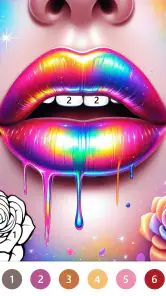
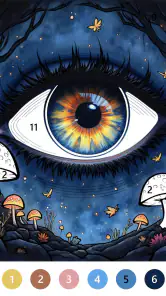
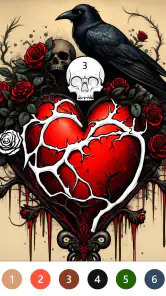
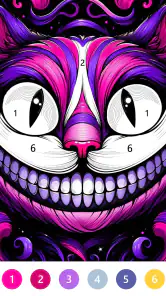
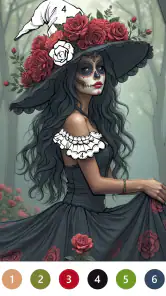
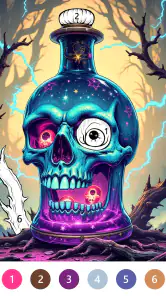
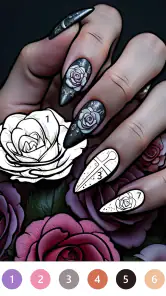
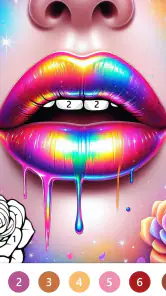
Analysis by Reviewed
Have you ever found yourself needing a creative outlet but not quite sure where to begin? Enter Macabre Color Paint By Number, the app that lets you dive into the captivating world of coloring without the hassle of gathering materials or worrying about making a mess. Let me take you through my journey with this intriguing app.
A small creative break that fits an ordinary day
I find this kind of coloring most useful when I want a quiet activity that does not demand a blank page or a plan. A short session while waiting for an appointment, or a few minutes on the sofa after work, gives me a clear task without the setup of physical paints and paper. The numbered sections make it easy to pause and return without needing to remember a complicated technique.
It is also a particular kind of creative outlet: I am choosing where to focus and completing a prepared composition, rather than drawing the image myself. That distinction matters. If you enjoy shaping your own colors, sketching, or making deliberate changes to a picture, a drawing app or a traditional coloring book will give you more control. If you mainly want a guided activity with a moody visual style, this is a more natural fit.
For a small, realistic routine, I can imagine opening it while waiting for a friend at a café, selecting one picture, and coloring until the conversation begins. That works better than treating each session as a goal to finish a whole image. The app’s format lends itself to stopping and resuming, so a few completed areas can still feel like a satisfying use of a spare moment. I would keep the phone comfortable to hold and take a break if close tapping starts to strain my eyes or patience.
Getting Started with Macabre Artistry
First off, the setup was a breeze. I downloaded Macabre Color Paint By Number from the app store, and within moments, I was greeted by an array of grayscale images just waiting to be brought to life. The app is designed with a user-friendly interface, making it easy for anyone to navigate, whether you're a seasoned artist or just looking to pass the time.
Macabre Color is a free board game from Art Coloring Group, rated Everyone, and it has a 4.7 average from around 6,500 ratings. It has passed 500,000 installs, so it has clearly found an audience beyond people who already collect horror-themed art. The current version is 1.2.1, and it runs on OS 7.1 or later. Those details make it easy to judge whether it is suitable for your device and household, but the more important choice is whether its specific style appeals to you.
The initial collection of artworks is nothing short of fascinating. From eerie skulls to haunting landscapes, the selection is perfect for those who have a penchant for the darker side of art. The detailed designs ensure that you'll be engaged for hours on end, meticulously filling in each section with the corresponding colors.
More From Our News Desk

Weather by Xiaomi Review: Clear at a Glance, Less Clear Up Close

X Under Pressure: Can It Recover When Posting Goes Wrong?

Clash of Clans Is Won Between the Battles

Android Auto Makes the Case for Quieter Car Software

MobiOffice: Transforming Mobile Productivity with Seamless Integration

EA SPORTS FC™ Mobile Soccer: Redefining Mobile Sports Gaming
The Coloring Experience
What sets this app apart is its focus on macabre themes. Unlike other paint-by-number apps, Macabre Color Paint By Number caters to a niche audience that appreciates the beauty in the eerie and the unconventional. Each image is divided into tiny sections, each marked with a number that corresponds to a specific color. All you need to do is tap on the color from the palette and then tap on the section you want to fill. It's like a digital coloring book that fits right in your pocket!
That tap-by-number routine is approachable, though it can become fiddly when a design is packed with very small areas. I recommend choosing a less intricate picture when you only have a brief break; save the dense artwork for a session when you can slow down and concentrate. This is a practical trade-off: complexity gives the finished image more detail, but it also makes progress feel less immediate. If you prefer broad strokes and quick visual changes, a simpler coloring game may suit you better.
The app also caters to both beginners and advanced users. For those new to coloring, the straightforward number system is incredibly helpful. Meanwhile, seasoned users will appreciate the intricate designs that require a keen eye for detail. It's a win-win for everyone involved!
Choosing a pace that feels fair
I would approach it as a low-pressure pastime rather than a race to complete every picture. The small areas invite patience, and stopping partway through is perfectly sensible if your attention starts to wander. In a typical alternative, such as a general coloring app, the main difference is often the breadth of subject matter; here, the appeal is the narrower, darker art direction. That focus is a strength for fans, but it also means this will not be my pick when I want cheerful scenery or a wide mix of themes.
For a realistic routine, I might open it during a quiet commute break, finish a few sections, then return later when I have more time. A useful way to keep that session relaxing is to pick one image before starting instead of browsing repeatedly; choosing the artwork is part of the experience, but too much indecision can eat into a short break. If precise tapping starts to feel like work, I would stop rather than force a long session. Its appeal depends on the activity staying calm.
There is a useful distinction between progress and pressure here. A numbered picture gives me an obvious next step, but it can also tempt me to keep tapping simply because unfinished sections remain. I get more from it when I decide in advance that a session will last only as long as it stays pleasant. On a busy day, I might complete a handful of easy regions; when I have more attention to spare, I can take on a denser image. This is a simple way to make the same activity suit different moods without turning completion into an obligation.
Spending, access, and what to weigh
The game is free to download, with in-app purchases ranging from $0.99 to $59.99 per item. That wide range is worth noticing before spending: I would treat optional purchases as a personal choice, not a requirement for enjoying the basic idea. A sensible approach is to try the free experience first and decide whether the art and pacing are engaging enough to justify paying for anything. I would not assume that a purchase is necessary to make progress, nor infer what a particular item includes without checking its details in the app.
For parents, the Everyone rating is reassuring as a broad age label, but the macabre subject matter still deserves consideration if a child is sensitive to skulls or spooky imagery. The rating and the visual tone answer different questions: one concerns general content suitability, while the other is about personal taste. Adults who enjoy gothic illustrations may find the theme appealing; someone looking for a bright, child-focused coloring activity should compare alternatives before settling on this one.
When comparing it with a physical coloring book, I see convenience on the digital side and tactile control on the paper side. A phone avoids finding pencils, keeping pages flat, and cleaning up, but it cannot reproduce the feeling of choosing pressure or blending colors by hand. Compared with a freehand drawing app, the numbered structure is easier to enter when I have little inspiration, while the drawing app wins if I want to make a picture distinctly my own. The right choice depends less on which format is “better” and more on whether I want guided completion or creative freedom that day.
I would also think about purchases as a decision to make slowly, not as a test of whether the game is worthwhile. The free starting point lets me judge the central activity first: whether the images appeal to me and whether filling their sections remains enjoyable. If I consider buying something, I would read the item description and price on the purchase screen before confirming. The range of possible item prices is broad enough that I would avoid tapping through a prompt automatically, especially if a child is using the device.
Why You Should Try It
There's something incredibly satisfying about watching your artwork come to life with every tap of your finger. As you progress, the app rewards you with a stunning piece of art that you can save and share with friends. Plus, it's a fantastic way to unwind after a long day. The simple act of coloring can be quite meditative, allowing you to focus solely on the task at hand and forget about the world around you.
The main question I would ask before installing is whether a guided, numbered format is what I want today. It is not the same as freehand art, where I can invent shapes and colors, and it is not quite like a physical coloring book, where pencil pressure and paper texture are part of the pleasure. Here, the clear appeal is convenient, tap-based completion of themed images. If that sounds satisfying, the format is easy to understand; if you want artistic freedom or a tactile hobby, another option will feel more rewarding.
Moreover, the app is constantly updated with new images, ensuring that you'll never run out of artwork to color. Whether you're into gothic themes, horror, or just love a good challenge, there's something for everyone. The developers have done a commendable job of keeping the content fresh and exciting.
One point I keep in mind is that “relaxing” is personal. A detailed picture can be soothing when I am in the mood to focus, but the same tiny regions may feel tedious when I am tired or using the game in a hurry. I would match the artwork to my energy rather than expect every session to feel meditative. The best use is as a small, optional pause in the day, not as a substitute for every kind of creative activity.
It is a better fit for someone who likes dark illustrations and gets satisfaction from finishing a prepared image than for someone who wants every session to produce a new idea of their own. I would recommend it to a friend who enjoys coloring but does not want to gather supplies, or to someone who finds an empty canvas intimidating. I would point a fan of fast, competitive board games elsewhere: despite its board-game category, its appeal is patient, individual coloring rather than strategic play against another person.
Another practical tip is to treat image choice as part of managing the experience. When I have only a few minutes, a simpler composition is likely to give me more visible progress than a tightly detailed one. When I want to settle in, a more intricate picture can keep my attention longer. This is not about doing the artwork “correctly”; it is about matching its demands to the time and focus I actually have, so the game stays a break instead of becoming another task.
In conclusion, if you're looking for a creative outlet that's both fun and relaxing, Macabre Color Paint By Number is definitely worth a try. It's a unique twist on the classic paint-by-number concept, offering a delightful experience for anyone who loves the macabre. So go ahead, download the app, and let your inner artist shine!
My trust verdict
My overall view is positive, with a clear caveat: this is best for someone who actively likes eerie artwork and enjoys finishing a picture one numbered area at a time. The free entry point makes it straightforward to try, while the optional purchase range is a reason to make spending decisions carefully rather than assume every extra is essential. I would recommend it to a friend who wants a compact, guided coloring activity and would steer someone seeking open-ended drawing, fast action, or a broad variety of subjects toward a different kind of game.
Before installing, I would check that the device meets the stated OS requirement and consider whether the person using it enjoys spooky imagery, regardless of the broad age label. After opening it, the questions that matter are practical: do I like the artwork, can I comfortably tap the smaller sections, and does the pace suit the time I have? Those answers will tell me more than the category name alone. If they are yes, the free download offers a reasonable way to see whether this particular style of coloring earns a place in my routine.
Some details are simply things I would assess in the app itself rather than guess about in advance, especially the contents of individual optional purchases. That is why I would inspect the purchase screen carefully and avoid treating the broad price range as a promise about what any one item provides. My trust verdict is therefore favorable but measured: I like the focused idea and the ease of trying it, while recommending that players make their own call on the dark art style, fine tapping, and any spending before settling in.
Macabre Color Paint By Number Frequently Asked Questions
What kind of game is Macabre Color Paint By Number?
Macabre Color Paint By Number is a board game built around coloring pictures by number, with a dark, macabre style. The store presents it as “Macabre Color - The Coloring Adventure,” which gives a sense of its creative focus. It may appeal to players looking for a relaxed coloring activity with artwork that leans toward gothic and horror-inspired themes.
Who develops Macabre Color Paint By Number, and what should I know before downloading it?
Macabre Color Paint By Number is developed by Art Coloring Group. It is free to download, and its age rating is Everyone, so it is presented as suitable for a general audience. The game is available in version 1.2.1, and it has reached over 500,000 installs. Those details can help you decide whether it fits your device and the kind of coloring game you want.
What is Macabre Color Paint By Number?
Macabre Color Paint By Number is a unique coloring app that allows users to explore their artistic side with a twist of the macabre. It offers a variety of dark and intricate images that users can color by numbers. This app combines relaxation and creativity, providing a unique experience for those who enjoy horror-themed art.
Is Macabre Color Paint By Number free to use?
Yes, Macabre Color Paint By Number is free to download and use. However, like many apps, it offers in-app purchases that allow users to access premium content, including exclusive images and tools. These purchases are optional, and the free version still provides a substantial amount of content for users to enjoy. In-app purchases range from $0.99 to $59.99 per item, so check purchase details before confirming any transaction.
What kind of images are available in Macabre Color Paint By Number?
The app features a variety of macabre-themed images, ranging from gothic and horror-inspired illustrations to dark fantasy art. Users can find images of skulls, haunted houses, mythical creatures, and more. The collection is regularly updated to provide fresh content, keeping the experience engaging and exciting for users.
Pros
- Engaging and relaxing gameplay experience.
- Wide variety of coloring pages available.
- User-friendly interface for all ages.
- Frequent updates with new content.
- Offline mode available for on-the-go fun.
Cons
- Contains in-app purchases for extra features.
- Advertisements can be intrusive at times.
- Limited free content available.
- Requires a stable internet connection initially.
- May consume significant battery life.
- Category
- Board
- Version
- 1.2.1













