John GBA
- 1.59K
- 3.4
- Installs
- 100.00K
- Price
- $2.99

Screenshots
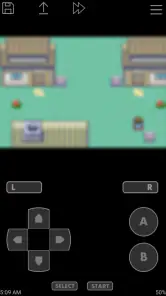
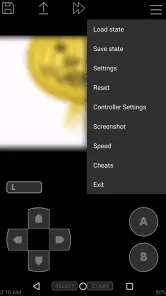
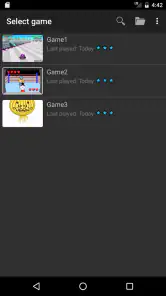
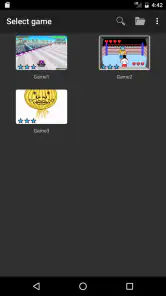
Analysis by Reviewed
When it comes to retro gaming, there's something incredibly nostalgic about diving back into those classic games from our childhood. If you're a fan of Game Boy Advance (GBA) games, then let me introduce you to an app that might just become your best buddy. I’m talking about the John GBA emulator. It’s like having a time machine in your pocket that transports you back to the good old days of pixelated adventures and chiptune melodies.
Before You Start: The ROM Question
The first point I’d sort out is where your games will come from. An emulator is not the same thing as a game collection: John GBA is the software used to run GBA titles, so you should check that you have game files you are entitled to use before building your plans around it. That distinction matters because an emulator can be ready to open while the library you expected to play is not.
I’d also decide what kind of session you want before spending time adjusting controls. A quick puzzle or a short revisit to a familiar stage can work well on a phone, while a long game that depends on precise directional inputs may be less comfortable on a touchscreen. If you already own a compatible controller, that can make the phone feel closer to a handheld console; if not, the on-screen layout is the place to begin.
Bringing Back the Classics
Alright, let’s get straight into it. The John GBA emulator is essentially a compact, efficient app that allows you to play your favorite GBA games on your Android device. No need to dust off your old Game Boy Advance from the attic when this app lets you carry all those games right in your pocket. What’s cool is that it supports a wide range of GBA games, so whether you’re into Pokémon, Mario, or Zelda, you’re covered. The app focuses on providing an authentic experience, and honestly, it does a pretty solid job at it.
Features That Stand Out
Now, let’s talk features. One of the standout features of this emulator is its OpenGL rendering. This basically means that the graphics are rendered smoothly, giving you a clearer and more vibrant gaming experience. Trust me, you’ll appreciate this when you’re in the middle of a heated battle or trying to beat your high score.
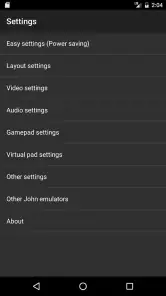
Another handy feature is the customizable layout. You can adjust the control buttons on the screen to suit your gaming style. This is a lifesaver for those of us with big thumbs or those who just want a more personalized setup. Plus, it supports external controllers. So, if you have a Bluetooth gamepad lying around, you can easily connect it and get that console-like experience.
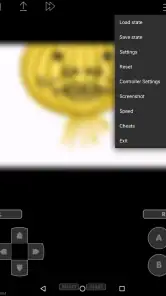
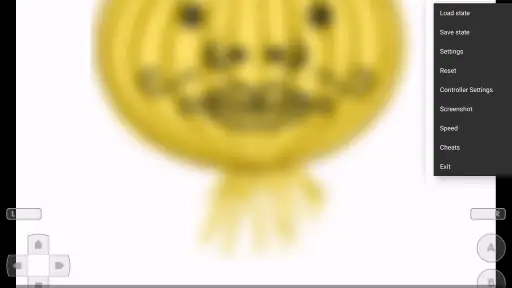
The emulator also includes a nifty feature to save and load game states. Ever been stuck in a game and wished you could go back a few steps? With John GBA, you can save your game at any point and load it anytime. This feature alone is a game-changer, especially for those tricky spots in games where you’re more likely to rage quit.
More From Our News Desk

Clash of Clans Is Won Between the Battles

Android Auto Makes the Case for Quieter Car Software

MobiOffice: Transforming Mobile Productivity with Seamless Integration

EA SPORTS FC™ Mobile Soccer: Redefining Mobile Sports Gaming

How Microsoft OneDrive Became a Mobile Productivity Giant

How Google Translate Breaks Language Barriers Effortlessly
Make Controls and Saves Work for You
For a practical first session, I’d test the layout in a low-pressure part of a game rather than waiting until a difficult boss or timed section. Move buttons that cover important screen details, and try a few combinations before settling on a setup. A layout that feels fine in a menu can be awkward when you need to steer and press another button at once, so a short test can save frustration later.
Save states are useful, but I treat them as a second safety net rather than a replacement for a game’s own save system. Before closing a session, I’d use the in-game save when available and then create a state at a convenient point. That gives you two ways back into a longer game and reduces the risk of relying on one quick snapshot. It is also worth keeping states at clear milestones instead of repeatedly overwriting the only one you have.
Performance and User Experience
Performance-wise, this app doesn't disappoint. It runs smoothly without any noticeable lag, providing a seamless gaming experience. The user interface is simple and intuitive, making it easy for anyone to navigate through the app. Whether you’re a tech-savvy individual or someone who’s just getting into the emulator world, you’ll find it straightforward to use.
When something goes wrong, I’d troubleshoot in a simple order: confirm the game file is available and selected, reopen the title, then check whether a controller is connected and responding as expected. If touch controls are the issue, return to the layout and try a less crowded arrangement. These checks won’t fix every problem, but they help separate a setup snag from a game-specific or device-level issue without changing several things at once.
Where the Friction May Come From
A slow or uncomfortable session is not automatically the emulator’s fault. Touchscreen play can feel imprecise for games designed around physical buttons, and a phone’s display or battery condition can affect how pleasant a long session feels. If another demanding app is running, closing it before testing again is a sensible basic check. For a game that requires dependable button timing, a physical controller or original handheld may simply be the better fit.
There is also a useful distinction between an emulator problem and a particular game file problem. If one title behaves differently from another, I’d first check that the file is the one I meant to open and try a fresh session before changing controls or save habits. Keeping changes small makes it easier to tell what helped. This is especially useful when you are returning to a game after a break and do not remember which layout or save point you last used.
Choosing It Over Other Ways to Play
Compared with carrying a dedicated handheld, playing on a phone is convenient because the device is already with you, but it trades physical buttons for a screen-based setup unless you use a controller. Compared with other GBA emulators, the broad decision is often about comfort, familiarity, and the tools you actually need; I would not choose an emulator based on a feature list alone. If you mainly want a straightforward way to revisit GBA games on Android, John GBA is a reasonable option. If your priority is a more involved library workflow or controls that feel like original hardware, another emulator or a handheld may suit you better.
A realistic use case is a short commute or a quiet break: I’d open a familiar game, play a manageable section, save in the game where possible, and leave a state at a sensible stopping point. That routine makes the save feature more useful than treating it as a way to undo every mistake. It also suits players who want occasional nostalgia rather than a full replacement for a dedicated gaming device.
Cost, Compatibility, and Who Should Skip It
John GBA is an arcade game from John emulators, released on February 2, 2013, and its current version is v4.11. It costs $2.99, carries an Everyone age rating, and requires Android 6.0 or later. The price is worth considering alongside how often you expect to use it: someone returning to several GBA games may find a paid emulator worthwhile, while a person only curious about one brief session may prefer to compare alternatives first. The app has a 3.4 average from around 15 thousand ratings, with about 1.6 thousand written reviews and over 100 thousand installs, so it has a meaningful user base without being an automatic fit for everyone.
I’d skip it if you are looking for a ready-made collection of games, expect touch controls to feel exactly like hardware buttons, or need an iOS version; this is an Android app. It is a better match for someone who already has a legitimate game-file plan, wants a simple GBA-focused option, and is willing to spend a little time making the controls comfortable. Before installing, check that your phone meets the Android requirement and think about whether you will play with touch controls or a controller. Those two decisions will shape the experience more than nostalgia alone.
One other practical point: if a game seems to stop behaving after you change a control arrangement or return to an old save state, try reopening it and testing a fresh point before assuming the whole emulator is broken. A state captures a moment, so it may bring back the same situation that confused you earlier. For longer play, I prefer using the game’s own save for progress and keeping emulator states for convenient checkpoints.
Making a Phone Session Feel Less Fiddly
There is a small but useful way to avoid turning every play session into setup time: decide on one control arrangement for the kind of game you play most, then leave it alone unless it causes a specific problem. Constantly moving buttons can make muscle memory harder to build, particularly in games that ask for quick direction changes. I’d adjust one thing at a time, test it in the same kind of moment, and keep the layout only if it makes that action easier.
If you switch between touch play and a controller, treat the first minute after switching as a check rather than assuming the controls are ready for a demanding section. Confirm that the game responds to the input method you intend to use, then try basic movement and a few button presses. That simple routine is more helpful than changing several settings after a missed input, because it narrows down whether the issue is the layout, the controller connection, or the particular game moment.
Picking the Right Kind of Game for the Device
The phone format suits some GBA sessions better than others. A turn-based game, a puzzle, or a title with pauses between actions is forgiving when you need to stop and resume around everyday interruptions. A platform game that expects simultaneous movement and precise jumps can expose the limits of a touchscreen quickly. I’d use a controller for those sessions if I had one, while keeping touch controls for games where occasional finger placement does not decide the outcome.
This is also why I would not judge the emulator from a single awkward game. Try a title whose controls you know and whose opening does not demand perfect timing. If that feels comfortable, then test the more demanding game separately rather than assuming every title will behave the same way. It gives you a fairer sense of whether the friction comes from the app, the control method, or the type of game you chose.
Keeping Progress Clear When You Return
For a game you only open now and then, make your stopping point easy to recognize. I’d use the game’s own save where practical, and reserve a save state for a moment I can identify later, such as before a tricky section or after reaching a clear milestone. Several states with no obvious purpose can become confusing; one deliberate checkpoint is often more useful than a collection of snapshots that all look alike.
If you return and find yourself in an unexpected spot, avoid immediately overwriting a state you might still need. First see whether the game’s regular save takes you to the expected progress, then decide which checkpoint is worth keeping. That habit is especially helpful for longer adventures, where a quick state can be convenient but is easy to mistake for the game’s main progress record.
Who Gets the Most from It
I’d recommend this kind of setup to someone who already knows which GBA games they want to revisit and values having them available on an Android phone. The appeal is practical as much as nostalgic: a short session can fit into a break, and a controller can make a familiar game more comfortable without requiring a separate handheld. It is less compelling if you want a polished, curated library that is ready to play without arranging your own game files.
For a first-time emulator user, the key question is not whether the app is complicated but whether the surrounding pieces are in place: a compatible Android device, a game file you can use, and controls that suit the title. If those are already sorted, the simple approach can be a strength. If you would rather have a complete gaming device with physical buttons and a dedicated library, choosing a handheld is likely to be less work.
Final Thoughts
In a nutshell, the John GBA emulator is a fantastic app for anyone looking to relive their childhood gaming adventures on the go. With its robust features, smooth performance, and easy-to-use interface, it’s a must-try for any retro gaming enthusiast. So, if you’re yearning for a trip down memory lane, go ahead and give it a shot. Happy gaming!
John GBA Frequently Asked Questions
What should I check before buying John GBA?
John GBA is a paid Android game in the Arcade category, so it is worth checking that your device can run it and that an emulator suits what you want to play. It is designed for Game Boy Advance games, rather than being a collection of games itself. The purchase is $2.99, and you will need to arrange game files separately.
Who develops John GBA, and is it still maintained?
John GBA is developed by John emulators. Its current version is v4.11, and it was released on February 2, 2013. If you are considering installing it, check that your Android device meets the operating-system requirement and that the emulator’s basic purpose fits your needs. The app is intended to provide an easy-to-use way to emulate Game Boy Advance titles.
Is John GBA compatible with Android phones and tablets?
John GBA is an Android game in the Arcade category, designed to emulate Game Boy Advance titles. It requires Android 6.0 or later, so check your device’s operating system before downloading. It is developed by John emulators, and its straightforward purpose makes it relevant for players who want to revisit classic handheld games on a compatible Android device.
What is John GBA and how does it work?
John GBA is an advanced Game Boy Advance emulator for Android devices. It enables users to play classic GBA games by running ROM files. The emulator provides a seamless experience with features like customizable keys, turbo buttons, and support for cloud storage, making it a popular choice for retro gaming enthusiasts.
Is John GBA free to use or does it require a purchase?
John GBA is a paid app, priced at $2.99. The published description identifies the game as a GBA emulator that is easy to use, so the purchase is for an emulator rather than a collection of games. Consider whether you already have legally obtained ROM files for the games you want to play before deciding to download it.
Pros
- High-quality graphics enhance gameplay.
- Supports customizable on-screen controls.
- Includes fast forward and slow motion.
- Compatible with cheat codes.
- Supports external controllers.
Cons
- Requires a powerful device for smooth performance.
- Limited free version features.
- Occasional ads can be intrusive.
- No cloud save support.
- In-app purchases for full features.
- Category
- Arcade
- Version
- v4.11