Jigsawscapes® - Jigsaw Puzzles
- 60.97K
- 4.5
- Installs
- 50.00M
- Price
- Free

Screenshots


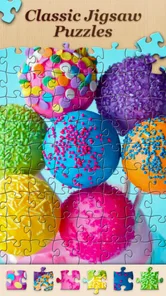

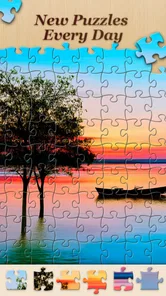
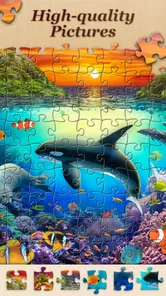
Analysis by Reviewed
I tend to reach for a jigsaw game when I want a quiet break that gives my hands and attention something to do without demanding a long commitment. Jigsawscapes® is built for that kind of moment: it is a free puzzle game from Oakever Games, and its large image library gives me plenty of choice before I settle on a scene. The appeal is simple, but how well it fits depends on whether you enjoy the steady, visual work of fitting pieces together.
Where it fits in a daily routine
The game makes most sense in short, flexible sessions. I can start a puzzle while waiting for an appointment, pause when the day interrupts, and return when I have another few minutes. For a calmer evening, I would choose a more involved image and work through it slowly rather than treating completion time as the goal. That makes the game a better fit for unwinding than for players looking for fast rounds or a story to follow.
A useful way to avoid turning a relaxing pastime into a chore is to choose the image before deciding how much time to spend. A scene with clear color blocks is easier to pick up in brief bursts; a detailed image asks for more patience and benefits from a longer stretch of attention. I’d also use the preview as a reference, not keep staring at it: checking the overall composition, then returning to the loose pieces, keeps the task engaging without making it feel like guesswork.
Who will enjoy it—and who may not
I’d recommend it to people who already like jigsaws, anyone who wants a low-pressure screen break, and puzzle fans who appreciate being able to adjust the challenge. It is also an easy option to try before spending anything, since the game is free to download. The Everyone age rating makes its audience broad, though the best match is still someone who enjoys careful observation and repetition.
If you mainly want quick reactions, competition, or a changing objective every few minutes, a word game or arcade puzzle will probably hold your attention better. Digital jigsaws also feel different from a physical puzzle: there is no table to spread pieces across, but there is no tactile sorting either. I see that as the central trade-off. This is convenient when space is limited, but it will not replace the feel of handling cardboard pieces for players who value that part most.
Getting Started with Jigsawscapes®
The first thing you’ll notice when you open Jigsawscapes® is the vast array of puzzles available. From serene landscapes and cute animals to intricate patterns and famous artworks, the selection is expansive. The interface is straightforward and user-friendly, making it easy to dive right into the puzzle-solving experience. Just choose a puzzle, select your preferred difficulty level, and you're off!
A Puzzle for Every Mood
I find the variety in Jigsawscapes® particularly appealing. Whether I’m in the mood for a quick 100-piece puzzle or a more challenging 1,000-piece masterpiece, there’s something for every kind of puzzler. The app even allows you to adjust the number of pieces, so you can tailor the experience to your liking.
More From Our News Desk

Weather by Xiaomi Review: Clear at a Glance, Less Clear Up Close

X Under Pressure: Can It Recover When Posting Goes Wrong?

Clash of Clans Is Won Between the Battles

Android Auto Makes the Case for Quieter Car Software

MobiOffice: Transforming Mobile Productivity with Seamless Integration

EA SPORTS FC™ Mobile Soccer: Redefining Mobile Sports Gaming
Another neat feature is the daily puzzle challenge, which keeps things fresh by offering a new puzzle each day. It’s a great way to keep your mind sharp and engaged, plus there’s a sense of achievement in completing these daily tasks.
Features and Functionality
Jigsawscapes® is not just about piecing together images; it’s also about enhancing your overall puzzle experience. The app includes a zoom feature, allowing you to get up close and personal with the more intricate details of each puzzle. Additionally, there’s a handy preview option that lets you see the completed image at any time, which is perfect for those moments when you’re a bit stuck.
I also appreciate the relaxing background music that accompanies each session. It’s soothing without being distracting, which is exactly what you need when you’re trying to focus. And if you prefer silence or your own tunes, you can easily adjust the settings to match your preference.
Making a puzzle easier to resume
For a brief waiting-room session, I’d treat a puzzle like a bookmarkable activity: choose a picture with a few obvious regions, solve one small area, and stop at a point where the next move is easy to see. That makes returning less demanding than leaving a dense patch half-sorted and having to rebuild my sense of the image. It is a small planning habit, but it matters when play is split across interruptions.
I would also keep the phone’s orientation and grip in mind before choosing a demanding puzzle. If I’m holding the device one-handed, repeated zooming and piece movement can become tiring, so a modest piece count is the more comfortable choice. When I can set the device down and focus, I’m more willing to attempt a detailed image. The useful question is not simply how difficult the puzzle is, but whether the setup lets me work without fighting the screen.
How the game has developed
The current Android release is version 3.8.12, with the game first released on September 18, 2021. Those confirmed milestones show that this is an established puzzle app rather than a new experiment, but I would not treat a version number as proof of any particular feature or overhaul. What I can say is that its present-day identity remains centered on choosing images and solving them at a pace that suits you.
That continuity matters to existing players: familiar jigsaw routines remain the reason to return, while the ongoing release history suggests the app is maintained. I’d judge any future change by whether it makes browsing, resuming, or completing puzzles easier, rather than by a version number alone. The game has a 4.6 average from around 535,000 ratings, and more than 10 million installs; those figures indicate broad reach, not a guarantee that every player will enjoy its style.
Small habits that make solving smoother
When I get stuck, I stop moving pieces at random and look for a feature I can identify confidently: a strong edge, a distinct color, or a recognizable object. I then work outward from that clue. Zoom is most useful for checking small details, while the preview helps me remember where those details sit in the whole image. Used together, they reduce aimless shuffling without removing the satisfaction of finding a fit myself.
On a phone, a very high piece count can make individual pieces feel fiddly, especially during a short session. I’d start with a comfortable difficulty and increase it only when the screen feels manageable. If I have a tablet available, a larger display can make visual sorting easier, but the game’s appeal does not depend on turning every puzzle into a marathon. The better choice is the one that keeps the activity pleasant.
Keeping the challenge satisfying
Piece count is only one part of difficulty. A picture with large, distinct areas may be manageable even when it asks for more pieces, while a smaller puzzle built around similar shades can still slow me down. I’d use the first few minutes as a test: if I’m making deliberate matches, the challenge is probably right; if I’m repeatedly dragging pieces without a reason, I’d switch to a clearer image or lower the piece count. That is a better way to protect the relaxing feel than treating every unfinished puzzle as a task I must push through.
There is also a useful distinction between a hint and a reference. The preview tells me what I am trying to assemble, but it does not do the visual sorting for me. I like checking it briefly when I lose the larger layout, then returning to the board and looking for one piece that can be placed with confidence. That keeps the puzzle readable without turning the whole session into constant comparison with the completed picture.
Cost, choice, and the remaining trade-offs
The game is free, with optional in-app purchases priced from $6.99 to $69.99 per item. I would begin without buying anything and decide later whether the available experience suits me; those purchase prices are worth considering if I’m trying to keep mobile spending predictable. The library’s scale—more than 30,000 HD puzzles to choose from—offers breadth, but a large catalogue can also make choosing harder. I’d narrow my mood first, such as animals or landscapes, instead of browsing indefinitely.
Compared with a physical jigsaw, this is easier to carry and simpler to fit into an empty few minutes, but it gives up the tactile pleasure and shared tabletop sorting of a box puzzle. Compared with compact logic games, it is more about visual patience than finding a clever rule or solving a short sequence. That distinction is useful when deciding what to install: choose this when you want image-led concentration, not when you want each session to feel like a fresh brainteaser.
Choosing it over other puzzle apps
Among mobile puzzle games, Jigsawscapes suits someone who wants the image itself to be the main event. A word puzzle may offer a clearer goal in a short burst, and a logic game can provide a new deduction with each move; this one asks me to notice color, shape, and placement over time. I would pick it when I want a calm visual task rather than a stream of levels or a score to chase. That difference is more important than the broad label of “puzzle,” because it determines whether the pace feels soothing or slow.
It is also a sensible option when a physical puzzle is impractical: there is no need to clear a table or keep loose pieces away from pets, children, or a busy household. The reverse is true if the shared ritual is the point. A family gathered around a box can sort together and talk while working; a phone game is a more individual activity unless players choose to pass the device around. I’d see the digital version as a convenient companion, not a universal replacement.
Why Jigsawscapes® Stands Out
One of the standout aspects of Jigsawscapes® is its community feel. You can share your completed puzzles with friends or even challenge them to beat your time. This social element adds an extra layer of fun and competition, making it more than just a solitary activity.
Moreover, the app is constantly updated with new puzzles and features, ensuring that you’ll never run out of content to enjoy. It’s clear that the developers have a keen interest in keeping players engaged and satisfied.
In conclusion, Jigsawscapes® is a must-have for anyone who loves puzzles. It offers a perfect blend of challenge and relaxation, with plenty of options to customize your experience. Whether you’re looking to kill time or seriously test your puzzle-solving skills, this app is sure to provide hours of enjoyment.
What to weigh before settling in
The large catalogue is a real advantage once I know what kind of picture I want, but it can make the opening choice feel like a separate activity. I’d decide on a subject or mood first, then browse with that in mind rather than scrolling until something catches my eye. If choosing images is part of the pleasure, that browsing may feel enjoyable; if I want to start solving immediately, it can become friction. This is one reason the game works best when I approach it casually instead of expecting every session to begin instantly.
For parents considering it for a child, the Everyone age rating is reassuring as a broad content signal, while the game’s core activity still calls for patience and careful screen interaction. I would choose an easy image and a manageable piece count rather than assuming that a general audience rating makes every puzzle equally suitable for every age. For adults, the same practical advice applies in a different way: use a comfortable challenge and take breaks if close visual work starts to feel tiring.
My recommendation
For me, the strongest reason to try it is the combination of an extensive selection, adjustable challenge, and tools that help when a picture gets hard to read. I’d recommend it to a friend who wants a gentle, image-based game for spare moments, while being upfront that it is not a substitute for a physical jigsaw or a fast-paced puzzle. Its Everyone rating and free starting point make trying it straightforward; optional purchases are a reason to keep an eye on spending, not a reason to buy before you know you like the experience.
If I were choosing what to watch for as a returning player, I’d focus on whether new releases keep the library easy to explore and whether the familiar solving tools remain comfortable to use. I would not assume a future version will add a particular feature. In its current form, the game works best when I treat each puzzle as a small, self-paced activity and choose a difficulty that suits the screen and the time I have.
Jigsawscapes® - Jigsaw Puzzles Frequently Asked Questions
Is Jigsawscapes® - Jigsaw Puzzles suitable for children?
Jigsawscapes® - Jigsaw Puzzles is rated Everyone, making it suitable for a broad audience. Its puzzle format can appeal to children as well as adults, though younger players may find some puzzles more challenging than others. It is a puzzle game from Oakever Games, and families can choose whether its relaxing, picture-based gameplay fits their preferences.
Does Jigsawscapes® - Jigsaw Puzzles have a free version?
Yes. Jigsawscapes® is free to download, and it offers puzzles that can be enjoyed without making a purchase. Optional in-app purchases are also available, so it is worth checking the purchase details before confirming anything if you prefer to keep your spending under control. You can start with the free experience and decide whether the available content suits you.
Is Jigsawscapes® - Jigsaw Puzzles suitable for quick play sessions?
Jigsaw puzzles are easy to approach in short or longer sessions, so Jigsawscapes® can suit players who want a calm activity during a break as well as those who prefer to spend more time solving an image. You can work through a puzzle at your own pace. The game’s picture-based format makes it a straightforward choice when you want a focused, low-pressure pastime.
What devices can run Jigsawscapes® - Jigsaw Puzzles?
Jigsawscapes® - Jigsaw Puzzles is available for Android and iOS devices. On Android, it requires version 7.0 or later. Checking your device’s operating system before downloading can help ensure compatibility. The game is designed for mobile play, so you can work on puzzles using a phone or tablet that meets the relevant platform requirements.
What is Jigsawscapes® - Jigsaw Puzzles?
Jigsawscapes® - Jigsaw Puzzles is a mobile application that offers a wide range of jigsaw puzzles for users to solve. It features various themes and difficulty levels, allowing users to enjoy a relaxing and engaging puzzle-solving experience. The app is available for both Android and iOS devices. It is a puzzle game developed by Oakever Games, with a 4.6 average rating from around 535,000 ratings.
Pros
- Extensive puzzle collection to keep users engaged.
- User-friendly interface suitable for all ages.
- Regular updates with new puzzles.
- Customizable difficulty levels for every skill.
- Offline play available for uninterrupted fun.
Cons
- Contains in-app purchases for extra features.
- Ads may interrupt gameplay occasionally.
- Limited free puzzles without subscription.
- Requires storage space for offline play.
- No option for multiplayer puzzles.