

Crosswords
- 333.00
- 4.1
- Installs
- 10.00K
- Price
- $9.99
Screenshots
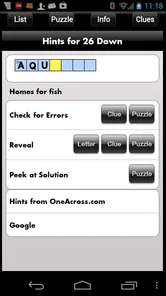
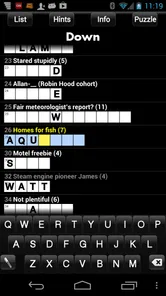
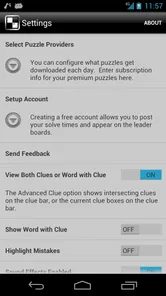
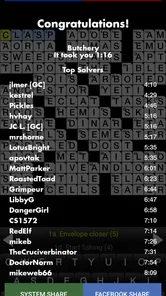
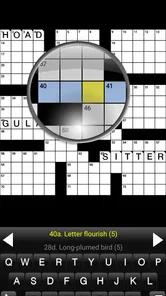
Analysis by Reviewed
I enjoy word games most when they give me a quiet challenge rather than turning every spare minute into a competition. Crosswords, developed by Stand Alone, Inc., takes that familiar newspaper pastime and places it on an Android phone. After spending time with it, I see it as a focused crossword game for people who already like solving clues and want a straightforward way to do that away from a printed page.
The important question is not whether crossword puzzles are enjoyable. It is whether this particular version matches the way you like to solve them. It has a 4.1 average from around 862 ratings, more than 10 thousand installs, and an Everyone content rating. Those details suggest a modest, established audience rather than a huge social game, which fits its quiet, individual style.
How I Decided Whether Crosswords Was Worth Keeping
When I judge a crossword app, I look beyond the basic promise of filling empty squares. I want to know whether entering answers feels comfortable, whether mistakes are manageable, whether the presentation stays out of the way, and whether the purchase makes sense compared with free puzzle apps, newspaper subscriptions, or physical books. I also care about the kind of player it serves: a beginner needs help understanding the format, while an experienced solver usually wants less interruption and more concentration.
Crosswords is a game in the word category, and its central appeal is deliberately narrow. You open it to solve crosswords, not to collect characters, compete on a leaderboard, or work through a story. That narrow focus is a strength if you want a traditional puzzle session. It can also feel limited if you expect a broader package of word modes.
My first practical test is the “waiting room” test. A good crossword app should work for a short session while I am waiting for an appointment, but it should also remain comfortable when I want to sit down for a longer solve. This game suits both situations in principle because the activity can be paused naturally: I can stop after a clue, return later, and continue from the same puzzle without needing to finish in one burst.
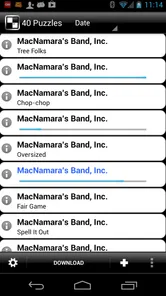
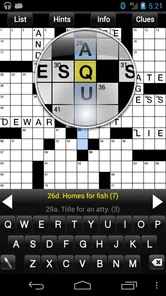
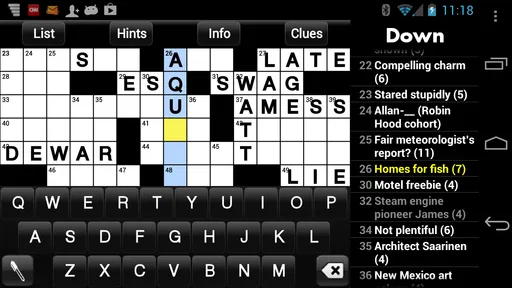
The second test is how much patience the interface demands. Crossword solving already requires mental effort, so the controls should not make me fight the phone. I found the best way to approach this version is to treat it like a digital puzzle sheet rather than a fast arcade game. Tap a square, enter a letter, move through the grid, and let the crossing answers gradually confirm or challenge the guesses.
The right expectations before you install
The store summary presents the game as crossword puzzles on a phone, and that is exactly the sensible expectation to bring. I would not install it expecting a large collection of unrelated word games or a guided language course. Its value comes from offering a familiar puzzle format in a portable form, not from reinventing crosswords.
More From Our News Desk

 Gmail
GmailGmail in a Busy Inbox: Who Benefits Most?
From first account to crowded workday, Gmail earns its place through dependable search and flexible sorting—but its best fit depends on how much inbox maintenance you can tolerate.

 Prime Video
Switching to Prime Video: What Changes in Your Viewing Routine
Prime Video can make a compelling second home for streaming, but switching means learning a different catalog, rental layer, and route from browsing to playback.

 Universal TV Remote Control
Universal TV Remote Control Works Best as a Reliable Backup
A phone remote earns its place through quick setup and reliable habits. Here is how to get more from Universal TV Remote Control—and where its limits show.

 Weather - By Xiaomi
Weather by Xiaomi Review: Clear at a Glance, Less Clear Up Close
Xiaomi’s weather app makes everyday forecasts quick to scan, but its calm surface can leave useful details and recovery paths harder to find than they should be.

 X
XX Under Pressure: Can It Recover When Posting Goes Wrong?
A resilience-focused review of X, examining setup, mistaken posts, interruptions, weak connections, and the gaps that matter when recovery needs to be dependable.

 Clash of Clans
Clash of Clans Is Won Between the Battles
Its raids are quick; its community is a long-term project of coordination, teaching, rivalry, and shared responsibility—with all the friction that entails.
Latest News



That distinction matters when comparing it with free daily crossword apps. Many free alternatives are built around a daily habit, advertising, streaks, or a strong connection to a particular publication. Crosswords feels more like a dedicated puzzle utility. If you want one featured puzzle delivered every morning with a community around it, another category of app may suit you better. If you want a private solving session without making the puzzle part of a social routine, this format is more appealing.
I would also consider your screen and typing habits. A phone is convenient, but its grid is smaller than a newspaper or tablet display. People with larger phones will probably find the experience easier on the eyes. On a compact screen, I would expect to zoom mentally between the clue and the grid more often, especially during a difficult puzzle. That is not a flaw unique to this game, but it is a real trade-off in moving crosswords from paper to a handset.
Where this game earns its place
The strongest quality is its focus. There is no need to learn a complicated progression system before solving. I can approach it with the same basic habits I use on paper: scan the clues, fill the obvious answers, use crossing letters to narrow down uncertain entries, and return to the stubborn clues later. That makes the game approachable for someone who enjoys traditional crosswords but has not used many mobile puzzle apps.
I particularly like the way a phone changes the setting in which the puzzle can be enjoyed. A printed crossword needs a pen or pencil and a reasonably stable surface. This version is easier to pick up on a sofa, at a kitchen table, or during a commute break. The convenience is not glamorous, but it is the reason many people prefer a digital puzzle in the first place.
There is also a useful psychological advantage to keeping the puzzle on a phone. I can make a tentative entry without covering the page in eraser marks. When I discover that a crossing answer does not work, changing course feels less messy. That encourages experimentation, which is important in crosswords because many clues are designed to remain uncertain until several letters connect.
A practical technique I recommend is to use the grid as a network rather than treating every clue as a separate question. Start with the answers you know confidently, then move to clues that cross them. Even a single confirmed letter can change an impossible-looking clue into a likely answer. This approach is especially helpful on a phone, where repeatedly jumping between random clues can feel tiring.
Another useful habit is to separate knowledge gaps from wording traps. If I cannot answer a clue, I ask whether I genuinely do not know the fact or whether the clue may be using a short form, a double meaning, or an unusual grammatical cue. A crossword app does not remove that distinction; it makes it easier to test possibilities quickly. Crosswords works best when I treat wrong guesses as information rather than as failure.
Small workflow choices that improve the experience
I found that solving in short passes is more comfortable than trying to complete the whole grid in order. On the first pass, I answer only the clues that arrive immediately. On the second, I use the letters those answers create. On the third, I revisit the clues that still have several blanks. This prevents one difficult corner from blocking the rest of the puzzle.
Another approach is to reserve the final few minutes of a session for checking the structure of the grid. If an answer seems plausible but produces awkward crossing letters, I do not keep defending it simply because it was my first idea. I erase the weakest entry and reconsider the clue. Digital entry makes this revision less frustrating than on paper, and it helps me avoid building a whole section on one shaky assumption.
For a beginner, I would suggest solving with a dictionary nearby, not because every clue should be looked up, but because unfamiliar answers become easier to remember when they are connected to several crossing words. For an experienced solver, I would instead recommend resisting the urge to search too quickly. The satisfaction here comes from allowing the grid to reveal the answer through its relationships.
These are not flashy features, but they are the kinds of habits that determine whether a crossword app becomes part of a routine. The game gives me a portable place to apply them without turning the process into a lesson or a competition.
Where other crossword choices may fit better
Crosswords is not automatically the best choice for every word-game fan. If you prefer word searches, anagrams, spelling races, or short rounds with immediate rewards, a broader word-game collection will probably provide more variety. This game is built around the slower rhythm of clue solving, so it may feel too specialized for someone who wants constant changes of pace.
It may also be a weaker match for players who need a strong beginner tutorial. Traditional crossword conventions can be confusing at first, particularly when a clue depends on wordplay or an answer that is not used in everyday conversation. I would recommend it more readily to someone who already understands the basic relationship between clues, entries, and crossing letters.
Free alternatives can be the better deal for casual players who only want an occasional puzzle. A free daily app may provide enough entertainment without asking for a purchase, especially if you enjoy having a fixed puzzle arrive as part of a routine. The trade-off is that those apps often define the experience around their own schedule, format, or presentation. Crosswords is more suitable when you value a dedicated crossword space over a daily-content habit.
Physical crossword books still have advantages too. Paper is larger, familiar, and free from battery concerns. It is also easier to annotate in the margin. The phone version wins when portability and clean editing matter more than the feel of a printed page. I would choose the app for travel or waiting rooms, but I can understand choosing a book for a relaxed weekend solve.
Tablet users should think about the same comparison from another angle. A larger display can make a grid easier to inspect, while a phone is more convenient to carry. If you already solve on paper and only want a digital backup, the phone form factor may be enough. If eye comfort is your main concern, a larger-screen alternative could be the more sensible purchase.
What the price changes in the decision
Crosswords costs $9.99, with in-app purchase items ranging from $0.99 to $9.99. That makes the buying decision more serious than downloading a free word game for a quick experiment. I would not recommend paying immediately to someone who is unsure whether crossword solving itself is enjoyable. The game makes more sense for a person who already knows they will return to this type of puzzle.
The price also changes how I compare it with paper and subscriptions. A crossword book offers a physical object and may feel more substantial to some players. A free app may be sufficient if advertising or a limited daily format does not bother you. Crosswords needs to justify itself through convenience and focus: it is most attractive when having puzzles on the phone is valuable enough to replace those alternatives.
Before switching, I would decide what you are actually replacing. If you are moving from a newspaper, the phone may be more portable but less comfortable to view. If you are moving from a free daily app, you may gain a less schedule-driven experience but lose the feeling of a shared daily ritual. If you are moving from puzzle books, you gain cleaner corrections and a lighter travel load, while giving up paper’s spaciousness.
That is the real cost of switching: not just money, but changing the rhythm and physical feel of solving. I would make the move only if portability, digital editing, and a dedicated crossword format solve a problem I regularly have.
Compatibility and long-term practicality
The current version is 2.8.0.6, and the listed minimum operating-system requirement is Android 7.0. That gives the game a reasonably clear place in an Android setup: owners of compatible devices can consider it without needing a recent flagship phone. I would still check the device requirement before purchasing, particularly if the phone is older or no longer receives regular system updates.
Stand Alone, Inc. has kept this as a recognizable word-game product rather than turning it into a general entertainment platform. The Everyone age rating also makes it suitable for a broad household audience. That does not mean every clue will be equally easy for every age group, but it does make the game a reasonable choice for family members who enjoy solving independently.
The modest audience size is worth interpreting carefully. Around 333 written reviews accompany the rating, so there is enough user feedback to show that people are actively using it, but it is not the kind of enormous mainstream game whose popularity alone settles the purchase decision. I would rely more on your crossword habits than on install volume: frequent solvers have a clearer reason to choose a specialized app than occasional players do.
Who should choose it, and who should skip it
I recommend Crosswords to the person who already enjoys clue-based puzzles, wants them available on an Android phone, and prefers a focused experience to a collection of mini-games. It is also a sensible option for travelers, commuters, and anyone who likes to keep a puzzle ready for those small gaps in the day. The ability to revise entries cleanly is a genuine benefit when you solve by trial and deduction.
I would be more cautious about recommending it to someone looking for a free introduction to word games. The price is difficult to justify if you may only open it once or twice. I would also steer competitive players toward a different type of app if they need live opponents, social events, visible rankings, or rapid timed rounds. Those are not the reasons I would choose this game.
Beginners can use it, but I think they should come to it with realistic expectations. The game may be enjoyable as a learning-by-doing experience, yet crossword conventions can make the first sessions feel harder than a simple word search. Starting with the easiest clues, filling crossings gradually, and accepting that some answers will remain unfamiliar can make the transition much smoother.
My recommendation after using it
For me, Crosswords succeeds because it stays close to the activity it is meant to support. It turns a paper-style word puzzle into something I can carry, pause, revise, and return to without adding unnecessary systems around it. That simplicity will feel refreshing to a dedicated solver and underpowered to someone seeking variety.
I would buy it when I wanted a focused crossword companion and expected to use it regularly. I would skip it when I only wanted a free daily diversion, a broad collection of word games, or a highly social challenge. The $9.99 price means this is a deliberate purchase, not an impulse download, but the decision becomes straightforward once you identify which of those habits describes you.
My clear recommendation is to choose Crosswords for portable, private crossword solving, especially if you already know you enjoy the format. It is not the most flexible option for every word-game player, and the phone screen will never feel exactly like a newspaper or book. Still, for the right user, Stand Alone, Inc. offers a clean way to keep the familiar process of clues, crossings, mistakes, and gradual breakthroughs close at hand.
Crosswords Frequently Asked Questions
Who developed Crosswords, and which devices can run it?
Crosswords is a word game developed by Stand Alone, Inc. It requires Android 7.0 or later, making it worth checking your device’s operating system before downloading. The app is also listed for iOS, so confirm compatibility in the store for your particular device. Checking these basics first can help you avoid installing a version your phone or tablet cannot run.
What is Crosswords, and how does the game work?
Crosswords is a word puzzle game based on the classic crossword format. You solve clues and enter the correct answers into a grid, using crossing letters to help confirm or discover words. The app is generally suitable for both casual players and experienced puzzle fans, with different puzzles, clue styles, and difficulty levels designed to provide short sessions or longer challenges.
Is Crosswords free to download and play?
Crosswords is priced at $9.99, and in-app purchases range from $0.99 to $9.99 per item. That means it is not simply a free download, and additional purchases may also be available. Check the purchase details shown for your platform before installing so you understand the initial cost and any optional spending associated with the version you choose.
Does Crosswords work offline?
Many crossword apps allow at least some puzzles to be played without an internet connection after the necessary content has been downloaded. However, online access may still be required for daily puzzles, synchronization, advertisements, updates, leaderboards, or additional puzzle packs. If offline play is important to you, check the app’s current store description and test the feature after installation.
Is Crosswords suitable for beginners?
Crosswords can be suitable for beginners, especially when the app offers easier puzzles, helpful hints, error checking, or the ability to reveal individual letters and words. New players may still find some clues difficult because crossword answers can involve abbreviations, wordplay, cultural references, or less common vocabulary. Starting with the easiest difficulty is recommended before attempting advanced grids.
Pros
- Large variety of crossword puzzles for different skill levels.
- Clean interface makes clues and grids easy to navigate.
- Helpful hints can prevent players from getting completely stuck.
- Suitable for short sessions or longer daily puzzle routines.
- Improves vocabulary and encourages regular mental exercise.
Cons
- Some puzzles or features may require an in-app purchase.
- Hints can reduce the challenge and may be limited for free users.
- Difficulty may feel inconsistent between individual puzzles.
- Requires a stable connection for certain content or daily updates.
- Small grid text may be uncomfortable on compact phone screens.











