

Crossword
- 884.00
- 4.0
- Installs
- 100.00K
- Price
- $3.99

Screenshots
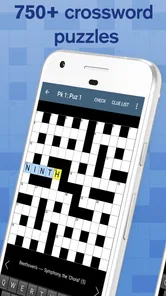
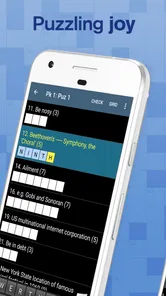
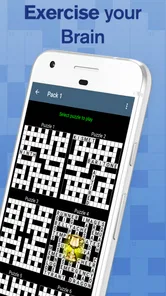
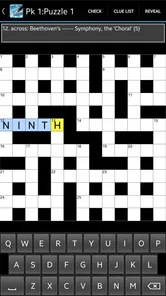
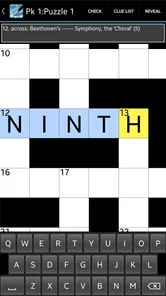
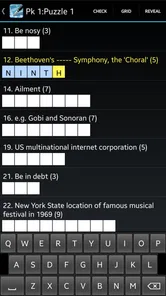
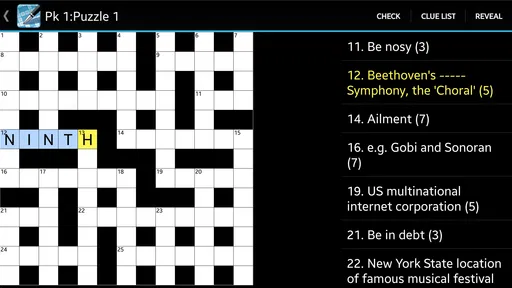
Analysis by Reviewed
I find this game works best when I treat it as a small daily puzzle break rather than a project I need to finish in one sitting. Crossword is a paid word game from Teazel Ltd, with a collection designed for casual solving and enough material to return to over time. Its straightforward format suits a coffee break, a quiet wait, or a few minutes before bed. I would not choose it for a competitive, fast-paced session; the appeal is settling into clues at your own pace.
Getting to Know the Crossword App
First things first, the Crossword app is available on both Android and iOS, which is great because it means more people can join in on the fun. The app’s interface is clean and intuitive, making it super easy to jump right into a puzzle without any fuss. Plus, the design is sleek, with just the right amount of flair to keep things interesting without being overwhelming. It has a 4.2 average from around 5,500 ratings, and more than 100,000 installs, which gives a prospective player a useful sense of its reach without telling the whole story of whether its style will suit them.
A Routine That Fits Short Breaks
My most practical way to play is to scan the clues once, enter the answers I know, then use the crossing letters to revisit the uncertain ones. That simple loop prevents me from burning time on one stubborn clue while easier entries sit untouched. In a real coffee-break situation, I might fill a handful of answers, leave the puzzle unfinished, and come back later with fresh eyes. The game’s professional, casual crossword format is a natural fit for that stop-and-start habit.
The collection contains 750 puzzles, so this is not just a tiny sampler for a single afternoon. I would still pace myself: treating every grid as a quick completion target can make a relaxing word game feel like homework. A better routine is to stop when the break ends and let the unfinished crossings give you a clear place to resume. If you prefer a daily feed of newly published puzzles or a stream of opponents to beat, this more self-contained collection may feel less lively.
A useful variation is to make each short visit serve a different purpose. On a rushed break, I enter only answers I can justify immediately and leave the rest alone. When I have longer, I return to the half-filled grid and work from its crossings instead of rereading every clue from scratch. This keeps the game from demanding one uninterrupted block of attention. It also makes an unfinished puzzle feel like a bookmark rather than a failure, which matters if your free time comes in small, unpredictable gaps.
Puzzle Variety and Difficulty Levels
One of my favorite things about this app is the variety of puzzles available. Whether you’re a beginner or a seasoned crossword solver, there’s something for everyone. The app offers a range of difficulty levels, so you can start with the easier puzzles to warm up and gradually work your way up to the brain-bending challenges. What’s even cooler is that new puzzles are added regularly, so you’ll never run out of crosswords to solve.
For a new solver, I’d use easier grids to get comfortable with how clue wording and crossing letters work before attempting harder ones. Experienced players can reverse that approach: start with a challenging puzzle, then switch to a gentler one if they want a more relaxed finish. I would not assume every puzzle will match a neat ladder of difficulty, though. Crossword knowledge is personal; a clue that feels obvious to one player may depend on vocabulary or cultural references another has not encountered.
More From Our News Desk

 Gmail
GmailGmail in a Busy Inbox: Who Benefits Most?
From first account to crowded workday, Gmail earns its place through dependable search and flexible sorting—but its best fit depends on how much inbox maintenance you can tolerate.

 Prime Video
Switching to Prime Video: What Changes in Your Viewing Routine
Prime Video can make a compelling second home for streaming, but switching means learning a different catalog, rental layer, and route from browsing to playback.

 Universal TV Remote Control
Universal TV Remote Control Works Best as a Reliable Backup
A phone remote earns its place through quick setup and reliable habits. Here is how to get more from Universal TV Remote Control—and where its limits show.

 Weather - By Xiaomi
Weather by Xiaomi Review: Clear at a Glance, Less Clear Up Close
Xiaomi’s weather app makes everyday forecasts quick to scan, but its calm surface can leave useful details and recovery paths harder to find than they should be.

 X
XX Under Pressure: Can It Recover When Posting Goes Wrong?
A resilience-focused review of X, examining setup, mistaken posts, interruptions, weak connections, and the gaps that matter when recovery needs to be dependable.

 Clash of Clans
Clash of Clans Is Won Between the Battles
Its raids are quick; its community is a long-term project of coordination, teaching, rivalry, and shared responsibility—with all the friction that entails.
Latest News



When a clue seems impossible, I try to distinguish between not knowing the answer and not yet seeing the clue’s angle. A few crossing letters often reveal whether I have misunderstood the wording or simply lack the relevant knowledge. If the crossings do not help, moving on is usually more productive than repeatedly staring at the same blank. This is a small habit, but it makes the puzzle feel like a series of manageable decisions rather than a test of whether I can solve everything unaided.
Settings and Helpful Habits
Before settling into a long session, I’d check the available settings and controls on my device rather than assume the default layout is ideal. Comfortable text and a responsive way to move between squares matter more over a full puzzle than decorative details. I also find it useful to decide in advance whether I want to check uncertain answers as I go or save that help for the end. The first approach makes practice less frustrating; the second preserves more of the solve-it-yourself feeling.
Now, let’s talk about some features that really set this app apart. For starters, the app includes a handy hint system. If you’re ever stuck, you can use a hint to get a little nudge in the right direction. It’s a lifesaver when you’re staring at a particularly tricky clue and your brain just goes blank. Another nifty feature is the ability to check your answers as you go. It’s perfect for those of us who might need a little reassurance that we’re on the right track.
My tip is to leave a clue alone for a moment before spending a hint. Fill a few crossing answers first, then see whether the letters make the wording click. If not, a hint can get the session moving again without turning every difficult clue into a guess. Answer checking is useful for learning, but checking after each entry can interrupt the satisfying process of building a section of the grid from intersecting words.
I would also decide what I want from a hint before using one. If I am learning, a nudge can help me understand the clue’s logic and keep me engaged. If I am trying to preserve the challenge, I can set a personal rule to attempt several crossings first and use help only when I would otherwise abandon the puzzle. Neither style is better for everyone; the important point is that hints and checking can support different habits, rather than needing to be used constantly.
For comfort, I would test the controls during an easy puzzle rather than waiting until I am deep into a difficult one. A few minutes spent learning how to move through the grid and enter letters can prevent avoidable frustration later. That is especially useful on a smaller phone screen, where quick navigation matters more than it might on a tablet. If a control choice feels awkward, adjusting it early is more sensible than blaming yourself for losing your place among the crossings.
Offline Play and Practical Trade-Offs
The app also supports offline play, which means you can enjoy solving puzzles even when you’re not connected to the internet. This is perfect for long flights or commutes where Wi-Fi might not be available. Plus, the app syncs your progress across devices, so you can pick up where you left off, whether you’re on your phone or tablet.
Those conveniences make it easier to fit a puzzle into travel, but I’d still think about how I plan to play before switching devices: syncing is most useful when I actually move between a phone and tablet, while a single-device player may not need that part of the experience. For a commute, offline access is the more immediately valuable benefit. Compared with free crossword apps that may focus on frequent fresh content or extra modes, this is a straightforward paid collection; its appeal rests on having a substantial set of puzzles ready to solve, not on a social competition loop.
For a realistic travel routine, I would open a puzzle before setting out, solve a few clues while waiting, then put the device away when the journey resumes. Offline access makes that pattern practical without turning a patchy connection into part of the puzzle. A small screen can still be a trade-off: if reading clues or moving between squares feels cramped, a tablet may be more comfortable for a longer session. The phone remains handy for brief gaps, while the larger screen is better suited to an unhurried solve.
Syncing becomes relevant when I actually alternate between devices, not simply because the option sounds useful. Someone who solves only on one phone can focus on the basic experience and ignore cross-device convenience. If I do switch devices, I would make a deliberate habit of checking that I am returning to the same point before settling in, rather than assuming that changing screens will improve the solving itself. That keeps the practical benefit in proportion: it supports continuity, but the central appeal remains the crossword collection.
The game costs $3.99, so I’d choose it if I know I enjoy crosswords and want a collection I can work through at my own pace. If I only solve an occasional puzzle, a free alternative may be the more sensible first stop. The Teen content rating is also worth noting for anyone choosing games for a younger player. Its current version is 1.66, and it supports operating systems from version 6.0, so I’d check device compatibility before buying.
The choice between this and a free alternative is less about which is universally better and more about the kind of routine you want. A free app can be a sensible way to sample crosswords or find a steady supply of changing puzzles. This one makes more sense if you value a ready-made set you can work through at your own pace and want to solve without relying on a connection. I would compare those habits honestly before paying: a large collection has little value if I rarely open it, while a focused offline game can be worth it if it becomes part of my regular breaks.
Who It Suits—and Where It Falls Short
Teazel Ltd’s game is best for people who like traditional clue-and-grid solving, want offline access, and prefer a relaxed solo activity over timers or head-to-head play. It is less suitable if you need a constant stream of newly released puzzles, elaborate progression, or a strong community feature. I would also skip it if crosswords themselves are not your thing: hints can ease a tough moment, but they do not change the basic pleasure of working out words and crossings.
It is also a better fit for someone who enjoys returning to a puzzle than for someone who needs every session to feel new. If I want a score chase, a shared challenge, or a reason to compete with friends, this collection is not where I would look first. If I want a quiet activity that can pause mid-grid and restart when I have time, its format is much more convincing. That difference is worth considering before purchase, because the app’s strengths are tied to deliberate, solo solving rather than a stream of external prompts.
One question I would ask before buying is whether a substantial collection will actually change my routine. If I already solve crosswords often, having many puzzles available in one place is a practical draw. If I only reach for word games once in a while, I might be better off starting with a free option and seeing whether the habit sticks. The paid format is easiest to recommend when I know I will return to it; the price alone does not make it a better fit for an occasional player.
For a younger player, I would take the Teen rating into account and decide whether the game suits their age and interests. For a beginner, I would not expect hints to remove the learning curve entirely; they can help with a stuck clue, but the pleasure still comes from reading clues and using crossings. For a confident solver, the collection offers a reason to keep playing, though anyone who wants highly competitive or constantly refreshed content may prefer a different kind of crossword app.
In conclusion, the Crossword app is a delightful way to spend your downtime while also giving your brain a good workout. It’s a well-crafted app that caters to both casual players and hardcore puzzle fans. So why not give it a try? You might just find yourself hooked! My recommendation is more specific: if you want a portable, offline-friendly set of crosswords and are happy paying once for that kind of focused pastime, it is a sensible choice. If freshness, competition, or a free entry point matters more, another crossword app will probably fit you better.
Crossword Frequently Asked Questions
Does Crossword need an internet connection to download or play puzzles?
Crossword is presented as a casual word game, and its store summary describes a collection of professional crosswords for coffee breaks. Whether you plan to play at home or while travelling, it is worth considering how you usually use puzzle apps. The published FAQ says puzzles can be downloaded and then completed offline, which can help when an internet connection is unavailable.
What is Crossword and how does it work?
Crossword is a mobile application designed for puzzle enthusiasts who enjoy solving crossword puzzles on their Android or iOS devices. The app offers a wide variety of puzzles ranging from easy to challenging, catering to all skill levels. Users can select puzzles based on difficulty, theme, or even specific word lists. The app provides hints and the ability to check solutions, making it accessible for both beginners and seasoned crossword solvers.
Can I play Crossword offline?
Yes, one of the significant advantages of the Crossword app is that it allows users to download puzzles and play them offline. This feature is particularly useful for users who may not always have internet access, such as during commutes or travel. Once a puzzle is downloaded, it can be accessed and completed without needing an internet connection, ensuring uninterrupted gameplay.
Are there any subscription fees or in-app purchases in Crossword?
Crossword offers a range of free puzzles available to all users upon downloading the app. However, to access premium features such as exclusive puzzle packs, ad-free experience, or additional hints, the app provides in-app purchases and a subscription option. These purchases enhance the overall experience but are entirely optional, allowing users to enjoy the app for free if they choose.
How often are new puzzles added to Crossword?
The developers of Crossword are committed to keeping the app fresh and engaging by regularly updating it with new puzzles. Typically, new puzzles are added weekly, ensuring that users always have something new to challenge themselves with. This regular update cycle helps maintain user interest and provides a continuous stream of fresh content for puzzle enthusiasts.
Pros
- Engaging mental exercise
- Expands vocabulary
- User-friendly interface
- Regular updates
- Offline play available
Cons
- Limited free puzzles
- Ads can be intrusive
- Occasional glitches
- Requires internet for new puzzles
- Some puzzles are too easy











