Crossword Puzzle Explorer
- 4.80K
- 4.8
- Installs
- 1.00M
- Price
- Free

Screenshots

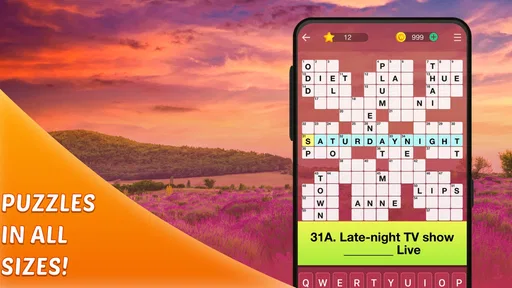
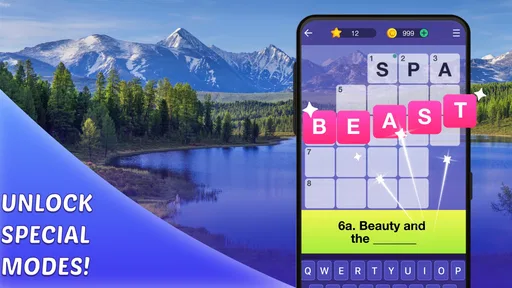
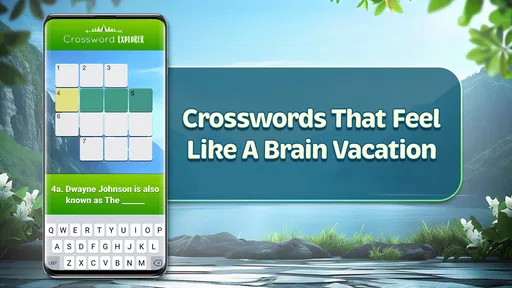
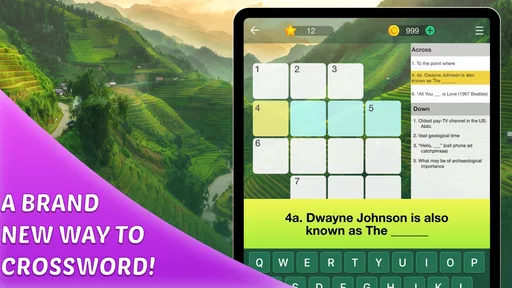
Analysis by Reviewed
I like keeping a word puzzle around for the small gaps in a day: waiting for someone, sitting with a coffee, or taking a quiet break at home. Crossword Puzzle Explorer is aimed at that kind of casual play, with crossword challenges you can pick up when you have a few minutes. It is a word game from PlaySimple Games, and its broad appeal is clear from its 4.8 average rating and more than a million installs. I’d consider it for anyone who enjoys filling in clues without needing to plan a long gaming session.
A Puzzle to Share in Short Bursts
In a household, I can see this working as a low-key pass-around activity. Someone reads a clue aloud, another person offers a possibility, and the phone goes back to its owner when the moment is over. That feels different from a dedicated multiplayer word game: the pleasure is in solving together, not in keeping score or racing another player. It suits a quiet breakfast or a relaxed evening better than a competitive family game night.
A useful way to share the screen is to let the person holding the device make the final call. Other players can suggest answers, but the solver can decide whether to enter one, keep thinking, or use a hint. This small boundary keeps a collaborative session from turning into someone else taking over the puzzle. If one person wants to solve independently, it is easy to put the phone down and pick the clue back up later rather than having the group reveal the answer.
I would not treat one installation as a shared household account. If several people care about keeping their own progress distinct, separate devices are the safer arrangement. On a common phone or tablet, agree whose turn it is and who is responsible for the current puzzle before passing it around. That simple bit of coordination avoids confusion about whether a clue was already attempted or whether someone wanted to finish it alone.
Explore Puzzles Anytime, Anywhere
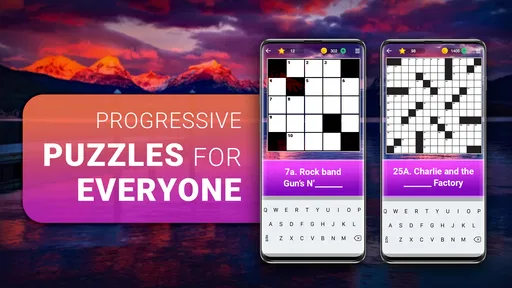
One of the best things about Crossword Puzzle Explorer is its accessibility. Whether you're on a coffee break, commuting, or lounging at home, this app lets you dive into a world of words whenever you please. The user interface is super friendly, making navigation a breeze even if you're not tech-savvy. Just tap on the app and voila, you're ready to play!
A Universe of Challenges
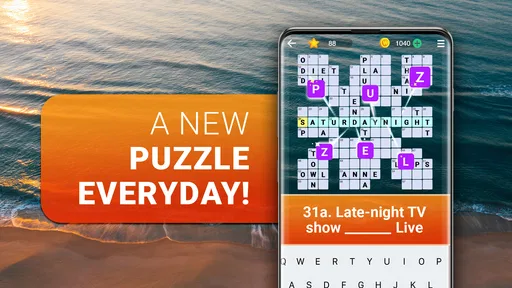
Now, I’ve tried quite a few crossword apps, but this one stands out because of its range of difficulties. Whether you’re a newbie just getting a hang of crosswords, or a seasoned pro looking for a challenge, there’s something for everyone here. The puzzles are updated daily, which means there's always a fresh challenge waiting for you. Plus, the satisfaction of completing a particularly tough puzzle is second to none!
And let's not forget about the hints. Sometimes, a puzzle can be a real head-scratcher. In those moments, the hint feature is a lifesaver. It’s like having a helpful friend who gives you a nudge in the right direction without outright telling you the answer.
More From Our News Desk

 Gmail
Gmail in a Busy Inbox: Who Benefits Most?
From first account to crowded workday, Gmail earns its place through dependable search and flexible sorting—but its best fit depends on how much inbox maintenance you can tolerate.

 Prime Video
Switching to Prime Video: What Changes in Your Viewing Routine
Prime Video can make a compelling second home for streaming, but switching means learning a different catalog, rental layer, and route from browsing to playback.

 Universal TV Remote Control
 Works Best as a Reliable Backup
A phone remote earns its place through quick setup and reliable habits. Here is how to get more from Universal TV Remote Control—and where its limits show.

 Weather - By Xiaomi
Weather by Xiaomi Review: Clear at a Glance, Less Clear Up Close
Xiaomi’s weather app makes everyday forecasts quick to scan, but its calm surface can leave useful details and recovery paths harder to find than they should be.

 X
X Under Pressure: Can It Recover When Posting Goes Wrong?
A resilience-focused review of X, examining setup, mistaken posts, interruptions, weak connections, and the gaps that matter when recovery needs to be dependable.

 Clash of Clans
 Is Won Between the Battles
Its raids are quick; its community is a long-term project of coordination, teaching, rivalry, and shared responsibility—with all the friction that entails.
Latest News



Playing Around Other People
In a shared household, this can work well as a pass-around activity: one person reads a clue, another suggests an answer, and the phone returns to its owner when the conversation moves on. I’d keep that informal, though. A shared screen is not the same as separate player profiles, so I would not assume each family member gets an independent record or personalized experience. If keeping progress distinct matters, it is safer to let each person use their own device rather than treating one installation as a family account.
For a practical routine, I’d use a short session as a low-pressure wind-down rather than turning it into a competition. If someone gets stuck, try discussing the clue before using a hint; that keeps the puzzle collaborative while leaving the final choice with the person holding the phone. This also makes it easier to avoid accidentally revealing an answer to someone who would rather solve it alone.
Design and Features
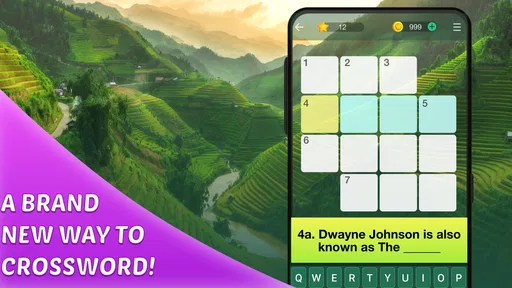
The design of the app is sleek and modern, with a calming color palette that’s easy on the eyes during long puzzle sessions. I particularly appreciate the adjustable font size, which is perfect for those of us who might need a little help seeing those smaller letters. The app also tracks your progress, so you can see how you’re improving over time. It’s a small touch, but it adds a lot to the sense of achievement.
Additionally, there are some cool features like the ability to sync your progress across multiple devices. So, if you start a puzzle on your tablet, you can finish it on your phone without missing a beat. The app also offers various themes and settings to customize your experience, making each puzzle session uniquely yours.
Practical Ways to Play
For a short break, I would treat the puzzle as something to make gradual progress on rather than a challenge that must be completed in one sitting. Start with clues that feel familiar, then use the letters already in place to reconsider the harder ones. That is especially useful when a clue has several plausible answers: instead of guessing quickly, look at the crossing entries and see which option fits the whole grid.
There is a trade-off between hints and the satisfaction of solving unaided. When I reach a dead end, I prefer to pause and return with fresh eyes before spending a hint. A hint can restore momentum, but using one at the first sign of difficulty can make the puzzle feel more like filling blanks than working out answers. In a shared session, it also helps to ask whether everyone wants a nudge before using one, since a hint may spoil the thinking time for another player.
This makes the game a reasonable fit for a waiting room, a quiet lunch break, or a few minutes at home when you want a focused activity. It is less convenient when you need to keep shifting attention between the puzzle and something urgent. A clue can take enough thought that a rapid-fire game may suit a crowded commute or an interrupted moment better. I would choose the session based on how much attention I can spare, rather than assuming every spare minute is ideal for crosswords.
Useful Habits for a Better Puzzle Session
I find it helpful to begin with clues I can answer confidently, then return to the uncertain ones after crossing letters have narrowed the choices. That approach is more satisfying than spending too long on a single stubborn clue, and it makes hints easier to use selectively. I’d save a hint for a genuine dead end rather than tapping it as soon as progress slows; otherwise, the puzzle can lose the small discovery moments that make crosswords rewarding.
The game is free to start, with in-app purchases ranging from $0.99 to $49.99 per item. That makes it sensible to try the basic experience before spending anything, especially if you are unsure how often you will play. Purchases may be a poor fit for anyone who prefers a completely paid-once game or wants to avoid optional spending altogether. It is also worth remembering that a crossword app is best enjoyed when you can focus on clues; during a noisy commute or a rushed break, a quick word game may be a better match.
Age and Household Boundaries
The Everyone age rating makes it approachable for a wide range of players, but I would still make the call based on the child and the household’s routines. A younger player might enjoy working through clues with an adult, particularly when a word or clue needs explanation. Independent play is a separate decision: consider whether the child is comfortable with the puzzle style and whether the screen time fits your family’s expectations.
For shared-device use, I would set expectations before handing over the phone: who is playing, whether the session is collaborative, and whether the solver wants help. These are ordinary household agreements, not special game controls, but they prevent the most common friction around a shared puzzle. Adults who want clearly separated progress should use their own devices; people who simply want to talk through clues can treat the game as a conversational activity.
Another practical point is spending. Since the game is free to start but offers optional purchases, I would make sure younger players understand that buying something is a separate choice and should involve the device owner. That is a sensible boundary for any game with in-app purchases, especially on a device used by more than one person.
Who It Suits—and Who May Prefer Something Else
I’d recommend it to casual solvers who want an approachable way to practise vocabulary and pattern-spotting, and to experienced crossword fans who are happy to play in shorter bursts. It is less suited to someone seeking a highly social word game, a head-to-head contest, or the feel of a large newspaper puzzle spread across a page. Compared with a paper crossword, the phone is convenient and its hints can help you get unstuck, but paper is better for people who like marking possibilities in the margins or solving away from a screen.
Compared with a word-search game, a crossword asks you to interpret clues and use intersecting answers, so it offers a different kind of effort. If you want to spot words visually without puzzling over clue wording, a word search may be a more relaxing choice. If you want a timed duel or a direct contest with friends, a competitive word game is a better match. I would choose this one when I want a personal solving session, with the option of inviting someone nearby to help rather than relying on competition.
It may also be the wrong choice for someone who strongly prefers elaborate newspaper-style grids, a pencil-and-paper routine, or a game built around social interaction. Its appeal is the accessible, phone-based crossword format, not reproducing every feature of print solving or turning each puzzle into a group event. People who enjoy that focused middle ground are the ones most likely to return to it.
Final Thoughts
Overall, if you’re a fan of crosswords or just love a good brain teaser, Crossword Puzzle Explorer is definitely worth checking out. It combines the classic charm of traditional crosswords with the convenience of modern technology, offering endless entertainment and mental stimulation. So why not give it a try? Your brain will thank you!
My verdict is that it works best as an easy-to-reach puzzle companion, not as a replacement for every style of crossword. The current version is 1.372.2, and it supports Android 7.0 or later. With 4.1K reviews alongside its strong average rating, it has attracted a substantial audience, but I’d still judge it by whether its clue style and pacing suit you. If you want a friendly word challenge for spare moments—and are comfortable with optional purchases—it is a sensible one to try.
For a household, I’d keep the recommendation modest and practical: try it on the device and in the setting where you expect to play, then see whether the clue-solving feels enjoyable rather than like a chore. It is free to begin, and its Everyone rating makes it accessible to many ages, but shared-device expectations and purchase boundaries are still worth discussing. For solo players, the strongest reason to choose it is the convenience of returning to a crossword in spare moments; for families, it is best as an informal activity when everyone is happy to solve at the same pace.
Crossword Puzzle Explorer Frequently Asked Questions
Is Crossword Puzzle Explorer suitable for someone new to crossword games?
Crossword Puzzle Explorer is a word game built around crossword puzzles, so it may appeal to players who want to practice vocabulary and problem-solving through familiar puzzle mechanics. The game’s store summary describes it as offering challenging levels, which can suit people looking for ongoing brain-teasing play. If you are new to crosswords, you can try the free app and see whether its style feels comfortable.
Who makes Crossword Puzzle Explorer?
Crossword Puzzle Explorer is developed by PlaySimple Games. It is a mobile word game focused on crossword puzzles, intended for Android and iOS players. If you are considering a download, check that the app page you open identifies the game you want and matches your device’s store. The game is free to install, with optional in-app purchases available.
What does the Everyone age rating mean for Crossword Puzzle Explorer?
Crossword Puzzle Explorer has an Everyone content rating, so it is presented as suitable for a broad audience. It is a word game centered on crossword puzzles, making it a possible choice for players who enjoy vocabulary challenges. As with any app, parents can review the game themselves and consider whether its play style is a good fit for their family.
What device requirements should I check before downloading Crossword Puzzle Explorer?
Before downloading, check that your device runs Android 7.0 or later, the stated minimum operating system for the game. Crossword Puzzle Explorer is listed for Android and iOS, so make sure you are viewing the store page for your device. Checking compatibility first can help avoid installation issues and ensures your operating system meets the stated requirement.
What is Crossword Puzzle Explorer?
Crossword Puzzle Explorer is an engaging and interactive mobile app designed for both Android and iOS devices. It offers a vast collection of crossword puzzles that cater to all difficulty levels, from beginners to seasoned crossword enthusiasts. The app provides a user-friendly interface, making it easy to navigate through different puzzles and improve your vocabulary and problem-solving skills. It is a word game developed by PlaySimple Games, with a store summary that describes it as a way to train your brain through challenging levels.
Pros
- User-friendly interface for all ages
- Variety of puzzles to choose from
- Regular updates with new puzzles
- Offline mode available for travel
- Hints and tips for challenging puzzles
Cons
- Ads can be intrusive at times
- Limited free puzzles without subscription
- Occasional app crashes reported
- Some puzzles are too easy
- No multiplayer option available