Classic Solitaire : Card Games
- 494.00
- 4.6
- Installs
- 1.00M
- Price
- Free
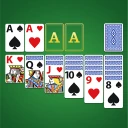
Screenshots
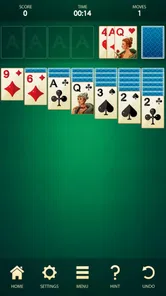


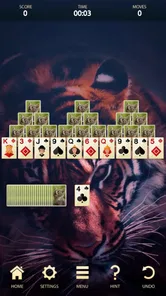
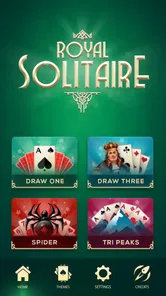
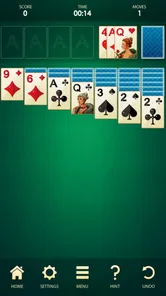


Analysis by Reviewed
I often reach for a familiar card game when I have a few spare minutes but don’t want to start something that needs a long commitment. Classic Solitaire: Card Games suits that kind of pause: it puts a solo card puzzle on my phone and lets me settle into a round without much preparation. The appeal is less about surprise than about making one thoughtful decision after another.
A familiar puzzle, ready when you are
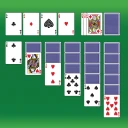
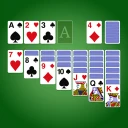
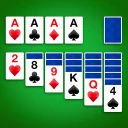
The central draw is the solitaire routine: scan the layout, uncover useful cards, and decide which move might open up the next possibility. I like that this gives a short break a little structure without demanding a tutorial or a group of players. A round can fit into a quiet moment, while the choices still give me something to think about beyond simply tapping through a screen.
That simplicity is also the main trade-off. If you want a card game built around frequent novelty, social competition, or a story, this is probably not the right fit. The pleasure comes from returning to a known puzzle and making better choices, not from expecting every session to feel completely different. I’d choose it for a small mental reset rather than as my main game when I want a deep progression system.
How a round fits into a real break
When I have a few minutes before an appointment, I can start a round without arranging a table, finding a deck, or waiting for someone else. I take a moment to look across the tableau, make a move, and then decide whether I have time to continue. That makes this kind of solo card game convenient for brief pauses that are too short for a more involved game but long enough to enjoy a little planning.
Look before you move
In practice, I get the most from solitaire when I slow down enough to check the whole tableau before moving a card. It is tempting to play the first legal move, but a move that exposes a hidden card can be more useful than one that merely shifts a card toward a foundation. I also try to notice which columns are blocked and avoid filling an empty space casually; an open column is valuable only when I have a sensible card to move into it. These habits make familiar rounds feel more deliberate without turning a relaxing game into homework.
A useful small discipline is to ask what a move will reveal, not just where the moved card will end up. If moving a card uncovers one beneath it, that new information may change the best next step. If it does not open anything or create a useful sequence, I pause and compare the alternatives. This is not a guarantee of winning; it simply makes the decisions feel less automatic and helps me notice when I am moving cards for the sake of moving them.
A good fit for waiting time
This works well in an everyday pause: I might start a round while waiting for a ride or during a quiet break, then stop when I need to get back to something else. The game’s basic appeal is that it does not require coordination with other people. For a shared game night, a multiplayer card app would be a better choice; for a brief solo diversion, this format is easier to pick up and put down.
More From Our News Desk

 Instagram
’s Power Comes From Its Place in Your Phone
A close look at how Instagram turns Meta’s reach, recommendation systems and everyday camera habits into durable platform power—and what that costs users.

 Gmail
Gmail in a Busy Inbox: Who Benefits Most?
From first account to crowded workday, Gmail earns its place through dependable search and flexible sorting—but its best fit depends on how much inbox maintenance you can tolerate.

 Prime Video
Switching to Prime Video: What Changes in Your Viewing Routine
Prime Video can make a compelling second home for streaming, but switching means learning a different catalog, rental layer, and route from browsing to playback.

 Universal TV Remote Control
 Works Best as a Reliable Backup
A phone remote earns its place through quick setup and reliable habits. Here is how to get more from Universal TV Remote Control—and where its limits show.

 Weather - By Xiaomi
Weather by Xiaomi Review: Clear at a Glance, Less Clear Up Close
Xiaomi’s weather app makes everyday forecasts quick to scan, but its calm surface can leave useful details and recovery paths harder to find than they should be.

 X
X Under Pressure: Can It Recover When Posting Goes Wrong?
A resilience-focused review of X, examining setup, mistaken posts, interruptions, weak connections, and the gaps that matter when recovery needs to be dependable.
Latest News



There is a practical distinction between a short wait and a longer trip. In a short wait, I would stick with one round and avoid treating the game as something I need to finish before moving on. On a longer journey, repeated play may be more tempting, but the reported battery drain and occasional after-game ads make it sensible to keep expectations realistic. I would not choose it as my only way to pass a lengthy stretch if conserving battery or maintaining an uninterrupted flow mattered most.
Other puzzles for a change of pace
One of the best things about this app is its simplicity. However, don’t let that fool you into thinking it’s lacking in features. The app includes several game modes beyond the classic setup, such as Spider and FreeCell, which are fantastic if you’re in the mood for a different kind of challenge. For the competitive spirits out there, there’s even a scoring system and a timer to keep track of your personal bests. Trying to beat your own high score is a game in itself!
Those alternatives are useful when the standard layout starts to feel too familiar: Spider changes the planning rhythm, while FreeCell rewards careful use of its open spaces. I would treat them as distinct puzzles rather than assume one is simply a harder version of another. If I only have a minute or two, the classic round is the easiest place to return; when I want to concentrate for longer, switching modes gives me a different kind of decision-making without leaving the app.
The timer and score can add a personal goal, but I would not let them dictate every session. Chasing speed can encourage careless moves, while playing without a target is better when I want the game to stay calm. A practical approach is to use the score as a record of how a round went, not as proof that every game should be faster or higher-scoring than the last. If you enjoy comparing your own attempts, they can give a session a modest focus; if they make a quiet pastime feel like a test, ignoring them is the better choice.
How it compares with other solitaire choices
Classic Solitaire: Card Games is a card game from Gimi Play, and its straightforward approach makes it a sensible option for someone who wants familiar solo play rather than a more elaborate card-game hub. Solitaire apps often differ in how much they layer around the cards: some lean on daily challenges, events, or social features, while this one is most appealing when you simply want to play. If those extra activities are what keep you engaged, another option may suit you better. If you prefer to get into a round without making the game itself a project, the direct approach is a strength.
Compared with a physical deck, the app is easier to carry and set up, but it does not offer the same tactile feel of handling cards on a table. Compared with a puzzle game that has levels or a story, its appeal is more repeatable and less guided: you choose how much attention to give the layout, rather than following a sequence of objectives. I would choose it when I want the particular rhythm of solitaire, not merely any game that fills spare time.
The game is free, has an Everyone age rating, and is listed at version 1.8.0, with Android support starting at version 5.0. Its average rating is 4.6 from around 3,200 ratings, and it has over a million installs. Those details suggest it has reached a broad audience, but I’d still judge it by whether its uncomplicated style matches what I want from a solitaire game.
Where the interruptions matter
Now, let’s get real. While Classic Solitaire: Card Games is largely a smooth ride, it does have its occasional hiccups. Ads tend to pop up after you finish a game, which can be a bit annoying. But hey, it’s a free app, and the ads are a small price to pay for endless hours of entertainment. If they really bother you, there’s usually an option to remove them for a small fee.
Some users have also mentioned that the app can be a bit heavy on battery usage. I noticed this too, especially during longer play sessions. So, it might be worth keeping a charger handy if you’re planning a Solitaire marathon.
For that reason, I’d keep sessions modest if I’m trying to stretch my battery, and I’d expect the end-of-game ad to interrupt the rhythm now and then. The game’s uncomplicated format is convenient, but an interruption matters more when I’m playing several rounds back-to-back. If uninterrupted play is essential, it is worth considering that friction before settling on this as a regular travel companion.
One way to make the ad interruption feel less disruptive is to treat the end of a round as a natural stopping point, rather than immediately tapping into another game. That also gives me a moment to decide whether I still want to play or whether the break is over. If I know I have only a brief pause, I can avoid starting a fresh round when I may need to put the phone away at once.
Who gets the most from it
I’d recommend it most to people who already enjoy classic solitaire, want a solo game they can understand immediately, and like having a few different card challenges in one place. It can also suit someone returning to the genre after a long break: the familiar rules make it easy to begin, while the extra modes offer somewhere to go when the standard game loses its freshness. The customization options are a small bonus for anyone who likes adjusting the look of a game they use often.
It is especially useful for someone who wants control over the pace. There is no need to keep up with another player, and I can take time to consider a move instead of reacting quickly. That makes it a reasonable choice for a low-key pause at home or during a quiet wait. The different modes also give returning players a way to change the type of card planning they are doing without switching to a completely different kind of game.
I would skip it if I needed a card game with a strong social side, a steady stream of new objectives, or a completely interruption-free experience. The ads and battery concerns are practical drawbacks, not deal-breakers for everyone, but they can change whether it feels right for a long commute or extended play. The useful question is whether a familiar solo puzzle is enough for you; if it is, this app’s focus is exactly the point.
A few useful expectations before you play
If you are wondering whether it is suited to casual play, I think its familiar format makes it easy to try without committing to a long learning process. If you are asking whether it can hold attention for longer, the answer depends on how much you enjoy repeating solitaire decisions: Spider and FreeCell offer a change of puzzle, but they do not turn the experience into a story-led or social game. I would approach the extra modes as variety within the same card-game habit.
If your priority is avoiding interruptions, the ads after games are worth taking into account; if your priority is stretching phone battery over a long day, I would keep sessions shorter. And if you are choosing between this and a more elaborate solitaire app, ask whether daily activities and social layers are genuinely important to you. When they are, another option may fit better. When they are not, the direct route into a round is a real advantage.
Overall, Classic Solitaire: Card Games is a solid pick for anyone looking to revisit this classic game. It’s easy to play, packed with enough features to keep things interesting, and perfect for both quick sessions and longer gaming binges. So, if you’re feeling nostalgic or just in need of a simple yet compelling pastime, give this app a whirl. You might just find yourself hooked!
Classic Solitaire : Card Games Frequently Asked Questions
Who is Classic Solitaire: Card Games designed for?
Classic Solitaire: Card Games is aimed at players who enjoy a familiar card game with a straightforward format. Its Everyone age rating makes it suitable for a broad audience, while the traditional Solitaire rules can appeal to both newcomers and experienced players. If you like taking a quiet break with a game that rewards planning, this is a natural option to consider.
What is Classic Solitaire: Card Games?
Classic Solitaire: Card Games is a digital version of the timeless card game, Solitaire. Designed for both Android and iOS devices, this app offers a simple, elegant interface that replicates the traditional Solitaire experience. With intuitive controls and customizable options, it allows players to enjoy the game anywhere, anytime, making it a perfect choice for both casual and dedicated players. It is a card game developed by Gimi Play.
How do I play Classic Solitaire: Card Games?
Playing Classic Solitaire: Card Games is straightforward. The objective is to move all cards to the foundation piles, sorted by suit and in ascending order from Ace to King. You draw cards from the stockpile and strategically move them to build descending sequences in alternating colors on the tableau. The game features helpful hints and an undo option to enhance your playing experience. This familiar structure makes it easy to begin, while each layout still calls for thoughtful decisions.
Is Classic Solitaire: Card Games free to download and play?
Yes, Classic Solitaire: Card Games is free to download and play on both Android and iOS platforms. However, the game may offer in-app purchases for premium features, such as additional card designs or ad-free gameplay. These optional purchases enhance the gaming experience but are not necessary to enjoy the full game. The free price makes it easy to try the basic Solitaire experience before deciding whether it suits your preferences.
Does Classic Solitaire: Card Games require an internet connection?
No, Classic Solitaire: Card Games does not require an internet connection to play. This makes it ideal for those who want to enjoy the game offline, such as during commutes or in areas with limited connectivity. However, an internet connection may be needed for certain features, such as downloading updates or making in-app purchases. If offline play is your priority, you can enjoy the core card game without relying on a connection.
Pros
- Intuitive interface for easy navigation.
- Multiple game modes for varied play.
- Daily challenges keep engagement high.
- Offline play available without ads.
- Customizable card designs and themes.
Cons
- Limited free features in the free version.
- Ads can be intrusive during gameplay.
- No multiplayer mode available.
- Occasional glitches on older devices.
- In-app purchases can be expensive.