Solitaire:Classic Deluxe Cards
- 826.00
- 4.5
- Installs
- 1.00M
- Price
- Free

Screenshots
Analysis by Reviewed
Ever found yourself with a few spare minutes and nothing to do? Well, let me introduce you to Solitaire: Classic Deluxe Cards, the app that's been my go-to for killing time and sharpening my strategic thinking. This app brings the classic card game we all know and love straight into the palm of your hand, and let me tell you, it's as addictive as it is nostalgic.
Why Solitaire?
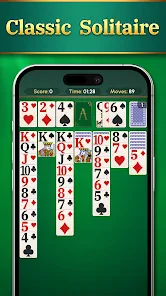
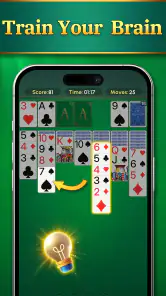
First off, let's talk about why Solitaire: Classic Deluxe Cards deserves a spot on your home screen. For starters, it's incredibly user-friendly. The interface is clean and intuitive, making it super easy to navigate whether you're a Solitaire pro or just starting out. The cards are perfectly sized for any device, which means no more squinting at tiny numbers or accidentally dragging the wrong card. Plus, the app is free to download, so there's no excuse not to give it a whirl!
Features That Stand Out
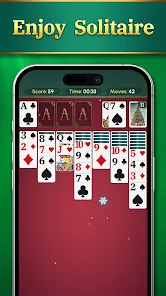
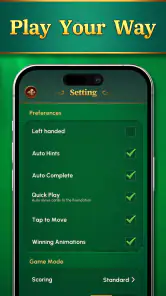
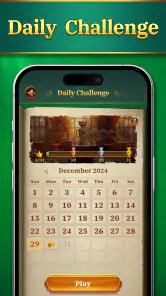
One of the things I love most about this app is its customization options. You can choose from a variety of card designs and backgrounds to keep things fresh and exciting. But the real kicker? The daily challenges. They keep you coming back for more with new puzzles to solve every day, ensuring you never get bored. And if you're feeling competitive, the app's leaderboards let you see how you stack up against players worldwide. It's a great way to push yourself to improve your skills.
Another feature worth mentioning is the hint system. We've all been there—stuck and unsure of our next move. This app gives you the option to get a hint, which is a lifesaver when you're just not seeing the solution. And for those who are perfectionists, there's an undo button, allowing you to backtrack and try a different strategy without having to start over entirely.
Playing Experience
Playing Solitaire on this app is a breeze. The drag-and-drop mechanics are smooth, and the game runs without a hitch, even on older devices. I appreciate the absence of intrusive ads that often plague free apps; the developers have done a great job of keeping them minimal and non-disruptive. Plus, the app doesn't require an internet connection to play, so you can enjoy a game or two on the go, whether you're on a flight or just in a spotty service area.
What's also impressive is the app's battery efficiency. Even after long playing sessions, it doesn't drain your battery as much as other games might, which means you can keep playing without the constant fear of running out of juice.
Final Thoughts
In conclusion, Solitaire: Classic Deluxe Cards is a fantastic app that brings the timeless card game to life in a digital format. It's perfect for anyone looking for a quick mental challenge or a way to unwind. With its easy-to-use interface, fun customization options, and engaging daily challenges, it's no wonder this app has become a staple on my phone. So, if you haven't already, give it a download and see for yourself why this classic card game never goes out of style.
Pros
- Addictive gameplay with intuitive controls
- Offline mode available for uninterrupted play
- Variety of card designs enhances visual appeal
- Daily challenges keep the game engaging
- Minimal ads for free version
Cons
- Limited features in the free version
- Occasional in-app purchase prompts
- Ads can interrupt gameplay
- No multiplayer support available
- Lack of advanced customization options

- Category
- Card
- Version
- 1.2.4