Retro Games (Arcade)
- 1.22K
- 4.4
- Installs
- 1.00M
- Price
- Free

Screenshots
Analysis by Reviewed
Retro Games is the kind of Android arcade title I would open when I want a quick trip back to older-school gaming without committing to a long modern campaign. It is free to install, aimed at Everyone, and built around retro arcade emulation rather than a new game with its own original world. That distinction matters: the appeal comes from revisiting a familiar style of play, learning simple patterns, and chasing better runs instead of following a large story.
I found the idea easy to understand, but the experience depends heavily on what I expect from an emulator. If I want a fast, casual way to sample retro-style play on a phone, it has a clear purpose. If I expect the polish, controller support, presentation, and carefully curated library of a premium retro collection, I would look elsewhere. My overall impression is that this is best approached as a lightweight arcade doorway, not as a complete replacement for every dedicated emulator or official classic-game package.
What to expect before you start playing
The game sits in the arcade category and comes from developer Sahlaoui Mustpha. Its store summary describes it as an emulator for retro arcade games, while the short description reduces the idea to “Retro Games.” In practical terms, that means the first minutes are less about learning a complicated ruleset and more about understanding how the app presents its playable material and how comfortable the controls feel on your device.
That simplicity can be a strength. Arcade games traditionally reward short sessions, quick restarts, and gradual improvement. You can use a spare few minutes to test a title, stop after a failed attempt, and return later without needing to remember a long chain of objectives. I especially like this format for travel, waiting rooms, or evenings when I want interaction rather than passive scrolling.
At the same time, an emulator is not automatically the same thing as a polished collection. The quality of a session can depend on the game you select, the phone screen, touch response, and whether you already enjoy arcade conventions such as limited attempts, repeated patterns, and score-focused play. Newcomers who grew up with modern checkpoints may initially find the older rhythm abrupt.
The audience size suggests that the concept has reached well beyond a tiny niche: the app has passed one million installs, and its average rating is 4.4 from around 16 thousand ratings. Those figures are useful context, but they do not guarantee that every included experience will suit every player. I would treat them as a sign that the basic idea is accessible, while still judging the app by how well it fits my own device and expectations.
Who will enjoy it most
I would recommend trying it if you like short arcade sessions, grew up with classic cabinets, or want to understand why older games can be engaging with very little explanation. It can also work for someone who wants a simple game to keep on an Android phone rather than a large, constantly changing live-service title.
The better match is a player who enjoys experimenting. Instead of installing it only to find one specific modern feature, I would approach it as a small playground: choose something that catches my attention, spend a few attempts learning its timing, and decide whether the challenge feels rewarding. That mindset makes the inevitable restarts feel like part of the design rather than a failure of the app.
I would skip it if I need a clearly organized premium library, extensive accessibility controls, a deep progression system, or a guaranteed console-like experience. It is also not my first choice for someone who dislikes touch controls and has no interest in adjusting their play style. A dedicated handheld, a paid official collection, or a more established emulator may be a better fit in those cases.
The first setup should stay simple
Retro Games is free, so the initial decision is relatively low-risk. It supports Android version 6.0 and later, which covers a broad range of devices. I would still begin by checking that my phone has enough free space and that the operating system meets that requirement before downloading. That small check prevents a frustrating start, especially on an older device that is already close to its storage limit.
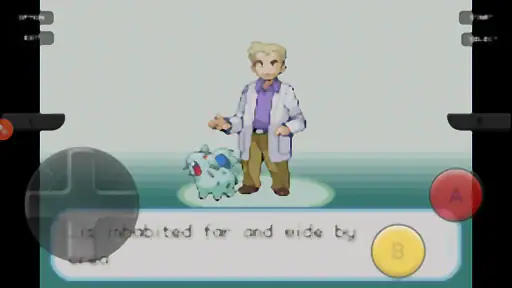
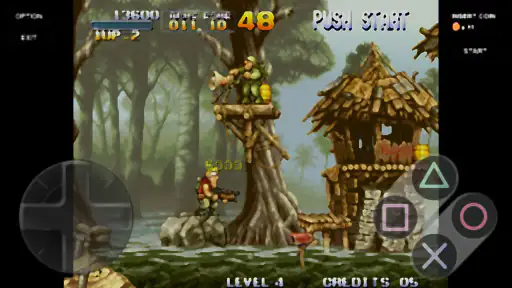
Once installed, I would avoid trying to judge the whole app from the first screen alone. The useful first task is to identify how the app separates its available arcade material, how I select an entry, and where the basic play controls appear. I would take a moment to notice whether the interface feels readable in portrait or landscape and whether my fingers cover important parts of the display.
That last point is more important than it sounds. Touch buttons that seem acceptable in a menu can become awkward during a fast arcade sequence. I recommend holding the phone in the position I expect to use during play, then testing a few taps before starting a serious attempt. If the layout feels cramped, changing grip or rotating the device may help more than immediately blaming the game itself.
The current version is 1.2.2. I would use that version as the starting point for this review rather than assuming an older tutorial or a screenshot from another release reflects the exact interface on my phone. Emulator-style apps can change small navigation details without changing their basic purpose, so I find it safer to learn the controls directly from the installed build.
How I get to the first meaningful success
For a first session, I would define success narrowly: launch one playable experience, understand the movement or action controls, complete a short sequence, and return to it without getting lost in the menus. That is more useful than immediately chasing a high score. It gives me a practical answer to the most important question: does the app feel comfortable enough to revisit?
My first attempt would be deliberately cautious. I would watch how the on-screen controls respond to light taps, whether holding a direction behaves differently from tapping it, and how quickly the game reacts when several inputs are needed. I would not begin by pressing every button at once. Learning one movement or action at a time makes it easier to tell whether a mistake came from my timing or from an unfamiliar control layout.
After one short run, I would repeat the same selection instead of jumping randomly through everything. Repetition is where arcade emulation becomes meaningful. The second attempt lets me test whether I can remember a pattern, improve a turn, or reach the point that stopped me previously. If I make progress, even without a spectacular score, I know the app is giving me the kind of immediate feedback that makes a retro session worthwhile.
A useful habit is to keep the first play period brief. I would stop after several focused attempts, note which control or section caused trouble, and return later. This avoids confusing fatigue with poor design. Old arcade challenges often depend on small timing adjustments, and those are easier to notice when I am not rushing through a long session.
Controls, screen space, and everyday use
Touchscreen play is the biggest practical question for me. Physical arcade controls have a clear tactile separation, while a phone gives me flat buttons that I cannot feel under my thumb. That does not make the app unusable, but it changes the kind of games I prefer within it. Slower or pattern-based play is usually easier to manage than anything demanding constant, precise input.
I would use headphones only if I already know I want the extra atmosphere, rather than assuming sound alone will improve every session. The more important everyday test is whether I can see the action while my hands are in their natural position. A phone with a smaller display may make touch controls feel more intrusive, while a larger screen may provide a little more breathing room.
One realistic use case is a short break between errands. I can open the app, choose a familiar-looking arcade experience, play a few attempts, and close it without losing an evening to a large progression map. Another is sharing the phone with a friend who remembers classic arcade ideas: instead of explaining a complicated story, I can hand over the device and let the controls communicate the challenge.
That same simplicity can be less appealing during a long commute. If I want a game that steadily unlocks content, remembers a detailed campaign, or gives me a strong reason to play for an hour, this is probably not the right category. Retro arcade design is often about the quality of a single run, not about building a large personal profile.
Common confusion during the first session
The word “emulator” can create expectations that are too broad. I would not assume that every classic game I remember will be available or that every title will behave exactly like the original cabinet. The safest approach is to evaluate what is actually presented inside the app and judge the controls and responsiveness one selection at a time.
Another common mistake is treating a difficult first run as proof that the app is broken. Arcade games frequently use immediate failure and repetition as their learning loop. Before uninstalling, I would retry the same section with slower inputs, check whether I am pressing the expected control, and see whether a different grip makes the screen easier to read.
I would also avoid confusing free access with a completely cost-free experience. The game is free to download, but in-app purchases are listed at $3.99 per item. That does not automatically make the purchase poor value, yet it means I would first spend enough time with the free experience to decide whether the app deserves additional spending. For a casual test, there is no reason to buy anything before I understand how much I will actually use it.
The Everyone age rating makes it approachable for a broad audience, but age suitability does not tell me whether the controls will suit a young child or an older player. A child may understand the simple arcade goal quickly while still struggling with small touch buttons. For family use, I would test the layout myself first and keep expectations focused on short, supervised sessions rather than assuming it works like a physical arcade machine.
Three habits that make the app more enjoyable
First, I would create a small rotation instead of trying to sample everything in one sitting. Choosing one title for quick reflexes, one for pattern learning, and one for relaxed experimentation gives each session a different purpose. It also helps me notice which kinds of retro play work best with my phone’s touch screen.
Second, I would judge progress by consistency rather than by a single impressive attempt. Reaching the same point several times tells me more about whether I am learning the game than getting lucky once. This is especially useful when the app presents arcade material without the modern safety net of frequent checkpoints or generous tutorials.
Third, I would reserve the purchase decision until after a few separate days of use. A game can feel exciting during the first nostalgic session and then sit untouched afterward. Waiting lets me distinguish genuine replay value from the temporary appeal of seeing a retro interface. Since each listed in-app purchase costs $3.99, that pause is a sensible way to avoid paying for content I will not revisit.
These habits also make comparisons fairer. A modern arcade game may offer smoother onboarding, achievements, and carefully tuned touch controls. A dedicated emulator may provide more configuration. Retro Games can still win when I want an uncomplicated entry point and do not want to spend time building a complicated setup before playing.
How it compares with usual alternatives
Compared with a new arcade game designed specifically for mobile, this app has a different charm. A purpose-built mobile title usually explains its mechanics more clearly, adapts its interface to touch, and may offer progression that keeps me returning. Retro Games is more attractive when the appeal is the older arcade structure itself: direct action, repeated attempts, and the feeling of learning through play.
Compared with a dedicated emulator, the trade-off is convenience versus depth. Experienced users may prefer an alternative with more control over display options, input mapping, and personal game organization. A newcomer may prefer not to deal with a technical setup and may value having an arcade-focused starting point instead. I would choose the dedicated option when I already know exactly what system or configuration I need; I would choose this one when I want to explore without turning the process into a project.
Official retro collections are another strong alternative. They can offer more consistent presentation, clearer licensing context, and controls designed around a known set of games. Their disadvantage may be a narrower selection or a higher upfront cost. Because this app is free to install, it is an easy way to test whether the general retro format suits me before I commit to a paid collection.
None of those comparisons makes one choice universally best. The right option depends on whether I value authenticity, convenience, customization, or polish most. For a first-time user, I would start here only if the goal is to sample arcade-style retro play with minimal commitment, then move to a specialized alternative if the basic experience reveals more demanding needs.
What I would do after the first successful session
After I complete a satisfying run, I would return to the same game and deliberately change one variable at a time: a different grip, a different screen orientation if available, or a more conservative input rhythm. This turns the first success into useful knowledge about the app rather than a one-off moment. It also helps separate my own learning curve from genuine control friction.
I would then decide whether the app belongs in my regular rotation. If I enjoy the short sessions and find myself wanting to improve, it has done its job. If I am still searching for a specific classic title, a more exact controller setup, or a longer progression system, I would stop there and choose a more specialized alternative instead of forcing this app to meet a need it was not designed to meet.
For anyone trying it with a friend or family member, I recommend making the first goal collaborative: take turns attempting the same short challenge and compare what each person learned. That approach works better than handing over the phone with no explanation, because the other player immediately understands that the fun is in improving the next attempt, not necessarily winning on the first one.
My recommendation after using it
Retro Games is worth a try for casual arcade fans who want a free and approachable starting point. I like its low commitment, its focus on short retro sessions, and the fact that it can introduce the basic appeal of emulation without requiring a large investment at the beginning. The broad Everyone rating and support for Android 6.0 or later also make it practical for many users.
My recommendation comes with a clear boundary. I would not install it expecting a complete premium library, modern mobile refinement, or the customization of a specialist emulator. Touch controls may limit the most demanding arcade experiences, and the listed $3.99 per-item purchases are worth considering only after I have established that I will return regularly.
Still, as a first step, it is reassuringly straightforward: install the free game, explore one selection, learn the controls through a few short attempts, and decide based on how the phone feels in my hands. With an average of 4.4 and around 1.2 thousand written reviews, it has attracted substantial user attention since its release on January 23, 2025. I would take that as encouragement to test it, not as a substitute for personal experience.
In the end, I see Retro Games as a useful doorway rather than the final destination for every retro player. It is best when I want a quick arcade break, a little nostalgia, or a gentle introduction to emulator-style play. If that first meaningful success makes me curious about deeper configuration or a larger curated catalog, I can move on with a clearer idea of what I actually need.
Pros
- Authentic arcade-style visuals and sound effects
- Simple controls make most games easy to pick up
- Short sessions are ideal for quick entertainment
- Nostalgic gameplay appeals to classic gaming fans
- Runs smoothly on many older Android and iOS devices
Cons
- Some titles may feel repetitive after extended play
- Touch controls can be less precise than physical buttons
- Ads may interrupt gameplay in the free version
- Limited modern features compared with newer arcade games
- Difficulty can become frustrating for casual players

- Category
- Arcade
- Version
- 1.2.2